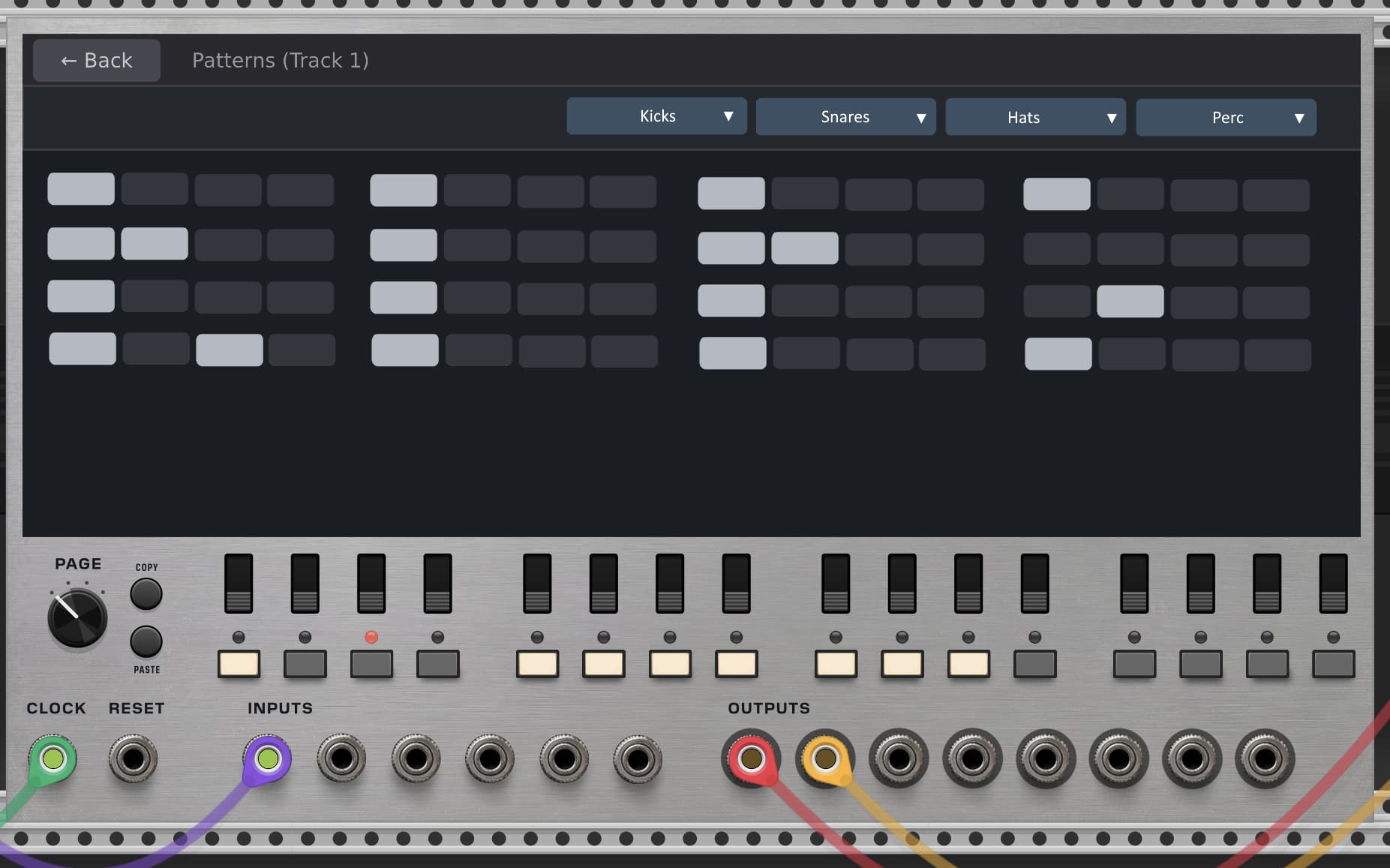
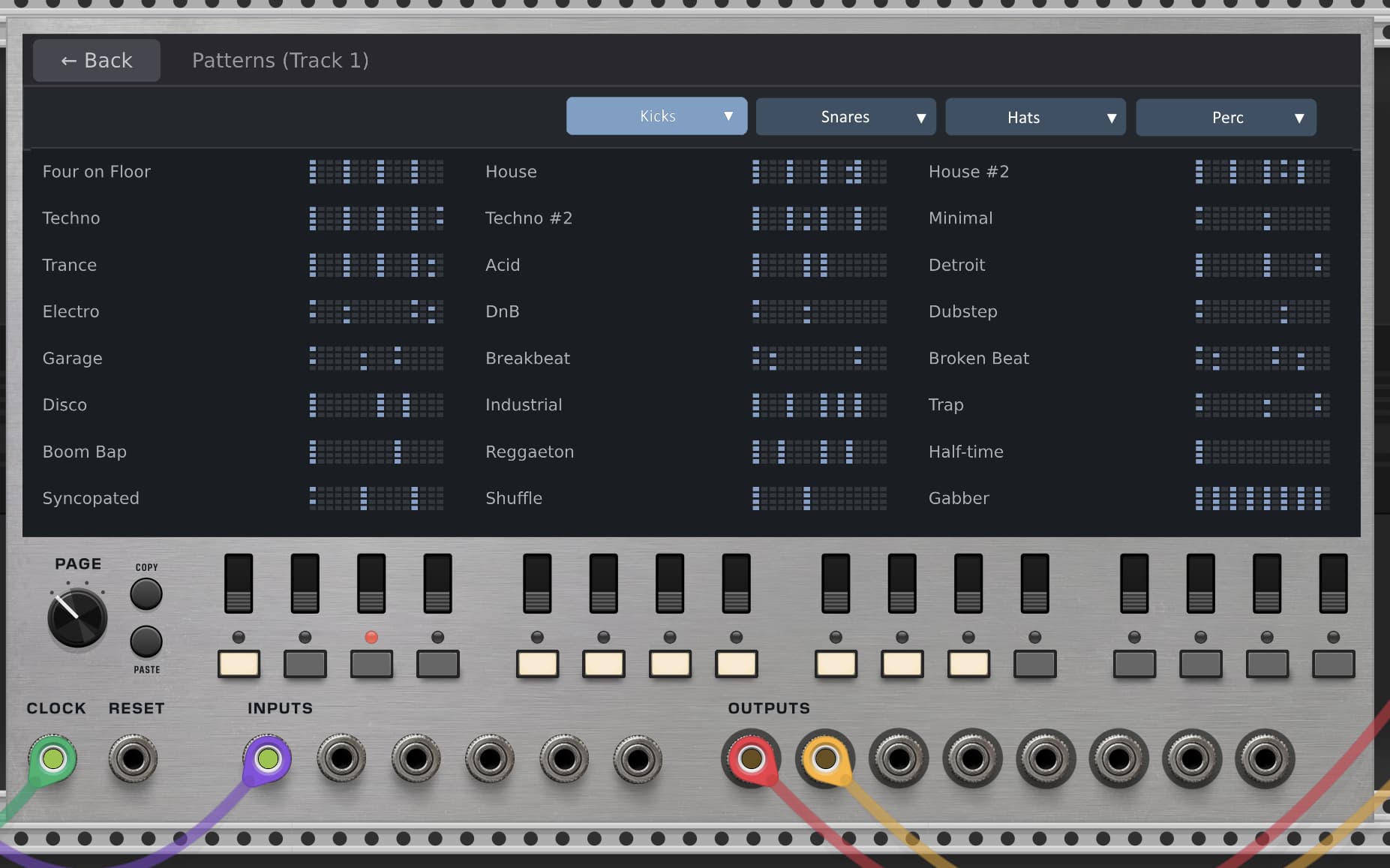
Hmm… That might work well! It might be a little while before I have something to show off. Here’s a quick sketch… When you lick on one of the buttons, you get the pattern selection menu.
5 Likes
you know, looking at that mock up and the flow, maybe it should be presets shown first layer as you hit patterns
because then you select one of those patterns for the whole 4 piece kit ( or no selection is an option too), then as hit the kick tab you could then see a 64 view of kick with the pattern filled in, but you could hand change each step or clear it and set it manual or even possibly randomize
thanks again for the fun back and forths
It seems like both approaches might have some pros and cons. If a user wanted to see all 64 steps of the sequencer quickly in order to make updates (instead of having to turn the page knob), showing the presets first adds a barrier to reaching that interface.
(Thanks for talking this over with me! I might not respond again until tomorrow. I’m changing my focus for a little while.)
1 Like
Really neat concept here in the new module, at first I felt averse to scripting, but I am warming up to it quickly.
It seems counter length does not save with slot saved sequences. It is global and thus all sequences are the same length. Am I reading that correctly?
Ooh, this looks nice!
I thought it was dirt on my screen  In any case, off to getting this one right now!
You are! However, good news: This exact same thing was mentioned on one of my YouTube videos, and I spent today improving it.
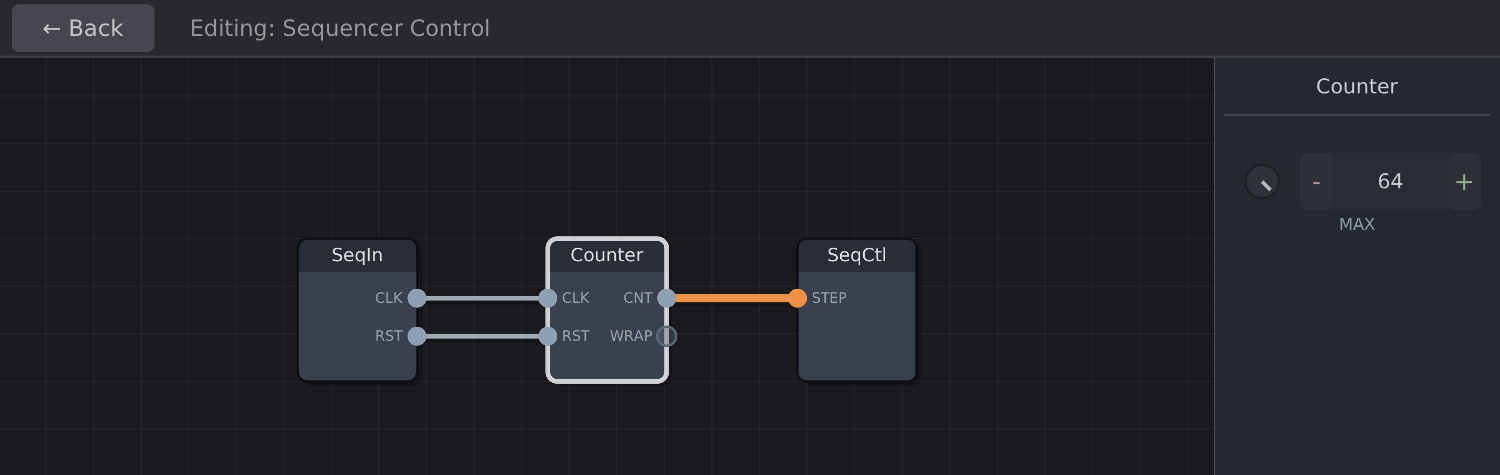
So, here’s the existing interface:
and here’s NEW the interface after today’s upgrade:

Orange cables represent “poly” cables, similar to how VCV Rack has poly support. They can carry up to 16 channels.
So, what does this mean? It means that the next update will support independent clock control over each track, and separate sequence lengths per track.
A typical setup might look like this:
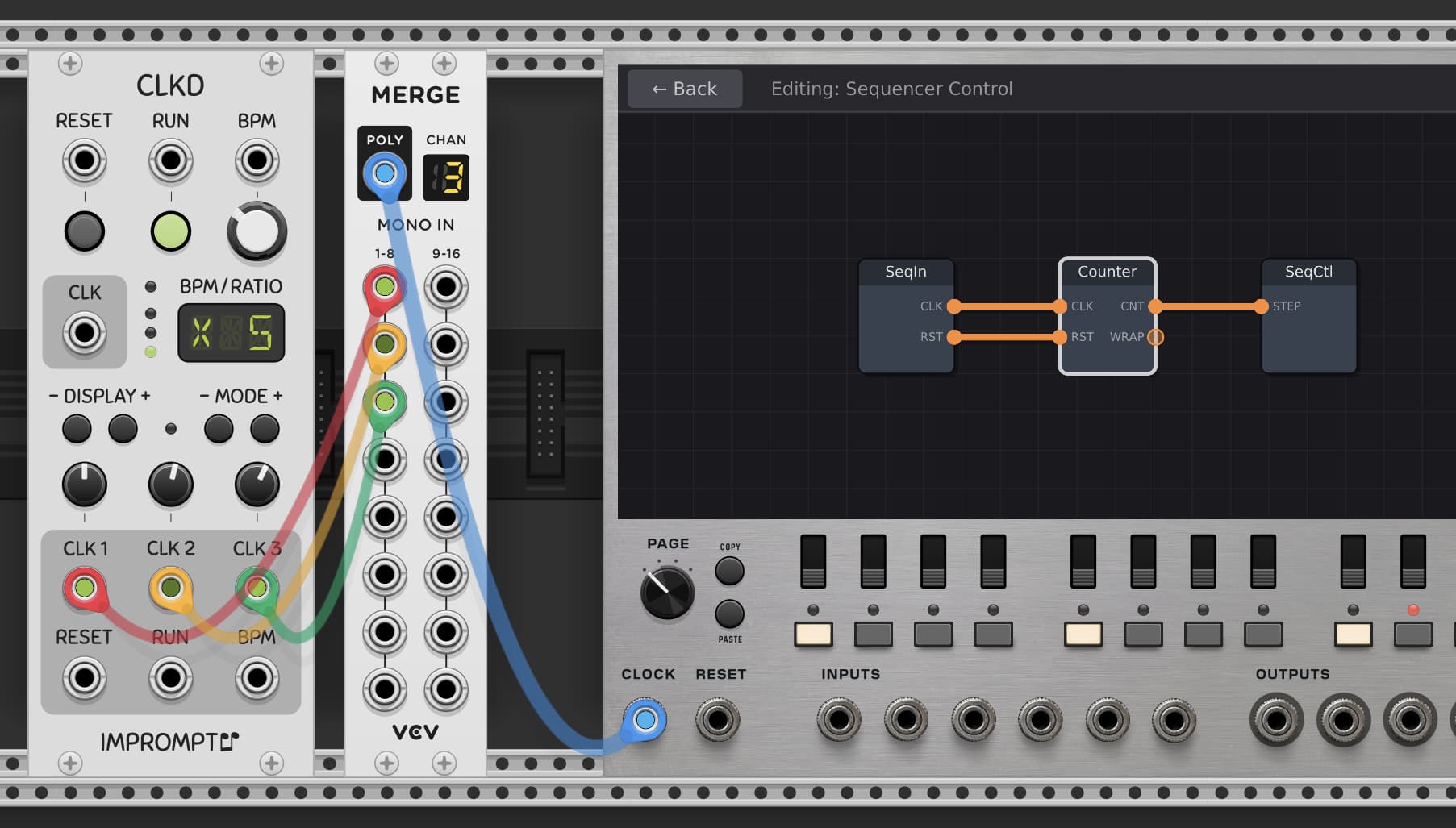
I’ll be making a tutorial video of this as well.
Reset is also poly moving forward. Of course, it operates just fine with a single clock with no work required.
I think I’ll get a new build submitted tomorrow to VCV Rack. It will contain an important bugfix where the very first beat of the module doesn’t trigger after a reset, but also this update, and a few other small tweaks. Maybe a few surprises.
3 Likes
Here’s a little jam session showing off some of the new independent clock settings and an enhanced distortion module. Not a perfect jam, but so much fun.

1 Like
Great solution. Would you consider adding poly inputs for cv as well? That would take modulation to another level.
Ok, very interesting solution that adds some special interest with multiple clock inputs. Thanks for looking at this feature.
I have another idea that is buzzing around my brain, I hope it isn’t too much to offer these ideas. I love the scripting concept, it’s different than anything in rack. But I would love the slot memory exposed somewhere when I’m just messing around, right click is fine, but not modular fun. I propose a mode button next to the page and Copy/paste controls that changes the 16 panel switches to instant slot recall switches, so I can copy paste beats into slots in preparation to make variants on the beats.And hopefully selecting a new track or slot will also trigger reset, because diff length beats will be pretty chaotic without reset. If it seems too odd because of the page knob, well then expand to 64 slots if possible and page becomes used again. Then for the icing on the cake, a cv input to recall slots with voltage, a big ask I know. You may have to disable scripting when cv is applied or the load slot action maybe disabled, not sure. I’m a jerk I know, just please consider anyway, lol. Thanks Bret.
I should catch up with the videos you’ve posted, but I kinda want to wait till a moment closer to when I buy your new modules as I’ll be charged up to playing with them and I’ll be able to learn how they work and utilize them … but with PatchSeq being out for a couple months I guess it could be a matter of rewatching later once the purchases are made if I forget some inner workings…
This is actually a pretty brilliant idea. Just to reiterate, you’re talking about scene snapshots:
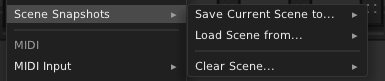
And you’d like a mode that changes the 16 step buttons into scene recall buttons for live performances. And in addition, perhaps a new inner-module for changing scenes. (You could place it on the Sequencer Control like so:
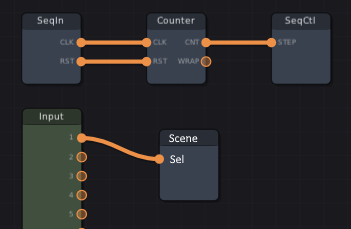
Yes, I can do this. I might start off with the alternative trigger behavior being seletable via the module’s context menu, just so I don’t have to make front panel changes, which is tedious.
@auxmux You asked,
I believe that they already are! 
2 Likes
Hi Dominique,
Sorry I didn’t respond to this earlier. I do believe that the inputs could be used for audio. You should be able to, for example, route audio into an input, then use a patch to apply effects to it, then route the effected audio to an output. I honestly haven’t tried it yet, but I believe it should work.
Cheers,
Bret
1 Like
This has been implemented:
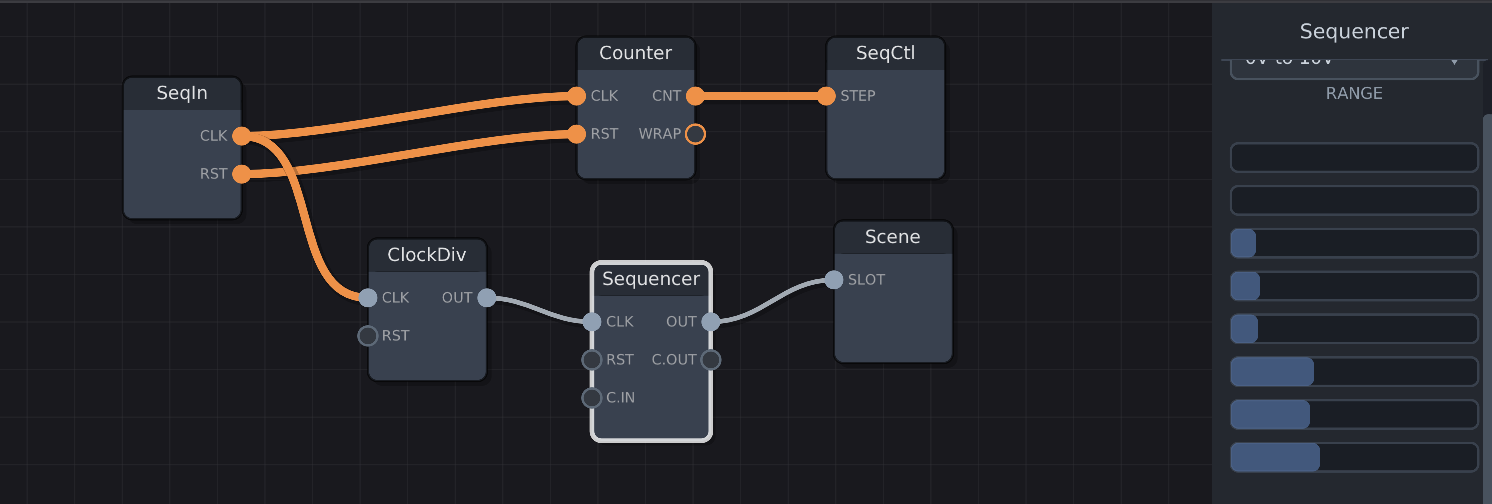
This patch  shows how to switch scenes after a certain number of sub-divided clock pulses.
Of course, you could theoretically route an external CV to the Scene module as well.
Also implemented: The scene selection option. Now there’s a mode in the context menu which changes the purpose of the track buttons and turns them into scene selection buttons. The red LEDs indicate if the scene slot contains anything.

I’m getting a release ready as we speak, although it takes time to go through the approval process. I’ll keep you posted, and when it’s ready, I’ll post a change log here.
2 Likes
Hi Bret,
Don’t worry! No free time here too, for (WIP) FranKe sequencer, I’ve migrated most big-sized arrays (64 patterns x 8 tracks x 16 steps, for each data type as bytes such notes, velocities, gate duration %, probalility % and so on), to binary file via OnSave() / OnAdd() methods, assuming it’s more safe than json (I’ve already used this technique for FroeZe sequencer module).
Yep of course, as long as they’re analog voltages…  Useful (by delays) to generate feedbacks.
INPUTS typography/label finally is perfect, so please forget my remark!
1 Like
Really awesome I can be patient , thanks for tinkering so much after release
1 Like
Ah cool! Is it possible to add a polycable splitter module? Then, merged CV from each input can be split inside Groovebox Advanced, essentially turning, 6 inputs into 96 potential inputs for modulation.
1 Like
Sure! It won’t roll out with the next release, but should in the release after that. I’ll update this thread as soon as I have it done, which should be within the hour.
2 Likes
This would be also nice to see in PatchSeq. 
1 Like
Ok, I’ve created the split module. It’s a little bit tall, but it should do the job:
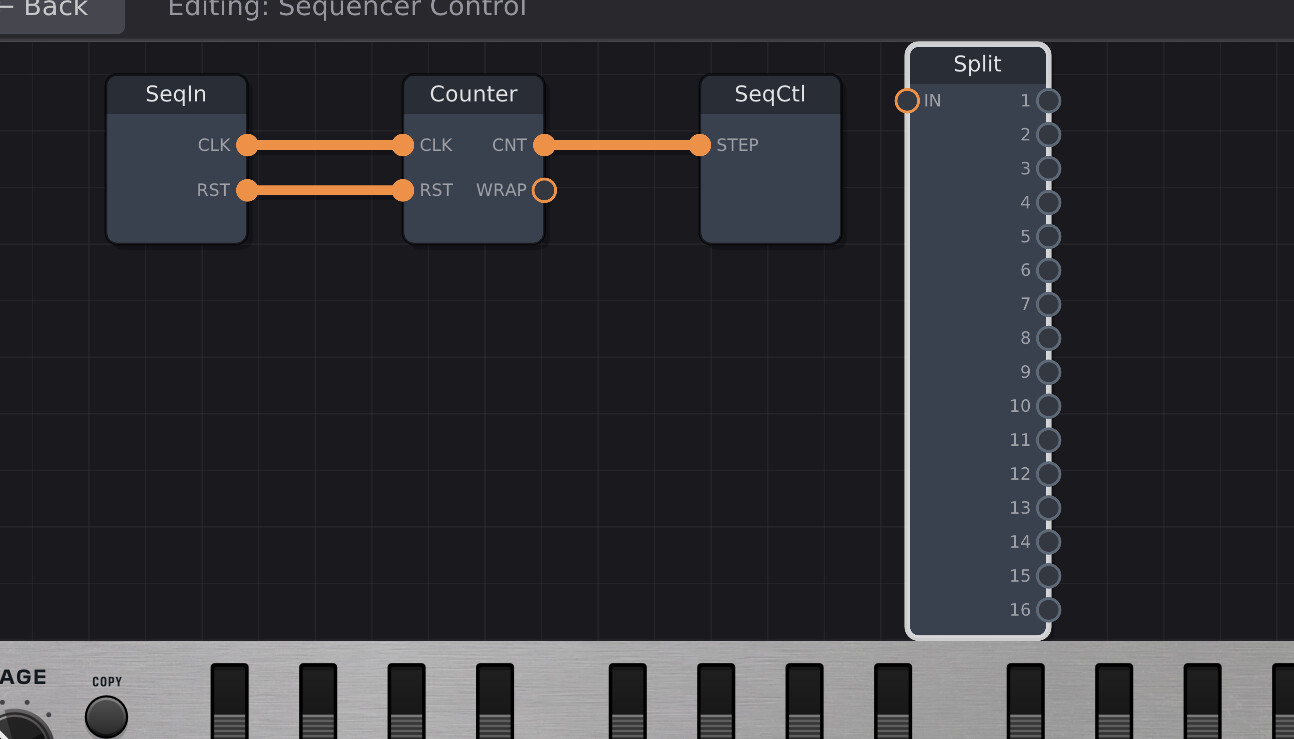
It might be a little while before it rolls out, but it’s ready to go.
2 Likes
There’s an alternative way. One IN, four OUTs, and a parameter knob to select from 1 to 12 with following meaning:
- 1 → pick channel 1-4
- 2 → pick channel 2-5
- 3 → pick channel 3-6
- …
- 11 → pick channel 11-15
- 12 → pick channel 12-16
Small, tidy, practical. Space is valuable here.