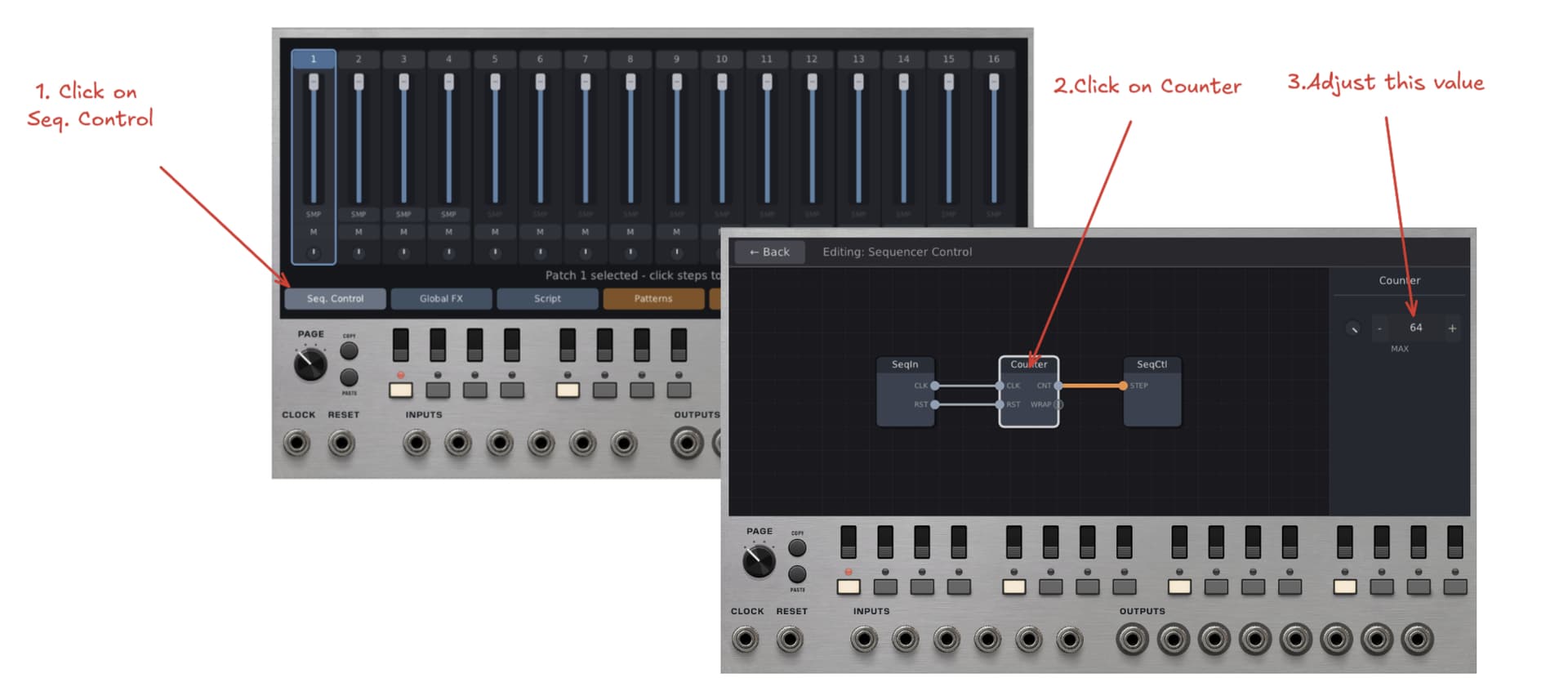
In the global section Sequence Control, there is a module patched called Counter that has length for the sequence.
2 Likes
Yes, exactly what @cubistguitar said. Here’s a super short tutorial:
1 Like
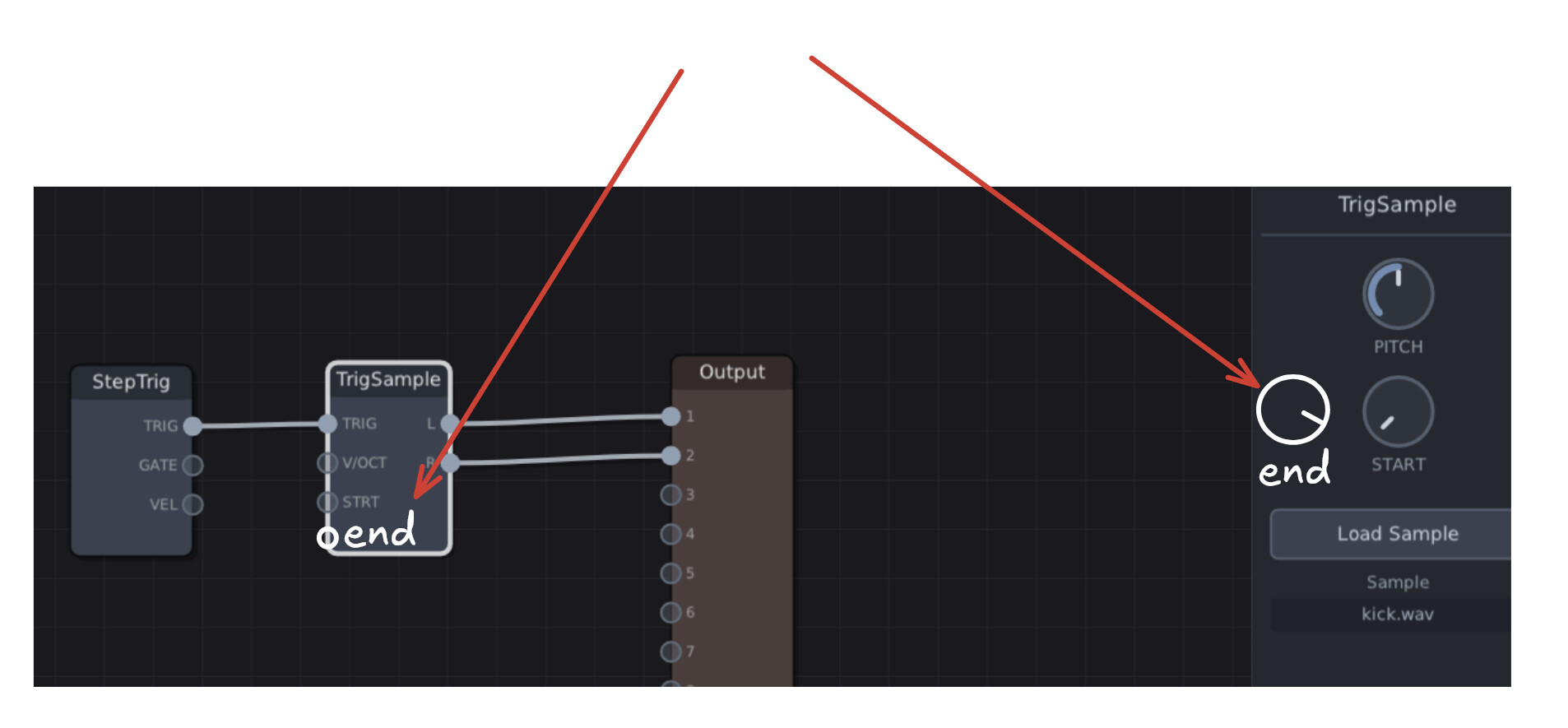
My only request for feature idea at the moment, an end of sample knob and cv, when you ratchet hard you need to shorten your sample a little, made the Groovebox a powerful ratcheter with the start and end and sample waveform display while trimming. So far its a lot of fun to tinker with.
@cubistguitar Just so I’m understanding correctly, you’re looking for something like this, and in addition, a waveform display so that you can see the start and end overlaid on top of the waveform?
1 Like
well waveform would be a huge help trimming larger samples to do something other than strict percussion hits
but yes the end control and cv and waveform would be huge
I think Groovebox Advanced may be a different beast, but the effects and modifiers in Groovebox are pattern locks, meaning the step I have selected has different settings than other steps of the same “drum”. Here I sense that one “patch” is used in each step without settings varying between the steps, is that the case?
Yes, that’s the case. It’s a different beast, and parameter locks aren’t really “baked in” to the system. Some options might be to explore the StepNum module, which outputs the step number, and use that value to control a change to some part of the patch. Or, you might string up a clock module to a sequencer to sequence value changes in your patch.
But I’m open minded. Are there any sub-modules that I could make to provide the sample type of functionality as parameter locks for you?
Not absolutely necessary! as explained by @cubistguitar (and confirmed by you, Bret), by using Counter module, this does the job (I’ve discovered this, but after my comment here).
Your 20min. tutorial is just perfect! As non-English I am, all are very clear, without subtitles! 
Dominique, I may not be following correctly, but cubistguitar’s request seems to be unrelated to the steps, and more to do with sample length.
Your 20min. tutorial is just perfect!
I must admit, I’m pretty proud of that tutorial! Ha ha ha. I want to make more tutorials for how do go deep with the Groovebox Advanced.
Some tutorial ideas include:
- How to use the resample and replay modules
- Creating a synced delay on a beat
- Creating breakbeats
- Giving beats “life” through randomization
- Getting weird with the sequencer
- Euclidean Beats
2 Likes
Bret,
You can!
Ideas about some additional tutorials are fine.
This “GA” module is very powerful, and as I’ve said, very intuitive. Incredible stuff mate (like you’ve made for PatchSeq module).
About mixer, perhaps a missing: SOLO buttons (yellow/orange, like many DAWs have), it’s not critical however, MUTEs are doing the job perfectly!
They’re cross messages between us, so possibily (surely) confusion from me. Apologizes! My message (not a request) was about variable number of steps for a track (I mean, less than 64).
No No , I pictured using the clock to advance a patch sequencer for moving “pattern locks” I create myself or even lfos for a more freely evolving thing, i just wanted to feel the design differences out. I like the StepNum idea, a value that the sequencer creates as you advance, that can be used lots of places inside and out of the box.
Forgive me, I’m going to be a buzzing fly until I settle down with this one.
I love the velocity and chance menus that give you a view of the entire sequence. Any chance you could extend this to the pattern section, so we have this cool view of the entire sequence while trying out variations? I mean one that I could actually turn on off beats in the 64 step pattern. I know it would be redundant with the 16 buttons and page knob, but it is a very cool view and would love to use to actually sequence.
1 Like
Starting to dive in, lots to explore. Is there a way to set different step lengths per track?
1 Like
No, unfortunately not. Only the global step length can be set. However, give me some time to think. Maybe I can think of a way for each track to have different step lengths.
2 Likes
That’s a really interesting idea. Just to reiterate so that I understand your idea: Right now, you have to use the page knob to cycle through the different sequencer steps. Page 1 shows you 1-16, page two shows you 17-32, etc. You’re wondering if there might be a view which shows you all 64 steps in a grid so you don’t have to tediously adjust the page input knob?
If so, yes, I can probably make it happen. Let me know if that’s what you are thinking!
1 Like
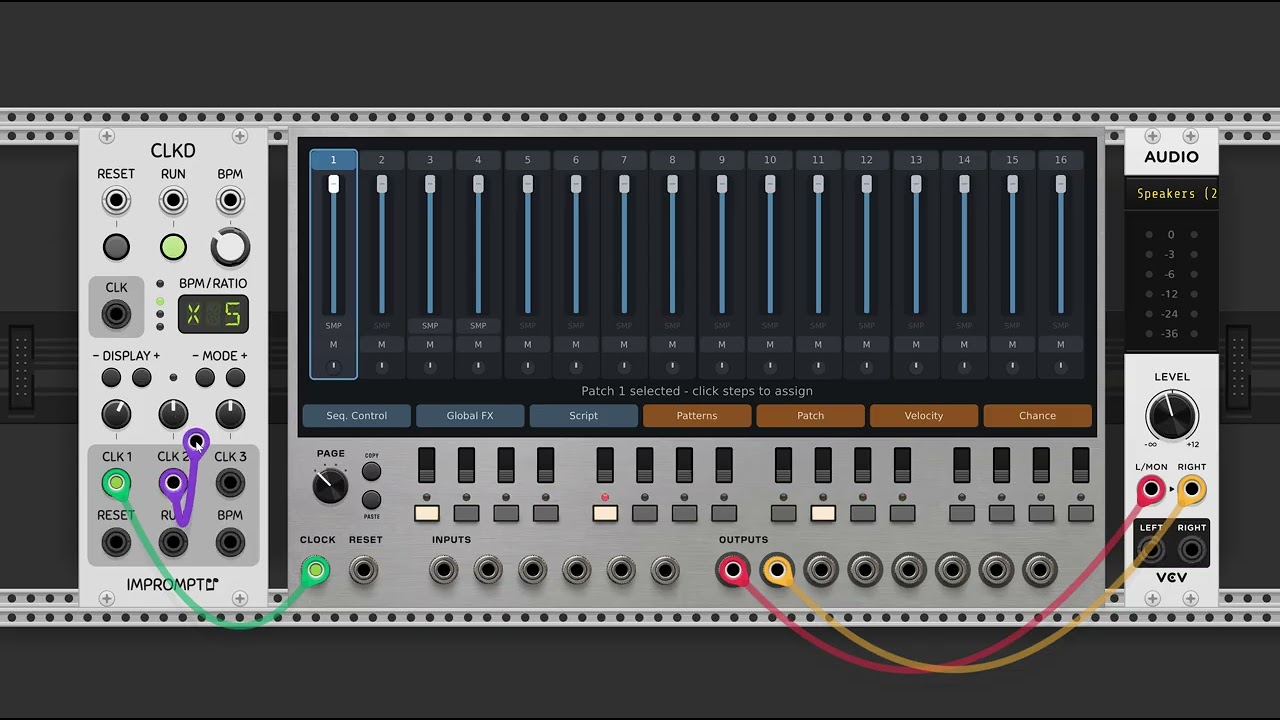
Here’s a tutorial on using the “Euclid” module. I’ll try to create more tutorials. There’s a lot of ground to cover!
3 Likes
Just a small remark about INPUTS typography on panel, IMHO it will better to change to CV INPUTS, because “INPUTS” label alone can cause confusion with… audio inputs (last morning, .I fall in the trap for idiot) Of course, I’ve understood quickly the audio inputs are not used by Groovebox Advanced! …and you’ve clearly mentionned the six CV inputs, at the beginning of the main video.
Clear and fine video (Euclidean rhythms), as usual!
Bret, by your fault, I’ve paused my development to… play with Groove Advanced module! 
 Humor x 1000, the FranKe module development is progressing quickly, including today.
Exactly what I was thinking , thanks for considering this feature.
1 Like
Yes, that would be ideal to do polymeter / polyrhythmic type sequencing and really opens things for composing more organic tracks.
@cubistguitar , I’m trying to figure out how to enter a “mode” for editing the full 64 steps on the canvas. One idea might be a small button near the PAGE knob that will pull up that interface.
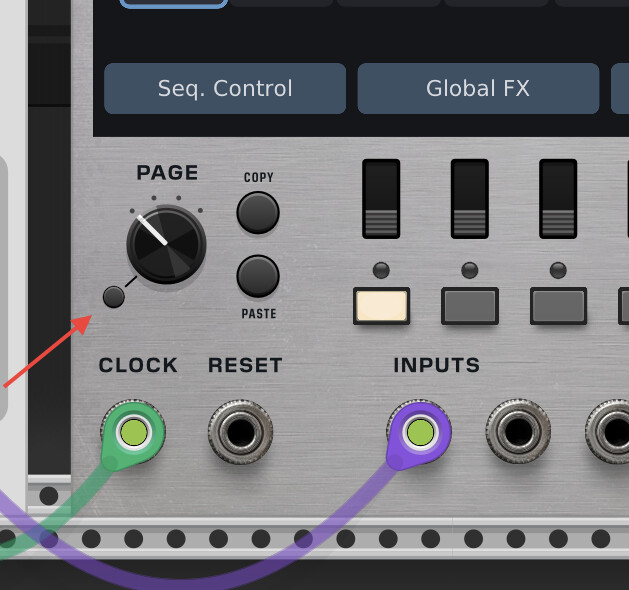
Or maybe a more consistent design would be to squeeze in another button:
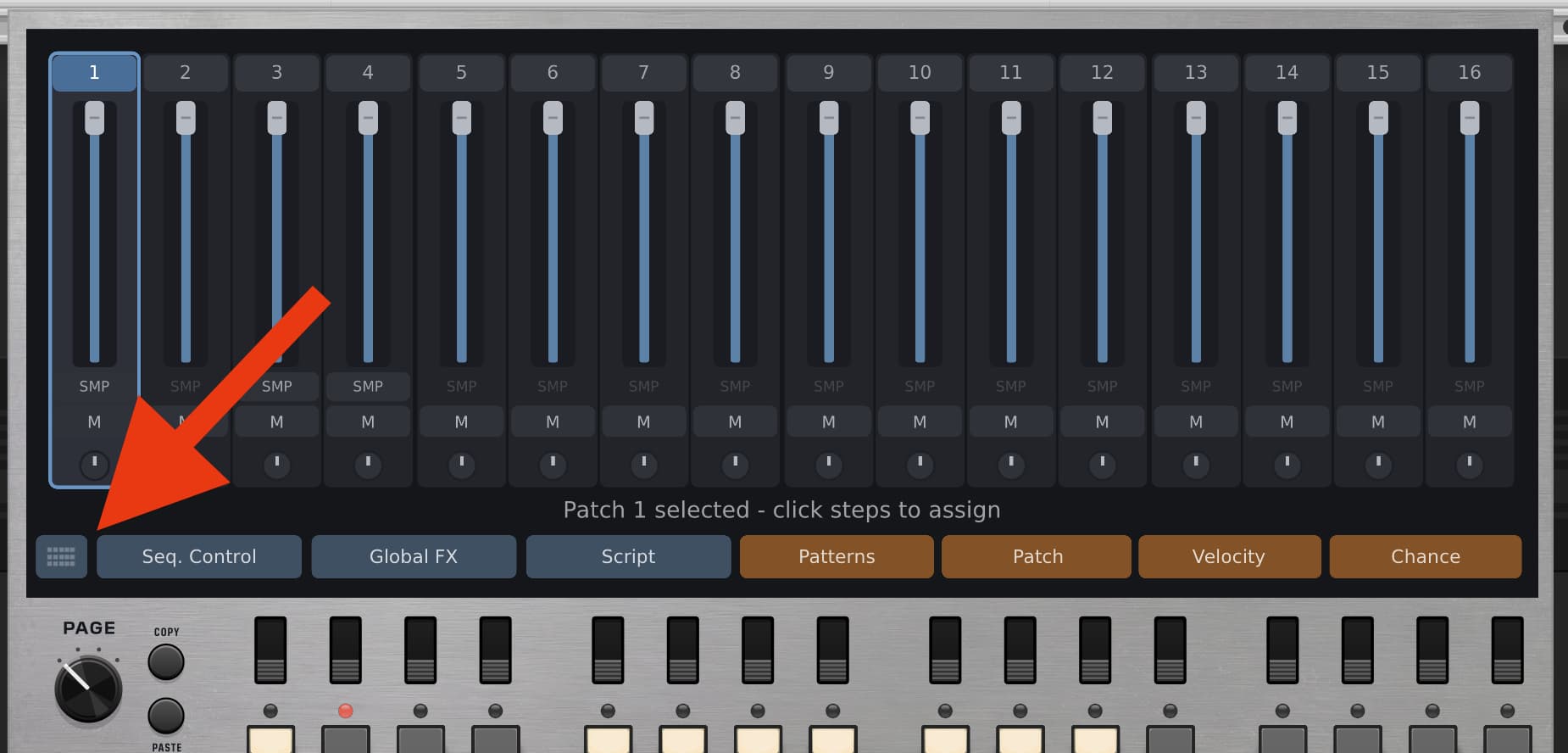
2 Likes
Do what you like, but more logical for me is the patterns tab should pull up the 64 step view with cool tabs to copy/paste and randomize, with another tab filled with your preset library components. Same screen, just an another route that passes by the 64 view on the way to presets and then as we hit back from presets we see the larger 64 view with said preset in view. Just my 2 cents, but it would flow nicely. Thanks for these back and forths, fun talking to a designer at his task.