Surge XT

so what is the procedure? when you have pointed your UI at a wavetable, how do you confirm your selection? I don’t see any buttons in there. Usually I would expect a “load” and a “cancel” button.

Again, not trying to be difficult, I honestly can’t figure it out.

Eitger

1: you load a single wavetable using the load wavetable. That loads it and then it is loaded

2: you make a set available in the directory Steve linked then rescan and then they are in the selector

Does Windows have symlinks? (That’s what OS is on my music computer). Hopefully all end users aren’t supposed to do that :wink:

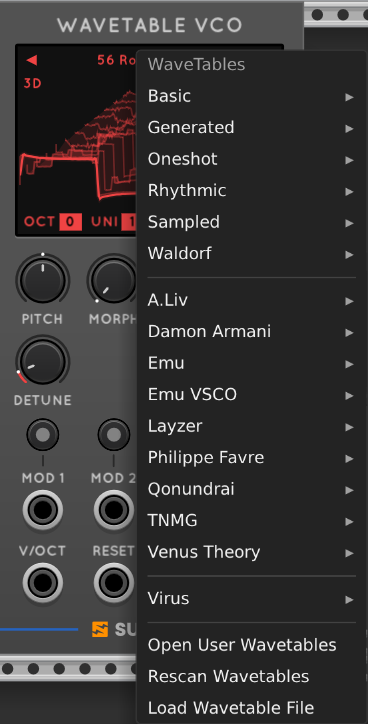
Did you click on Open User Wavetables? That opens the file explorer rather than a file picker.

1 Like

Dunno about Windows. Obviously you can copy all your wavetables into that folder but if you have GBs of them like me on an external drive it’s better to use a sym link…

I would imagine there is some equivalent kind of feature though?

how? using what UI gesture do I do that?

  1. open the dialog from the “user wavetable menu”.
  2. navigate the UI to the file you want to use.
  3. ???
  4. re-scan wavetables.

As I said, step 3 would “normally” be “press the ok button” or "press the load button. What is the UI gesture to confirm the file selected is the one you want to load?

Of course it does You can also just copy files to that directory Or open them specifically into an oscillator instance

On my Mac that dialog lets me select wav or wt files without problem.

Are you using “load wavetable file”?

  1. open the dialog from the “Wavetables menu”.
  2. Select ‘Load wavetable file’ (NOT ‘Open user wavetables’)
  3. Navigate to the wavetable file you want and click 'Open"

Done.

1 Like

I will rename “open user wavetables” to “reveal user wavetable directory” in an upcoming push

1 Like

lol - I was just about to suggest exactly that :slight_smile:

1 Like

Great minds etc…

@squinky sorry for the confusion. Definitely a lot of the “surge mental model” in that terrible name.

All good now?

1 Like

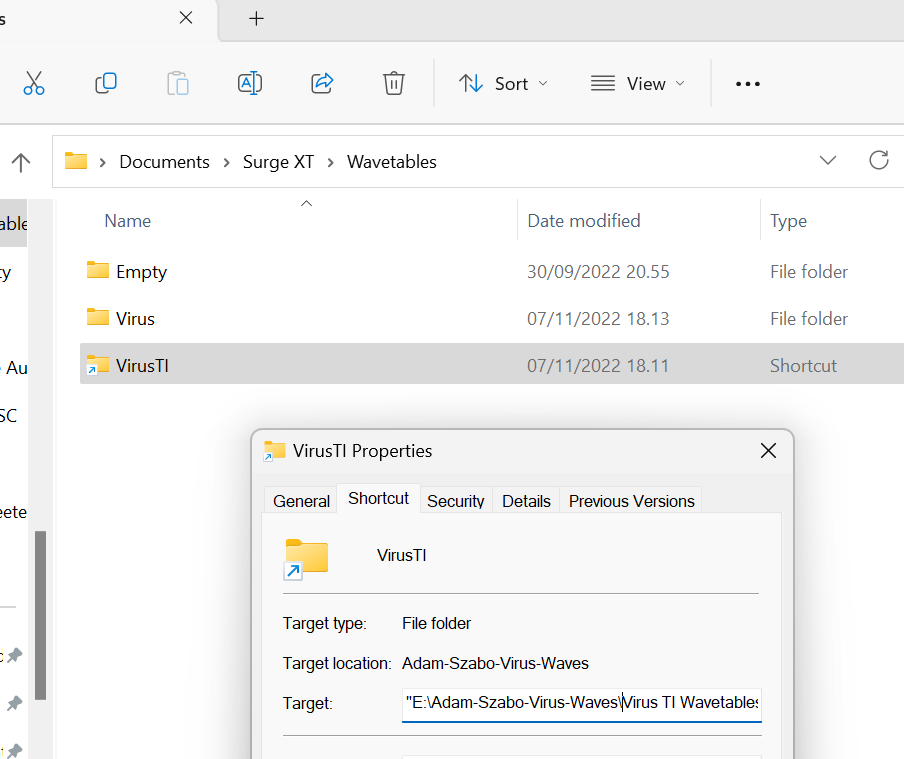
There is an equivalent - “create shortcut”.

But they do not work with Surge X wavetable.

Only “Virus” show up - not shortcuts and empty dirs.

Windows has junctions also which should work

But if we don’t follow soft links on windows we should try and fix that indeed!

1 Like

That was it, I picked open user wavetables. It gives you a file open with no buttons. cool, tx.

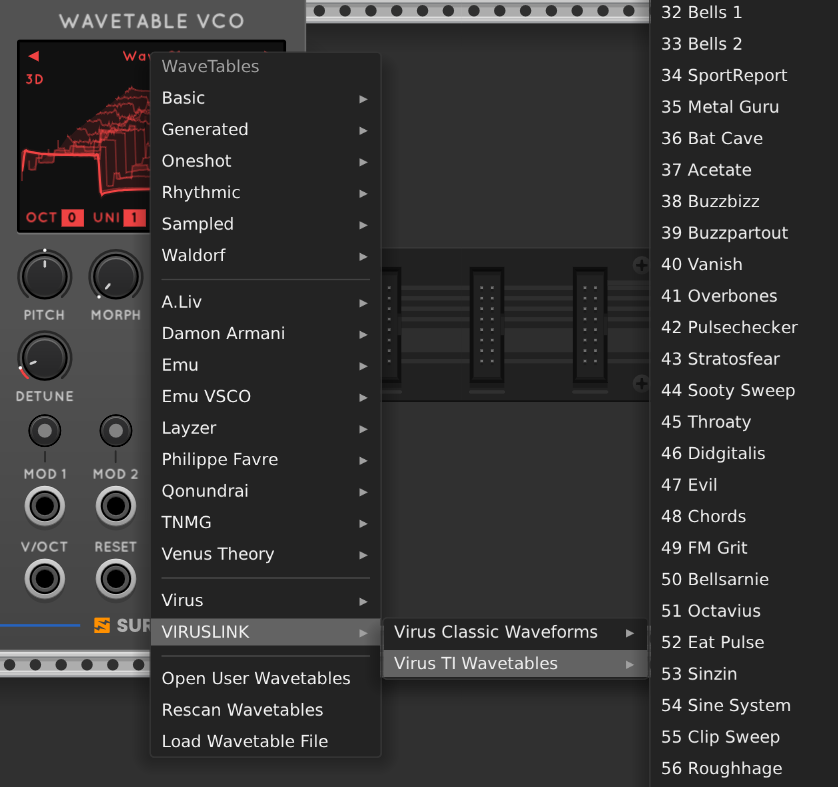
symlinks made in CMD using MKLINK works

C:\Users\jpn99\Documents\Surge XT\Wavetables>MKLINK /D VIRUSLINK E:\Adam-Szabo-Virus-Waves
symbolic link created for VIRUSLINK <<===>> E:\Adam-Szabo-Virus-Waves

C:\Users\jpn99\Documents\Surge XT\Wavetables>dir
 Volume in drive C has no label.
 Volume Serial Number is A8DB-22C8

 Directory of C:\Users\jpn99\Documents\Surge XT\Wavetables

07/11/2022  18.25    <DIR>          .
07/11/2022  18.24    <DIR>          ..
30/09/2022  19.55    <DIR>          Empty
07/11/2022  18.13    <DIR>          Virus
07/11/2022  18.25    <SYMLINKD>     VIRUSLINK [E:\Adam-Szabo-Virus-Waves]
               0 File(s)              0 bytes
               5 Dir(s)  334.524.657.664 bytes free

3 Likes

Yeah that’s a proper junction. A shortcut is a thing from windows 95 directory where you make a file called foo.lnk which is a windows data file with the target location that explorer and other api points understand. (You can just look at it with cat)

The thing that surprised me is that we don’t get recursion down that fake lnk for free with our recursion - we know we do with junctions (which is what mklink makes) since that’s how we do portable installs

1 Like

Once you have made your Symlink (or MKLINK on Windows) and rescanned - it’s pretty nice having all your favourite wavetables accessible from the menu going forward and skipping through them with Prev/Next.

2 Likes

FWIW I’d love to see an MSEG where the individual segments can be modulated. ShapeMaster is amazing but the only option is to program the segments with the mouse. So a future Surge MSEG VCV port with its awesome modulation system would be most welcome!

I’d also love it if AirWindows made a return to VCV2 but that’s not really on you guys.

Thanks again for an amazing release!

2 Likes