Did I imagine it or did someone already report that the LFO in PatchSeq is wrong…
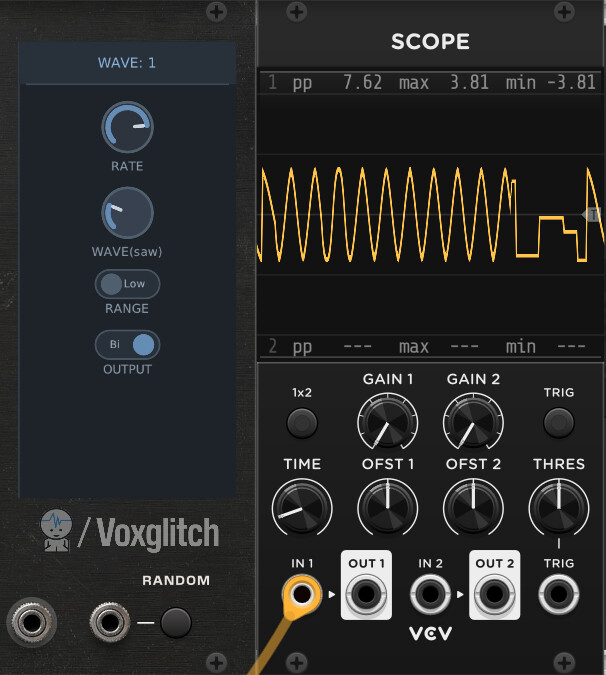
Sine->Sine
Saw->Triangle
Square->downward saw
Tri->Square
S&H->S&H
?
Did I imagine it or did someone already report that the LFO in PatchSeq is wrong…
Sine->Sine
Saw->Triangle
Square->downward saw
Tri->Square
S&H->S&H
?
That’s a new one to me. I’ll get on it! Apologies for all of the bugs. There’s just a lot of “surface area” for things to go wrong!
Hi everyone,
I’ve been brainstorming about how to handle mutes in the upcoming Groovebox Advanced. Here’s what I’m thinking, and please let me know if you have any suggestions.
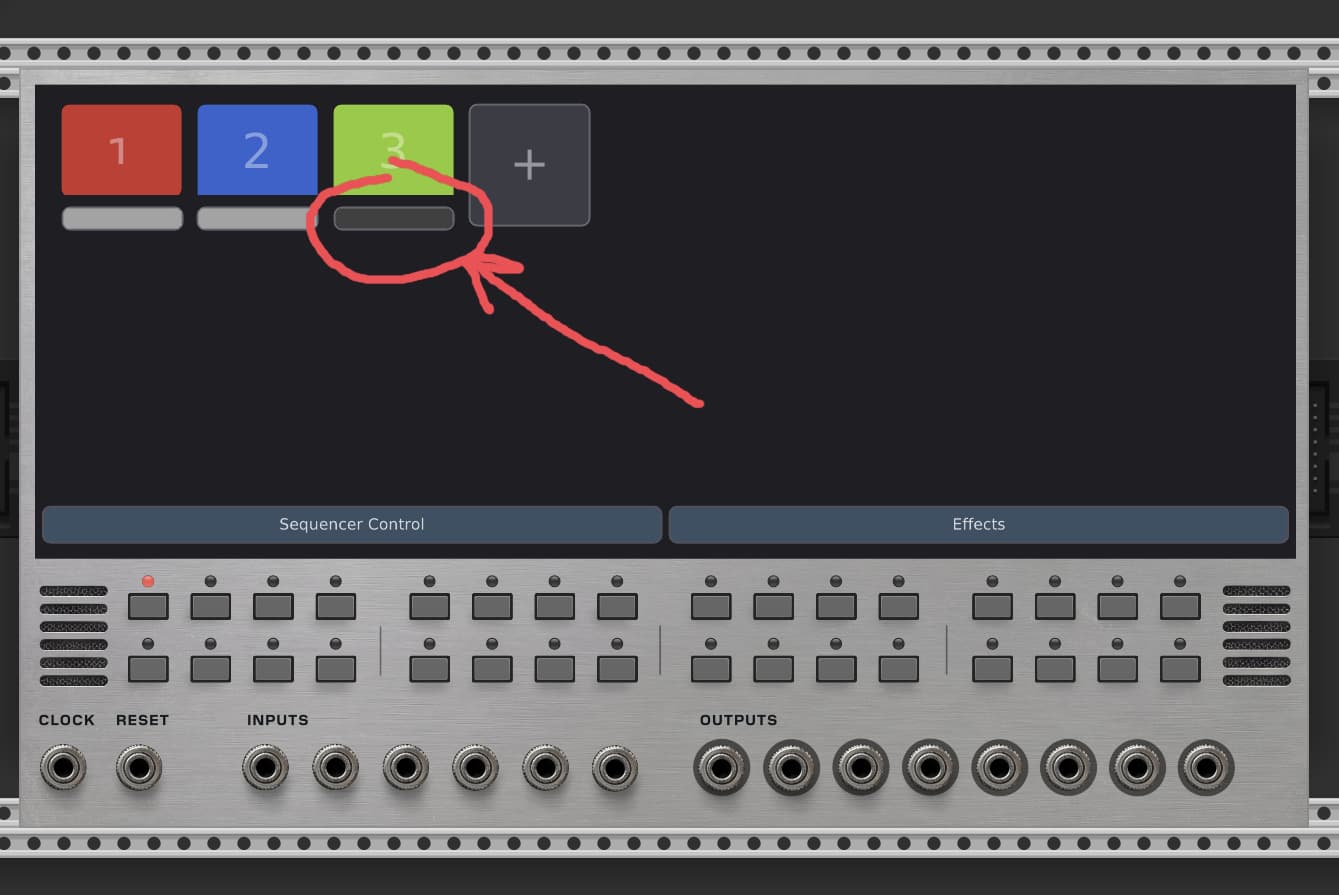
First, each patch might have a mute button underneath it. Please excuse this crappy graphic design, but here’s an example:
I wonder how useful mute buttons really are. Having to frantically mute and un-mute tracks using the mouse in VCV Rack seems painful. As a performer, it’s not really comfortable. And for non-performance applications, why bother?
Another idea goes something like this:
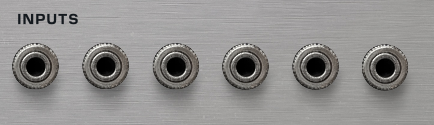
Each Input (referring to the 6 INPUTS ports on the front panel) could support polyphonic inputs (channels 0 through 16):
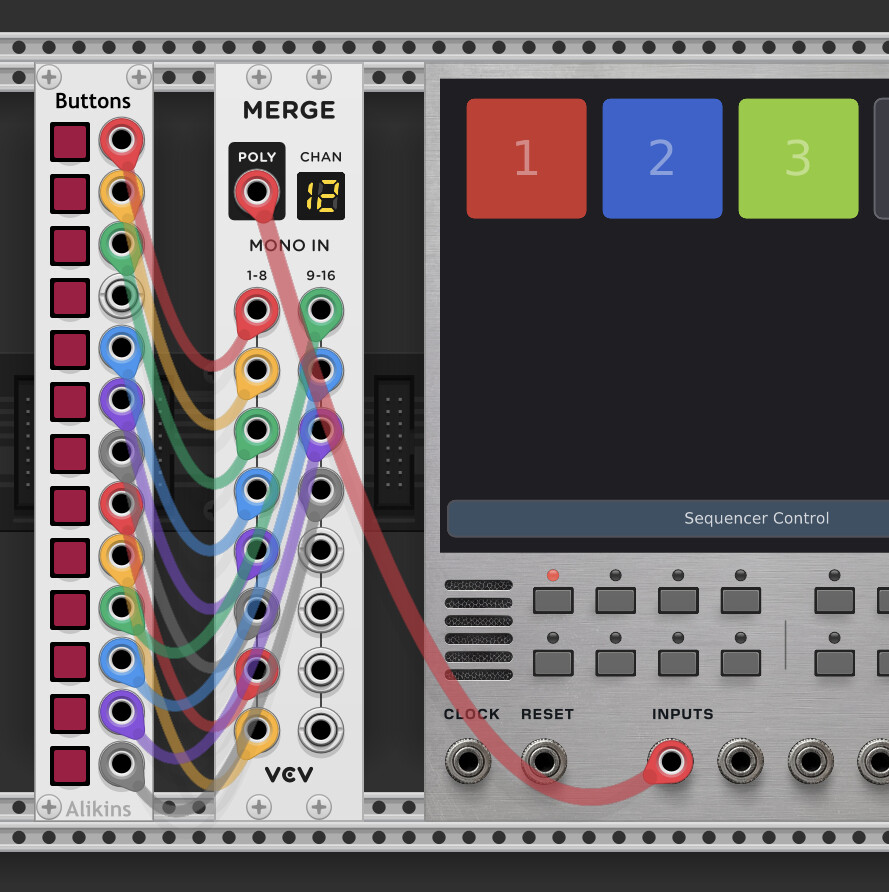
You might patch up something to control mutes like so:
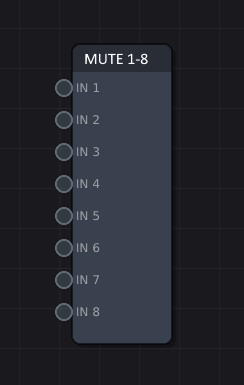
Then, I would add two new sub-modules, called “mute 1-8” and “mute 9-16”, to handle muting:
I’m skipping some steps, but can you see where my brain is at?
This would provide users more control over toggling mutes by using external modules, not just simply offering mute buttons. You’d have more freedom to experiment with probability based muting, etc.
(I could offer both.)
It’s late, and my brain is a bit tired, but I’d love to hear from people that have used mutes in VCV Rack when patching. Were they valuable? Or does muting look good on paper, but not really carry over into practical application?
Cheers, Bret
Muting is awesome. My mixers also have a mute fade time setting, so rather than click on/off they fade over a variable time. Sequencing mutes can turn into the whole song arrangement.
These new self patching models look mega powerful. Super cool stuff you are innovating!
Muting is very cool in modular. I use my midi controller to mute things often. Midi mapping some physical button on the screen is good for me. I think solo is very useful for performance too.
I’m trying to figure out the internal sequencer. It needs an internal clock to run. I think it makes sense if the global length is set to one. Because the sequencer resets on every step. So, maybe the answer is that the internal clock must be faster than the global clock. But I can’t turn the “sync” switch off. What I’m missing?
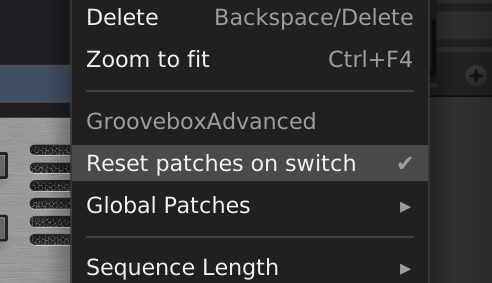
Interesting! Can you send me a screen capture of the patch? That’s odd that the sync switch can’t be toggled. In addition, you might check out the content menu setting called “Reset patches on switch”. If this is enabled, your patch might be starting from scratch every time that the step is reached. You’ll likely want to disable this.
I just got this update submitted to the VCV Rack library. Thanks for hanging in there! It might take a few days to roll out.
Now it works.  I don’t know what happened.
What I miss, for instance in “ratio” knobs, is to set a precise value. Like in a “normal” VCV knob you can click the right button and put the value manually. I tried holding shift, but I can’t get an integer. I don’t know much about FM, but maybe it need precision on those values.
Thanks for the feedback. I’ll see if I can add that feature for you. 
The text entry for most VCV parameters supports expressions, so you can type ratios directly, e.g. 5/3 (although no idea if the resulting value of 1.66667 corresponds to that ratio for this module).
Reference: Key Commands - VCV Rack Manual
Some modules go to the extra effort to support custom parsing for special values. The module documentation should cover such special syntax if they support it.
@clone45 Seeing an issue in PatchSeq, on Mac M2. I can’t import samples in TrigSample, no right click option appears to import, and in regular Sampler module, after importing, no sample appears to be loaded.
Thanks for the bug report. I’ll try to set aside time this weekend to patch all of the bugs that have been recently reported.
A note on Mutes in the upcoming GrooveBox Advanced module!
This takes just a moment to explain, so bear with me.
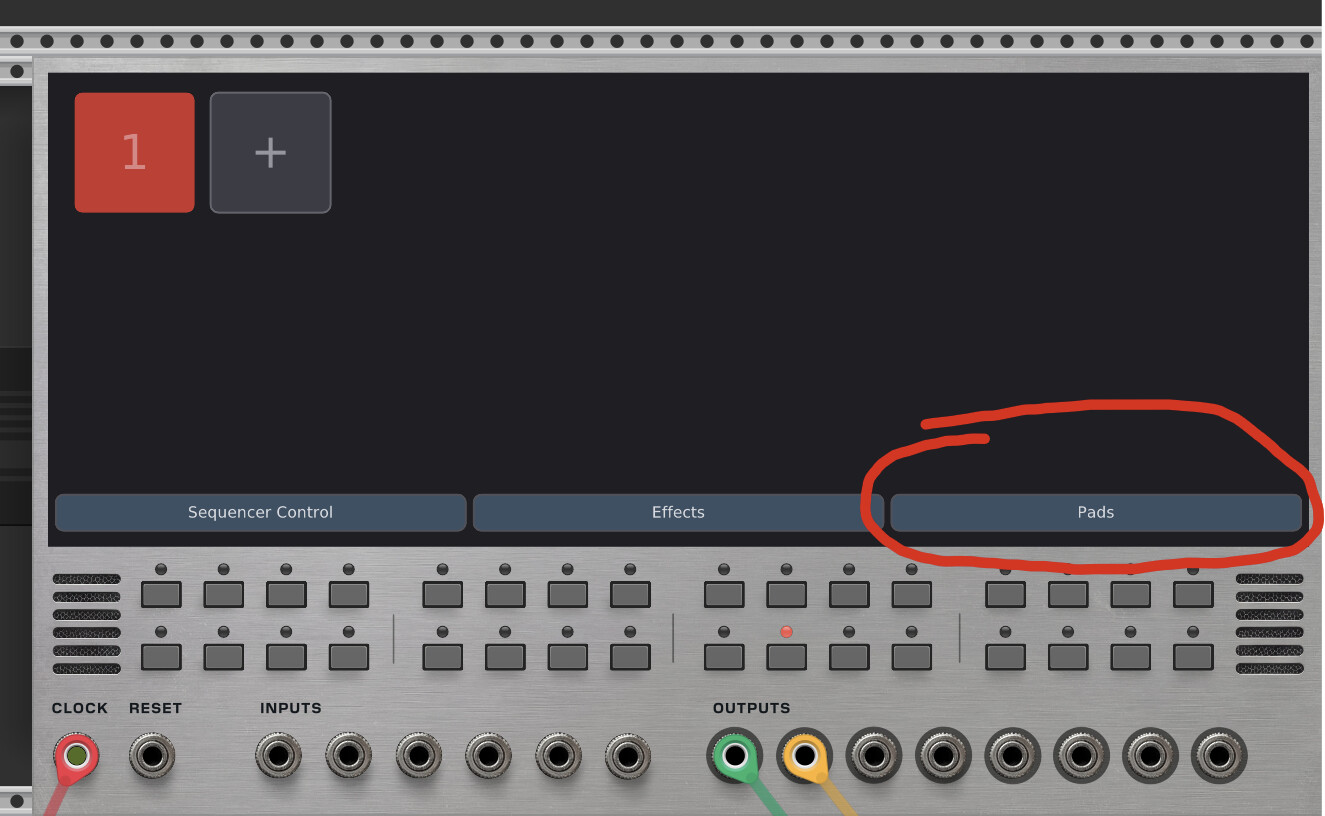
First, I’ve introduced a new button called “Pads”:
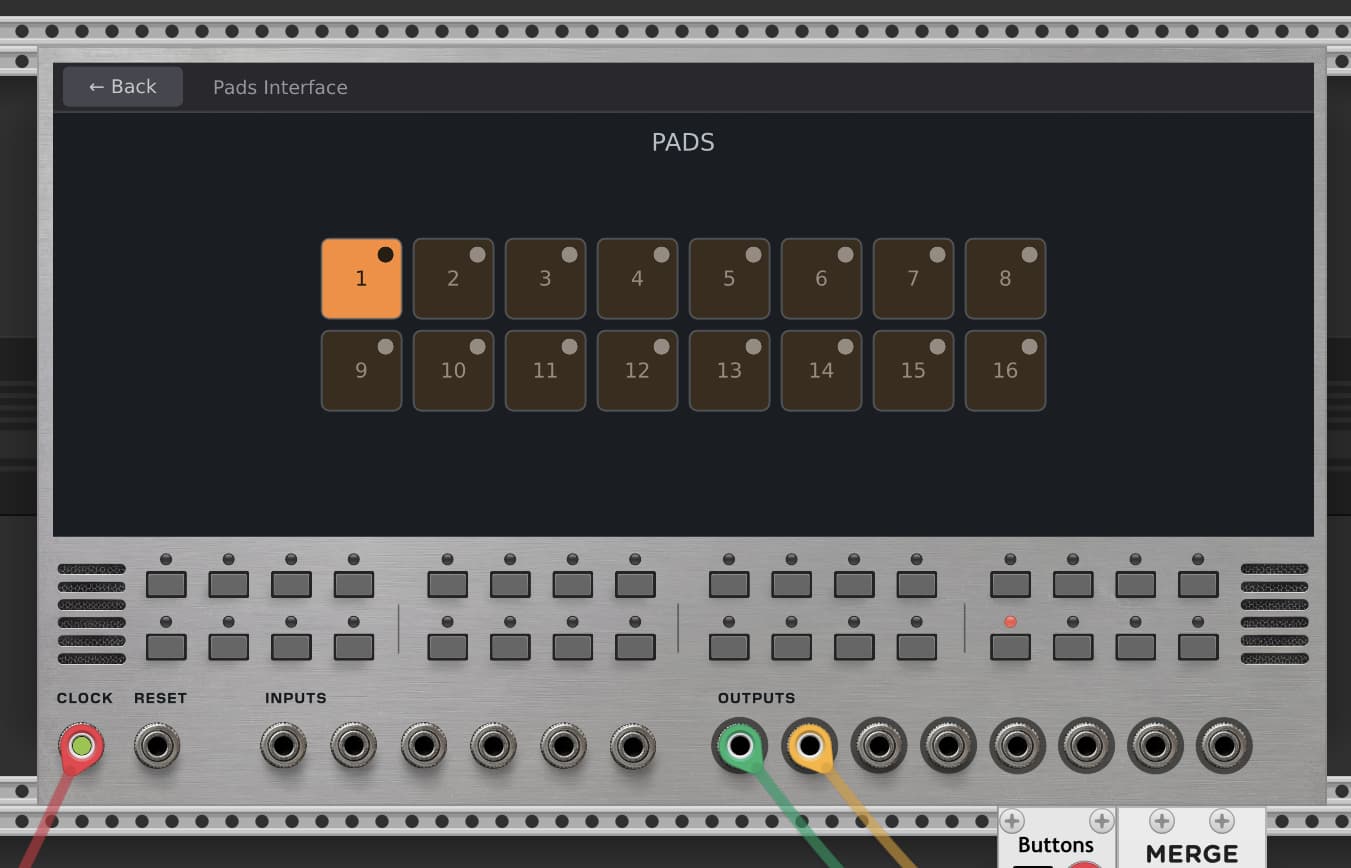
Clicking on this interface brings up a pads interface. (I know, the pads are unnecessarily small right now.)
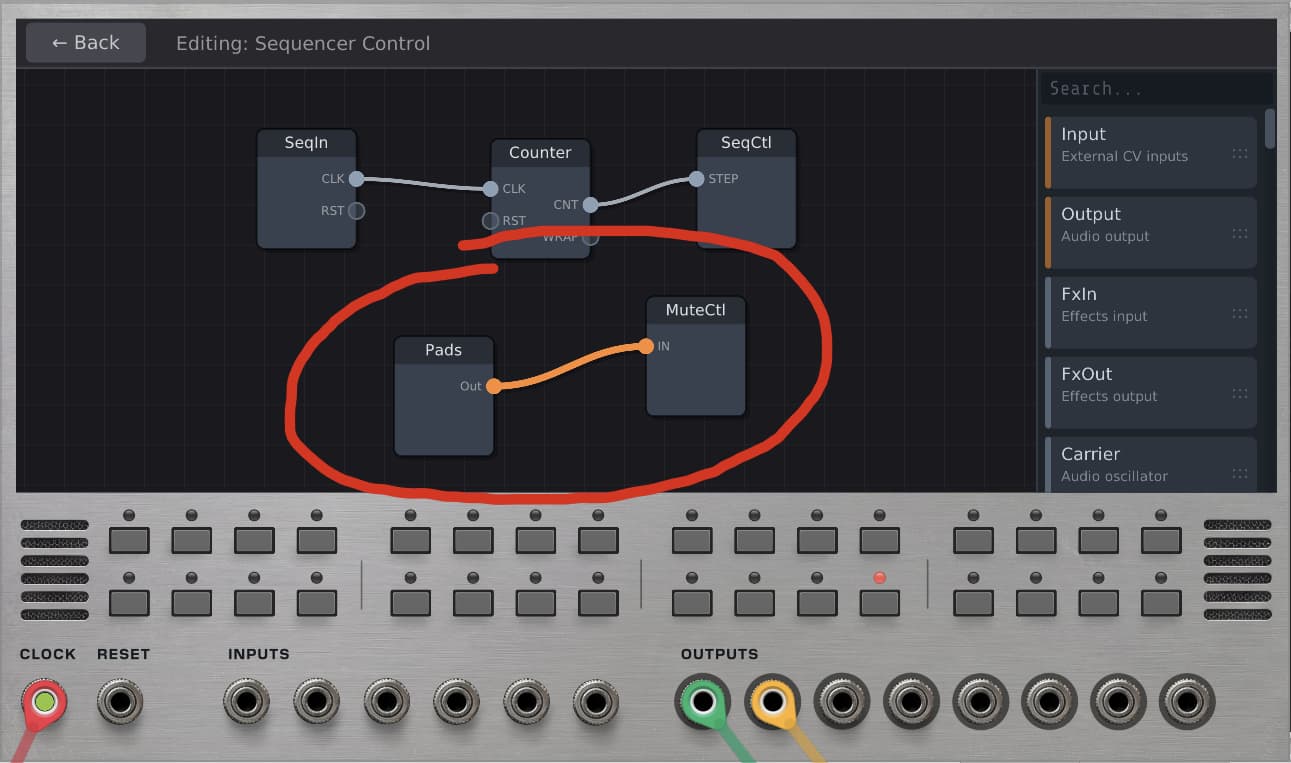
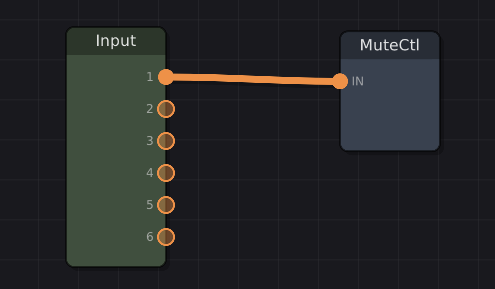
The sequencer control patch will have the Pads module wired to the MuteCtl module by default:
That orange cable is a poly-cable, meaning that all 16 mute button values are passed to the MuteCtl module without needing 16 ports, which would have made both modules very, very tall.
Of course, this is just the default setup. A few supporting modules that I’m planning on adding are:
This should give users a super flexible way of handling mutes. In addition, all of the INPUTS are now poly, so you could do something like this:
The pads are an interesting new feature. I could imagine using the pads to trigger things other than mutes. Pads can be set to either toggle or momentary modes.
Anyhow, just keeping everyone up to date! I’ve seen a few requests for the PatchSeq coming in, and I’ll be focused on those soon.
Looks amazing and fun. And solo as well as mute would be really great.
Great idea! And fairly easy to implement as well. Thanks for suggesting this.
I’ve updated that code, and these should be fixed in the next update.
Hi Peter!
The issues with the LFO have been addressed and should be rolled out soon. Thanks for catching this!
I hope you only changed the text, in case of backwards compatibility.
I’ll double check on this.