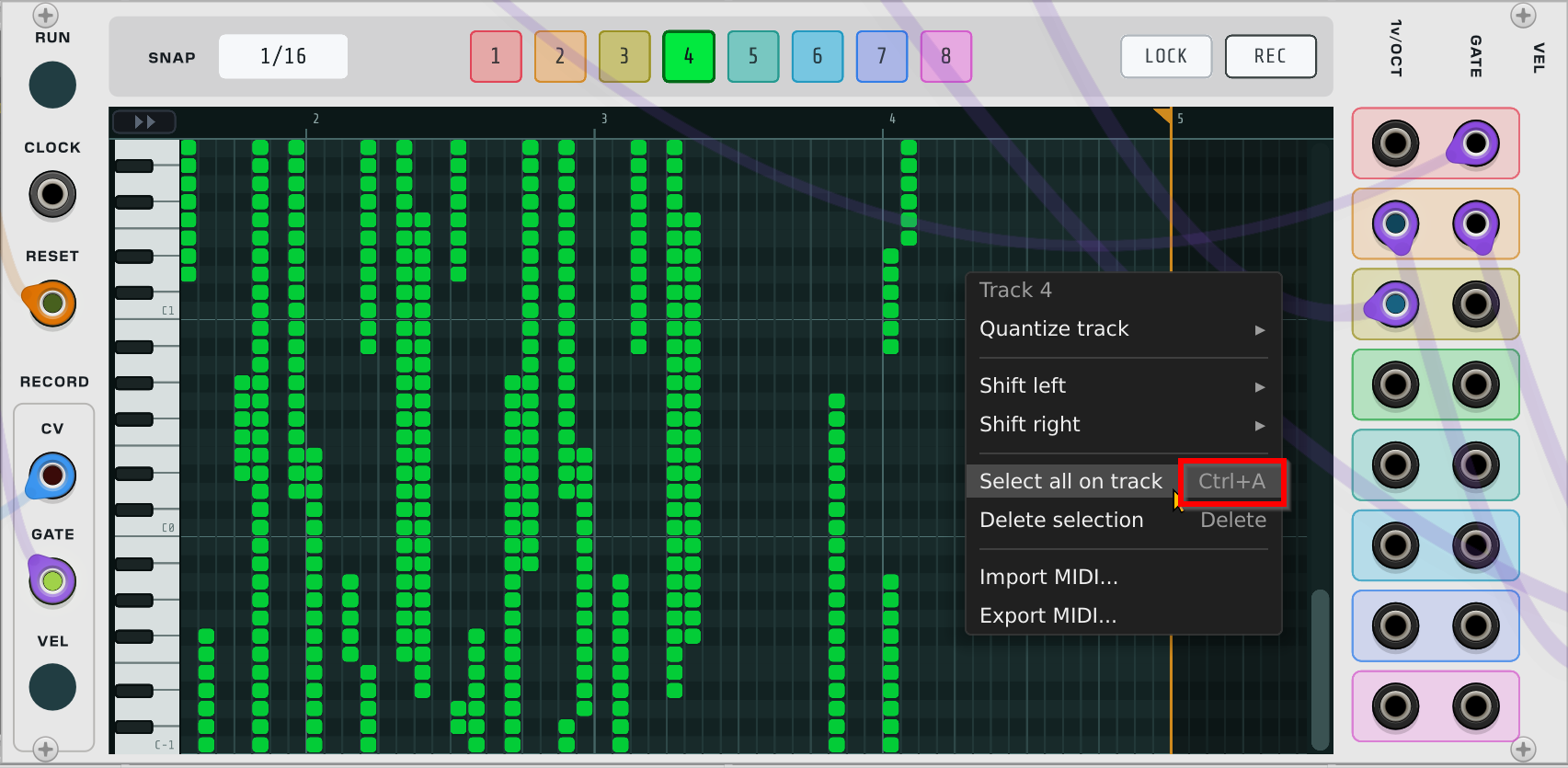
Just a question: how to delete all in a certain channel (like channel 4)? Also note that Ctrl-A to select all is in conflict with the general VCV Rack shortcuts. What about using Shift-Ctrl-A?
Quick update: I’ve submitted both the Timeline module and piano roll updates to the library.
Here’s a list of the piano roll updates:
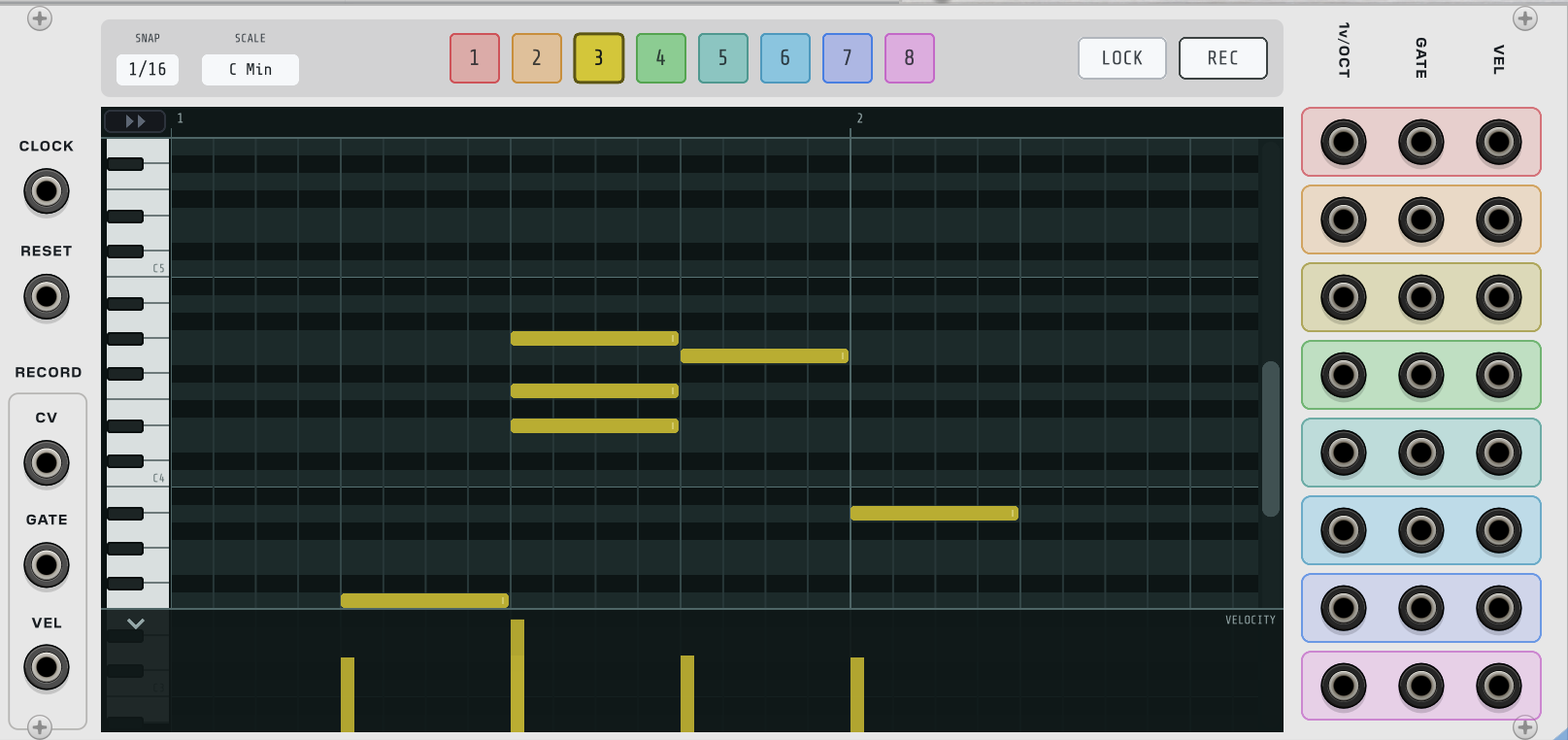
Velocity outputs — eight new polyphonic VEL outputs (0–10 V, MIDI-CV convention), one per track beside V/OCT and GATE; the level holds through a note’s release. Panel widened to 54 HP to fit the new column.
Velocity recording — new REC VEL input (polyphonic), sampled at each gate’s rising edge; unpatched, notes record at the default velocity as before.
Velocity everywhere — velocity is stored per note and travels through patch save/load, copy/paste, undo, and MIDI import/export (imports keep each note’s true velocity; exports write it back). Old patches load at the former fixed value of 80.
Velocity lane — a collapsible overlay strip along the editor’s bottom edge: a peek strip when closed, and when open, drag bars to edit velocities audibly in real time. Dragging a bar in a multi-note selection scales the group proportionally, and an active selection scopes the lane so chords are unambiguous to edit.
Scale lock — new SCALE control in the control bar: pick a root and scale, and painted or dragged notes land on the nearest in-scale pitch. Out-of-scale rows darken in the grid. Existing notes, recording, paste, and MIDI import are never altered by it; off by default.
Control bar restyle — SNAP is now a stacked label-over-button control, half its former width, with SCALE beside it in the same style.
Menu changes — new “Delete all on track” in the grid right-click menu; the Ctrl+A select-all keystroke removed (Rack claims it) in favour of the existing menu item.
Docs — user manual updated to cover all of the above.
Hi everyone! Quick heads-up. Revisions are coming soon to Glitch Sequencer to make it a little more intuitive.
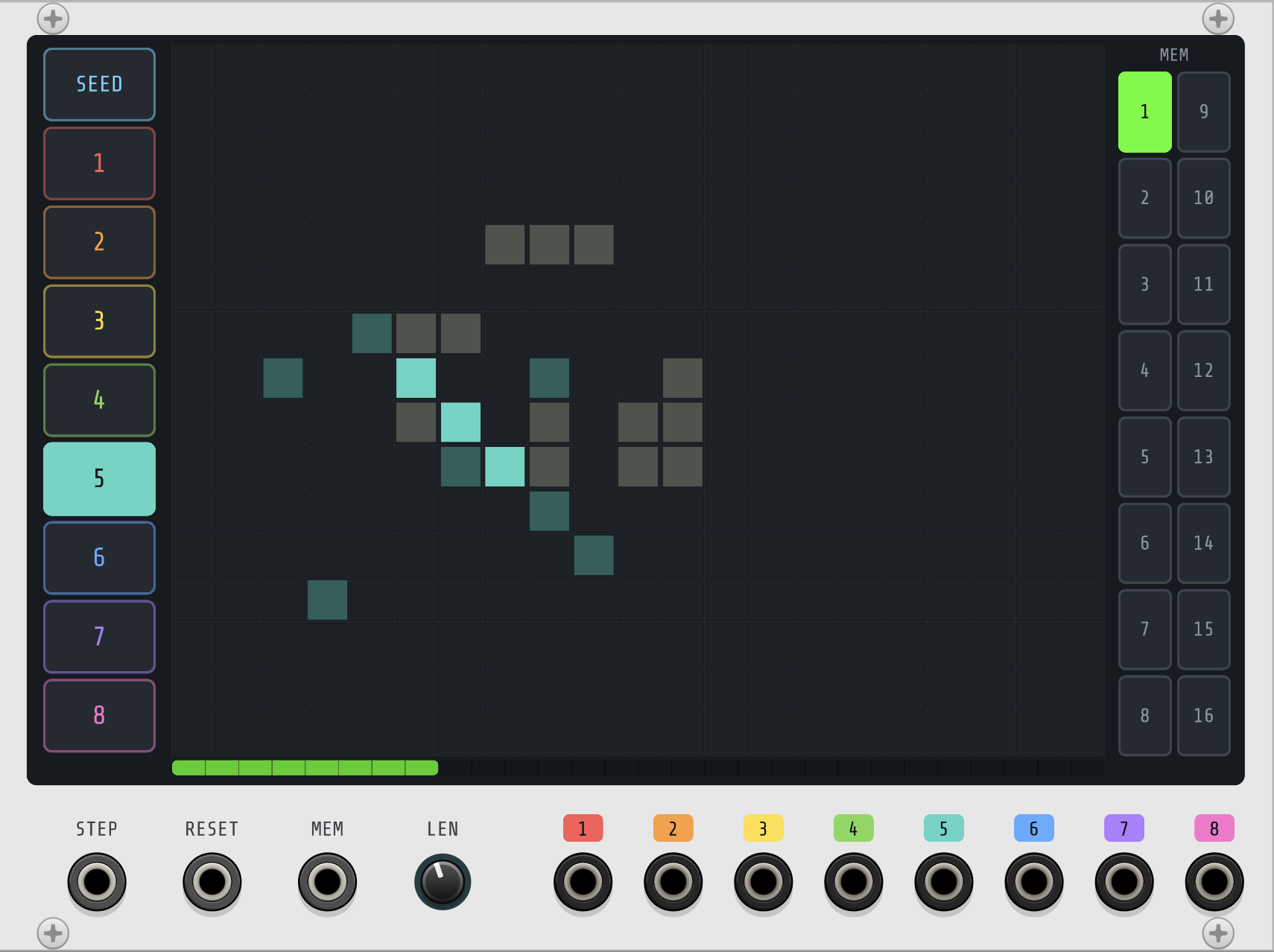
Most importantly, a “SEED” button has been added so it’s more obvious how to update the underlying seed of an evolving game-of-life pattern.
In addition, memory slots have been added which capture the entire state, including the pattern length. I’ve added a memory CV for switching between memory slots, and both updates should make the module a little more flexible for evolving patches.
It’s not live yet. I might make some updates to digital sequencer next, and roll both updates out at the same time.
Take your time, we’re still playing with the piano roll so you don’t have to rush the update so quickly, plus there’s a lot on my plate so this update will come as I’ve cleaned it up some… keep up the good work and don’t forget to just take a break to make some unusual distortions from your rack every once in a while…
You bet. Ha ha ha. I think that the Piano Roll scale selection is a bit strange. You have to select both the root note and scale before it updates from the “off” state. I’ll get that fixed. I’ll look into the loop length tomorrow or Tuesday. It should be easy to fix. Sorry for the bugs!
Doesn’t have to have much direction, even a little generative noodling will work… there may be some new modules you haven’t checked out yet or had your ear on to play with if you had a bit of spare time…
I’ve submitted a new build to VCV Rack. Here’s what’s coming:
Glitch Sequencer
Redesigned at 34HP with a larger grid
Seed editing is now explicit: a SEED tab replaces the old hover-to-edit behavior
Trigger groups are color-coded tabs, matched to colored labels on the gate outputs
16 memory slots, each storing the seed, all 8 trigger layers, and the length
New MEM CV input (0-10V) selects the memory slot
Right-click a memory button to copy, paste, or clear it
Selecting a memory restarts the pattern from that memory’s seed
Piano Roll
Fixed: changes to the loop length (and note moves, resizes, and paints) now take effect immediately when the drag ends
Scale lock menu reorganized: each root note opens a submenu of scales, so changing key is one click
Turning scale lock off no longer clears your scale selection
Digital Sequencer and Digital Sequencer XP
A -10V pulse on the RESET input randomizes all sequences, same as Ctrl-R (requested in #279)
Ctrl-C and Ctrl-V copy and paste the selected sequence via the system clipboard, including between sequencers, between the two modules, and between Rack instances (requested in #220)
ArpSeq
Corrected the pentatonic scale (now major pentatonic: C D E G A) and the blues scale (now the six-note blues scale) in the quantizer (#234)
Note: patches using those two scales will quantize to different, now correct, notes
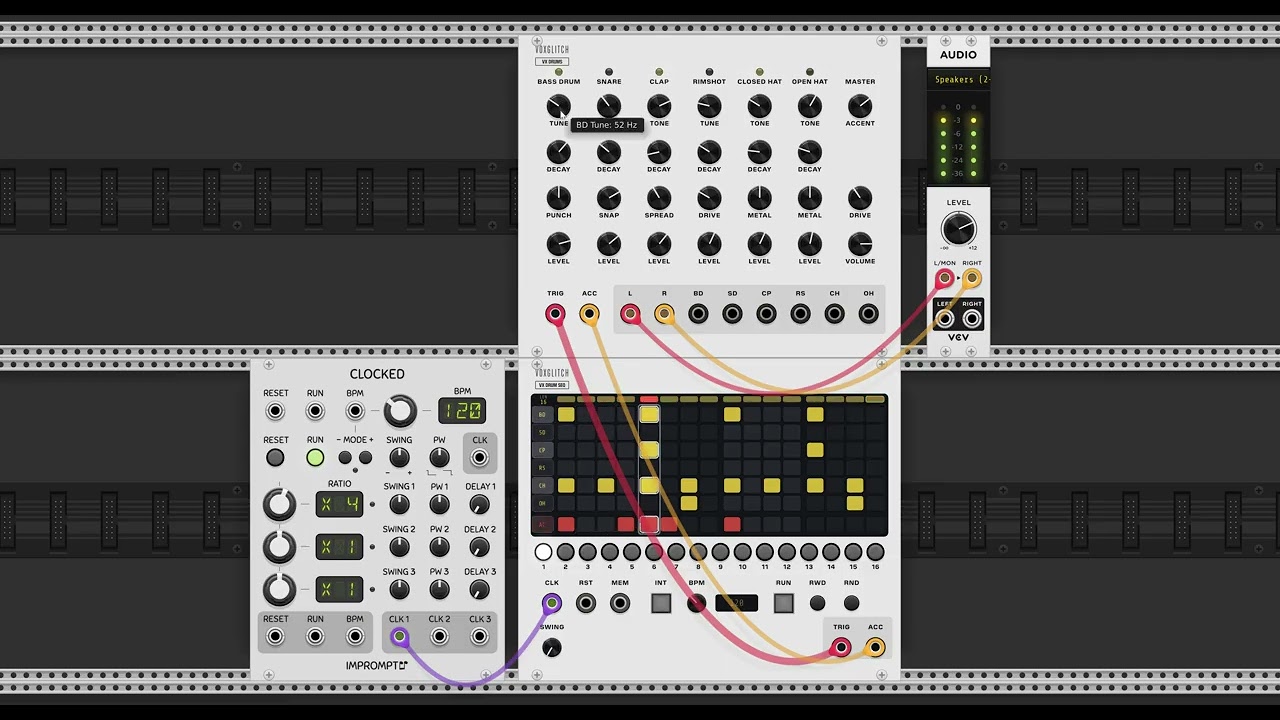
While trying to take @shawnbortree19 's advice and actually make some music, I found myself wanting a really simple drum machine. Not a groove box, which I’ve built a few of. But something less complex. I built a drum machine for vxsynth (which I retired, by the way), and decided to port that to vcv rack.
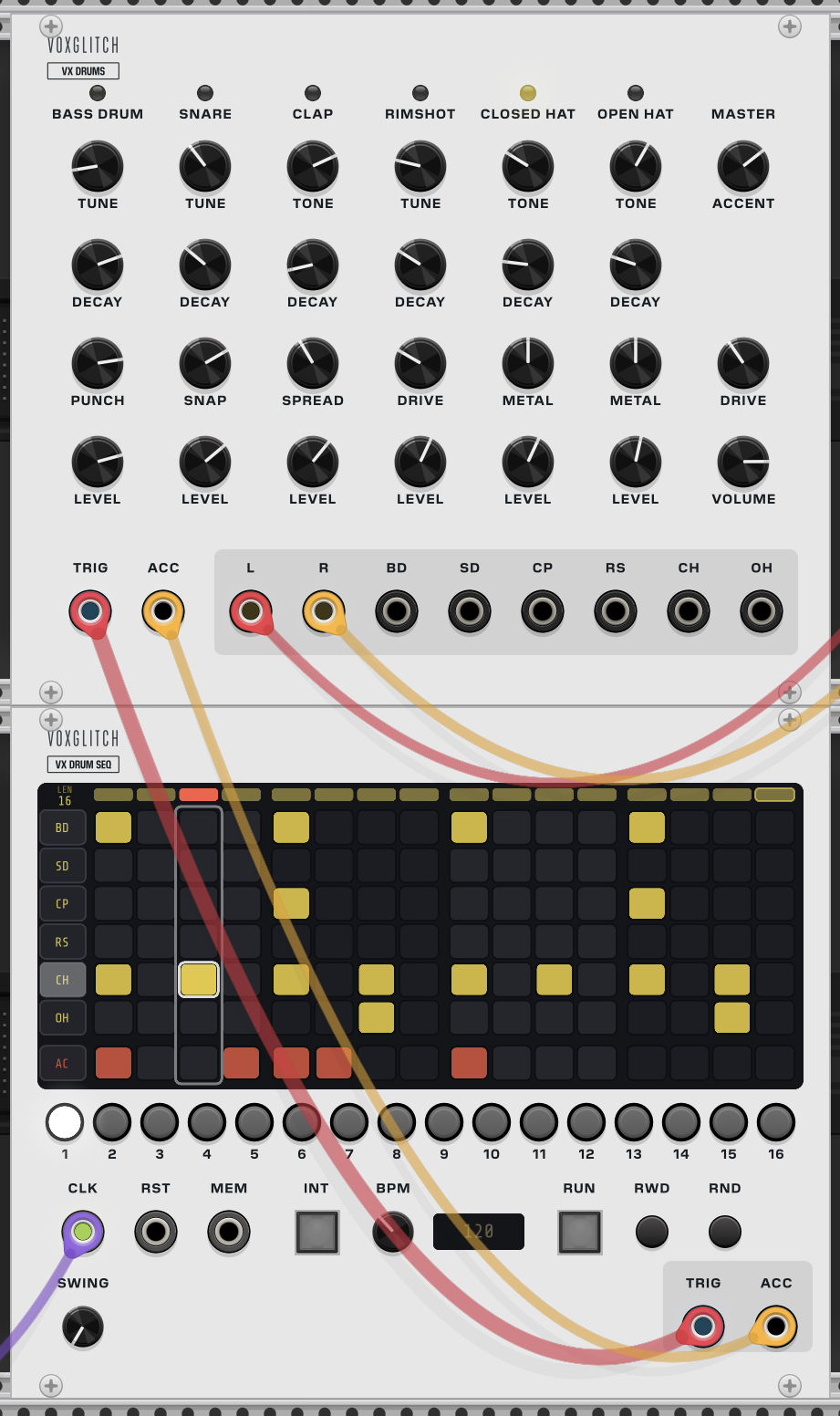
The challenge was that the original design had the drum sounds on top and the sequencer at the bottom. Rack module panels are a bit cramped, so I decided to split the concept into two different modules: A drum sound module and a sequencer module, intended to be stacked.
Here’s an extremely early build with no effort at all to make the front panels look nice. But it should give you an idea of where I’m going.
These will be free and part of my voxglitch collection. Please hold back any design recommendations, because I know that there’s a LOT of little things that can be improved. Just one example: The L and R outputs should probably be to the far-right of the individual outputs. And, I’m likely to remove the internal BPM clock from the drum sequencer. Most importantly: This very well be the first free voxglitch module with… side panels.
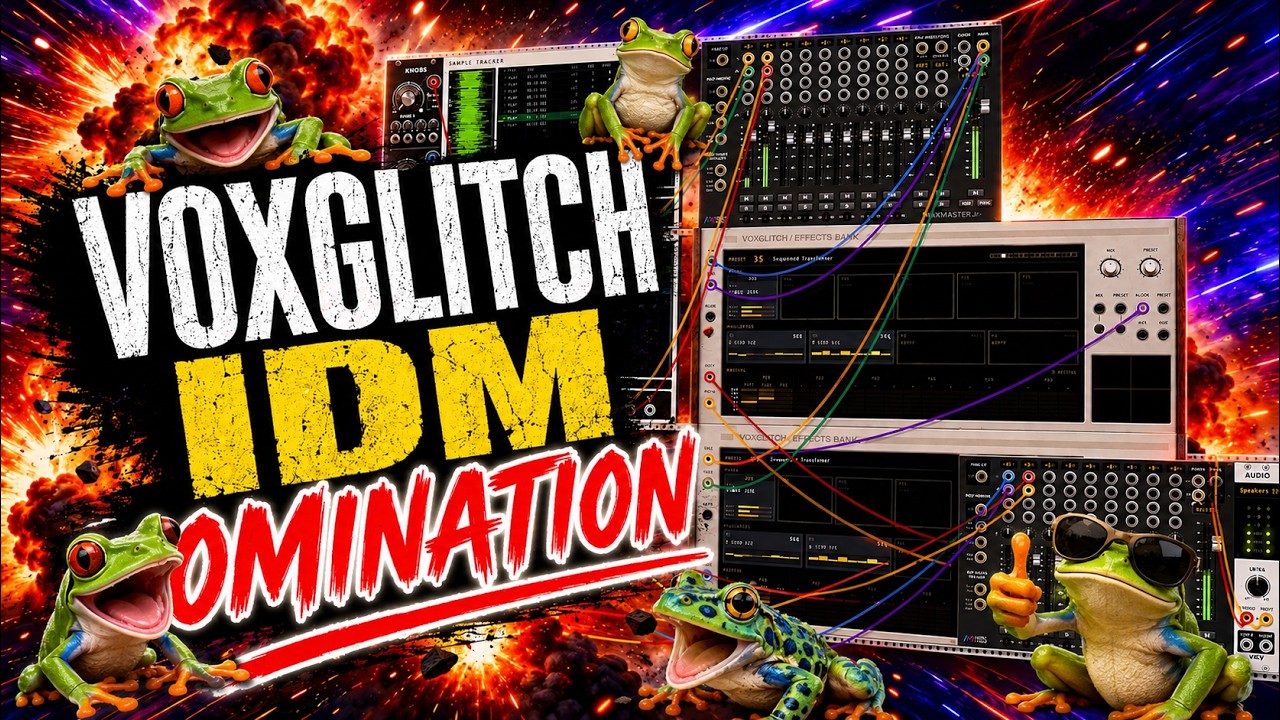
@shawnbortree19 Here’s some new music from me! Also, community announcement: Buy one Effects Bank, get 4 for free! (I’m just kidding. You can use as many as your CPU can handle.)
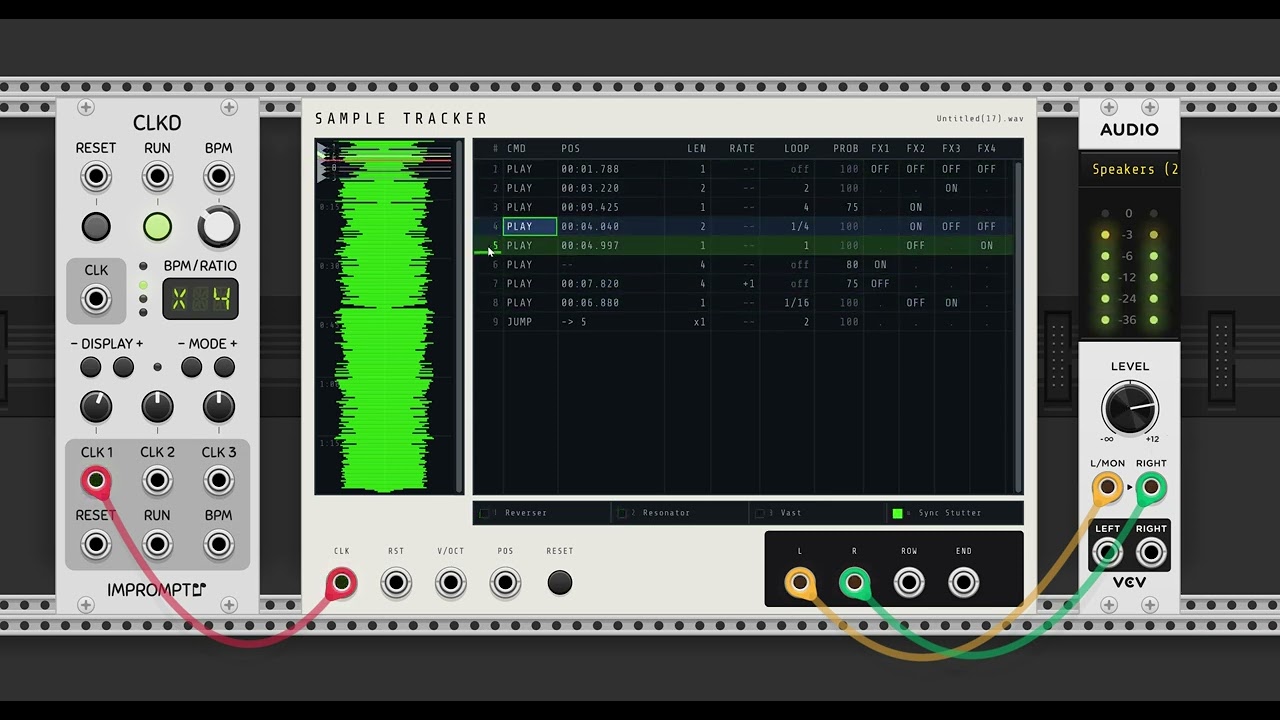
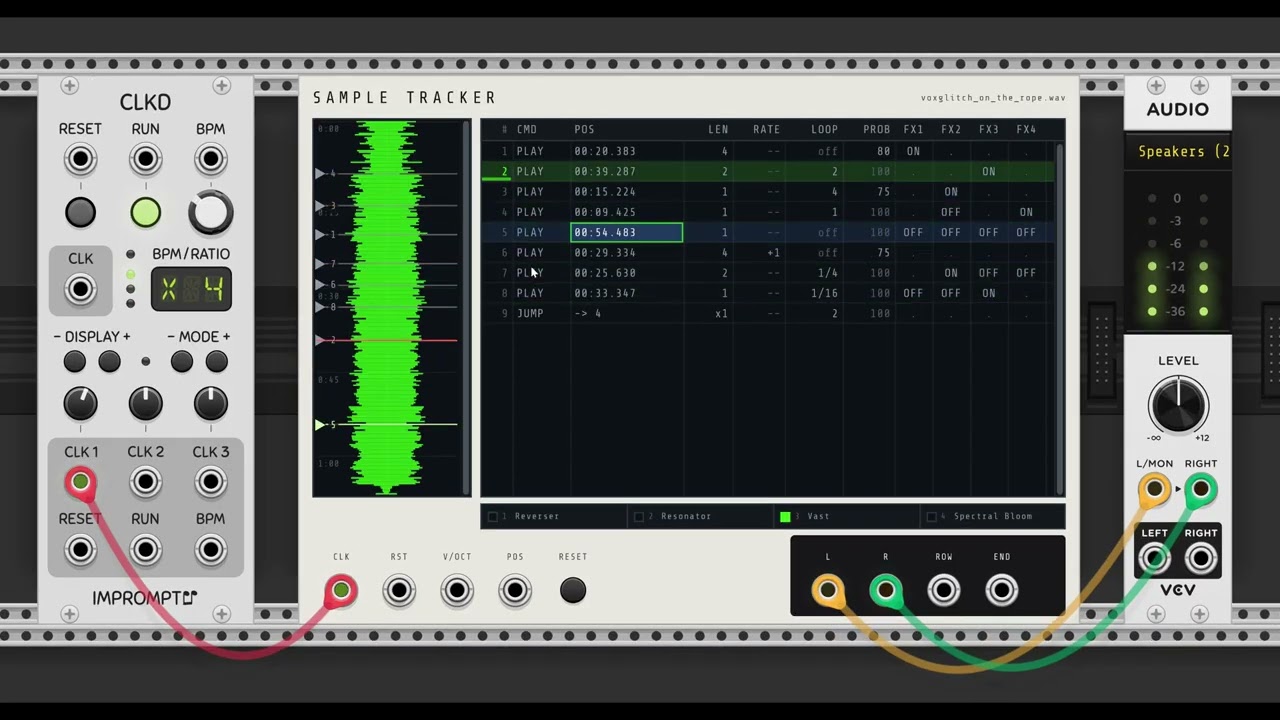
Hi everyone! Another day, another new module in the works. This is something that I’ve been wanting to build for a long time. The super short description: It’s a sample playback module with a tracker style interface.
You can zoom and scroll the waveform - which I probably should have done for this video.
You might be thinking, “But Bret, what happened to Wyrm and Scatter?” They’re coming! Here’s the state of things:
Wyrm is pending acceptance as a paid module
Scatter is done but I’m staggering releases, so it might be a bit
VX Drums and VX Drum seq are free and are awaiting integration
My apologies, that’s unlikely to get implemented for this module. The module has 59 built in stereo effects, and converting the effects to support additional channels would be more time than I have available. Sorry!!