Sapphire Zoo: a programmable chaotic oscillator

I didn’t respond to this before, but… YES!

I am extremely interested in learning more math to understand how to create chaotic attractors, or even formulas that make interesting loops or whatever.

My thought process: no matter where the particle is in space \bar{r}=(x, y, z), you want to point it in the right direction \frac{\mathrm{d}\bar{r}}{\mathrm{d}t}=(\dot{x}, \dot{y}, \dot{z}). I don’t think speed matters in terms of the shape you create. All that matters is the direction it points. Speed will matter to someone using the attractor preset, but I’m just talking about whether the shape is chaotic, periodic, divergent, etc.

Super simple example. Suppose you want the particle to move in a perfect circle in the xy plane, with z=0 always. I would start thinking about the point starting at (1, 0, 0). The particle is one unit to the right of the origin. I want it to move in the y direction, so that means the velocity vector could be (0, 1, 0).

You want the velocity vector to be at right angles to the position vector, in order to get circular motion. In general, if the particle is at (x, y, 0), the perpendicular vector is (-y, x, 0).

OK, I’m going to try this out while I’m typing this post. I’m going to use the following formulas in Zoo:

vx = -y
vy = x
vz = 0

And … BOOM you get a circle:
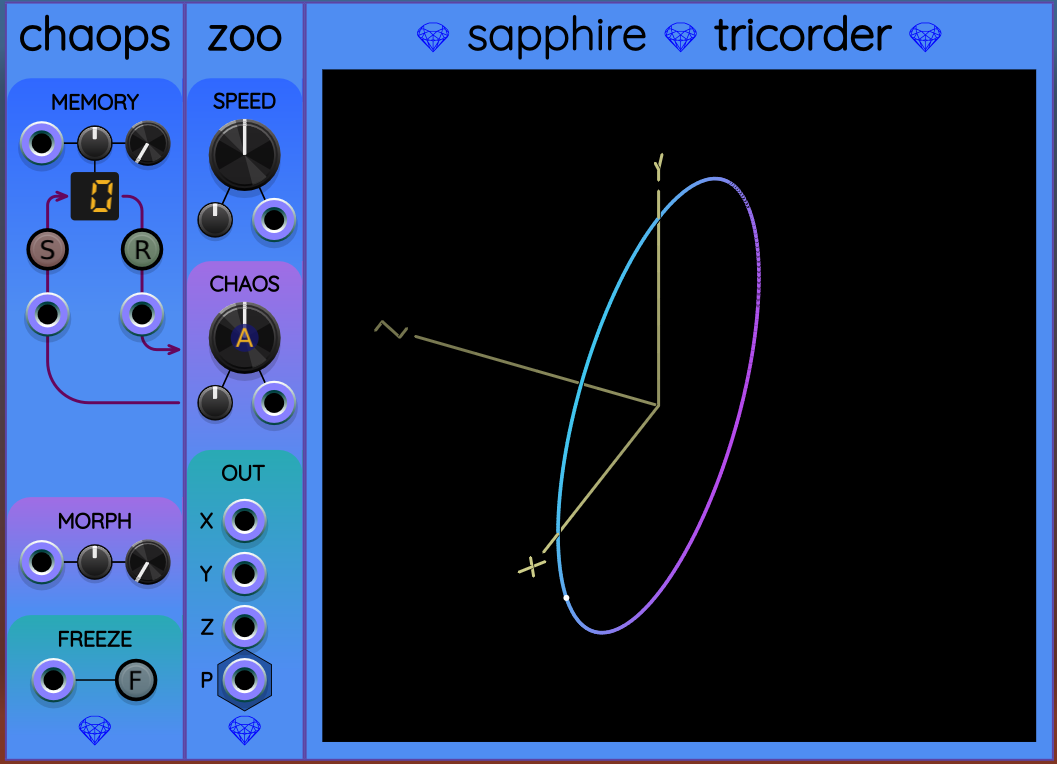
Going from circles to chaos is beyond my current understanding, but maybe this is the first baby step toward how you would think about it.

Anyway, as a side note, this shows that Zoo can be used to generate sine wave outputs! LOL.
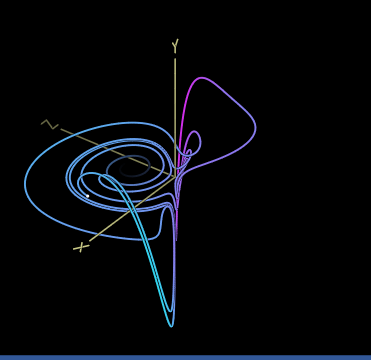
Dadras.vcvm (2.5 KB) based on attractor by the same name found on Strange Attractors

In order to create it, I used a constant to replace variable e.

Nice… I like this one.

Wow, what an amazing concept and module! Marvelous work! :+1:

When it’s done we can run the competition: I create a patch where I use x, y, z as pitch for a triad, and you must tell what attractor it is! :slightly_smiling_face: (Maybe, it’s even not that difficult? And most attractors will have some kind of sonic character that makes them easy to recognize? I have no idea but it would be great if that’s actually the case, and make the different attractor presets even more valuable, aside from their beautiful display in Tricorder.)
Sorry, I read this and then totally forgot to reply…

codyge is absolutely correct here, the .vcvm files are just json, and once you save the file you can edit it and remove anything that you don’t want to be affected.

And any variable that you save into a patch from a module can also be set in a preset, not just parameters.

For example this is what the very simple presets for Chromakey panel colours look like:

{
  "plugin": "DanTModules",
  "model": "Chromakey",
  "data": {
    "schemeR": 255.0,
    "schemeG": 0.0,
    "schemeB": 0.0
  }
}

If a module has a lot of parameters, I like to give them a code comment with their index, because presets use the index rather than a label.

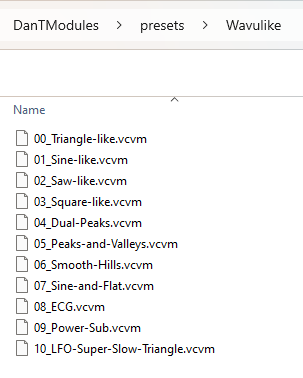
Here is an example of a Wavulike preset, as you can see, its not very readable:

{
  "plugin": "DanTModules",
  "model": "Wavulike",
  "params": [
    {
      "value": -5.0,
      "id": 0
    },
    {
      "value": -5.0,
      "id": 1
    },
    {
      "value": -5.0,
      "id": 2
    },
    {
      "value": -5.0,
      "id": 3
    },
    {
      "value": 0.0,
      "id": 4
    },
    {
      "value": -0.02631579153239727,
      "id": 5
    },
    {
      "value": 0.0,
      "id": 6
    },
    {
      "value": -1.0,
      "id": 7
    },
    {
      "value": 1.0,
      "id": 8
    },
    {
      "value": -1.0,
      "id": 9
    },
    {
      "value": 1.0,
      "id": 10
    },
    {
      "value": 0.0,
      "id": 11
    },
    {
      "value": 4.0,
      "id": 12
    },
    {
      "value": 1.0,
      "id": 16
    }
  ]
}

My workflow for creating factory presets is to load up the module in Rack and set the state I want, then save a user preset.

Then I edit the preset and remove anything that isn’t needed.

Then I move the preset file into the correct folder in my plugin source code

Notice the prefix numbers to set a specific order

If you want to run some code when a preset is loaded (I needed to do this in MOAR COWBELL to avoid feedback loops spiraling out of control) then you can override a function

  void paramsFromJson(json_t *rootJ) override
  {
    Module::paramsFromJson(rootJ);
    dirty = true;
  }

In your Makefile you might need to add DISTRIBUTABLES += presets

From Attraktoren

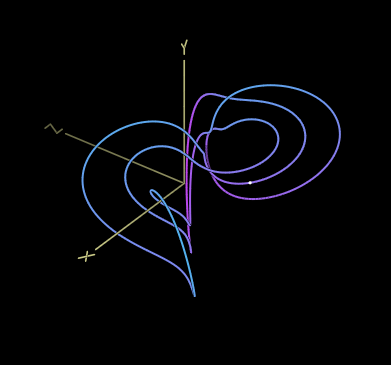
Threw away parameter e; it was set to 1 on the page

Qi-3D.vcvm (2.5 KB)

edit: lowered output in preset

I’m adding this one too. Now we are up to 13. Great job!

By the way, I made a small change in this one. I intentionally tuned the d parameter so that it settles into a stable non-chaotic cycle at the upper end of the chaos knob.

Then I decided I would rather it be at the low end of the knob. The trick: I had d spread set to 1.5. I made it negative, -1.5. This reverses the direction of the chaos knob: turning it all the way left is just like turning it all the way right used to be.

The reason this works: the formula to calculate the parameter is center + (knob*spread). The knob value goes from -1 to +1. The default center position is 0. So if you make the spread negative, you are basically flipping the knob to go from +1 to -1 instead.

Please use anything posted here as you see fit.

I appreciate all the info shared in this thread.

Here is the preset based on 2.9 Finance Attraktor

Finance.vcvm (2.6 KB)

at pre-releaese 5:

there are no preset crushing at x5 turbo speed on standalone win10 (I tried every position for the chaos knob for every attractor for every preset)

I suggest to lower the Z on Rossler, it goes above 20v

Sakarya goes +/- 3000v with negative A attractor

Sprott stops itself with negative B attractor

I liked the look of the Thomas attractor here, but it uses sin in the formula

But not to be deterred, I asked Gemini if it is possible to substitute sin, and it told me:

We can use a polynomial approximation instead. A cubic polynomial approximation is a common and effective way to simulate the behavior of the sine function for small inputs, which is what we would expect in a chaotic system like this. It’s not a perfect replacement, but it often works well enough to produce similar chaotic patterns.

So, after some tweaking and faffing, I reckon that sin(x) ~= x - x^3/6

Here is a preset for a substituted version of the Thomas attractor:

Thomas.vcvm (2.6 KB)

Looks like a bad b-spread value snuck into this preset. Lowering it from 4.1 to 0.5 stops the stop

An extremely simple preset to create

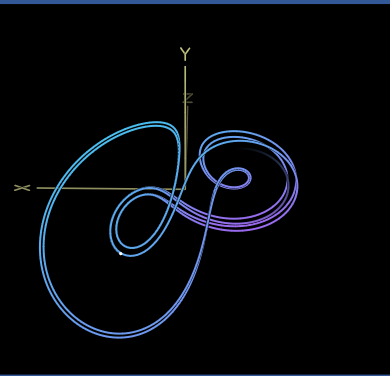
From Attraktoren

Arneodo.vcvm (2.5 KB)

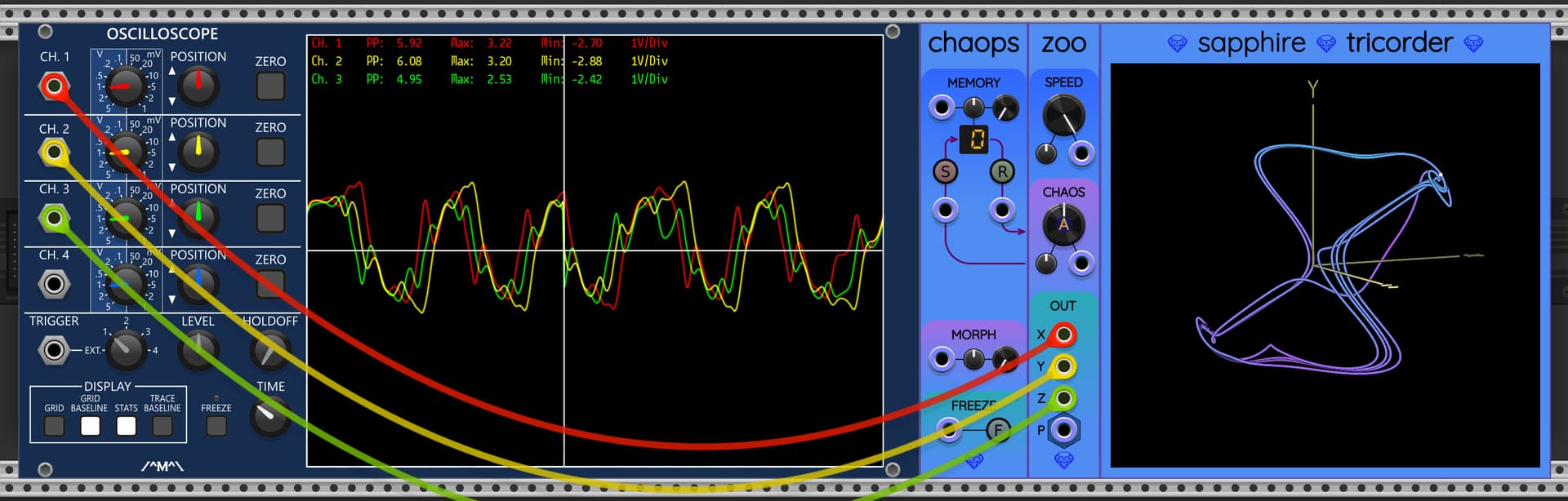
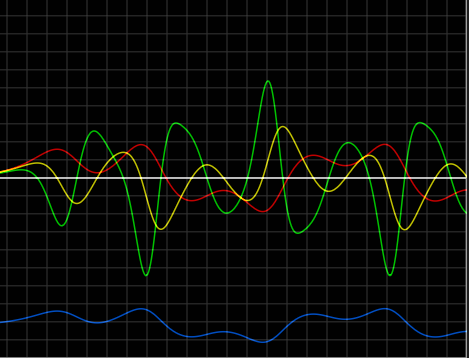
x=red y=yellow z=green p=blue

Has there been any consideration given to adding an end time so that one could loop a segment generated by a preset? Maybe not appropriate for Zoo where the formulas run free but maybe somewhere a little more experimental.

You can do this using Chaops on the left side of a Sapphire chaos module, but not with Zoo (or Frolic, Glee, Lark) by itself. Store your desired starting point in one of the 16 memory cells. Then fire a trigger to the R (recall) port every time you want your sequence to start over. This use case was one of the original motivators for creating Chaops.

The Finance attractor is too similar in behavior to the other “double-loop” attractors, and I’m having trouble getting the parameters to do anything very interesting. I like all the other ones you submitted, but I think we should omit Finance as a factory preset.

I love the idea of using a series expansion for sine, to make an approximation that Zoo can handle. I tried the Thomas preset and it is fun. But there are problems with the approximation diverging, depending on what point I start with.

I think the real Thomas attractor is going to be more stable than the truncated series approximation. Sine is a periodic function whose output never goes outside ±1. But x-\frac{x^3}{6} goes to negative infinity when x gets large.

I saw that as soon as the particle leaves a certain radius from the origin, it accelerates away from the origin and never comes back. The speed gets too fast, and the vector is pointed in a direction that makes it go even faster.

I think this one is too unstable for a factory preset, but the idea of using a series expansion is very cool.

Maybe adding a couple more terms to the sine expansion would increase the stability radius enough?

(I know there are no stupid questions, but I suspect this may be one: where trig functions are too expensive, why don’t people use interpolated lookup tables as a good-enough approximation?)

Rather than a time based reset (recall), what about resetting upon getting within a a specified tolerance distance of a given 3D point (presumably position vector)? It might be interesting if Chaops could automatically loop if the current position vector gets within a user specified distance tolerance of the starting position vector.

I can also envision a dedicated 3D comparator designed as follows:

  • Signal inputs: X, Y, Z, plus a poly vector
  • Target control: X, Y, Z knobs, plus X, Y, Z CV with attenuverter, plus poly vector with attenuverter. The knobs would be summed with the attenuated CV inputs.
  • Tolerance control: A single offset knob + CV with attenuverter. Again attenuated CV is summed with knob.
  • Outputs: X, Y, Z, plus D (distance) gate outputs. The X, Y, Z coordinate gates would go high when the current value is within the tolerance of the corresponding target value. The D gate would go high when the current position vector is within the tolerance distance of the target vector.

With the above design, the same tolerance is used for all coordinates and the distance. Perhaps there should be an option to set different tolerances for X, Y, Z, and D, but that seems like a very busy module.

If you are not interested in creating this, then I think I might do it. But it seems like it belongs in your collection.

Yea, I figured Chaops would be where the preset action happens and Zoo while similar to the others is different in one big way…user access.

Explicit start and stop points for Zoo presets would encourage more preset creation and experimentation.

Previously, there was a mention of automatically resetting to the starting point when Zoo diverges beyond a certain limit. Maybe this can be used instead of endpoints (although I prefer a more control).

People definitely do, especially in embedded! On fullblown modern CPUs I’ve found (anecdotally) that poly approximations may be both more accurate and more performant: lookup tables (at least mine!) can have pretty bad cache hit rates unless they get so small that the interpolation starts to suffer…

That said: Yamaha DX7 reverse-engineering, part III: Inside the log-sine ROM

Yet another from Attraktoren

Bouali.vcvm (2.6 KB)