Hi Paul,
Your new CHEM plugins are wonderful. I’ve played around with them a lot and everything works perfectly. But, but. There are some questions that remain unanswered. Convolution, Overlay synth, and Extend Macro don’t work.
First, With XM, VCV sometimes crashes when I load this plugin. And when VCV doesn’t crash, I get a blank plugin with no buttons.
Secondly, Convolution doesn’t work at all, and neither does Overlay Synth. Hopefully, I’m doing something wrong. Otherwise, your new CHEM plugins are really awesome. Thank you very much, and I know you’ll be happy to provide an answer to this problem. Have a nice day.
I am on Windows 7 and running the latest VCV
Windows 7 is out of support from Microsoft, and people sometimes have trouble.
I don’t have Loris yet, so I’ve been testing Overlay+XM on Continuum with Ed and RK’s overlays.
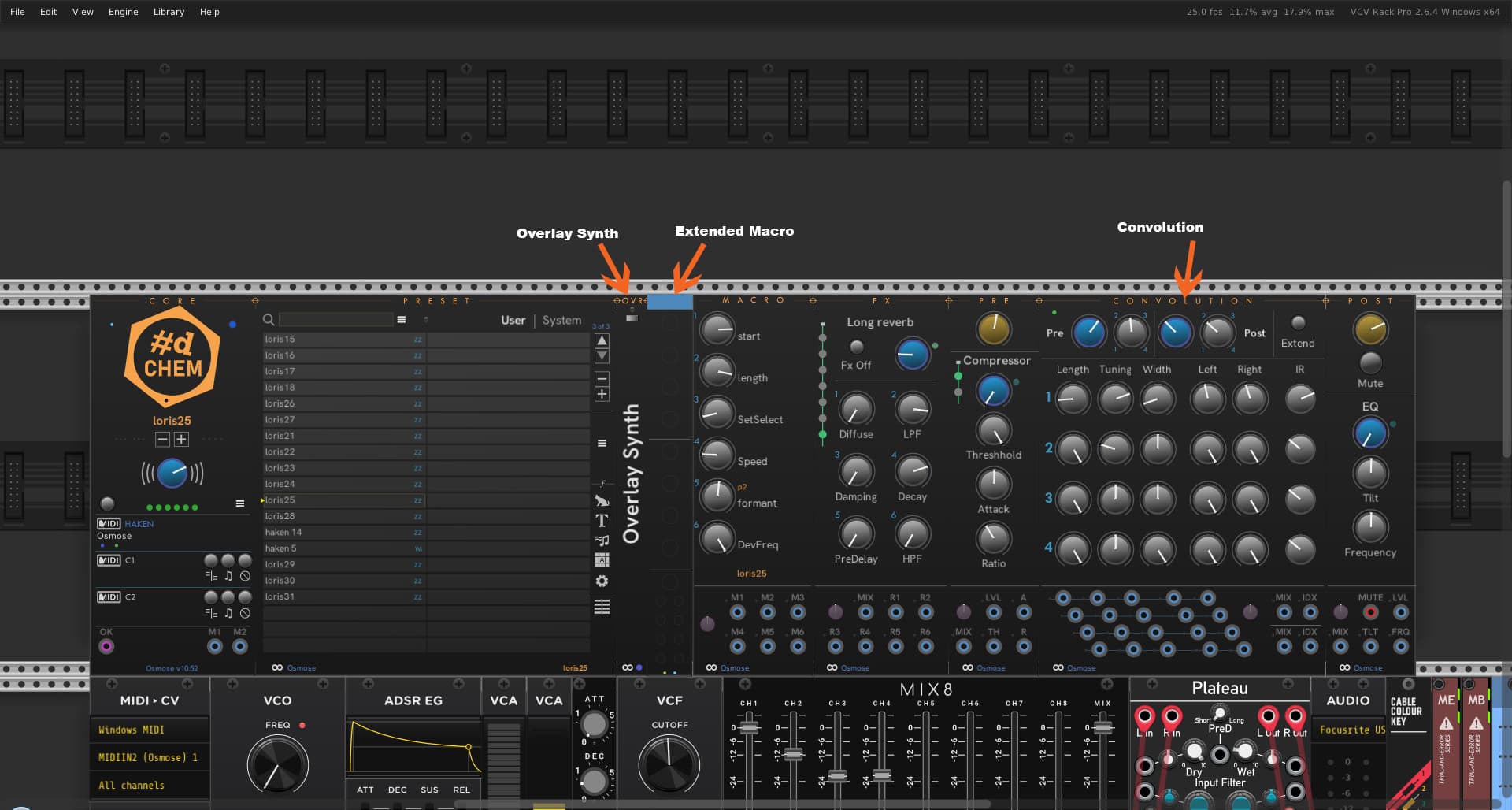
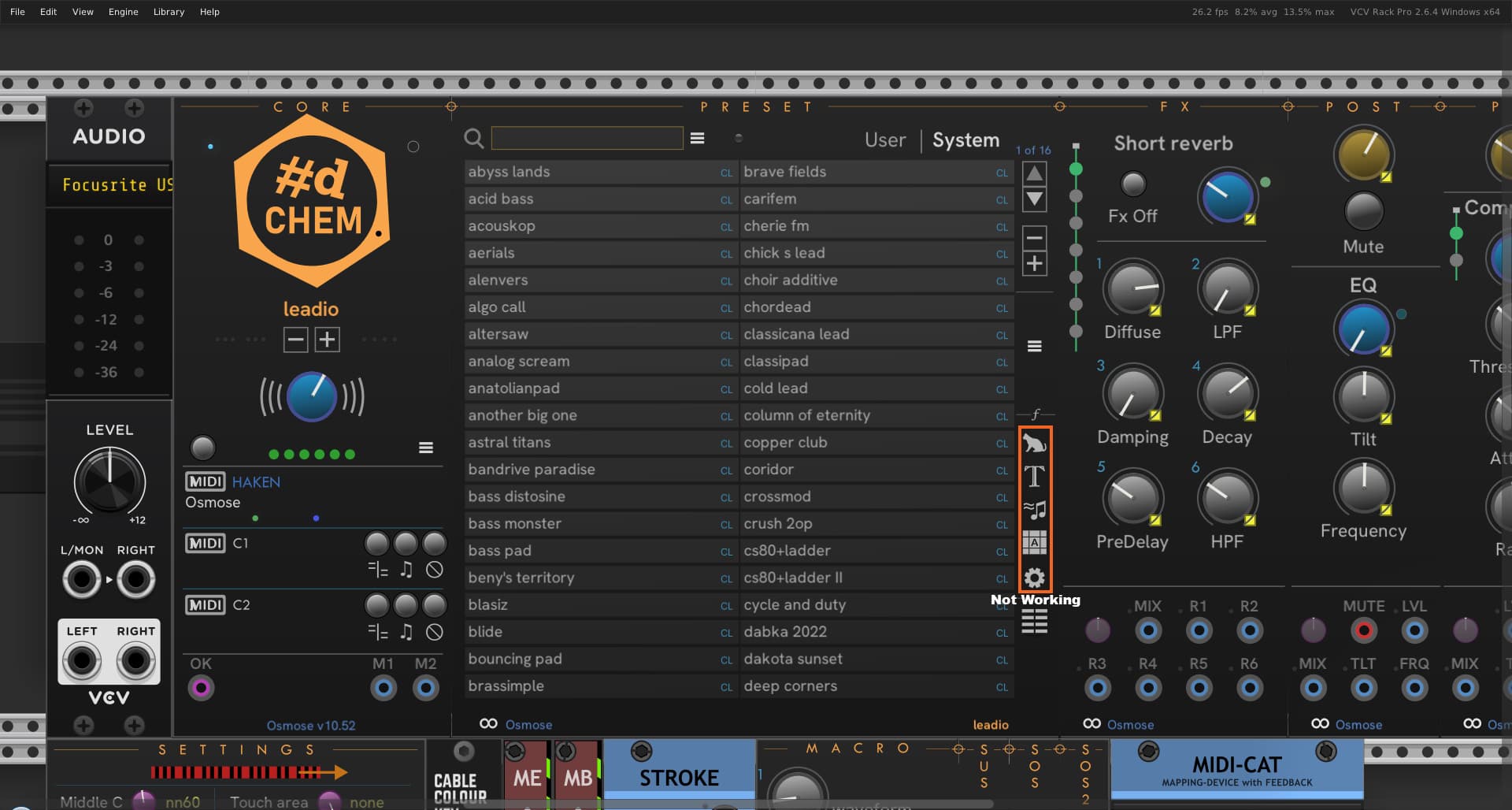
Overlay doesn’t automatically know when you have a capable preset loaded. You must configure the preset it works with in the right click menu. In the screen snip, the light isn’t lit, so it’s not detecting that you have a configured preset loaded. Sometimes (especially with Osmose), you may have to reload the preset after startup for it to be recognized properly, even though it’s the preset you last used.
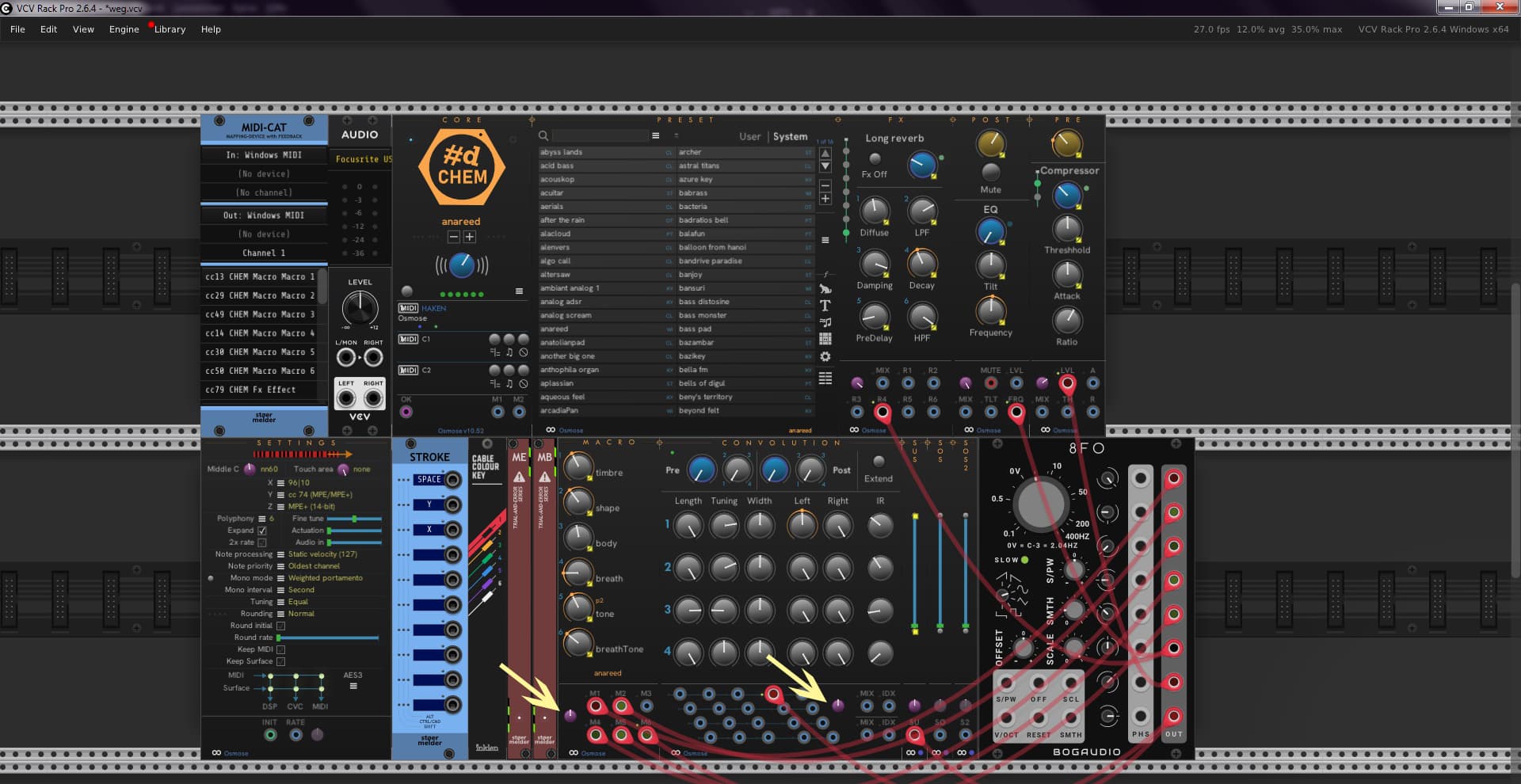
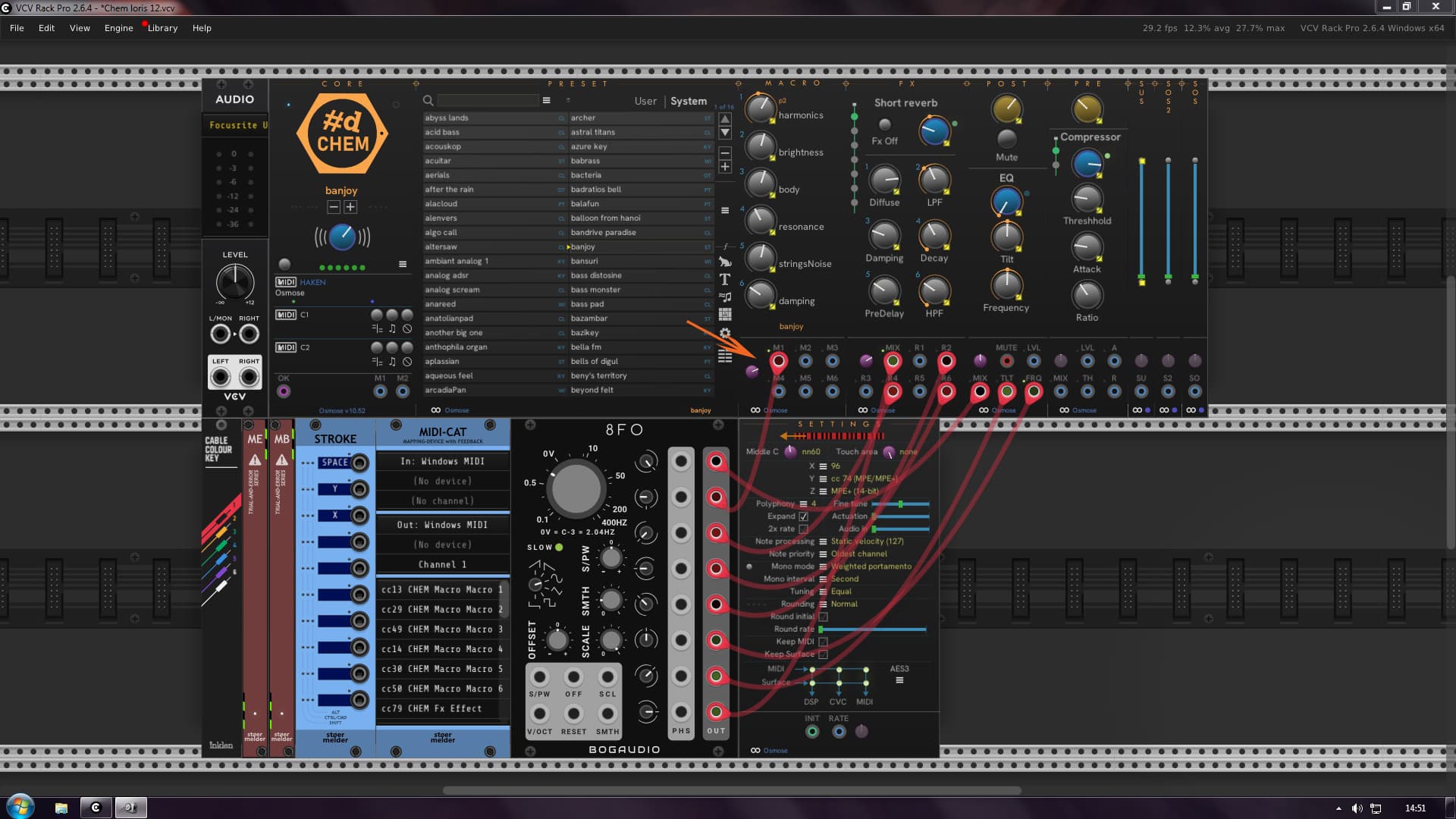
XM is generic and must be set up for the specific 7-90 Macros you want to control, so this requires knowledge of the internals of the overlay you’re using. XM won’t do anything until it’s partner Overlay is configured and connected with a specific preset. It’s a pain to configure, and you have to have intimate knowledge of which macros are in the preset and what they’re used for.
Please read the documentation for these. I have my doubts that these will be useful for regular users unless an expert in the overlay provides details about the macros. RK does make speadsheets for his overlay synths.
I’ll take a look and see what’s up with Convolution. It may require something in the specific preset to use convolution before you’ll hear anything. I may have broken it since I last took a hard look at it – it’s been a while. The Osmose support was added after Convolution and took a long time and required extensive changes across the plugin.
Currently CHEM doesn’t have anything special for working with spectral sets.
Convolution being broken was an embarrassing dumb error with very bad effects, but a trivial one-character fix (remove a !). Now available on Nightly. The issue might affect Overlay as well.
I really appreciate you letting me know the issues right away!
I also changed Overlay to put its main options on a hamburger menu. Dunno why I didn’t do that before - makes the need for configuration more obvious.
I think I’ll wait a few days to see if there is any more incoming feedback or issues before submitting an update to the Rack library.
Okido, I tried your Nightly and everything works fine in some ways. The only problem is that it doesn’t read the osmose. So with every preset change, the convolution doesn’t move. It stays at the set settings.
Another problem is that it sometimes steals MIDI channels, leaving me with only 3 or 4 voices and I have to restart my osmose.
I tried the overlay synth with Ratio and Jenny, but unfortunately without success. I think I need to learn more about it.
By the way, I thought you had osmose? Maybe the problem, it’s because of Windows, but I don’t think so. All your other plugins work perfectly. They read osmose, buttons move, and so on.
Well, I haven’t investigated any further. But you’re on the right track.
Edit…!!!
I found something else that doesn’t work. The filtering has no effect. I’m sorry to bombard you with errors. But it’s better than no response at all. I’m wondering why there aren’t more people who run a osmose.
My main machine is Windows 11, and I do run a Micro, a Mini, an Osmose, and a Slim70.
I’ve only had an Osmose for a few months, so it hasn’t seen as much CHEM testing as Haken devices.
Osmose doesn’t provide 2-way feedback for controls, so changing a macro value on the device is not reflected in CHEM. This isn’t the case for other Haken devices. This is an Osmose issue that only Expressive E can fix.
I’ll look into what’s happening for convolution info when loading presets. I can reproduce that. Fixing convolution loading will have to wait a few days - I’m leaving for a 5-day coast trip later today.
If you’re doing heavy automation, the Osmose sometimes does have issues. If this turns out to be a big problem, you might need to slow the rate at which we send automation to the Osmose. The MIDI rate can be adjusted by editing \pachde-CHEM\CHEM-kv.txt in your user folder (give a larger number). Slowing the MIDI rate at some point can introduce audible stepping.
You can’t make continuous changes to the convolution parameters without audio glitches except the mix, left/right and index. CV controls on these should be fixed voltages. This is an EM characteristic - these convolution params are meant to be set by the preset and weren’t designed for automation.
When using CHEM and sending automation, you will need to make preset changes only from CHEM. Unlike the Haken devices, the Osmose doesn’t handle changing presets with incoming MIDI at the same time. This will definitely make the Osmose start glitching. CHEM pauses automation when changing presets from CHEM because of this. This is an EE issue - Osmose should ignore incoming MIDI while it is changing presets.
I’ve submitted 2.02 to the Rack library. A red dot for #d is in the works.
Available on Nightly on Github. I’ve added a changelog to the repo.
It appears I hadn’t quite really finished Convolution when I acquired an Osmose and got distracted :-). Most importantly, I’ve fixed the initialization and the logic for implementing Impulse selection and the Extended flag. It’s working as we would expect now.
Convolution can be a bit odd, depending on the preset, on Osmose especially some presets manipulate Convolutiion parameters in the matrix via formulas and macros. CHEM doesn’t have a 100% complete internal model of the EaganMatrix, so you won’t be able to observe these effects on CHEM, particularly with the Osmose because Osmose doesn’t send feedback MIDI like the Haken devices. As a practical matter, itreally doesn’t matter much when you’re driving automation from CHEM.
Okay. I tried Convolution and, in my humble opinion, it works almost flawlessly.
Another problem I discovered is, that Macro module and Convolution do not save their modulation parameter. When opening VCV, all modulation parameters are set to zero. All other modules do not seem to have this problem.
I’ll look into restoring the trimpot settings - thanks for the reminder. I find this annoying too.
I really appreciate all the feedback. I fully expected that first contact with real users would uncover issues, and we’ll keep working on making it better.
I just pushed the changes to CHEM with fixes for restoring modulation in Macro and Convolution.
(different fixes for each). Rack hadn’t processed my update request yet, so the next update will include the fixes.
So I tried out the latest release. Modulation can be saved, and when I open VCV, everything is OK. But I noticed another problem. When I feed modulation into the macromodule, I can no longer select presets on my Osmose. When I remove the cable from VCV macro module and then select a preset in VCV preset module, I can select presets on my Osmose again.
When there is incoming MIDI, such any modulation coming from CHEM, the Osmose either refuses to change presets from the device or tries to but goes all wonky.
I can’t fix this – it’s an Osmose issue. I think I’ve reported it to Expressive E, but more support requests on the subject will raise the priority of getting it fixed.
I think I’ve mentioned before that when using CHEM, all preset changes must originate from CHEM. Chem knows to suppress all MIDI automation while requesting a preset change.
If I haven’t documented it in the manual, I’ll need to add it.
Thanks for the explanation. Maybe I should write to Expressive about this problem too. So let’s wait for a new update from Expressive. It’s been so long since the last update anyway.
There are still some problems in the machine that they really need to fix. I read a rumor somewhere that they are recoding the entire thing from scratch. Let’s wait and see.
I’m going to get busy with the Chem overlay stuff now. I still haven’t got that working. I have the FM synth and another one from Expressive for free. They work fine, but I haven’t got them working in Chem yet.
Is it possible we can map, “in the future”, the preset buttons in Chem using Midi-Cat? Many parameters can be mapped, but there are some that are different radio buttons. I don’t know what they are. Like the + - button in the core module and some up and down buttons. Of course, this is no problem with the mouse. With Midi-Cat, there is no chance of mapping them.
Feel free to add comments/ideas (and open new issues for other topics).
There are plenty of widgets in CHEM that are pure UI and aren’t backed by a parameter. It’s actually easy to make your Osmose lock up by changing presets too quickly via automation, so I’d want to be careful how that is exposed. Haken devices are for more resilient.
Until I figure out a sensible way to cursor around those lists with MIDI/CV, you could try this more limited idea:
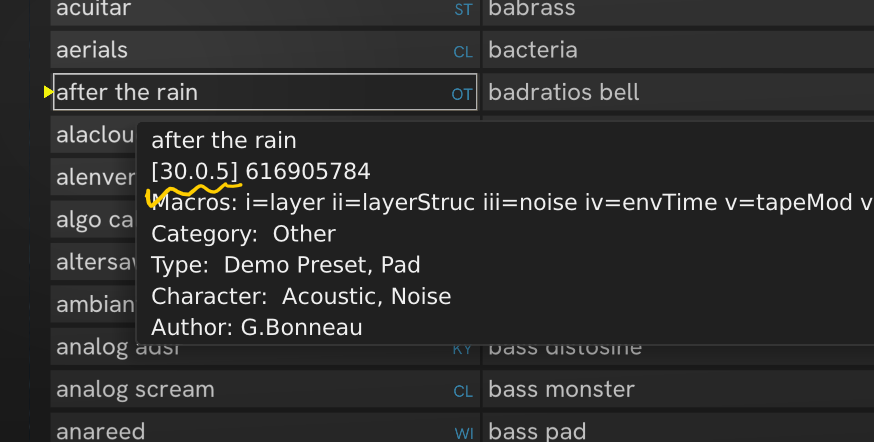
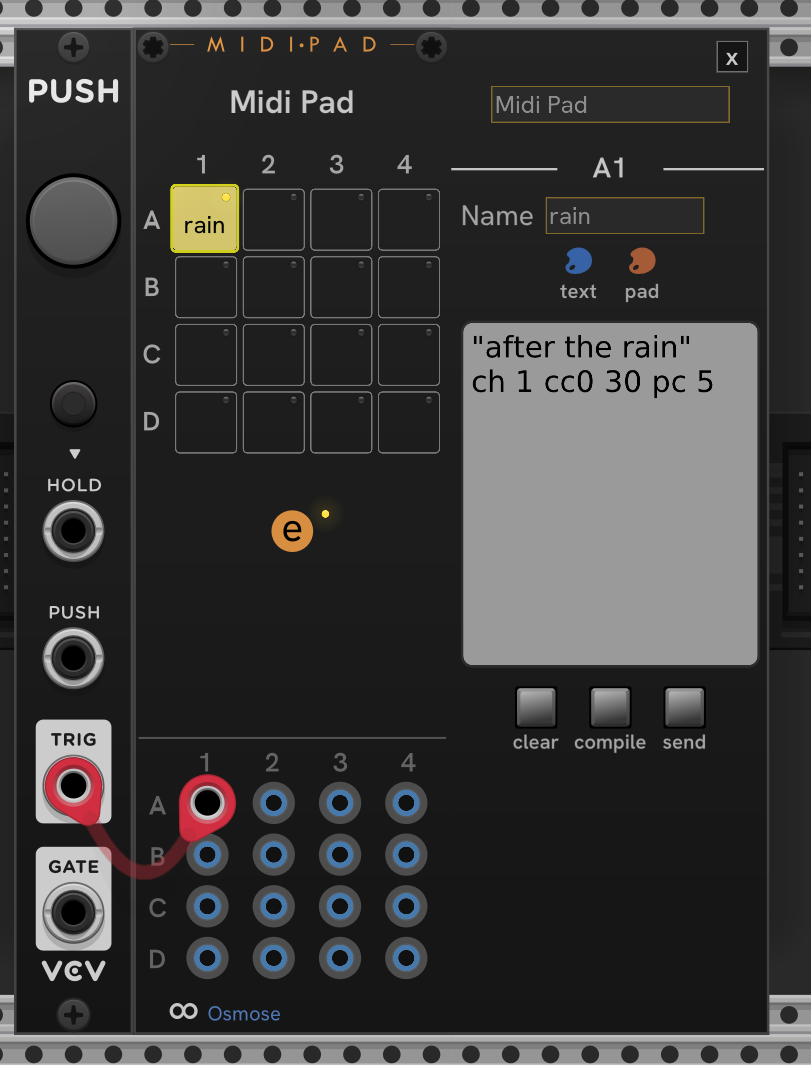
Not as generic as full access to Preset and Play, but if you have a short list of specific presets you want to invoke, they can be set up in MidiPad (up to 16 per MidiPad instance). Hover a preset and the tooltip has the details for a preset:
The [30.0.5] is the preset selection code [cc0:cc32:program change] On Osmose, you don’t send cc32 – cc32 applies only to Haken devices. If sent to Osmose it doesn’t work (which I consider an Osmose bug – a cc32 in this sequence should be ignored, at least if it’s zero).
Here’s a minimal example of a single pad in MidiPad hooked to a trigger that selects the preset “after the rain”.