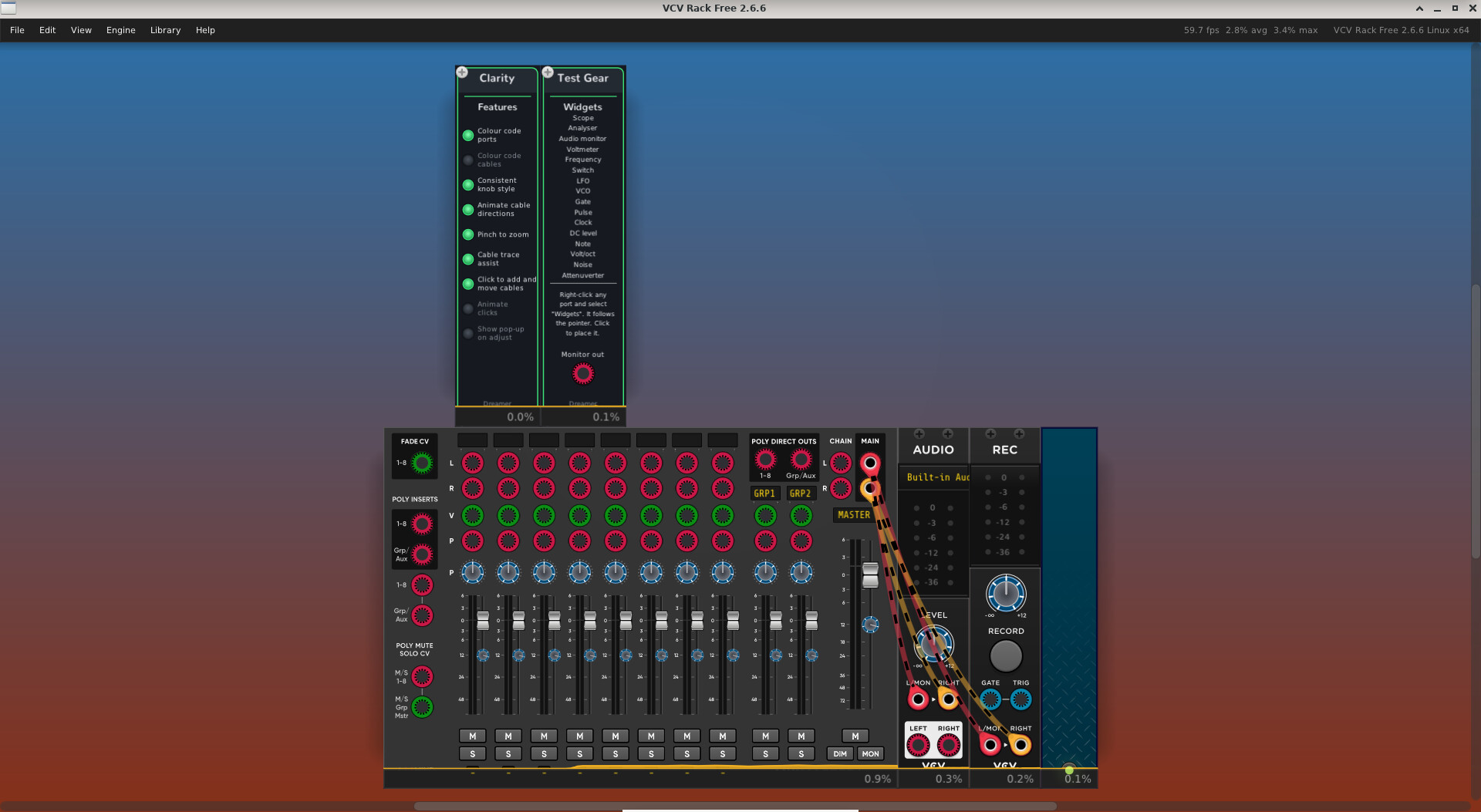
Clarity makes a patch easier to read and quicker to build. It does not process audio and does not alter the patch. Here is a short video of it in use:
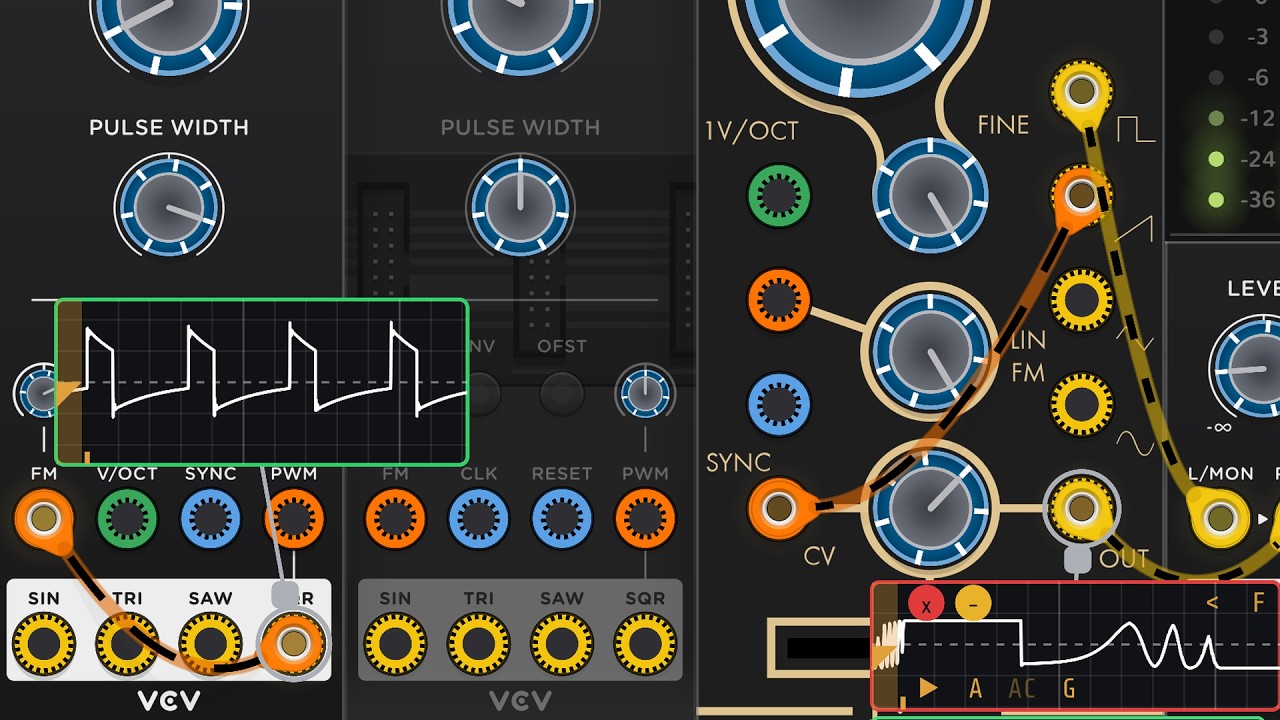
What it changes about how the rack looks. Ports are colour-coded by signal family — audio, control voltage, gates and triggers, and pitch — with the ring position showing whether a port is an input or an output. Cables take the colour of what they feed, so the colour tells you what a cable is being used for, and animated dashes along a cable show which way the signal is travelling. Knobs are drawn consistently, with enhanced contrast, across every installed plugin.
The colours and the families are yours to set. A colour picker sets the four families, and you can change which family a port belongs to — by a rule that matches on the port’s name, or one port at a time from its own right-click menu. Several named colour sets and rule sets can be kept and switched between from the module’s menu. The rules live in a file you can edit, for anyone who wants to go further.
What it changes about how you work. Click a port to pick up a cable and click another to connect it. Dragging works exactly as it always has, so this is an addition rather than a replacement and you can use whichever suits the moment. Cable trace assist fades back everything except the cable you are following. Pinch to zoom on a trackpad. Pick up any of the cables on a port, or add another, without a modifier key. Note that I’ve only tested pinch-to-zoom on Apple trackpads. Feedback is welcome on how well it works on Windows or Linux.
Take as much or as little as you want. Each of these has its own button on Clarity’s panel, so you can switch on the ones that suit you and leave the rest off. It is not all or nothing.
Why it exists. I built it for myself. Three or four years ago I gave up using Rack — an eye problem I developed made faceplates hard for me to read and cables hard to follow across a patch, and it stopped being worth the effort. I was wishing I could return to VCV so I invented the features of Clarity and figured out how to put them in a plug-in 
Most of what came out of that turns out to help anyone, though — whatever a rack doesn’t cost you to read is attention left over for the patch itself. Two groups will probably get the most from it: anyone whose eyesight is less than perfect, and anyone patching on a trackpad rather than a mouse, since click-to-connect and pinch-to-zoom were both written with trackpads in mind.
Getting it. Clarity is not in the VCV Library yet. It has been out for testing while people put it through its paces, and now that it has been through that it will be submitted shortly. In the meantime, built packages for macOS (Apple Silicon and Intel), Windows and Linux:
The manual: DreamerDevelopment/docs/clarity.md at main · chrisgr99/DreamerDevelopment · GitHub
Source: GitHub - chrisgr99/DreamerDevelopment · GitHub — GPL-3.0-or-later.
Clarity ships in the Dreamer Development plugin alongside Test Gear, sixteen test tools that clip onto any port, announced separately.
Bug reports and feature requests are welcome. The development thread is the place for them:
Thanks to everyone who has already tested it and reported back — several of the things described above came out of that thread.