Hi all,
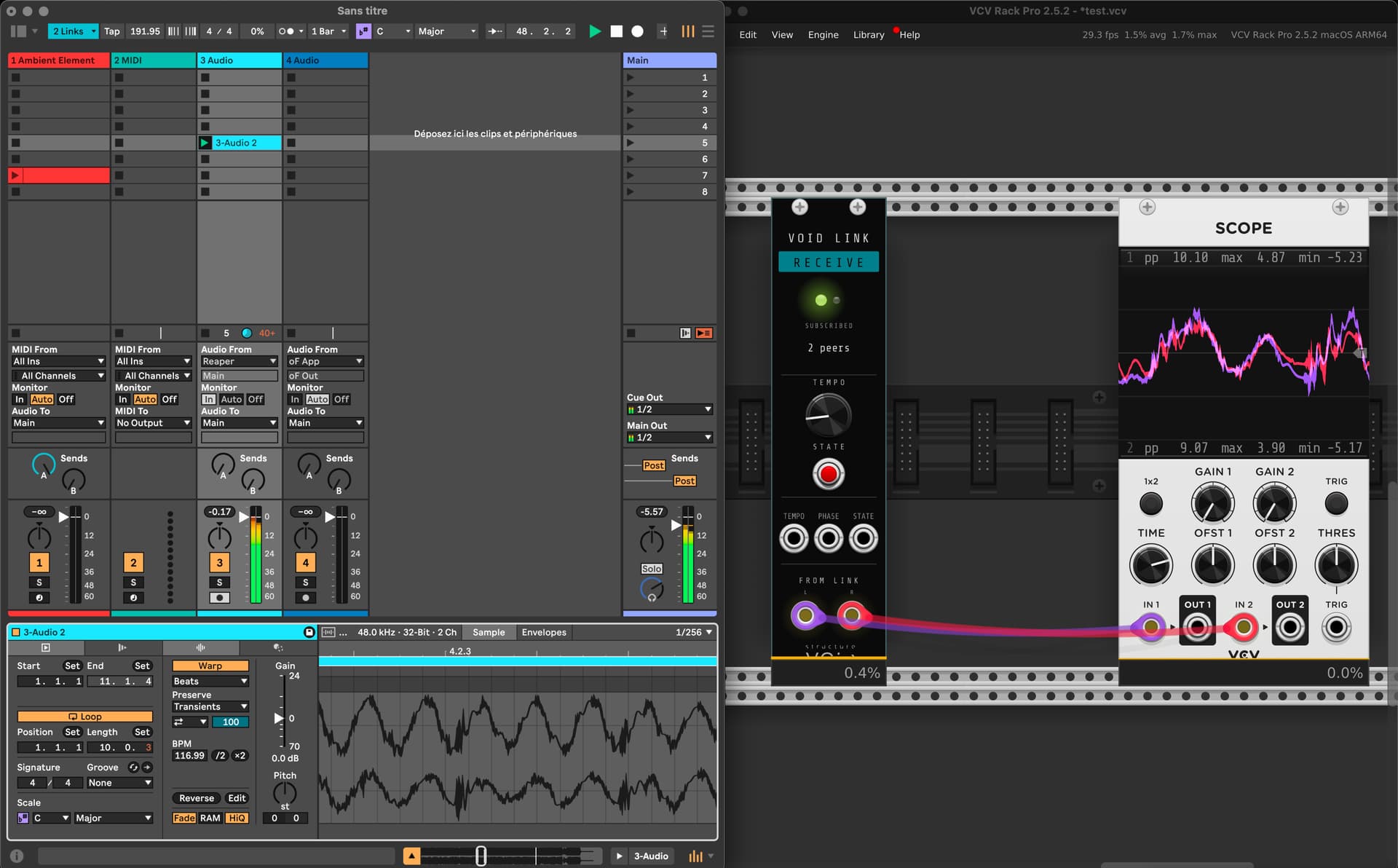
Released VoidLinkAudio v0.2.0, which includes two modules for VCV Rack 2 in the Structure Void browser category:
- Void Link Audio Send - publishes 2 audio inputs as a named stereo channel on the local network
- Void Link Audio Receive - subscribes to a channel published by any Link Audio peer; outputs L/R audio
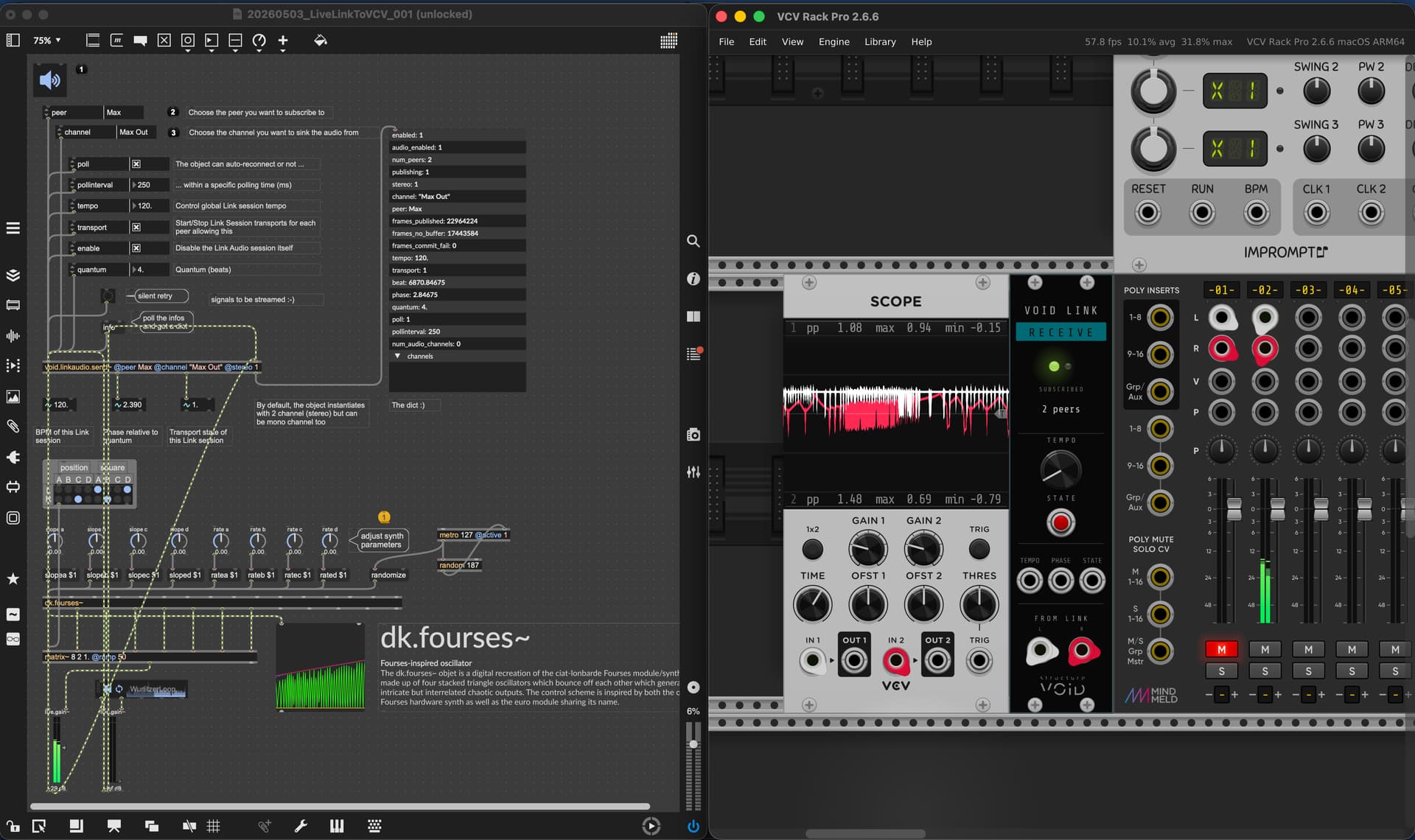
This brings Ableton Link Audio into VCV — the audio streaming extension to Link that shipped with Live 12.4 (publicly released May 5, 2026). VCV Rack can now peer with Ableton Live, Max/MSP, TouchDesigner, openFrameworks, and Pure Data, on the same machine or across the LAN, all in tempo and beat-synced.
What’s exposed
Both modules expose Link timing as CV outputs:
TEMPO (bpm/100 V scaled output)PHASE (0–10 V over the quantum, beat phase)STATE (0/10 V transport gate)
Plus a TEMPO knob and STATE switch that are read/write: turn the knob in VCV, Live’s tempo follows. Click the state switch, every Link peer toggles transport.
Critical setup note
VCV Rack’s engine has no internal clock. You must have an Audio module in your patch for the engine to run at the correct sample rate. The Audio module doesn’t need to be connected to anything, its presence alone drives the engine clock that VoidLinkAudio publishes against.
Architectures
- macOS arm64 + macOS x64 (separate
.vcvplugin files)
- Windows x64
All Mac binaries are Apple-notarized.
Use cases
- Modular patch sessions where someone else is running Live next door, both in tempo
- Network jam: your VCV setup syncing with a friend’s Pure Data or Max patch over WiFi
- Hybrid analog/digital: VCV synthesis fed into Live for arrangement and mixing
- Replace virtual cable software for inter-app routing on a single machine
Links
Same project covers Max, TouchDesigner, Pure Data, openFrameworks. VST/AU plugin pack for DAWs coming next.
Bug reports / feature requests on GitHub Issues.
Cheers,
Julien Bayle
Structure Void
This is completely blowing my mind….
VCV → MAX → VCV → Live (once 12.4 is out)…
The one thing I can’t quite wrap my head around yet is getting the clock synced from the Void Link Tempo out into VCV’s Clocked. The Void Link tool tip says “bpm / 100 V”. Any pointers would be appreciated.
Back to having my mind blown some more… What a time to be alive making noise!!!
It appears the Void Link tempo CV output is following a different standard than VCV’s BPM CV standard. If that’s accurate, I think my actual quesiton is
“How does one convert the Void Link tempo CV output - where 1.20V = 120BPM - to the VCV BPM CV standard - where 0.00V = 120BPM?”
Thanks in advance for any help.
Hi @fiddlercrabseason and thank a lot for your feedback
You’re right that VoidLinkAudio currently uses linear BPM/100 V instead of the V/Oct standard most VCV clock modules use.
To convert between the two, you can use:
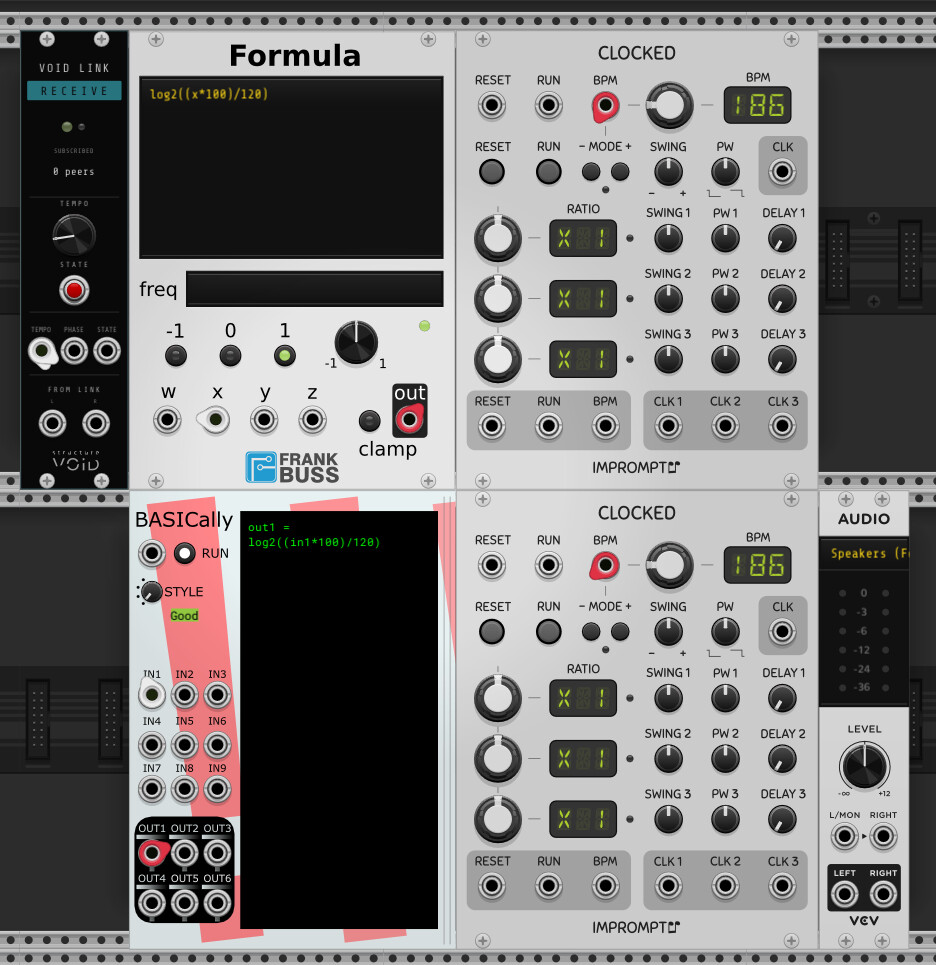
V/Oct = log2(BPM / 120)
BPM = 120 * 2^V
You can build this with a simple module chain (multiply, log, etc.) or use a utility like Bogaudio CMP or Stoermelder REM to do the math inline.
I’ll add a V/Oct option in the next release => thanks for the flag, this is a fair point and I should follow VCV conventions by default.
Thank you!!!
I (and everyone else, eventually) appreciate you considering the VCV V/oct standard. In the meantime, for anyone following along, either of these will do the trick:
(FWIW, not sure I understand how the Bogaudio comparator (CMP) would work, and I don’t see a Stoermelder REM module at all… )
)
Hi Julien -
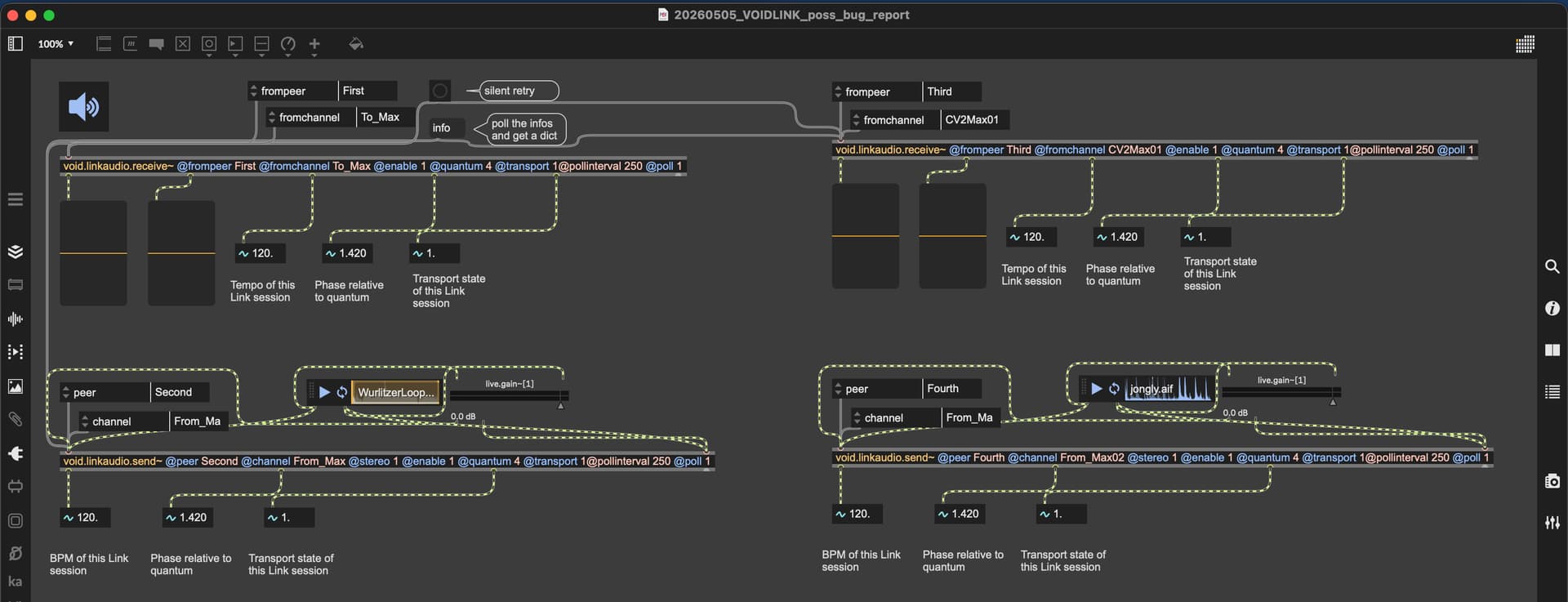
When loading a saved VCV patch that contains the VOIDLINK SEND/RECEIVE modules…
-
When there’s 1ea SEND/RECEIVE in the VCV patch, both modules are pairing up with their MAX peer/channel RECEIVE/SEND counterparts. BUT…
-
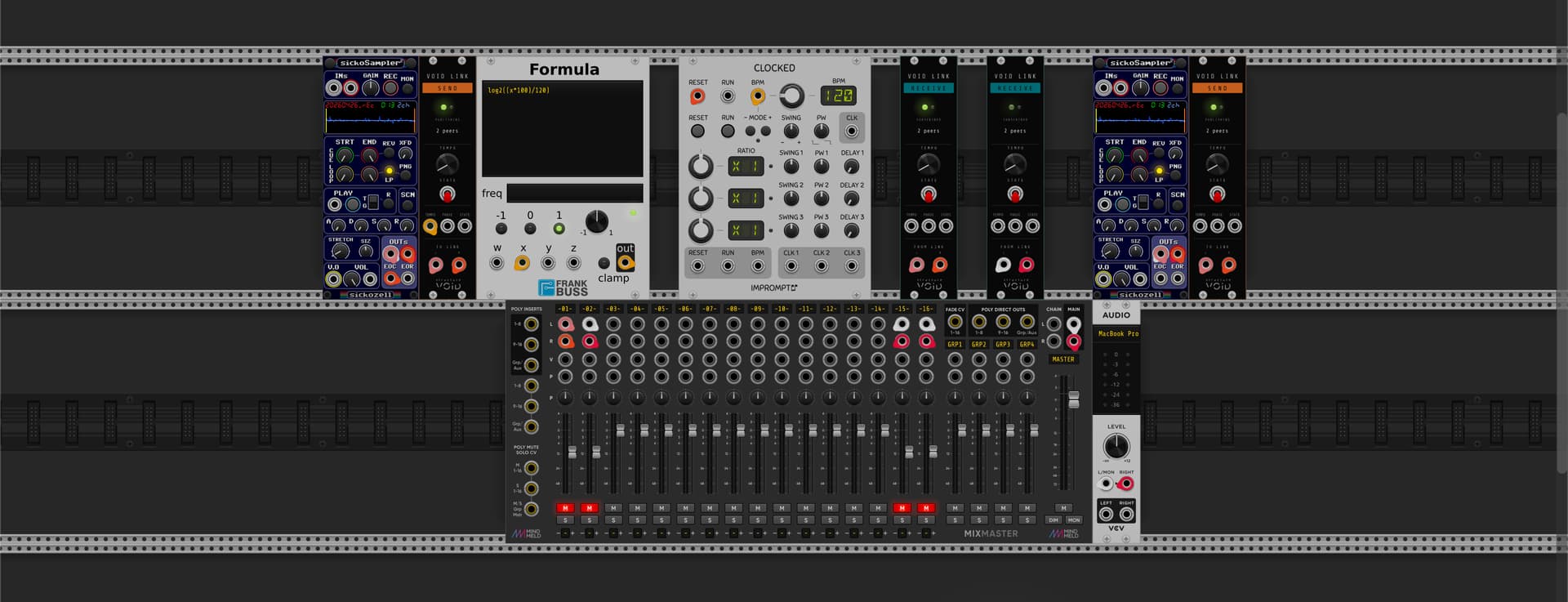
When there are >1 SEND and/or >1 RECEIVE modules in the saved VCV patch, only 1ea SEND module and 1ea RECEIVE module are pairing up with their MAX peer/channel counterparts. In order to pair the others, the modules need to be deleted from the VCV patch, then re-added to the VCV patch, at which point all 4 modules pair up as expected. Occasionally I will ALSO have to re-instantiate the MAX object in order for the re-added SEND/RECEIVE module to pair correctly.
Which of the modules pair, and which don’t pair changes from time to time, but the bottom line is that it seems only 1 SEND module will correctly pair at patch load, and only 1 RECEIVE module will correctly pair at patch load…. any more than 1ea of either SEND or RECEIVE, will leave the others hanging, necessitating the deleting/re-adding (and occasionally re-instantiating) described above.
These behaviors seem like bugs, but maybe I’m not doing something correctly to cause the erratic behavior. VCV patch attached.
20260505_VOIDLINK_poss_bug_report.vcv (8.5 MB)
I didn’t have had time to properly make tutorials.
Actually, there is an autopoll behavior which works fine on max side.
On VCV Rack, I guess you tried to double click to change peer & channel names too.
The problem I have noticed but which seemed to have been cleared: when you change the name, I forgot about a setter to trigger reinstantiation.
The problem is not changing the name. The problem is that when >1 Send or >1 Receive modules in the VCV patch, the 2nd, 3rd, etc. module(s) need to be deleted and re-added in order for them to pair correctly. They should pair on patch load, regardless of how many of each are in a patch, but they are not doing that.
v0.2.4 is out => fixes the macOS x86_64 .vcvplugin that was failing to load.
If you’re on Intel Mac, or Apple Silicon running Rack under Rosetta, and you saw a symbol not found in flat namespace error in log.txt with v0.2.0 through v0.2.3, this release fixes it.
Get it here:
The mac-arm64 build was unaffected throughout — only mac-x64 was broken. Source code is identical to v0.2.3, the fix is in the build process (an arch-leakage bug in the dual-arch build script that I caught thanks to a great bug report from a user). I also added a defensive symbol check to make sure this exact regression can’t happen silently again.
Also pushed to Gumroad (link in the project description).
Two more bugs I’m tracking for the next release:
-
VCV’s BPM CV standard : yes, you’re right (and another user flagged this), the current bpm/100 V mapping doesn’t match VCV’s 0V = 120 BPM V/Oct convention. Adding a right-click “Tempo CV format” option to switch between the two in the next release.
-
Multi-instance load race condition => flagged in a separate thread post. When loading a saved patch with multiple Send/Receive modules, only the first of each pairs up correctly. Also targeted for the next release.
Thanks all for the feedback. Keep it coming.