Thanks alpha. Phi + expanders is quite cool. It’s a shame it uses so much CPU, especially when paired with ModX.
Thank you for pointing this out, @LarsBjerregaard! CPU consumption is higher indeed, but it does not seem to be excessive on my system.
With the previously posted selection, Phi consumes about 2.6% of CPU here, whereas the expanders take only 0.0 to 0.1%. Hence it seems that their consumption is somehow accounted for in Phi.
This compares to approx. 1.6% with Arp (Hampton Harmonics) as a reference for another arp.
With this particular patch, taking out the connection from the current step output of GaitX to the reps input of ModX lowers CPU to about 1.2%, so this feature appears to be particularly demanding, perhaps because it is kind of an internal loop.
I am attaching the .vcvs. Do you get about the same values on your machine?
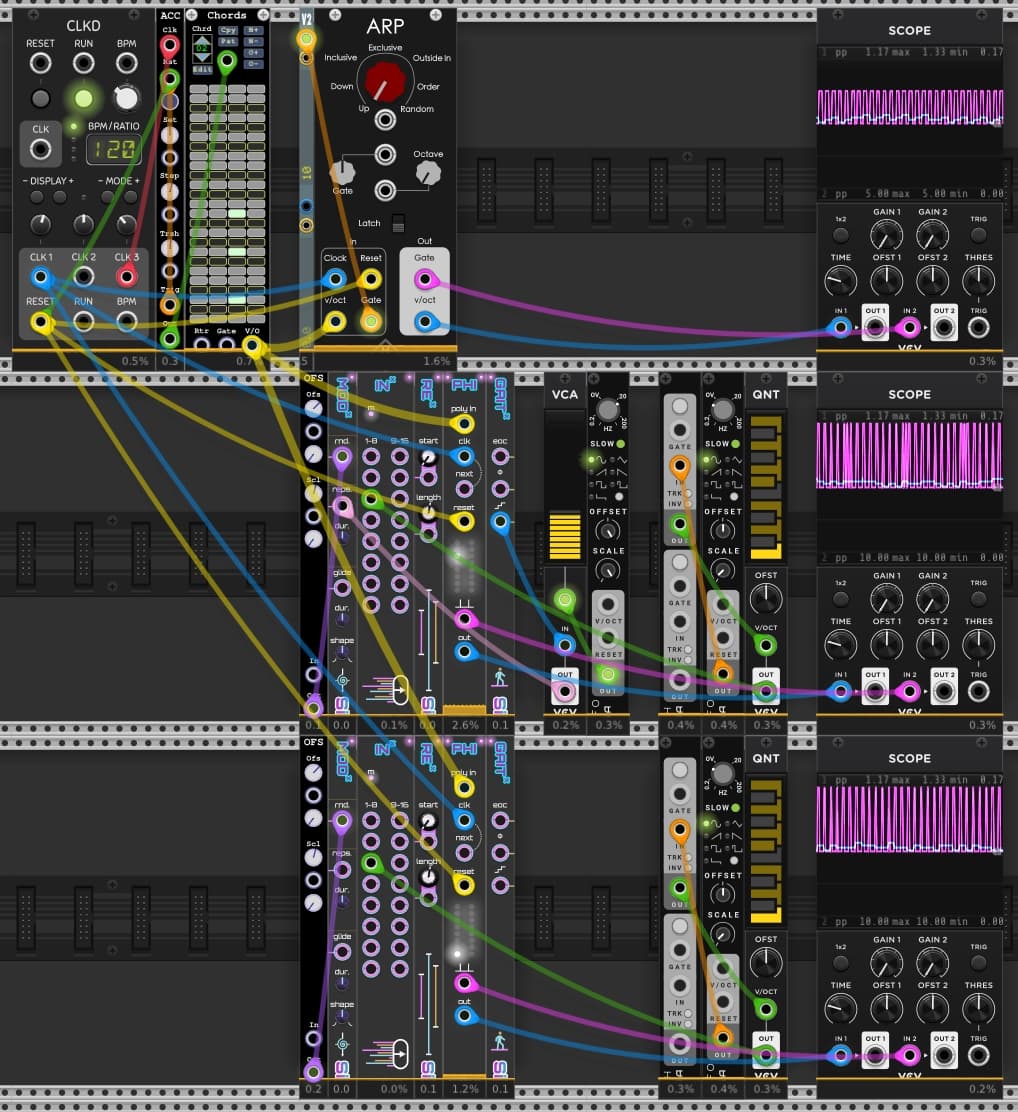
I get:
- Row 1 (Arp): 1.5%
- Row 2 (Phi): 3%
- Row 3 (Phi): 1.3%
When removing ModX in Row 2, Phi drops to 1.3%
Thank you for testing! Looks good and consistent.
P2Seq (Poly to Sequence) from Sulamith is basically just an advanced version of the original N1 Sequencer. So you can just use that.
Poly Tools is a collection of independent utilities.
- 3 ch polyphonic merger (poly to poly).
- mono to poly cloner with input and/or offset that either clones, offsets & clones or spreads and clones. (spread/fan: 0.2v x 16 = 0.2, 0.4, 0.6, 0.8.. etc.)
- poly to L R splitter (to get poly L and R when using mindmeld direct outs for example)
- sum poly to mono with gain knob
- CHmod: reduce channel number on a poly signal
The collection also includes a drone sequencer, a set of 4 N1 Sequencers, Split and Merge, a polyphonic comparator that can be used as a frequency splitter, a 16 channel version of clocked random gates and some other obscure utilities.
its discontinued but the modules all work in v2.
Morph (JA; on GitHub)
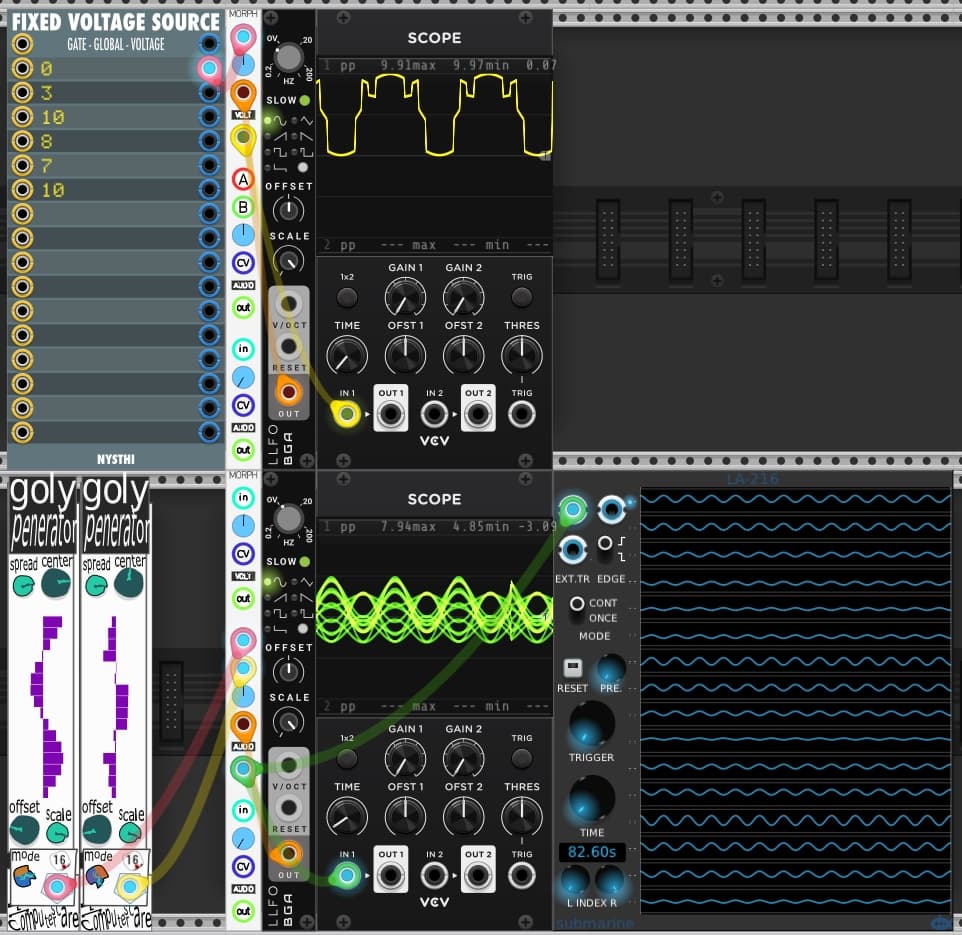
Morph by JohannAsbjoernson/JA (on GitHub: GitHub - JohannAsbjoernson/JA) can crossfade between the channels of a polyphonic signal (module top and bottom sections). Alternatively, it can crossfade each channel between two polyphonic signals (module mid section). Has a switch to adjust the voltage range (either -5/5V or -10/10V).
UPC_Morph (JA)_20251219.vcvs (9.5 KB)
Seed (T)
Seed (T) generates a polyphonic signal of 16 seeded ‘random’ values. The outputs are directly dependent on the Seed input port, i.e. feeding it a specific seed (monophonic) value always creates the same set of 16 ‘random’ values.
If a defined sequence of seeds is supplied, 16 different repeating sequences are created. Slowly modifying the seed sequence then yields slight variations in the output sequences.
The module contains a switch (top center) to set the output to either free floating (0 to 10 V) or snapped to either 0 or 10V.
UPC_Seed (T)_20251219.vcvs (4.4 KB)
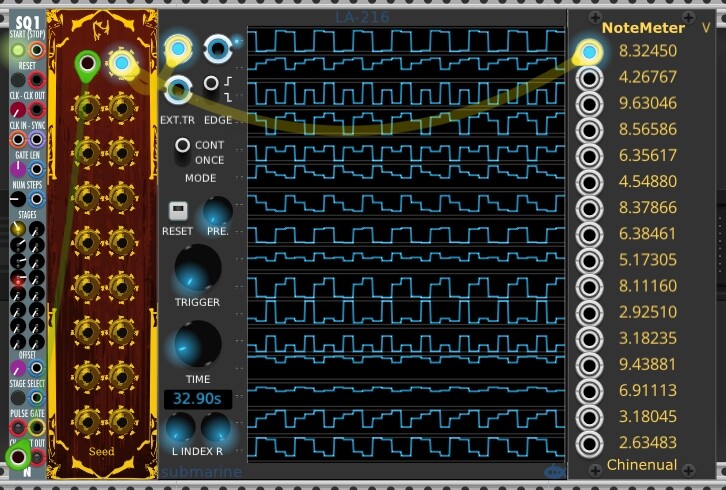
The developer has just released a tutorial video on Seed: https://youtu.be/r7278VCP8V8?si=lhfcBOd6FgcgALlE
Video link is broken?
Hmm, not sure what is happening. The link works here.
Perhaps try searching YouTube for the name of the video: “Seed T’s Musical Tools Walkthrough #1”.
The channel is named ‘T’ (https://www.youtube.com/@HillHand).
Hope this helps.
16 Squared (Null Set)
16-step 16-channel polyphonic step CV-sequencer. Can create 16 different sequences on a small footprint.
Contrary to other step sequencers, the knobs control CV values of each polyphony channel (in oppose to steps). Only the active step is being edited. Specific steps can be accessed using respective buttons for forward and backward motion (keep clock turned off).
Forward and backward motion of the sequencer is controlled by sending triggers to respective ports, allowing for intricate movement patterns and variation.
Number of steps and number of polyphony channels are chosen with knobs in the GUI.
UPC_16-Squared (Null Set)_20251220.vcvs (10.6 KB)
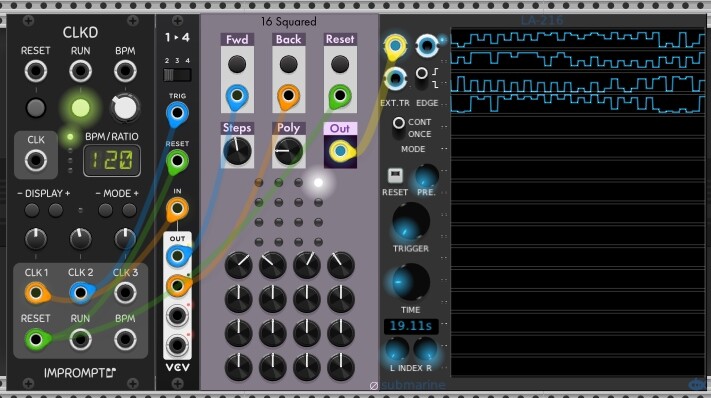
Unfortunately, using VCV Rack’s randomization (CTRL + R) also randomizes step and poly settings, which usually is not desired. Specifically randomizing channel CVs can be accomplished using stoermelder’s Strip module.
[When importing the following file, also use STRIP++ (stoermelder) to preserve the mapping between STRIP and 16 Squared. Instructions at: Expandable sequential switch - #8 by Alphagem-O]
UPC_16-Squared (Null Set)+STRIP (stoermelder)_IMPORT USING STRIP++_20251220.vcvs (14.4 KB)

Thank you!
Digital Sequencer XP (Voxglitch)
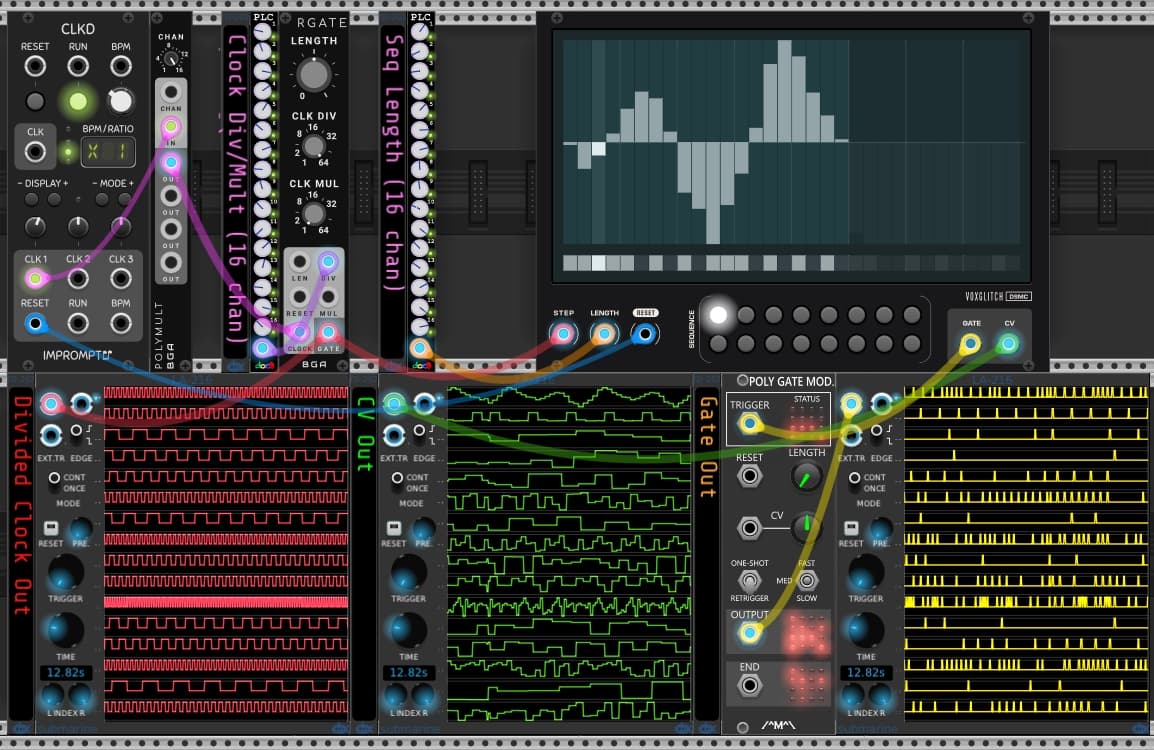
Versatile sixteen-in-one CV/Gate sequencer with independent control over clock division and sequence length. LED buttons for choosing the active channel. Values are drawn conveniently using sliders (CV; vertical) and squares (gates; bottom row).
The Reset input port is monophonic, i.e. channels are always reset together.
There is a wealth of additional tips in the manual. Also check out the quick key reference in the context menu.
UPC_Digital Sequencer XP (Voxglitch)_20251221.vcvs (38.1 KB)
Hello, is there a utility that can inspect a polyphonic cable and trim off the highest and lowest values? I looked at Merc8or, but it rescales the outputs. What I’m looking for is something similar that removes channels from the polyphonic signal instead.
Specifically, I want to take a 16-channel poly signal with a wide voltage range and output an N-channel poly signal that filters out any channels whose voltages fall above or below a user-defined range, while passing the remaining channel values through unchanged.
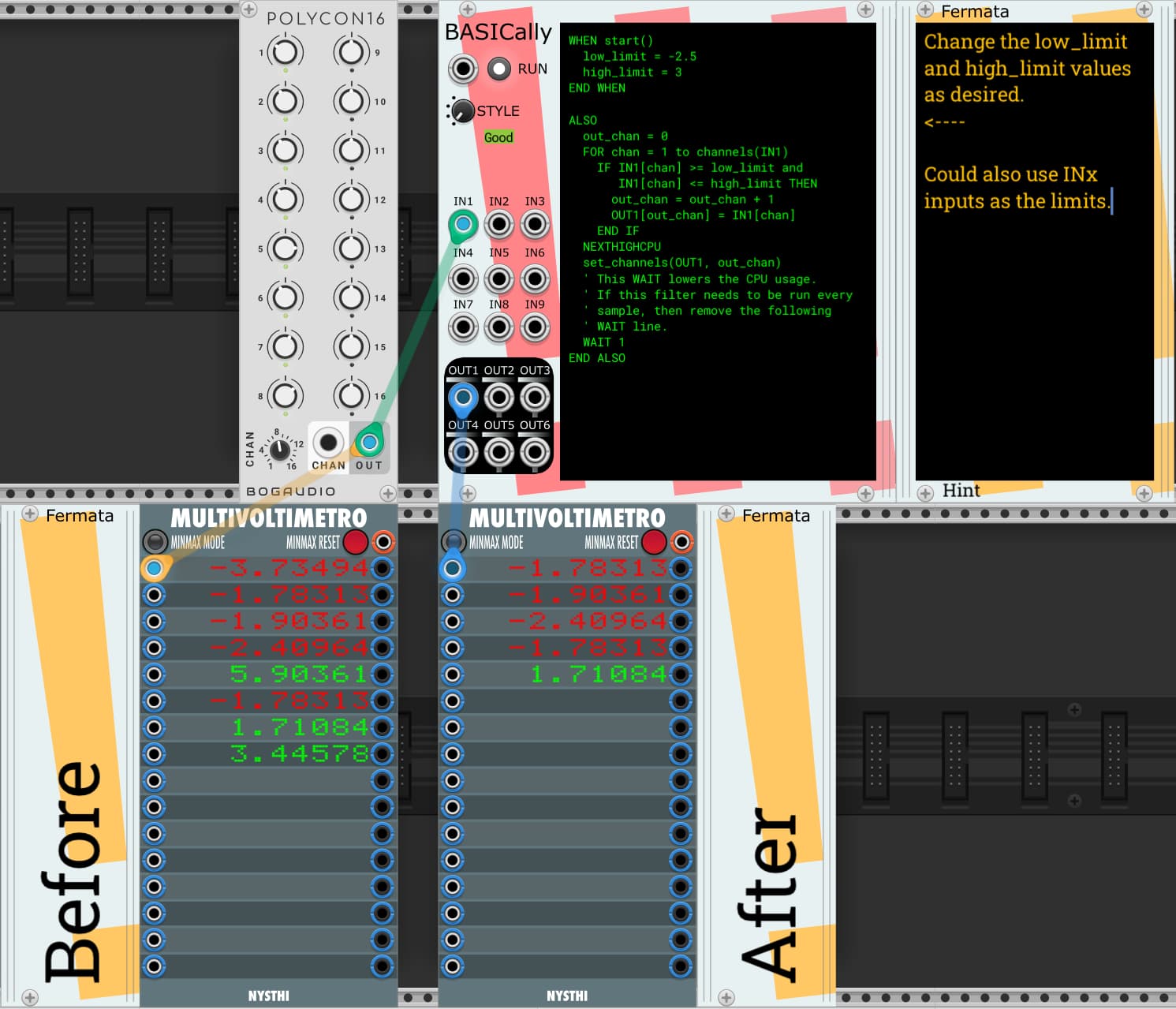
There may be an existing module out there for this, but I am not aware of it. However, a relatively simple Stochastic Telegraph BASICally program should be able to do this.
Use CV inputs to specify your min and max voltage range and loop through the poly channels on a third input, only writing valid channels to an output.
This small patch demonstrates how:
Remove extreme channels.vcv (1.7 KB)
Hope that helps! Thanks for summoning me, Dave 
I figured out a solution without resorting to a programmer module, and it is pretty ugly!
Poly Prune.vcv (4.9 KB)
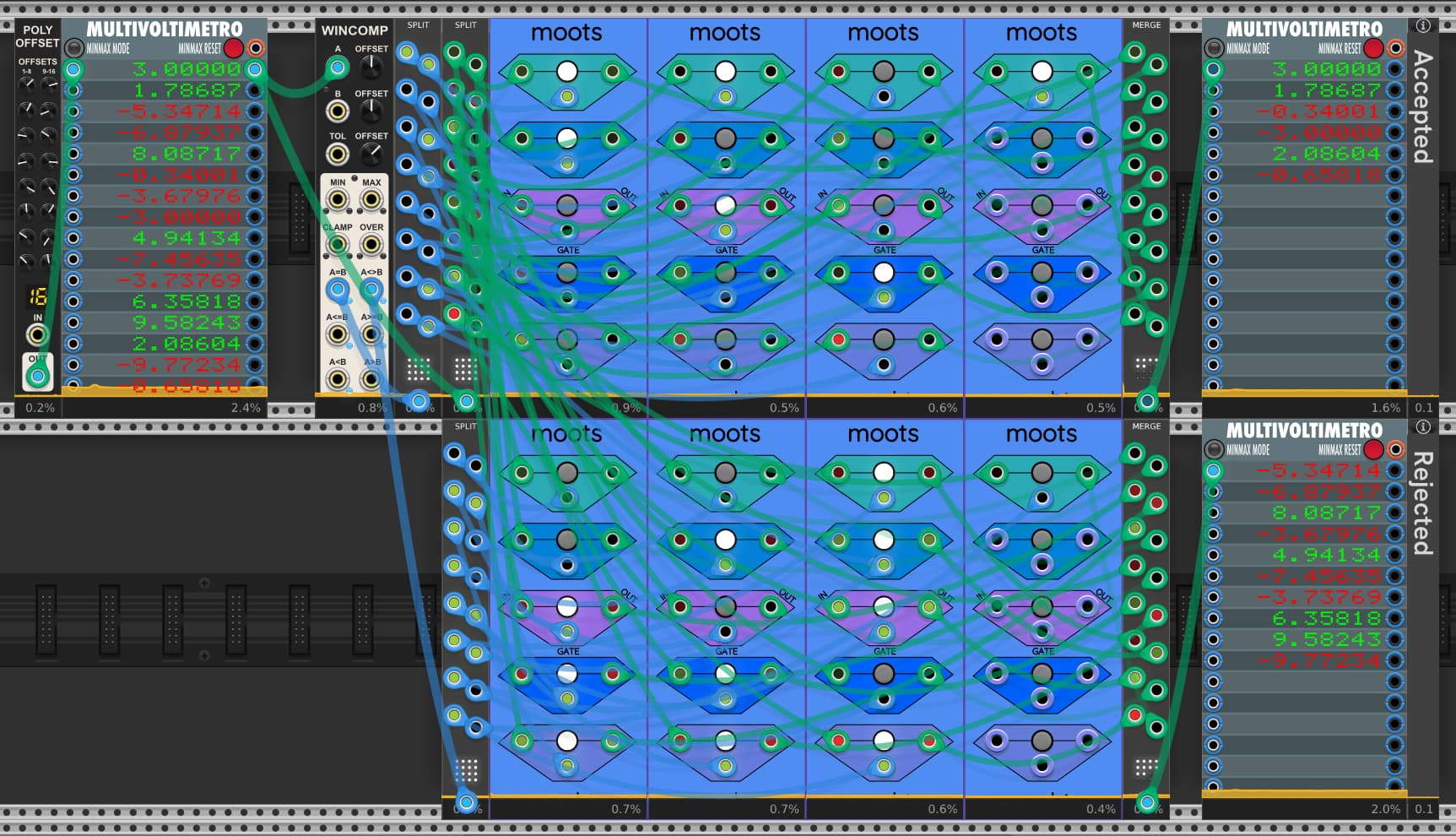
The patch shows how to output both the accepted and rejected channels.
I set a window of +/- 3V for the example. Set the WinComp B offset to the midpoint of your window, and set the Tolerance to 1/2 the difference between the min and max. You can also control the window via CV. The knobs and CV inputs are additive.
Pretty much any polyphonic windowed comparator and poly split can be used. The critical components are the Sapphire MOOTS that can nullify cables (give the channel 0 channels as if the cable is not there), and the Sulasmith Polyphonic Merge that ignores unpatched mono inputs. Every other merge module I am aware of preserves unpatched input channels below the highest channel that is patched.
This concept of pruning poly channels is not common, but I have definitely seen it a few times. I think I will create a small dedicated module called Poly Prune when I return to developing free modules. It would allow you to select channels based on a voltage window (min, max), and/or by poly gates. I would also add an option to sort the channels ascending or descending. I would have separate poly outputs for accepted and rejected channels.
Wow ! Thank you for this, I will use the basically patch until Dave’s pruner comes along to simplify things.
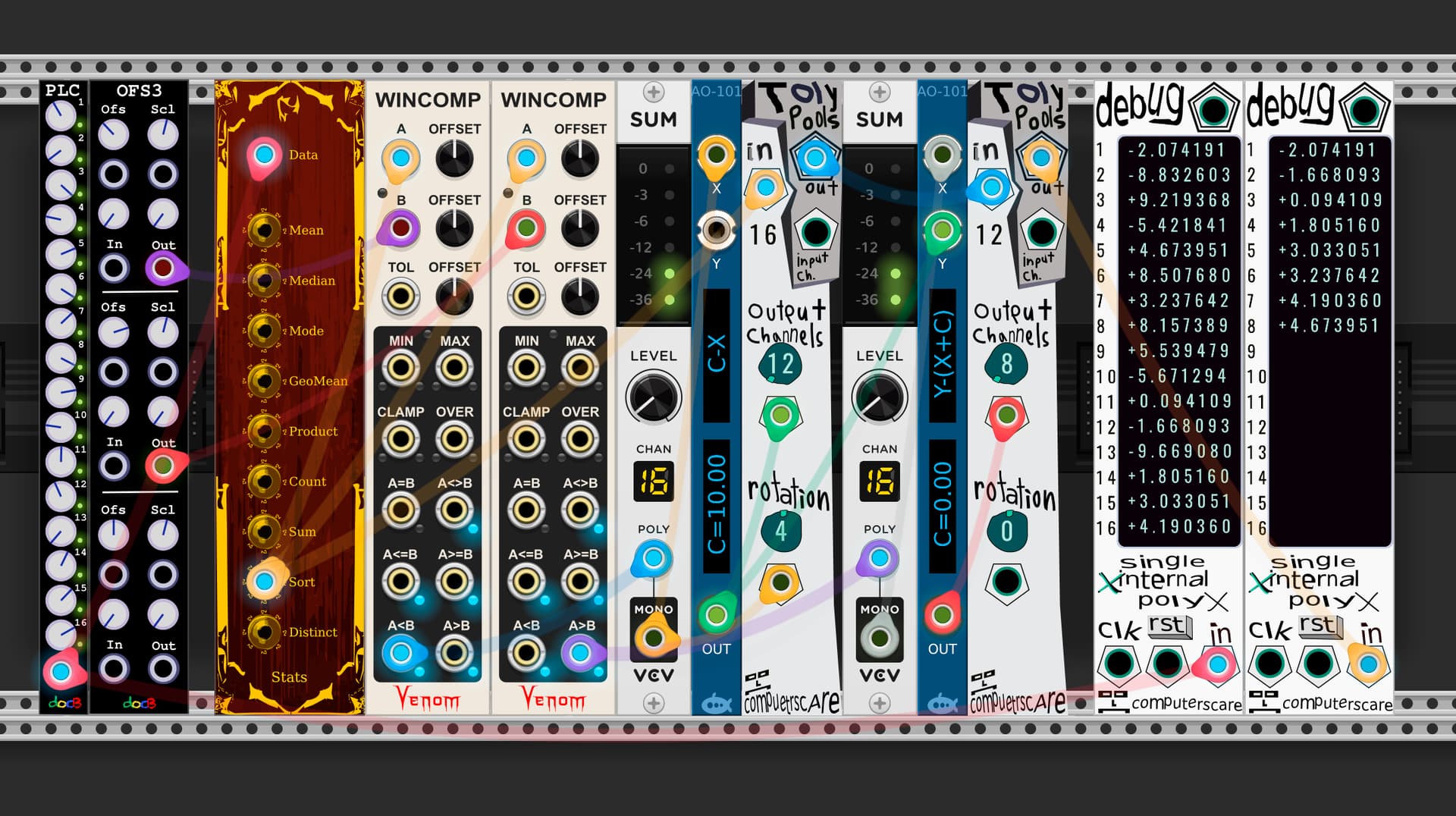
Why have one just PolyPrune when you can have another!
The only significant difference is that mine spits out a sorted list.
Any chance to use T’s Stats module gets me very engaged.
PolyPrune-Oder.vcv (2.3 KB)
Oooh - very nice!
I can further simplify that patch. The example below preserves channels between -3V and +5V inclusive.
PolyPrune2.vcv (2.8 KB)

I didn’t have the T plugin installed, so I used Chinenual PolySort instead.
The first WinComp outputs a 10V gate for each channel < 3V. In this case it is 4 gates. These represent the number of channels to be skipped (rotation needed in the Toly Pools).
The second WinComp outputs a 10V gate for each channel <= 5V. In this case 12 gates.
The first VCA Mix 4 sums the channels to yield one mono CV of 40V, and the other of 120V.
The second VCA Mix scales the voltages down to the levels needed for the TolyPools and also does the computation of 12-4 = 8 channels to be preserved via the Output Channels input.