Tiny Tricks: Request for feedback

I’m a big fan of detailed manuals, and am saddened by their threatened extinction. :sob:

  • If there is some limit or range of permissible values that can be entered (say, min/max time duration), then mention what it is.
  • Don’t assume that the potential user knows what a particular module is good for. Simply giving it a name does not help the new user.
1 Like

Hi Thomas,

Since my patches are larger and more complex, I found myself relying extensively on S&Hx16 and Modulation Generator x16/x8. I just think they are the best, the GUI is crystal clear, I can use them on par with lots of 8verts and distribute random values wherever I want in no time.

Could it be possible to implement a right-click menu feature to choose between a -5/+5v range and a 0/+10v range ? Currently I need unipolar values and I’ll switch to Mockba S&H for the time being, but the S&Hx16 having 16 outputs, it saves me a bit of CPU each time.

As I’m always close to 100%, having this feature would be nuts !

Mockbah S&H consumes 2.5% on average, but S&Hx16 is always at 0.2%, which simply makes it the best overall for the random number generation I need. I know it’s been more than two years, but it would be the cherry on the cake to have this feature on my main VCV patch

2 Likes

A feedback many years later: I regularly return to your plugin and still love it. What a great collection of modules, @thomassidor !

Cheers, A.

P.S. Any chance of fixing the Random Wrangler crash?

Oh I have commits on that repo. I just peeked and sent a PR which fixes the two problems I saw with random wrangler on my mac.

1 Like

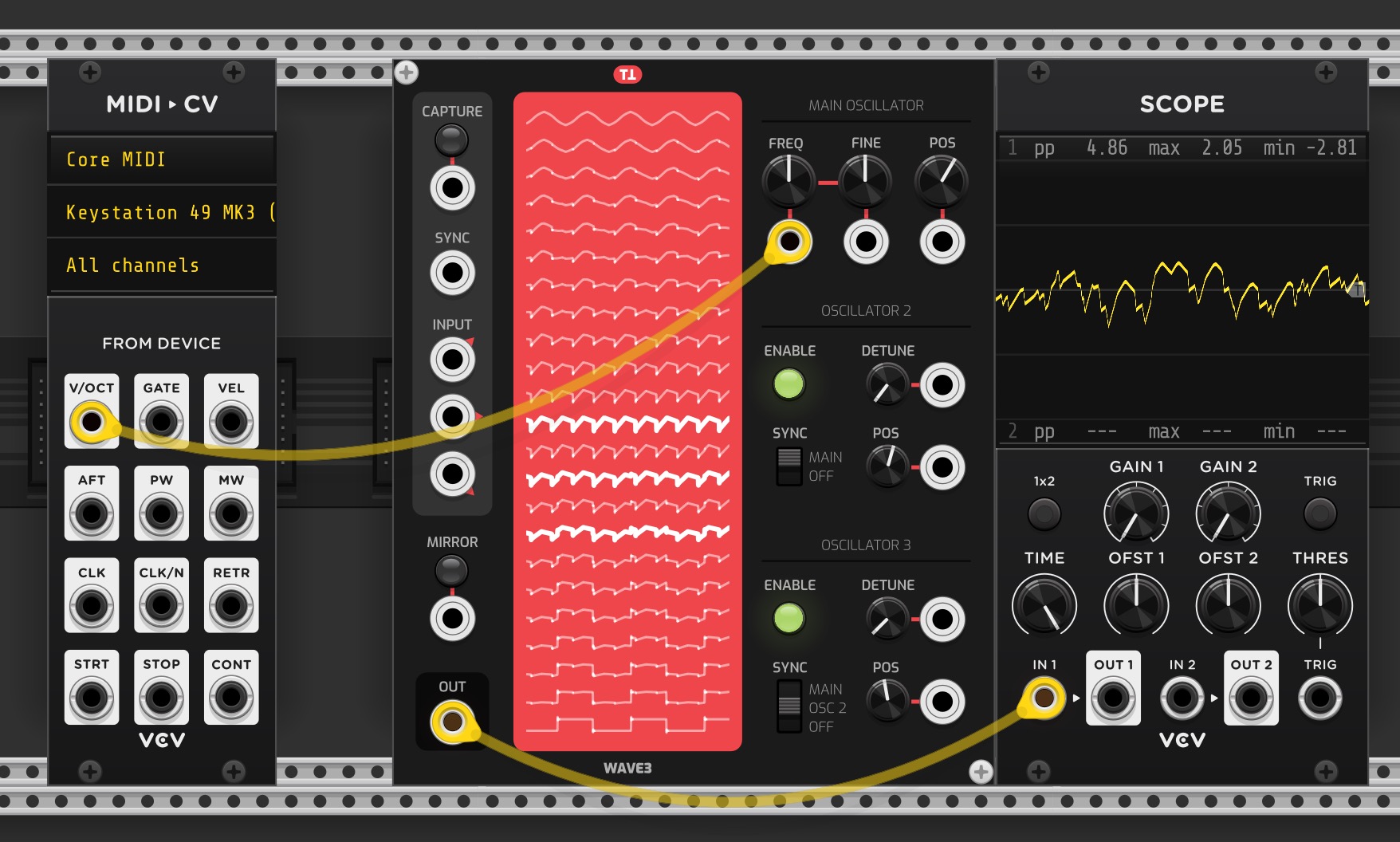
I’m try to use Tiny Tricks Wave, is v/oct broken in there? Patching in pitch to Frequency from keyboard is not working; everything is high pitched?

I just tried this - it’s not a module I’m familiar with.

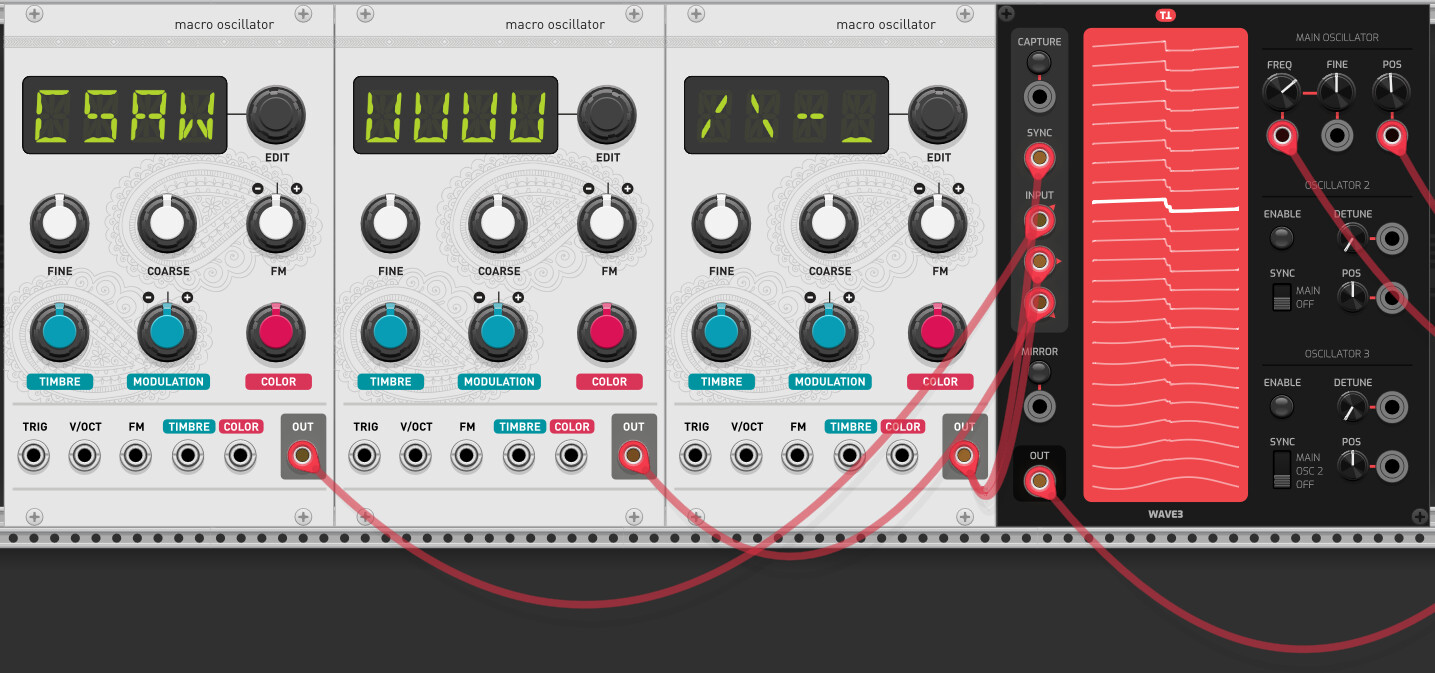
First you need to have a wavetable captured (or loaded). You can make your own quite simply - connect 3 VCOs, play a note and hit Capture;

The re-route your KBD output to the Frequency input and you can play a tune with that wavetable.

2 Likes

If you also connect the vco to the sync input then it only captures a single cycle which should solve the problem some people have that it comes out very high pitched.

Unfortunately the sync input doesn’t seem to have any effect on the output, only during capture. This module would be great for psytrance bass if it had that feature.

1 Like

Thanks, this is helpful!

1 Like

The v/oct input trick didn’t work for me, the capture was still too high pitched, but what did work was tuning down the input oscillators to lower pitches.

Did you try dustractors method ?

By connecting one of the osc outputs to the sync, you capture only one cycle.

1 Like

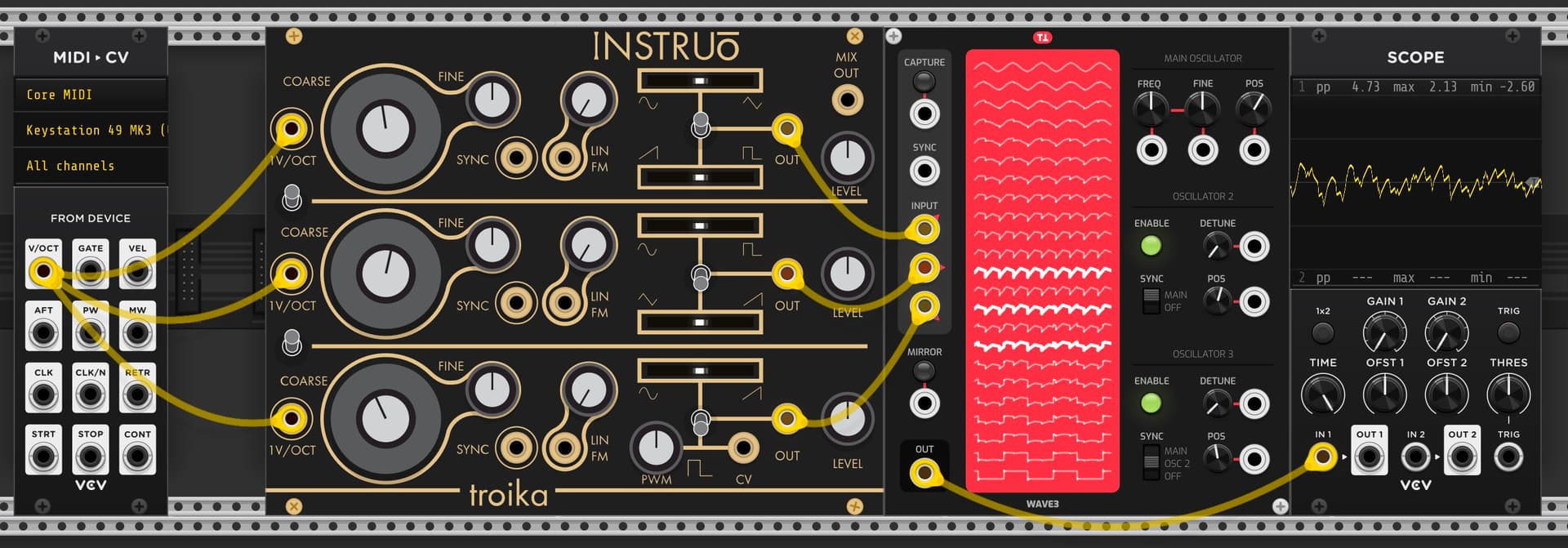
Thanks, @dustractor method is working but looks like there’s a bug in the module where the waveforms don’t show up in the display after you re-open a patch. They are saving in patch config and the preset file but don’t appear in the display itself, bummer.

1 Like
1 Like

I think we got an explanation from Paul why this isn’t working. And he fixed it for the upcoming release :heart_eyes:

2 Likes

Wow, amazing, thanks @baconpaul :metal:

1 Like

Don’t know about you but the latest update of Tiny Trick 2.5.4 is CTD Rack.

Windows 10 VCV 2.6.3.

Ctd?

Crash to desktop, yes.

what’s in the log

in 2.5 mac it works fine.


[1.560 fatal adapters/standalone.cpp:49 fatalSignalHandler] Fatal signal 11. Stack trace:
21:  0x0
20:  0x0
19: _C_specific_handler 0x7ffbf4d17f60
18: _chkstk 0x7ffbf6d727a0
17: RtlRaiseException 0x7ffbf6d220d0
16: KiUserExceptionDispatcher 0x7ffbf6d713a0
15: memset 0x7ffbf6d74600
14: RtlFreeHeap 0x7ffbf6cf4760
13: free_base 0x7ffbf44af040
12: ZN4rack11createParamINS_16componentlibrary9VCVButtonEEEPT_NS_4math3VecEPNS_6engine6ModuleEi 0x7ffb728fd0a0
11: ZN10WAVEWidgetC1EP4WAVE 0x7ffb728d5760
10: ZZN4rack11createModelI4WAVE10WAVEWidgetEEPNS_6plugin5ModelENSt7__cxx1112basic_stringIcSt11char_traitsIcESaIcEEEEN6TModel18createModuleWidgetEPNS_6engine6ModuleE 0x7ffb7291e8d0
9: ZN4rack3app10RackWidget8fromJsonEP6json_t 0x7ffb8c30fec0
8: ZN4rack5patch7Manager8fromJsonEP6json_t 0x7ffb8c2ba850
7: ZN4rack5patch7Manager12loadAutosaveEv 0x7ffb8c2bb1a0
6: ZN4rack5patch7Manager6launchENSt7__cxx1112basic_stringIcSt11char_traitsIcESaIcEEE 0x7ffb8c2bd990
5: ZN4rack5patch7Manager6launchENSt7__cxx1112basic_stringIcSt11char_traitsIcESaIcEEE 0x7ffb8c2bd990
4: ZN4rack5patch7Manager6launchENSt7__cxx1112basic_stringIcSt11char_traitsIcESaIcEEE 0x7ffb8c2bd990
3: ZN4rack5patch7Manager6launchENSt7__cxx1112basic_stringIcSt11char_traitsIcESaIcEEE 0x7ffb8c2bd990
2: ZN4rack5patch7Manager6launchENSt7__cxx1112basic_stringIcSt11char_traitsIcESaIcEEE 0x7ffb8c2bd990
1: BaseThreadInitThunk 0x7ffbf6877360
0: RtlUserThreadStart 0x7ffbf6d1cc70

What action do you take to make that happen?