Test Gear provides sixteen test tools that clip onto any port in a patch to display, analyze or modify the signal on it. Widgets float above the rack, occupying no HP space.
Right-click a port and choose Widgets to pick one. It will follow the pointer until a click places it, anchored to that port, and is saved with the patch.
Viewers, which read a port and insert nothing: scope, spectrum analyser, audio monitor, voltmeter, frequency meter.
Sources, which attach to inputs — including inputs that already have a cable, since the engine sums everything arriving at one: LFO, VCO, note, volt per octave, clock, gate and pulse buttons, DC level, noise, an attenuverter that scales and inverts what arrives, and a switch that can disconnect every cable from a port, hold them, and puts them back untouched when it is switched on again.
The manual: DreamerDevelopment/docs/test-gear.md at main · chrisgr99/DreamerDevelopment · GitHub
Test Gear is part of the Dreamer Development plugin, which also contains Clarity, announced last week.
It is not in the library. Built packages for macOS (Apple Silicon and Intel), Windows and Linux:
Let me know what you think, and if you have any problems. I’ll submit the module to the library once it’s been vetted a bit more.
A short demo/tutorial video of the widgets in use:
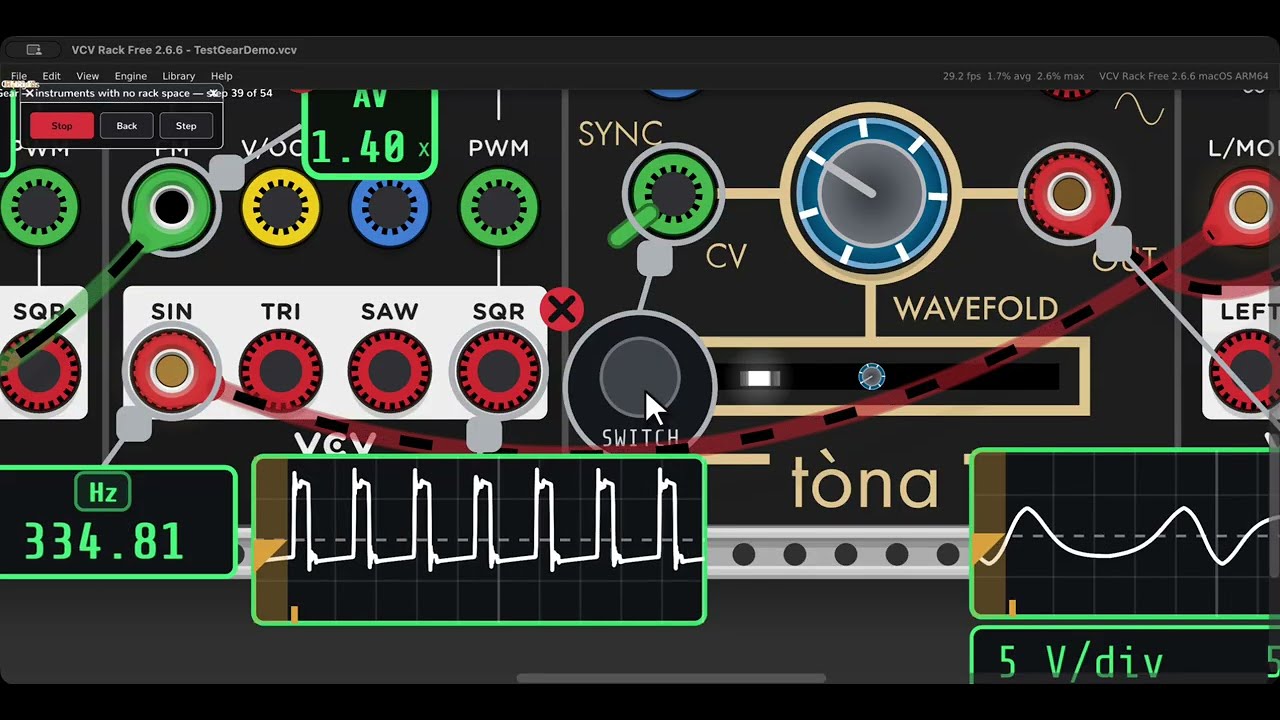
Note that the video was performed and recorded by another module I wrote, DreamerDemo, which plays a written script — moving the pointer, operating the controls, speaking the narration and recording the take — so a demonstration can be corrected and run again rather than re-shot. macOS only, source at GitHub - chrisgr99/DreamerDemo: Scripted demonstrations inside VCV Rack: a synthetic pointer, narrated, for recording videos · GitHub