It would be nice to be able to specify the width in hp and the height in (what ever the rows are called) It could be context menu key-ins and/or sliders. You could offer parameter knobs on the faceplate, but that might be tempting for users to abandon the self imposed limitation.
The name Panic Room doesn’t match the functionality for me. What about calling it the Gilded Cage?
Snort - Yeah, that would make sense. I was thinking of U, so I suppose the height could be specified as integral multiples of 3U. But Rows is a lot simpler.
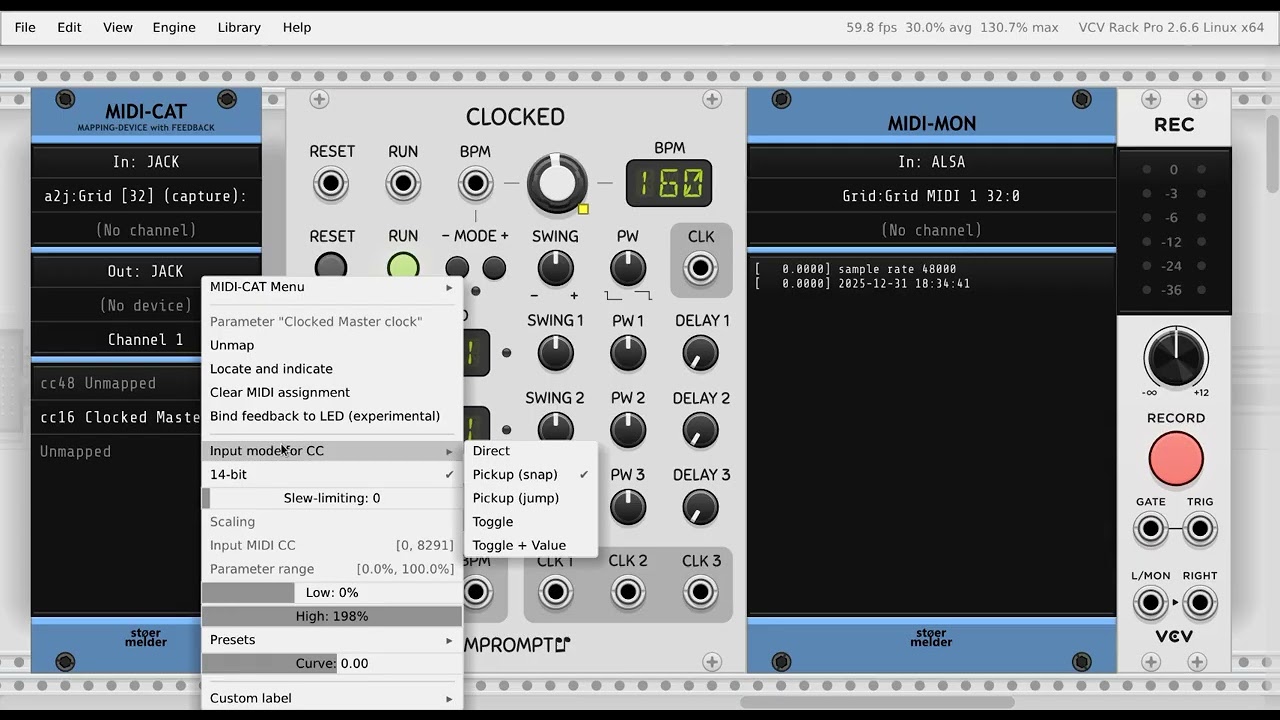
Is the MID-CAT snap pickup supposed to work with 14bit CC? I can’t get it to work.
For the video I am controlling the CLOCKED BPM value using a 14 bit endless encoder. Before the video starts I had set it to 160 bpm, then exited Rack and turned the encoder all the way down until it’s internal value was 0. Then I restarted Rack and turned the encoder which then sends 14 bit values starting at 0. The clock immediately jumps to 30 RPM, my understanding was, that it would do nothing until the encoder reached the parameter value for 160 bpm.
Update: I just tried the development build and it works fine with that.
Also it has nothing to do with 7 vs. 14 bits, neither works for me with the version from the library. It appears that the parameter is picked up when the value is 0 (or the first CC value is 0 in 14 bit mode) and only then.
Used a midi map module to potentially automate sending a trigger that would activate a random shape button on JW’s xy pad module, it doesn’t seem to work like I thought and that midi module doesn’t have trigger I/o, only stuff meant for like an lfo or a midi controller knob or fader, maybe you could make a button learn module so when trigger is sent to the learned button parameter it emulates a computer clicking it?
I think I understand now. The button for randomizing the shape on @jeremy’s XYPad module responds only to mouse events. Maybe he can take a look and clarify if this was a deliberate decision (I guess so).
It depends. Right now only a mouse button press will trigger them, it makes them impossible to map them to a MIDI controller (at least this button). The mapping modules interact with ParamQuantity, which is usually observed with a SchmittTrigger.
I seem to have found a bug in MIDI CAT, both in the library version and the development build from a few days ago.
I am trying to map controls for this thing here:
The two endless encoders are at addresses 16 and 17, I am using 14 bit mode for them. The eight buttons are at 64..71, the two buttons for the encoder push function are at 72 and 73. So far I have assigned the two encoders and their respective buttons which is working fine.
However when I try to map any of the buttons (64..71) they always end up being mapped in 14 bit mode. The right click context menu for their mapping line shows 14 bit checked, but “14 bit” is greyed out and I cannut uncheck the menu option. So the buttons do not work, I assume that is because MIDI cat is endlessly waiting for the second CC to complete the 14 bits at their address +32.
For some reason I never had such problems with the two encoder bush buttons, but I haven’t found a way to map the other buttons.
Update: it works if I use a never before used line in the MIDI CAT list, so maybe there is some leftover from a previous mapping that doesn’t geht reset when a line is reused.
Update #2: Everything is fine on a fresh instance of MIDI CAT, where no slots were ever used before.
I hate to say it, but there appears to be another problem in MIDI CAT.
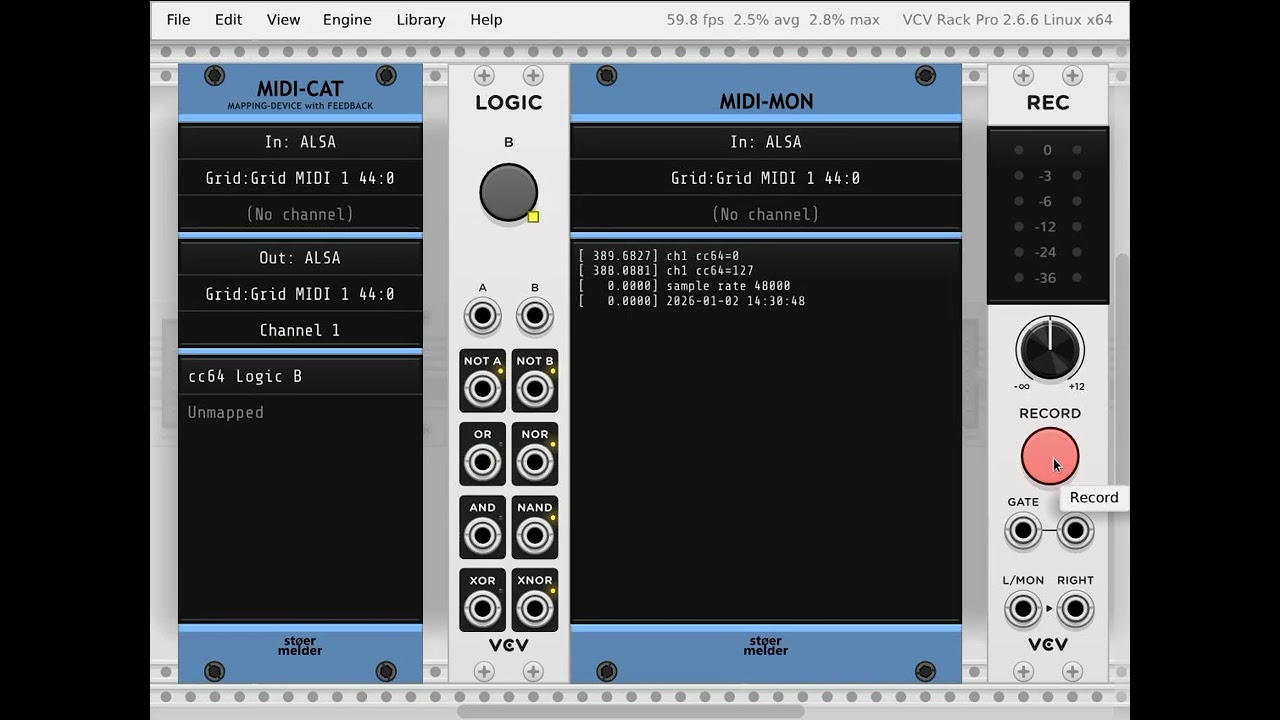
In the attached video I mapped one button of my controller to the big white button in the VCV Logic module.
First I push the hardware button twice to turn it on and off again, the controller sends values 127 and 0 and everything works as expected.
Then I push the hardware button to turn it on and use the mouse to turn it off again. Since I am using MIDI feedback I am receiving an update for the CC with value 0 when turning the parameter off with the mouse (you cannot see that part in the video, but it shows in the Intech editor for the controller). Then I push the controller button again to turn it back on, as you can see in the MIDI Monitor the controller sends the correct value of 127 but the VCV Logic button will NOT turn on despite the 127 message.