This screenshot shows what the file dialog looks like when I save a new patch in VCV Rack (Linux).
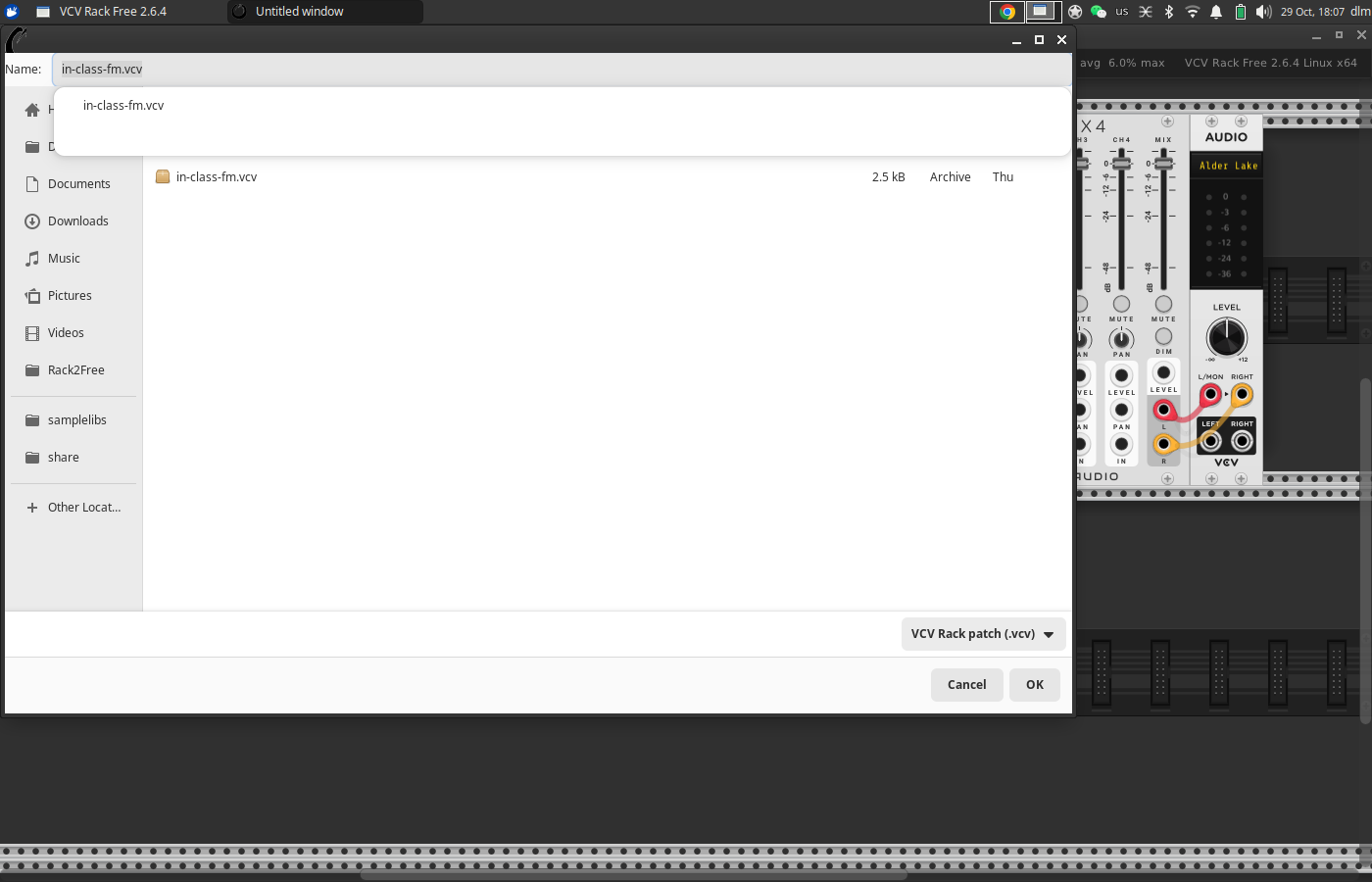
The folder where it opens up already has a VCV file in it, and the Rack file dialog suggests the existing file’s name as the save target. I’m not aware of any other software that recommends overwriting existing files like this. If the patch hasn’t been saved before, shouldn’t the save panel’s name field be empty? (FWIW, Plugdata uses the same file dialog, and saving a new patch in Plugdata doesn’t auto-suggest the name of an existing patch.)
Second, then the dialog’s autocomplete feature takes over and covers over the buttons that you can use to navigate to a parent folder – and, I haven’t found a consistent sequence of keystrokes that will dismiss the autocomplete. The alt-up-arrow key binding to go up one level also doesn’t function in this state.
Sometimes clicking in the autocomplete panel dismisses it, but this is inconsistent. Sometimes it gets stuck and I end up just trying random combinations of arrow keys and until it goes away and I can use the dialog normally.
So I’m wondering what other users in Linux do, when saving a patch, to get to the folder where they want to go. Suggestions?
hjh