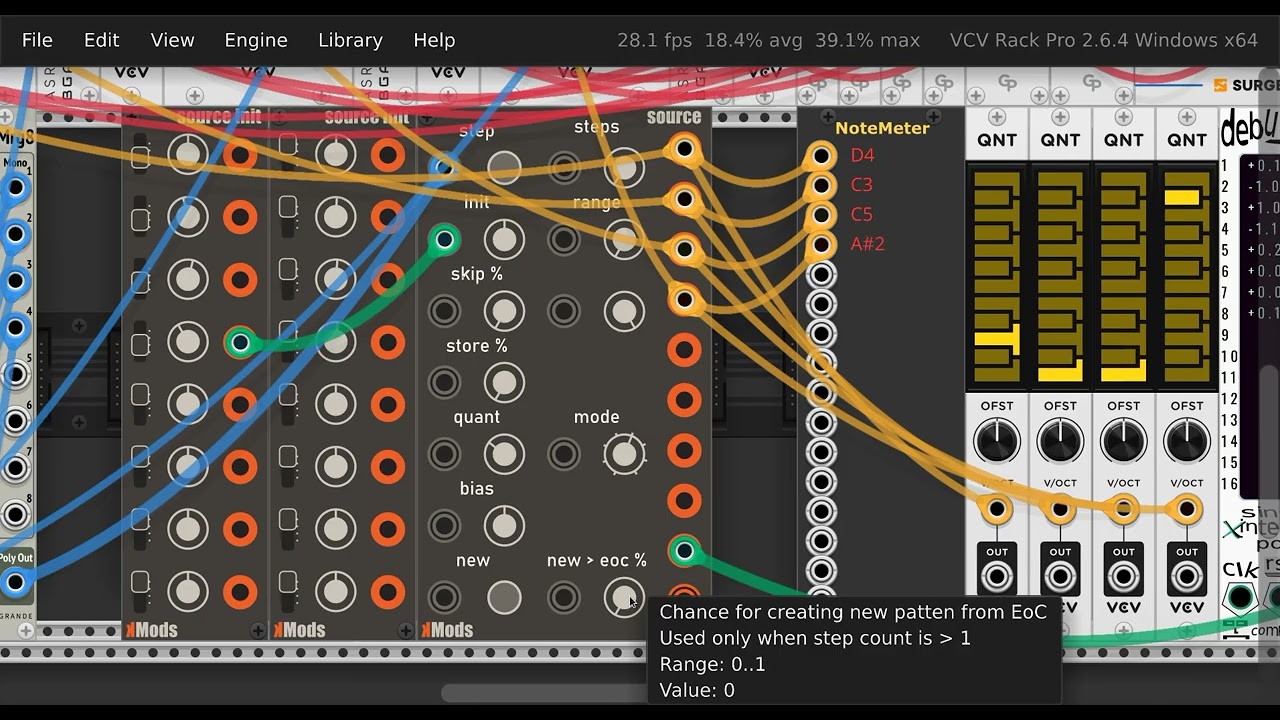
Hi, is there a way to interpret the value that is enter via context menu before it is used? I know that I can override the setValue in the attached ParamQuantity object but I think that is called also when the value is changed via knob itself, via mouse.
My problem is that I have a knob with a range of 0 to 10V. I have a custom ParamQuantity which then converts that value to something else, pattern step count in this case (1, 2, … 32). If I right click the knob and type 10 and hit enter, step count is set to 32, when it should be 10.
I was wondering if there is a way to handle this kind of situation somehow? I know that I can set the range to be 1 to 32 ena enable snap and it will work just fine. Maybe event the context menu. Problem is that this value can be alos controlled via CV and I was kind of thinking that it is better to stay in the reqular voltage range - 0 to 10 - instead of using 1 to 32 range.
I suggest just going with a knob that has range 1-32 for the interface and using a different scale for CV. For the CV input you just set an arbitrary conversion of voltage to step count. For example, 1/12V per step for semitone, or 1/10V per step for decimal intervals - depending on if you wanted to use a keyboard module/controller to set it. Sometimes it’s nice if the CV just wraps around at the ends, for example when the range of steps is still less than the range of the knob, and you don’t want to use awkward 0.3125V per step size.
from the user perspective i often want to turn knobs with displaying e.g. steps not volt but i do not know how to do that. you wrote about snap, can i activate it?
for example: i have a voltage range 0-10v for a 16step cv controlled sequencer. it is possible to quantise the voltage in 16 steps, but it is displayed as voltage, not stepped integer.
@kimmo-laine, regarding the integration of CV and a snappable knob, have you looked at the SEQ3 source code? Noting that (for historical reasons) the step knob is called TRIG_PARAM, that shows the interplay of a stepped knob with external CV (STEPS_INPUT, attenuated by STEPS_CV_PARAM). If this is the core functionality you want, adapting the SEQ3 approach to a 16-step or 32-step (or n-step) situation should be pretty straightforward.