Hi, first timer here. I first used the default settings so that the synth will play out of the speakers. But now, I want to send my microphone into the synth, and then of course I’d like to hear the results.
(Meaning I’d like to hear my voice, and hear my synth, and also mix the voice into the synth effects and eventually save/record the results.)
For what it’s worth, I did create two audio’s, and set one up as Mic. And one for the speakers. I can hear my Mic through the speakers, but then it cuts out my synth, so I really have no idea how to patch correctly. If you prefer to write me directly, I’m Dean at MetroFilmFestival@gmail.com
It’s windows, but that’s not the ask. There is a very specific arrangements of “cables” that allow for the microphone audio to go into the Synth, and then eventually be heard via the speakers.
It would helpfull to give some more details (vcv version, which synth, soundcard/driver, did you try and maybe succeed in other daws? …etc.) and post an example patch here.
What is your specific cable arrangement?
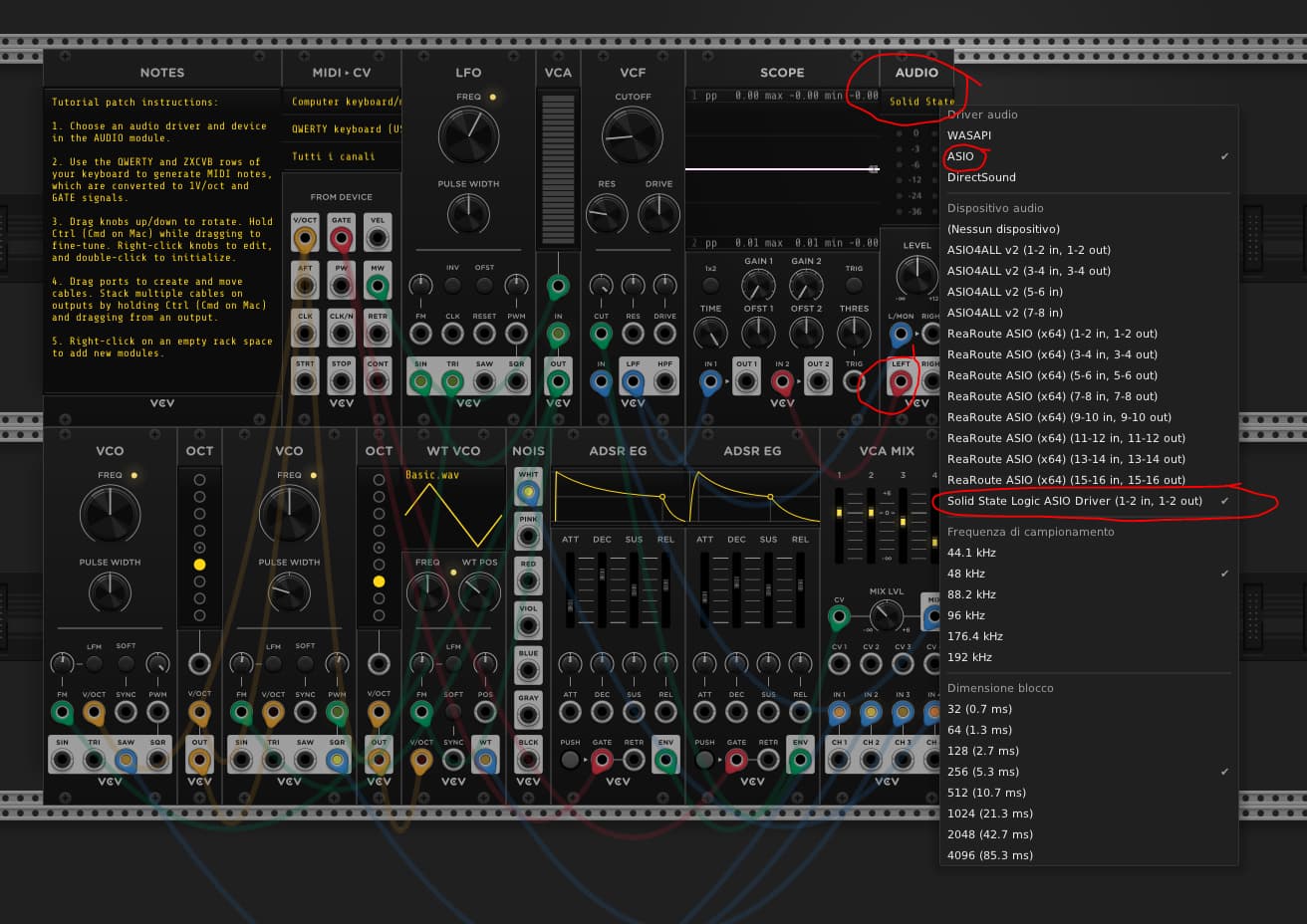
Do you have an external interface? Usually this will have ASIO drivers that offer simultaneous input and output. If you’re using the soundcard built into the laptop, it’s not ideal but should still be possible.
Also which OS?
I was thinking of making a really basic tutorial on how to use guitar with VCV, mics would be the same principle.
You’re giving very little information, so mostly your question is just confusing and entertaining so far.
But after reading your question 5x, I’m going to re-phrase it and answer it. Tell me if my revision is incorrect:
How do I COMPLETELY WITHIN VCV make some synth stuff that is created within VCV AND ALSO an external Microphone both send sound to the Audio output module which then connects to a very specific arrangement of “cables” which at the end of the signal chain lands at a pair of loudspeakers.
And the answer is: a Mixer Module. Here are many dozens of mixer modules; I recommend Bogaudio MIX4 or MindMeld MixMasterJr as simple mixers that look similar to hardware devices you have probably seen at some point.
I encourage you, as a newbie, to download any 5 patches that you find linked in the forums here, or on patchstorage:
And you will see that they all involve a Mixer module as the last module in the chain with cables going to the output Audio module. (Or if not the very last in the chain, then very very close to last.)
Your Audio module handling the Mic input will go in to some channel of the mixer, other VCV synth things will go into other channels and the mixer will…mix. And then the output from the mixer goes to your Audio module sending out to the speakers.
to get decent quality you need an external audio interface and an external microphone connected to you computer (cheap ones will do the job), then set your audio driver and the interface in the audio module (you don’t need two of them)
the signal of your mic is available at the output port in the audio module
p.s. we understand you’re a beginner; let me say that we all started from something much more easier in the audio world…modular just isn’t for everyone. I suggest you to give these informations to someone who understands audio on a computer, better if already involved in producing/editing with DAWs, synths and so on
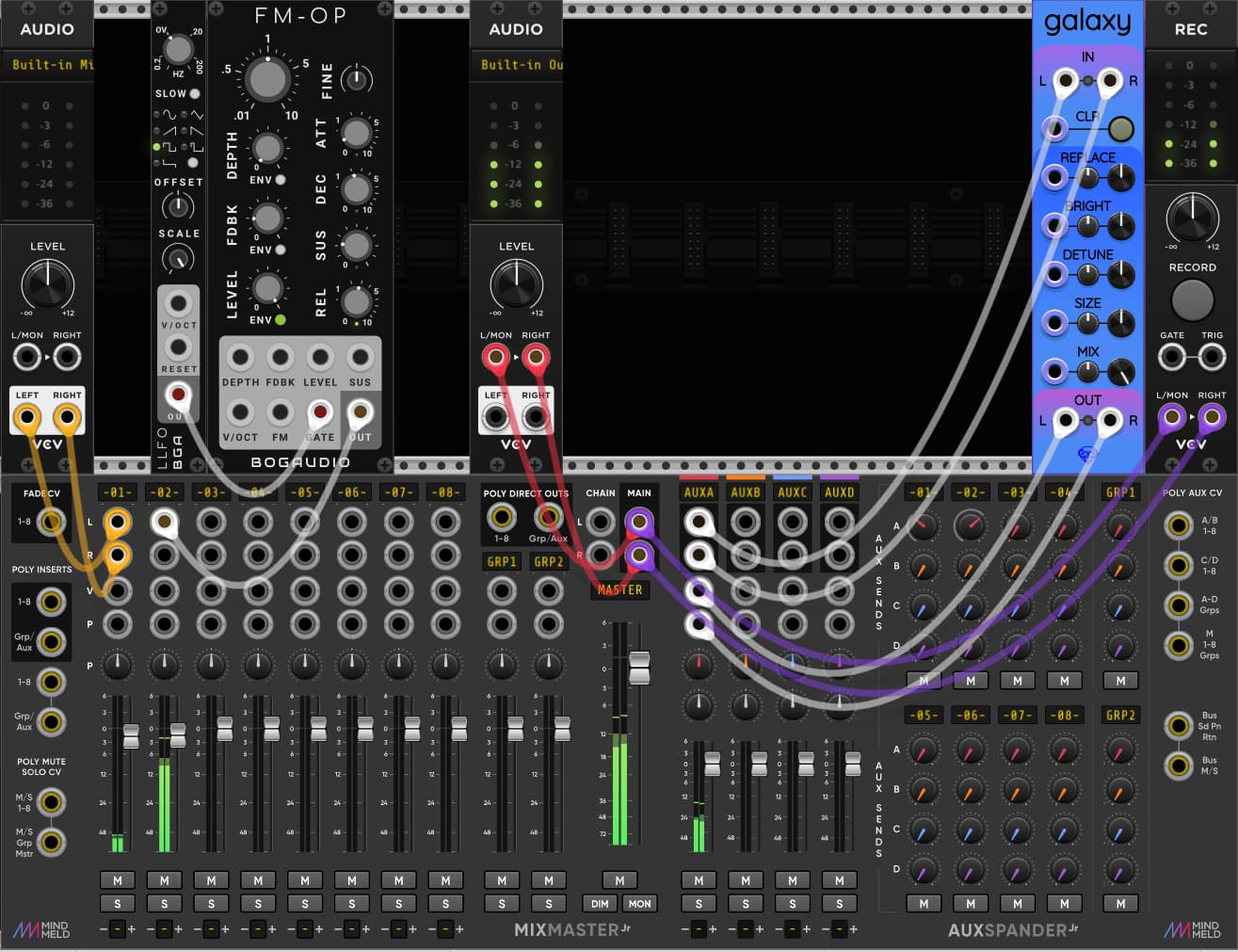
As others pointed out, you need to mix the two sound sources (microphone, synth voice) in a mixer, and from there the finished, mixed sound goes to your master output. Like this:
In the patch the microphone output is the yellow cables going in to the mixer, and the synth voice is the white cable going into the mixer. They can both have reverb as you can see - it’s the Galaxy module connected with the white cables.
The final mix goes to the master output on the red cables, and you can record the result with the Rec. module attached to the purple cables.
Now, in this patch unfortunately the mic-input and the audio-output is on two different audio interfaces, that is how the operating system has arranged it, so therefor two audio modules are needed. But it’s best to always have just one audio module.
If your Windows has put both inputs and outputs on the same interface you’re lucky, then you just need one audio module. Otherwise the best/most robust thing, is to install a “virtual audio router” on Windows, then combine the mic-input and master-output into one virtual interface, and then just use one audio module in Rack, with that interface. Makes sense?