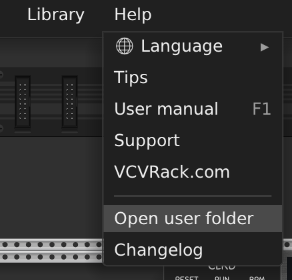
I’ve been using VCV for a long time, but an issue has just arisen that I’ve not seen before. When I start VCV, I get the red update dot in the Library menu saying that Chow DSP needs updating. When I click on Update All, the progress bar gets to 80% then stops and VCV flickers on and off then prompts me to restart. Upon restarting, I still have the update dot - saying that Chow DSP needs updating. Looking at the Library - I don’t seem to have any Chow DSP plugins installed!
Can someone remind me where the Library files are stored on Windows so that I can manually delete the Chow DSP folder if there is one?
Spoke too soon! After I delete the folder, VCV still says I need to update Chow DSP - and looking in the Plugins-Win-x64, I see that a new Chow DSP folder had been created. Odd
Ok. After the new folder was crreated, I suddenly had the option to remove the Chow DSP modules and having done that it seems to be gone and I’m no longer stuck in an update loop!
Hmm… Something weird’s going on. I just started VCVRack again to find that Grande Modular needed updating - and exactly the same thing happened as in my opening post.
I removed Grande and all was fine, but I can’t re install any Grande modules without the update loop happening. I’m guessing this is going to happen whenever any of my add on modules need updating - which would be a problem.
[0.103 warn src/plugin.cpp:237 loadPlugin] Could not load plugin /home/gp/.local/share/Rack2/plugins-lin-x64/Airwin2Rack: Failed to load library /home/gp/.local/share/Rack2/plugins-lin-x64/Airwin2Rack/plugin.so: /lib/x86_64-linux-gnu/libstdc++.so.6: version `GLIBCXX_3.4.32’ not found (required by /home/gp/.local/share/Rack2/plugins-lin-x64/Airwin2Rack/plugin.so)
This is on Linux. It seems that the C++ Std-Lib is not available in the required version on my system (I seem to have 3.4.1 through 3.4.30). Not sure if this is related to the other issues reported here.
I do have an install/update loop issue with Chrysalis, since it came out. But I’m not the only one.
I logged an issue about Chrysalis 2.0.0 being stuck in an install/update loop on devs Github (2 weeks ago…). And so did others. Most likely completely unrelated to the OP’s issue(s) and specific to Chrysalis.
However I have had similar issues in the past, ranging from install/update loops (update red dot stays on after update/restart) to actually crashing VCV Rack.
GPT-5 Mini has a range of possible causes and fixes for install/update error loops. Some seem more likely then others…
Most likely causes and fixes for plugin install/update error loops in VCV Rack.
Version mismatch
Plugins require a specific Rack major version (e.g., Rack v2 plugins won’t load in Rack v1). Confirm Rack and plugin versions match and update Rack first if needed.
Corrupt plugin download or cache
Delete the plugin manager cache and re-download:
Close Rack, remove the contents of the plugin-cache or Downloads folder used by the plugin manager (on Windows: %APPDATA%/VCV/Rack or %LOCALAPPDATA%/VCV/Rack; on macOS: ~/Library/Application Support/VCV/Rack; on Linux: ~/.Rack or ~/.local/share/Rack), then restart Rack and update.
File permission or antivirus interference
Anti-malware or insufficient file permissions can block extraction/installation and cause retries. Run Rack as admin (or give write permission to the Rack folders), or temporarily disable antivirus and try updating again.
Network or TLS issues
Plugin updates use HTTPS; outdated system certificates or blocked TLS versions can fail and loop. Ensure your OS has up-to-date root certificates and that firewalls/proxies aren’t blocking access to the plugin server.
Plugin server or CDN problems
If the plugin host’s server or CDN is down or returning bad responses, the manager may retry indefinitely. Check the plugin developer’s status or try again later.
Conflicting third-party or manually installed modules
Manually copied plugin folders (instead of using the manager) can conflict. Remove manually installed plugin folders from the Rack plugins directory and reinstall via the plugin manager.
Disk space or filesystem errors
Low disk space or a read-only filesystem will prevent installation. Verify there’s enough free space and run a disk check.
Log inspection for specifics (how to get useful details)
Open Rack, reproduce the update attempt, then check the Rack log:
Windows: %APPDATA%/VCV/Rack/log.txt
macOS: ~/Library/Logs/VCV Rack/log.txt
Linux: ~/.rack/log.txt or ~/.config/Rack/log.txt
Look for lines mentioning HTTP errors, extraction failures, permission denied, or checksum mismatches; those messages point to the root cause.
Quick troubleshooting checklist (try in this order)
Update Rack to the latest stable release.
Close Rack; clear plugin cache/temporary download folder.
Run Rack with elevated permissions and retry.
Temporarily disable antivirus/firewall and retry.
Ensure OS root certificates are current (install system updates).
Remove any manually installed plugin folders and reinstall via the manager.
Check disk space and repair filesystem if needed.
If still failing, paste the relevant error lines from the Rack log here and I’ll interpret them.
Well…that last suggestion is a suggestion for a follow up question/prompt off course.
Thanks for the detailed info. I tried installing one of the troublesome modules whilst running VCV as admin, and so far it seems to have worked. Which is great. I’ll try that again next time the issue crops up.
If installing under admin resolves the problem (which I’d be surprised if it is), then that is a bug in the plugin that should be fixed. No Rack plugin should require Admin privileges to install or run.
Well whatever the cause - this issue seems to have fixed itself for now. I just tried adding a Chow module, and it updated with no issues. I was not running VCV as admin.
Yes. Today another update is required and I am back in the update loop. The only way to stop it is to remove all modules from the brand that needs updating and delete that module’s plugin folder. Which is obvoiusly not a solution.
As far as I can tell, this “update loop” issue only seems to happen if the plugin can’t be loaded, so the real problem here is that the plugin DLL is broken, for some reason.
The cause of the plugin not loading seems to be that the Chrysalis plugin is missing exports for the init function Rack requires from plugins, as far as I can tell. (The code is there in the GitHub repository, but the DLL doesn’t export the function, for some reason)
Edit: I confused this thread for the other one about Chrysalis, oops! I don’t have any issues with ChowDSP myself (but do with Chrysalis), but these update loops seem to generally stem from Rack being unable to load the plugin.
Needing to run Rack as admin for it to work seems odd… That sounds like something like an antivirus or a cloud sync software like OneDrive or Dropbox is interfering with Rack.
Now I’m stuck in an update loop with Rack wanting to update VCV Pro. I’ve downloaded v2.6.6 from the VCV site and disabled the antivirus, but that red update dot won’t go away.
After some excellent help from support, it turned out my issue was being caused by Smart App Control …. a helpful Win 11 Home feature designed to get people to pay the extra for Win Pro!
I thought I’d disabled all those handy security features, but I’d missed that one!