I am trying to control the waveform change of LLFO from Bogaudio using MIDI-CAT and my MIDI controller. Unfortunately, it is not working. All other control elements from Bogaudio LLFO can be controlled. I actually wanted to switch from sine to ramp-up or triangle or whatever. What am I doing wrong? Please help.
It works like a knob, although it is a button on the panel. If you map it to a CC it will scroll through the waveforms.
1 Like
you write ´´If you map it to a CC it will scroll through the waveforms.´´ …Well It is not scrolling through the waveform.
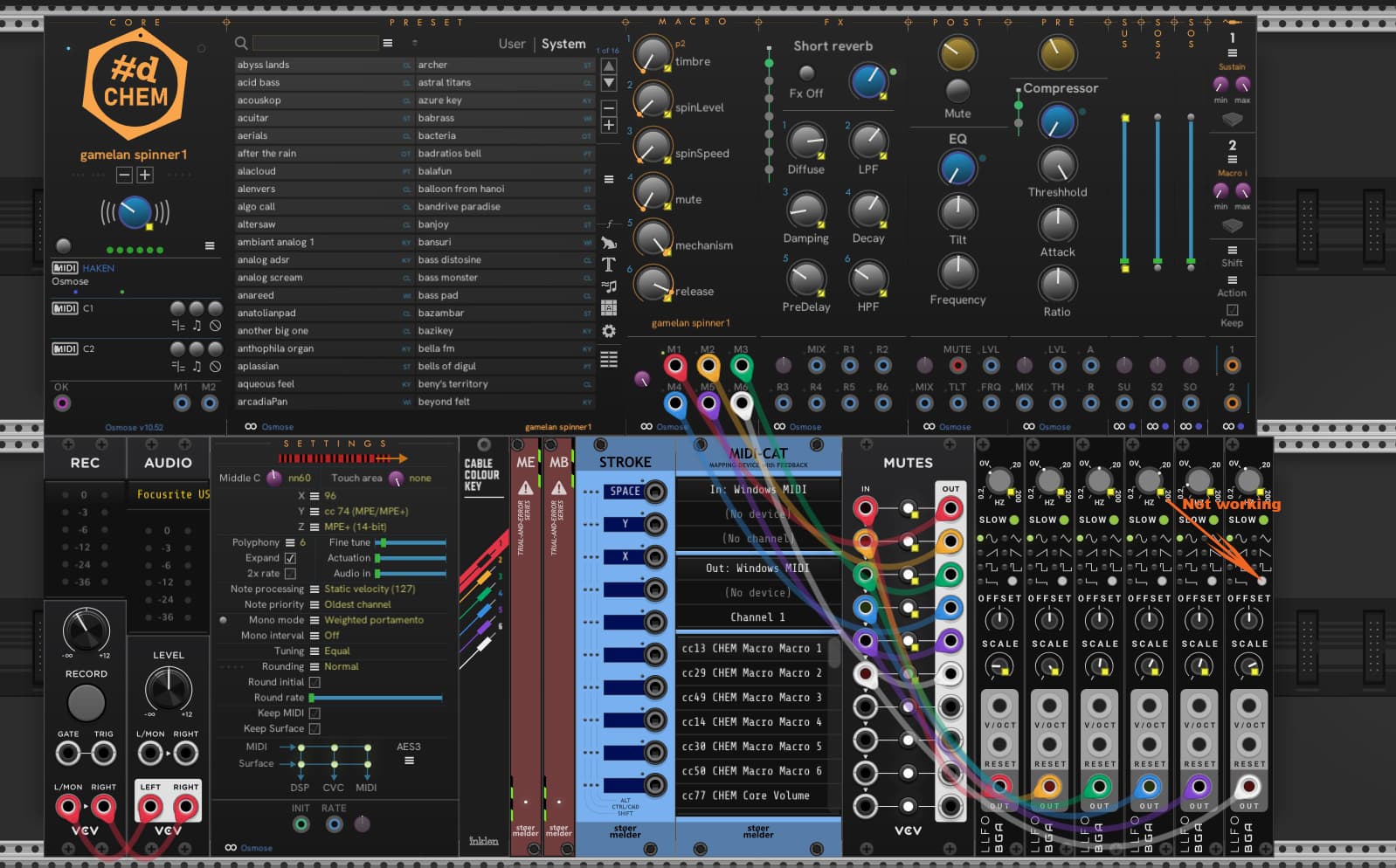
I have push buttons on my MIDI controller and wanted to use them to scroll through these waveforms. That’s my problem. With a knob or fader is this possible. So I look for a solution. Thanks Ben for the response.
imho this will not be possible, as push buttons only send 2 different values and
rotary encoder send at least 127 values, so when you convert these values to CV you can scale them that they represent the values from 0V to 10V, but how will you do this when you have only two different values ( like the pushbuttons)?
Don’t let you be fooled by the visual representation of the different waveforms
and the knob to change them.
1 Like
You won’t be able to achieve this in one step.
I would patch the encoder buttons to Up and Down on ML Sequential switch 8>1.
Then patch 7 CV values to the 7 step inputs (set the number of steps knob to 7). OVolts, 2, 4,6,8,9,10
And the output of the sequencer goes to UMap, and UMap is mapped to the LLFO waveform.
Can’t take a screen shot right now, but this all works as expected for me.
2 Likes
I’ve added a new input-mode “Snapped” to MIDI-CAT for such parameters, usable for MIDI CC and Note messages. It increases the mapped parameter to the next value and rolls over at the end of the range. It works with “snapped” parameters like “Waveform” on Bogaudio LLFO or “Steps” on VCV Seq3. Please try it and let me know what you think.
It is available in the development build of PackOne or the next release in the VCV Library (expected in December).
6 Likes
Thank you very much. That works perfectly. Problem solved, I should say. Thank you Ben for your hard work. I love your plugs, as you can see in the ‘Your Top Ten’ thread. I wish you all the best.
1 Like
Thanks, guys, for the helping hand. I’ve learnt something new again, and Ben made it easier.
1 Like
To let you know, I’ve just added another input-mode “Snapped (short/long)” which moves to the previous step on a long press. The only downside is that it reacts to the MIDI Note Off-message, means on release of the button.
1 Like
That’s absolutely perfect! Thank you so much!
1 Like