MADZINE Development blog

Start to make my own modules with AI (Claude) and no coding knowledge Hope you find these modules interesting.

Modules Overview

Rhythm & Sequencing

  • TWNC - Dual-track Euclidean rhythm generator with drum and hi-hats synthesis
  • TWNC Light - Simplified dual-track Euclidean rhythm generator with envelope control
  • TWNC2 - Three-track Euclidean drum machine with drum synthesis
  • KIMO - Single-track Euclidean drum machine with bass drum synthesis
  • Euclidean Rhythm - Three-track Euclidean Rhythm Generator with CV control and Slew
  • PPaTTTerning - Pattern-based CV sequencer with style and density control
  • MADDY - Integrated sequencer with swing clock and 3-track Euclidean rhythm generator

Sound Generation

  • Pinpple - Ping filter hihat synthesizer with dynamic FM modulation
  • SwingLFO - Dual-waveform LFO with swing and shape control

Envelope & Processing

  • ADGenerator - Attack Decay envelope generator with curve shaping
  • QQ - 3-track S-Curve Decay Trigger envelope generator with CV control and waveform scope

Utility & Mixing

  • U8 - 4HP channel processor with gain/saturation, duck control and mute
  • YAMANOTE - 8HP channel processor with chain, send/return function
  • Observer - 8-track color scope module for waveform visualization
  • Obserfour - 4-track color scope module for waveform visualization
2 Likes

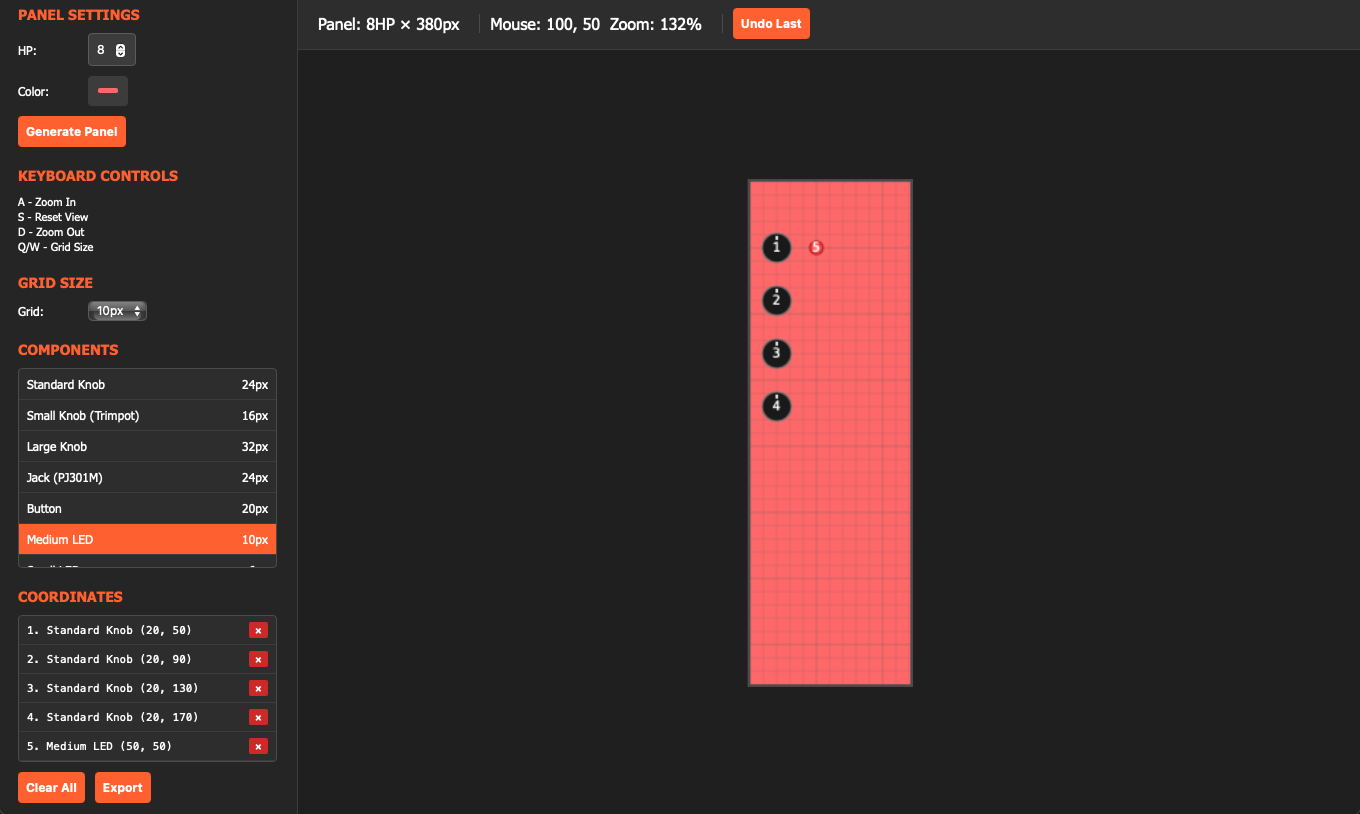
I also built a html to plan the UI layout, which always took me long time to ask AI.

You can download it here: https://www.dropbox.com/scl/fo/9twcltngqfi52akefe223/AHfHF_RElfZeGAfV3exZkBo?rlkey=et7uoq8qgbd9126fs83yaqonx&st=9hmjnlnp&dl=0

4 Likes

Look forward to seeing these … I am a big fan of being able to ratchet drums look forward to seeing your stuff.

1 Like

hi @mmmmmmmadman Is there a new release? Github says the release was last week but you also had a dropbox.

the dropbox is for the editor mainly, the release 2.1.8 is the same as Github and hello there :smiley:

on the github releases page it shows 2.1.6 Releases Ā· mmmmmmmadman/MADZINE-VCV Ā· GitHub

That’s an old meta module release. I moved it to another place already. should I also make release for VCV Rack? I think I don’t have to, right?

Ya I have a separate repo and releases for my meta module builds.

yes I learned that after 2.1.7

Hey, is this collection still being developed? I just discovered weiii documenta, which is nuts but also completely uncontrollable, and there’s no manual. There’s a control for number of polyphonic voices, but I can’t seem to get more than one channel out of it, and it’s also not clear at all what the sample and hold is doing.

1 Like

I don’t know if it’s correct, but it seems that MADZINE has made an update in the vcv library, and I found this there.

https://www.dropbox.com/scl/fo/1otdg3e96swdlp4g6mh6x/AJWyJMWZEDMu8rW4Gx7Hvtc?rlkey=ugcyvneadrqecip0eojdlnqmx&e=1&st=2szepd65&dl=0

1 Like

Thanks, I’ll check that out later :+1:

MADZINE v2.4.3 Release Notes

Version: 2.4.3

Commit: bb9d592dc3caeb7ab54bec5a480d402deff3cade

Date: 2026-01-16

Modules: 33

New Modules

  • ALEXANDERPLATZ - 4-track stereo mixer with 8-band master EQ, sidechain ducking, and cross-module solo, Berlin U8 themed (16HP)

  • SHINJUKU - 8-track stereo mixer with 12-band master EQ, sidechain ducking, and cross-module solo, Tokyo Marunouchi themed (32HP)

New Features

  • Master Graphic EQ - Biquad peak filters with -12dB to +12dB range per band

    • ALEXANDERPLATZ: 8 bands (63Hz-8kHz)

    • SHINJUKU: 12 bands (31Hz-16kHz)

  • Cross-Module Exclusive Solo - Solo state shared across adjacent U8, ALEXANDERPLATZ, and SHINJUKU modules. Hold 400ms for exclusive mode.

  • UniversalRhythm Random Exclusive - Random button now toggles exclusive mode, preventing multiple styles from being randomized simultaneously

Improvements

  • YAMANOTE - Multi-Yamanote chaining support with Send/Return auto-hide when connected to right-side Yamanote

  • U8 - Added Solo button with cross-module exclusive solo support

Repository: GitHub - mmmmmmmadman/MADZINE-VCV: MADZINE VCV Rack Plugin

Manual: MADZINE | Instagram | Linktree

3 Likes

Fix mixer chain auto-connect index errors

Fixed automatic chain connection between U8, YAMANOTE, ALEXANDERPLATZ, and SHINJUKU modules. The code was using incorrect index calculations for chain input ports, causing the system to reference Solo Trigger inputs instead of Chain inputs. This resulted in chain detection failures when looking left and incorrect send cable copying behavior.

Commit Hash: a9301f6833e9804402d91166ebffd75b0e435e60

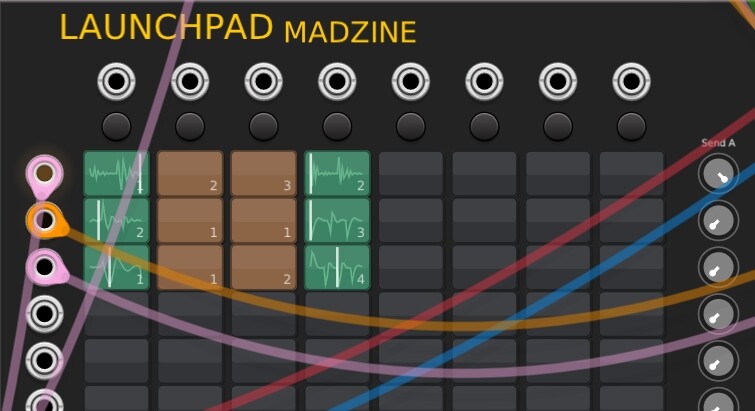
I played around with your new Madzine module ā€˜Launchpad’ and think this is a very nice concept for a looper!

Here are a couple of impressions/bugs/ideas for improvement:

Playing scenes from left to right works fine. However, when playing them right to left (e.g. 4th column, then 1st column), the display of column 4 gets stuck in the green mode and cannot be re-activated except after clicking on the ā€˜Stop All’ button.

Deleting pads (hold for 5 seconds) seems awfully long and cumbersome. Perhaps there would be a better mechanism, such as a button near or on the pad. Alternatively, be able to set the hold time for deletion in the context menu (e.g. 1 to 5 sec). Also, I currently do not see any visual feedback on acceptance of deletion while the pad is held. Would be nice, if the pad was e.g. blinking briefly upon acceptance so the user know that the hold can be released.

A feature request: It would be great to be able to set the playback speed/pitch of each pad.
WIN10, VCV Rack 2.6.6, Plugin Version 2.4.0

2 Likes

will look at this in few days. thank you for feedback I’m deeply appreciate:D <3 <3 <3

Update for MADZINE v2.4.3

Commit: bdf27c15eb822fda7474144cbbadafcf98813c56


Launchpad

New Feature: Per-Cell Playback Speed Control

  • Added variable playback speed for each recorded cell, ranging from -8x (fast

reverse) to 8x (fast forward)

  • Right-click any cell with content to access the speed menu with preset

options and a custom slider

  • Supports reverse playback with negative speed values

  • Speed settings are saved with the patch

Bug Fixes

  • Fixed scene display remaining stuck in green when triggering scenes from

right to left

  • Cells now correctly show fade-out state instead of staying in playing state

UX Improvements

  • Hold-to-delete with 1-second hold time

  • Enhanced delete visual feedback: red overlay, progress bar at bottom, and

ā€œDELETEā€ text appears at 50%


Global Panel Settings

  • Added ā€œSave theme as defaultā€ and ā€œApply theme to all MADZINE modulesā€

options

  • Added ā€œSave contrast as defaultā€ and ā€œApply contrast to all MADZINE modulesā€

options

  • New modules now automatically use the saved default theme and contrast

settings

3 Likes

Thank you very much, that was really quick! I will test after the update becomes available in the library.

1 Like

glad you didn’t try it because I found some bugs and fixed it this morning. I guess there’ll be more lol

Thanks for the heads-up. I’ll let you know if I find more.

1 Like