Has anyone installed vcvrack RackFree-2.6.4-mac-x64+arm64 on Sequoia?
It seems as if the installer is broken. I’ve installed it several times, not once were any errors shown.
The application was not moved to the Applications folder, nor is it in the Downloads folder.
That’s the first time I’ve heard someone complain about that. Do you have any third-party anti-virus/security software installed? If so try and completely disable/remove it. If no luck, write to support@vcvrack.com and they’ll try and sort you out. And yes, it gets installed under /Applications.
I have it on Tahoe, without problems, does the installer installs successfully, is it a gatekeeper problem ?
Just know that apple for non-app store apps, can install the app but you have to first run it from the applications folder yourself not the spotlight, maybe its installed successfully, you just need to do that
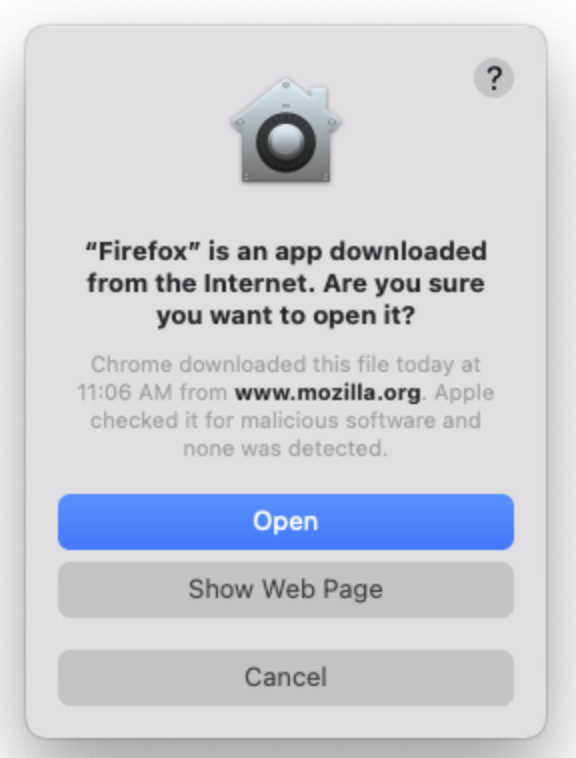
Did you click thru a window of this sort during install? Are you sure you didn’t just download the disk image? What does a search for “Rack” or “VCV” show on your machine?
99% chance that this is a permissions issue, nothing to do with Rack.
Found it. For some reason the installer put the program in User/Applications (no other applications are there), instead of the main Applications folder (where all other applications get installed).
Why the switch without notifying the user?
Did you choose “Install for all users of this computer” or “Install for me only”? If the latter, the installer installs the app to /User/<your username>/Applications/.
Have you ever relocated the app from /Applications/ to /User/<your username>/Applications/? If so, the installer automatically detects that the app has been moved and overwrites it instead of creating a redundant app at in the default location.