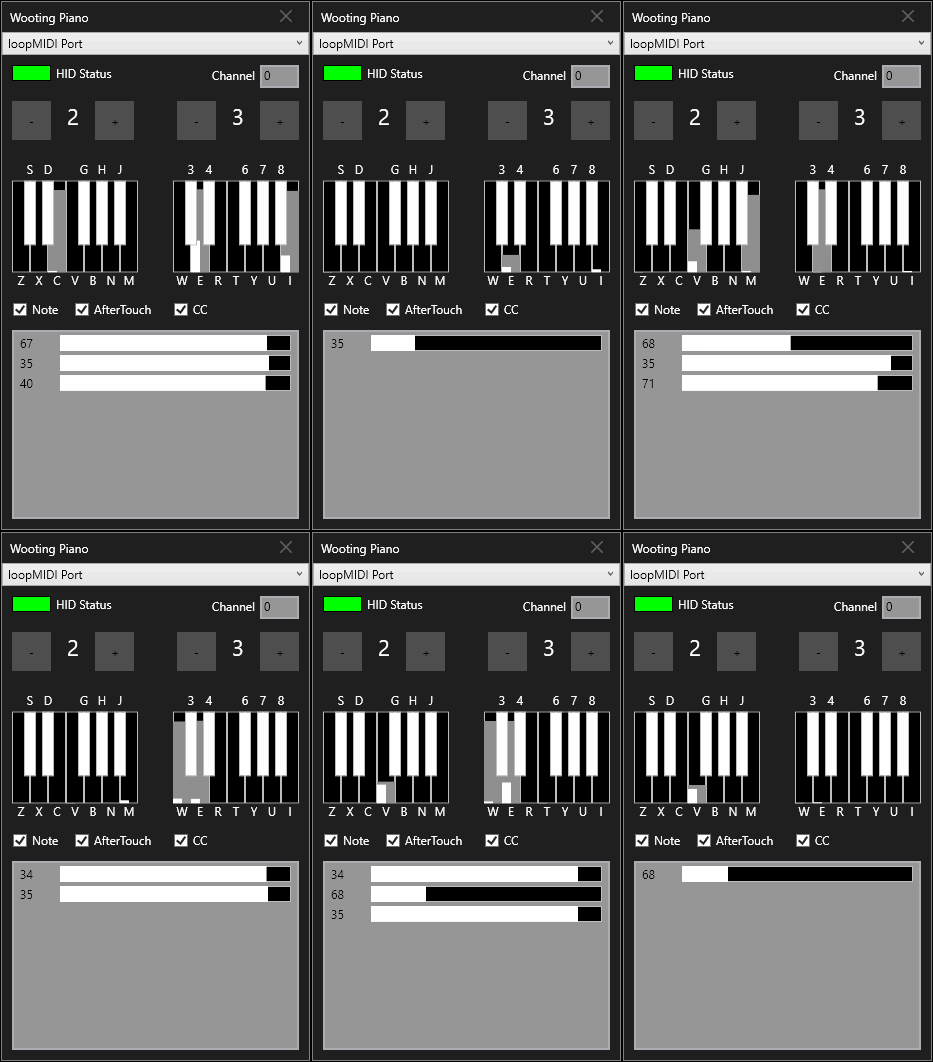
I guess some keyboards have a special mode for the web driver, which enables analog data for a single key to allow showing it in the editor. At least this is what I’m reading:
Keydous (Firmware can provide analogue reports but they unfortunately only say how far the most recent key is being pressed — not even which key that is.)
opened 02:49AM - 06 Oct 23 UTC
closed 02:49AM - 06 Oct 23 UTC
## Keyboards with a usable analogue interface
- Wooting
- Razer (Synapse must b… e installed and running)
- Razer Huntsman V2 Analog
- Razer Huntsman Mini Analog
- Razer Huntsman V3 Pro
- Razer Huntsman V3 Pro Mini
- Razer Huntsman V3 Pro Tenkeyless
- NuPhy (Personally only tested Field75 HE, but all should work.)
- DrunkDeer (Personally only tested A75, but all should work.)
- Keychron
- Keychron Q1 HE (Needs [custom firmware](https://analogsense.org/firmware/) for smoothest experience)
- Keychron Q3 HE (Needs [custom firmware](https://analogsense.org/firmware/) for smoothest experience)
- Keychron Q5 HE (Needs [custom firmware](https://analogsense.org/firmware/) for smoothest experience)
- Keychron K2 HE (Needs [custom firmware](https://analogsense.org/firmware/) for smoothest experience)
- Lemokey P1 HE (Needs [custom firmware](https://analogsense.org/firmware/) for smoothest experience)
- Madlions
- MAD60HE
- MAD68HE
- MAD68R
## Keyboards that could possibly have a usable analogue interface
- Razer
- Taratrus Pro (pre-existing art, tho it was not PR'd: https://github.com/DenkiSuki/Soup/commit/2ef6356d45c9e2ebad3f3fcaa021879ff4546d23)
- Madlions
- Nano 68 Pro (apparently this one doesn't "just work", as reported in https://github.com/AnalogSense/universal-analog-plugin/issues/10)
- 68 Pro R (apparently this one doesn't "just work", as reported in https://github.com/AnalogSense/universal-analog-plugin/issues/11)
- FinalMouse
- [FinalMouse Centerpiece](https://finalmouse.com/products/centerpiece-overview) ("Coming soon")
- Flux
- [Flux Keyboard](https://fluxkeyboard.com/?v=f0aa03aaca95) ("Coming soon")
- Pwnage
- https://pwnage.com/products/zenblade-65
- MonsGeek (The software looks promising: https://github.com/AnalogSense/universal-analog-plugin/issues/25)
- [MG75S HE](https://www.monsgeek.com/product/mg75s-he-fully-assembled-magnetic-switch-keyboard/)
- [M1 V5 TMR](https://www.monsgeek.com/keyboard/m1-v5-tmr-fully-assembled/)
- MCHOSE
- [Ace 68 Air HE](https://www.mchose.store/products/mchose-ace-68-air-hall-effect-magnetic-switch-gaming-keyboard) (Brought to my attention via https://github.com/AnalogSense/universal-analog-plugin/issues/20)
- Jet 75HE (Brought to my attention via https://github.com/AnalogSense/universal-analog-plugin/issues/29)
- Ajazz (The software looks promising: https://github.com/AnalogSense/universal-analog-plugin/issues/23, https://github.com/AnalogSense/universal-analog-plugin/issues/24)
- AK680
- AK680 MAX
- Gamakay (Brought to my attention via https://github.com/AnalogSense/universal-analog-plugin/issues/27)
- [NaughShark NS68 Hall Effect](https://gamakay.com/en-gb/products/gamakay-x-naughshark-ns68-8k-polling-rate-0-01mm-rt-accuracy-hall-effect-magnetic-keyboard)
- Lamzu (The software looks pretty barebones, and there's no way to see how far down a key is being pressed.)
- Atlantis Pro
- Highground (Doesn't look like they have any software at all and the configuration is [entirely done with the keyboard](https://higround.co/pages/performancebase65) so I think they will not have bothered exposing any HID interface at all.)
- [Performance Collection](https://higround.co/collections/performance-collection)
## Keyboard without a usable analogue interface
- Logitech (Firmware [does provide analogue reports](https://gist.github.com/Sainan/0f21e6937ee72b7979ec44ee9fde6016) but unfortunately only for whichever key is being pressed down furthest.)
- [PRO X TKL RAPID](https://www.logitechg.com/en-gb/products/gaming-keyboards/pro-x-tkl-rapid.html)
- [Keydous](https://keydous.store/collections/magnetic-swich-keyboards) (Firmware [can provide analogue reports](https://gist.github.com/Sainan/488eb9dfecdd863d4e057e8516efd7f3) but they unfortunately only say how far the most recent key is being pressed — not even which key that is.)
- Keydous NJ98-CP
- Glorious (Don't own this but [looks identical to Keydous](https://github.com/AnalogSense/universal-analog-plugin/issues/1#issuecomment-2558528441))
- [GMMK PRO 3 HE](https://www.gloriousgaming.com/en-eu/products/gmmk-3-pro-he-prebuilt-keyboard)
- Attack Shark (Don't own this but [looks identical to Keydous](https://github.com/AnalogSense/universal-analog-plugin/issues/1#issuecomment-2692071899))
- https://attackshark.com/products/attack-shark-x65-he-magnetic-switch-rapid-trigger-keyboard-coiled-cable
- Akko (Firmware [can be asked to provide analogue reports](https://gist.github.com/Sainan/ec06cf65e3bc3a6bf0728c3d4ea79deb), but this also disables digital input.)
- Akko MOD 007 series
- SteelSeries (Firmware does not seem to expose analogue data.)
- SteelSeries Apex Pro
- Corsair (Firmware does not seem to expose analogue data.)
- Corsair K70 with Magnetic Switches
---
If your keyboard is not mentioned here, feel free to open a new issue or post a comment here.
Should work:
Proof of concept virtual MIDI keyboard for Wooting One mechanical keyboard with velocity and aftertouch
1 Like