Wondering if there’s a way to easily program a new module and submit it to the VCV library, if there’s like an sdk you can download like how Voltage by Cherry Audio has a module development app or something? And how one would test a new module before uploading it to the library? If there’s a good way to potentially make my own module or tinker with an open source module already available I’d like to know, I could possibly discover a future with module development or something…
Just follow the Official Plugin Development Tutorial.
You can also take a look at these dev notes:
Thanks for the reference!. There, I recommend you start with GenericBlank: a Template for a VCV Rack Blank module. Which, for the dev environment setup and preparation refers to the Rack tutorial previously mentioned in this thread. I also recommend building Rack in preference to using the SDK.
This video and Bret personally helped me a lot at the start. But the video is almost 3 years old now…
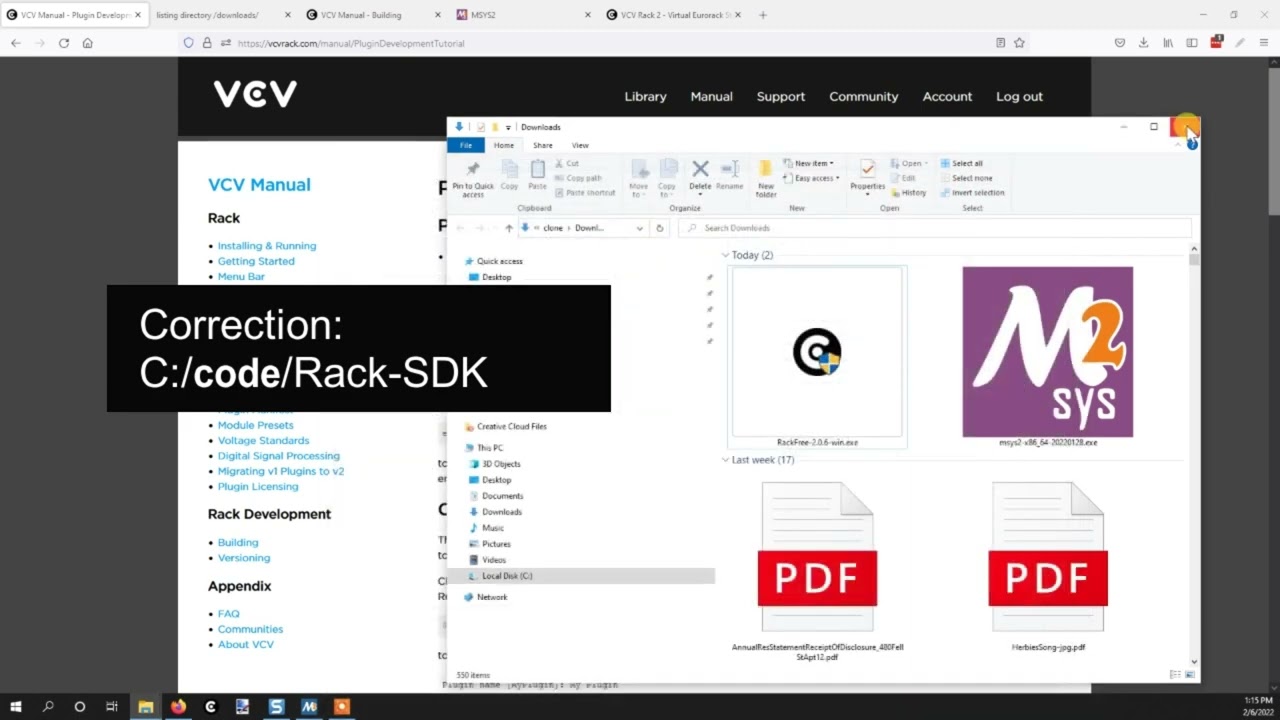
If you are on Windows and are happy to use the SDK rather than building Rack, then I have a guide to dev env setup, as with others it is now old and maybe has parts that are out of date, but should still have some useful tips.
Yes! And best of all, it is totally free to develop for VCV (unlike Cherry) and we have a great community here that can help you if you get stuck at some stages of the process.
You can develop your own modules and cross-platform compile them in github for free. You can also decide if you want to release them to the VCV library or just use them personally. When you compile the plugin in C++ you just get a VCV plugin file that you drop into your VCV plugin folder to install.
If you can do basic coding, the SDK does a lot of the heavy lifting. And, since it’s C++ the sky is the limit if you want to do things on your own.
I suggest checking out the source code of the VCV Free modules, and also of other developers that have open-sourced code, to get some ideas of what is involved. Some simpler modules can be made in just a few lines of code.
On top of the wonderful advice above, once you get going, one of the best resources is the abundance of other people’s source code. You can look at source code for VCV Rack itself, all of the VCV Fundamental modules, plus source code for any open source module you are interested in.
If you see an open source module that does something interesting, and you want to know how you can do it too, the source code link is available right in the module’s “Info” menu option. An example from my Sapphire Elastika module:
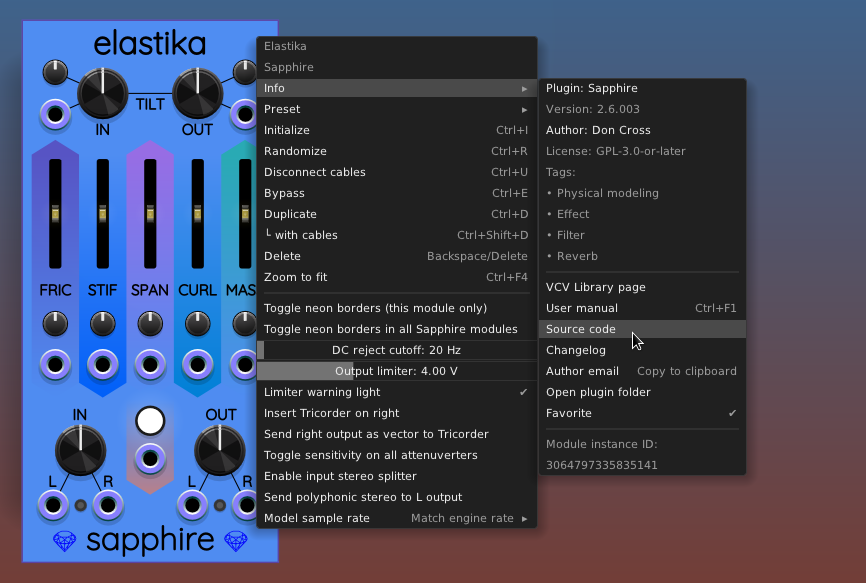
Click that and it opens the Sapphire plugin’s GitHub repo in your browser. It works the same way with all the open source plugins.
Maybe I’ll update that. If I have time tomorrow, I’ll post a new tutorial. I need to shamelessly plug my new project as well. (Not synth based, so I won’t do that here.)