Yep! The button toggles the cycle mode. A positive gate inverts the active cycle behavior. Without clicking anything, “Cycle when gate is high”. If you’ve clicked the button, “Cycle when gate is low”.
1 Like
Nice! Will Red Knobs still be an option in dark mode? I like the red a bit more. 
1 Like
Probably not, but we’ll see. I get very unmotivated and lazy when it comes to interface code  Must… write… more modules…
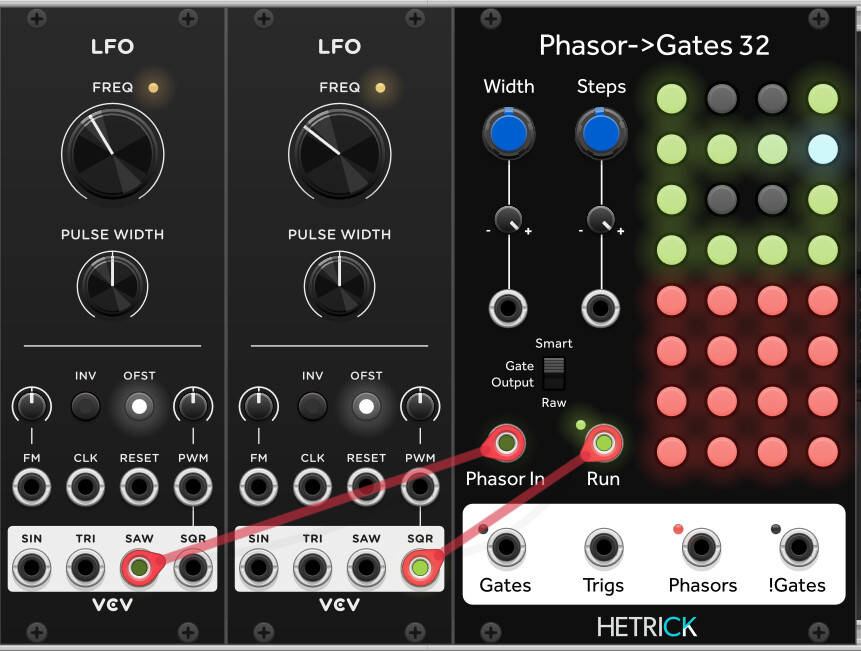
Just added a bunch of feature requests to the sequencers. Gotta finish these for all of the sequencers and then I’ll push them:
5 Likes
man, that was really fast! 
great looking dark mode!
1 Like
So far all works peachy, including the run input on the sequencers (thanks @trickyflemming !) but I noticed that for example the Flip-Flop still misses tooltips (#1 In/Output isn’t too terribly descriptive  ). Not a biggie, but i do like my tooltips to be there, helps a whole bunch when I have cabled up a mess…
I just submitted 2.4.0 to the Library:
## 2.4.0
- Added dark mode for all panels!
- Add Phasor Humanize module.
- Add Phasor Mixer module.
- Add Phasor Swing module.
- Add Phasor and !Gates outputs to Phasor->Gates 32 and 64.
- Add Run input to Phasor->Gates 32 and 64 along with Phase Driven Sequencer and Phase Driven Sequencer 32.
- Fix Phasor Randomizer, Phasor Shifter, Phasor Substep Shaper, and Phasor Stutter Steps knobs initializing with a 0 display.
Dang, time to start 2.4.1
5 Likes
There’s a lot of great modules in this set, perfect for the compositional approach that I’ve been working toward for some time now. Thank you @trickyflemming , I’ve been studying how to apply these all week and I feel like I’ve just scratched the surface
1 Like
Thanks so much for these. Super, super useful
1 Like
a CV expender for the sequencers would be cool
1 Like
Sorry for crosspost. I create a topic on hetricks github for this question
First: thanks for this wonderful collection. I just switch to them and practice your tutorials. Especially ratcheting is my favorite composition help. Now i wonder how to select Start and stop for a sequencer, better phrase , inside a longer sequence,say 32step. As far as i understood, i need a delayed phasor with a Start pulse. Because phasor must change to move the sequencer forward. Or directly trigger a step. Is this correct? How could i create a phasor to select a Start step and stop step inside the longer sequence? Useful for playing small parts in different order or repeating. Regards Karl PS: ratcheting has nothing to do with my question. Only a short info for you. And i know that i could divide a sequence with step knob and repeat knob. But i want to dynamically change this. E.g. during playing recombinate short fragments of melodies
What features would you want on the expander?
This is surprisingly tough with the current set of modules, especially if you want it under CV control.
Essentially, you would change the Start by adding an offset to the phasor, and then attenuate it to determine the sequence width.
The problem is that you’ll want to also change the “speed” (the slope) of the phasor so that the subsection is running at the same speed. It’s a rather tricky problem.
I have a mental design for a module where it takes in a phasor, generates a new phasor at 1x the speed, but allows you to change the internal wrap bounds. That way, the phasor is always advancing at the same rate, but it repeats within a certain region. I’ll probably need to do two versions of this: one locked to step widths, and one that’s completely free.
3 Likes
nothing fancy just an expender with additional cv knobs\outputs per step that will auto sync with the sequence , preferably with adjustable cv range in the menu , so I could add as many expenders as I need.
also I have another feature request for the gate sequencer or the standard sequencer I would love it if there was additional knob per step to control the step gate length with division\multiples of the relative step , mainly for division so I could extend a gate length for tied notes or legato. it will provide even more rhythmic interest.
1 Like
I was playing with Vector Mix recently and it would be awesome if there was a stereo version.
Hmmh, could you describe how it works? I have no clue.
Hi Michael! I’m just experimenting with the Phasor to Gates, and I was wondering how would you use the Phasors output? I guess that it’s possible to use it to drive an additional sequencer, but then it will run quite fast. Maybe dividing it down quite a bit? Or maybe there’s something else I’m missing? Thanks!
1 Like
Very exciting to hear that you’re checking them out, Omri!
In general, you would most likely use them in one of two ways:
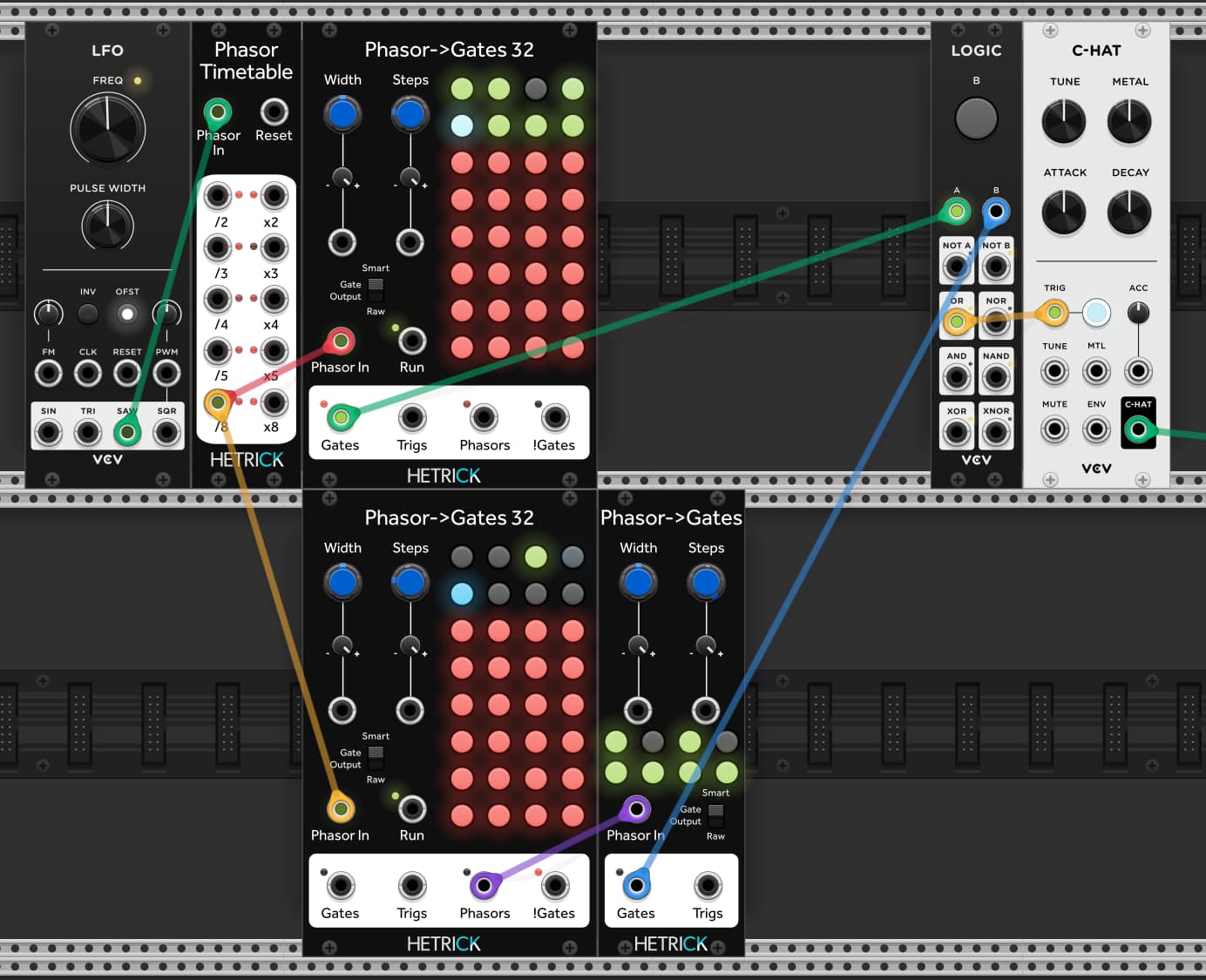
- To add microrhythms to a single step (like Hexaquark or similar). You would plug that step phasor into another phasor-to-gates and program in your microrhythm there. You can warp that phasor to get things like speed up/slow down rolls and tracker-like effects. If you need a longer phasor for a longer gesture, you could always add a divider to that step phasor output.
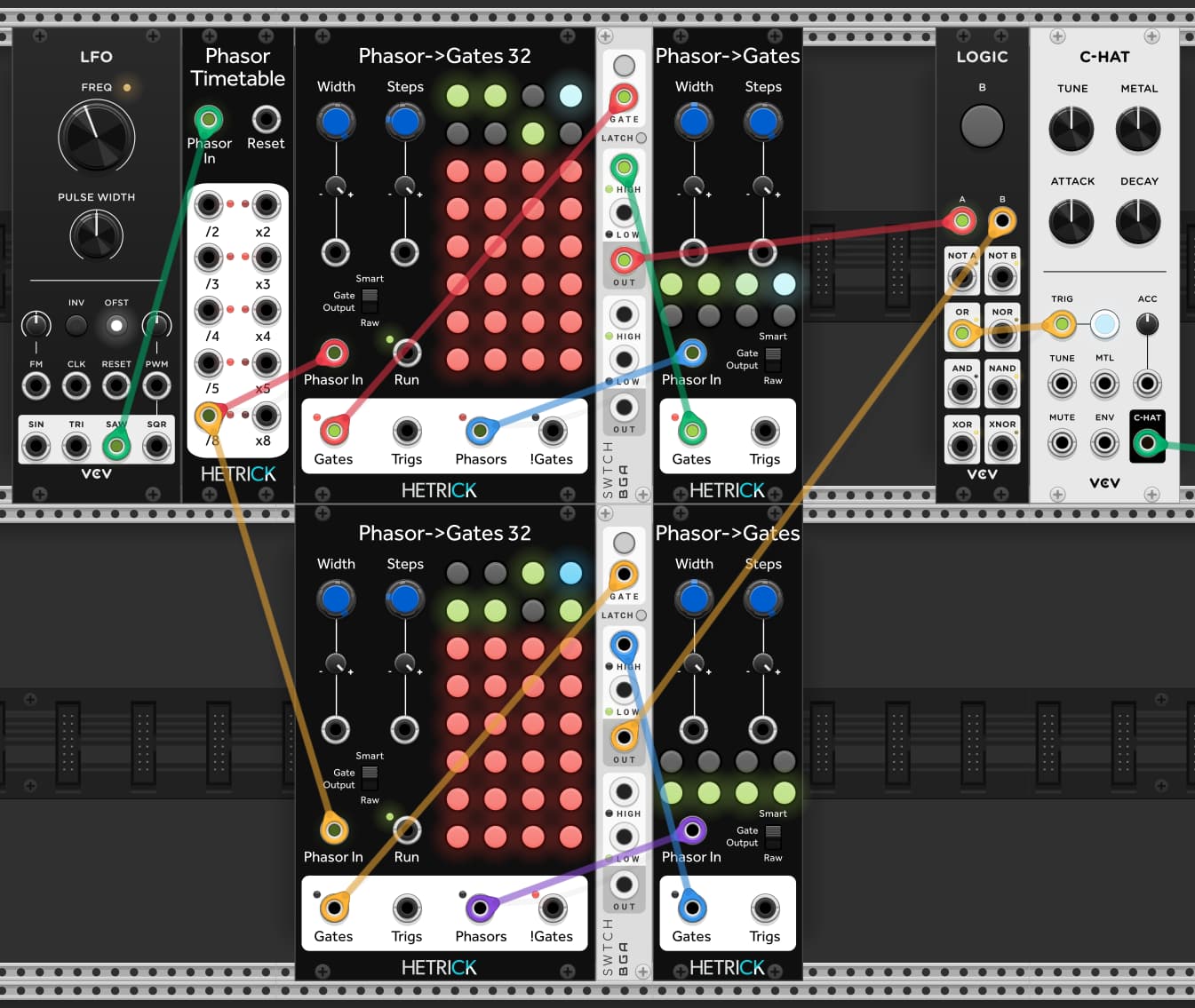
- Place a Phasor Timetable or Divider + Multiplier in front of the module where you’re using the step phasor outputs. You can then use that one as a pattern launcher. In the image below, I have the following set up as AABA then BBAB.

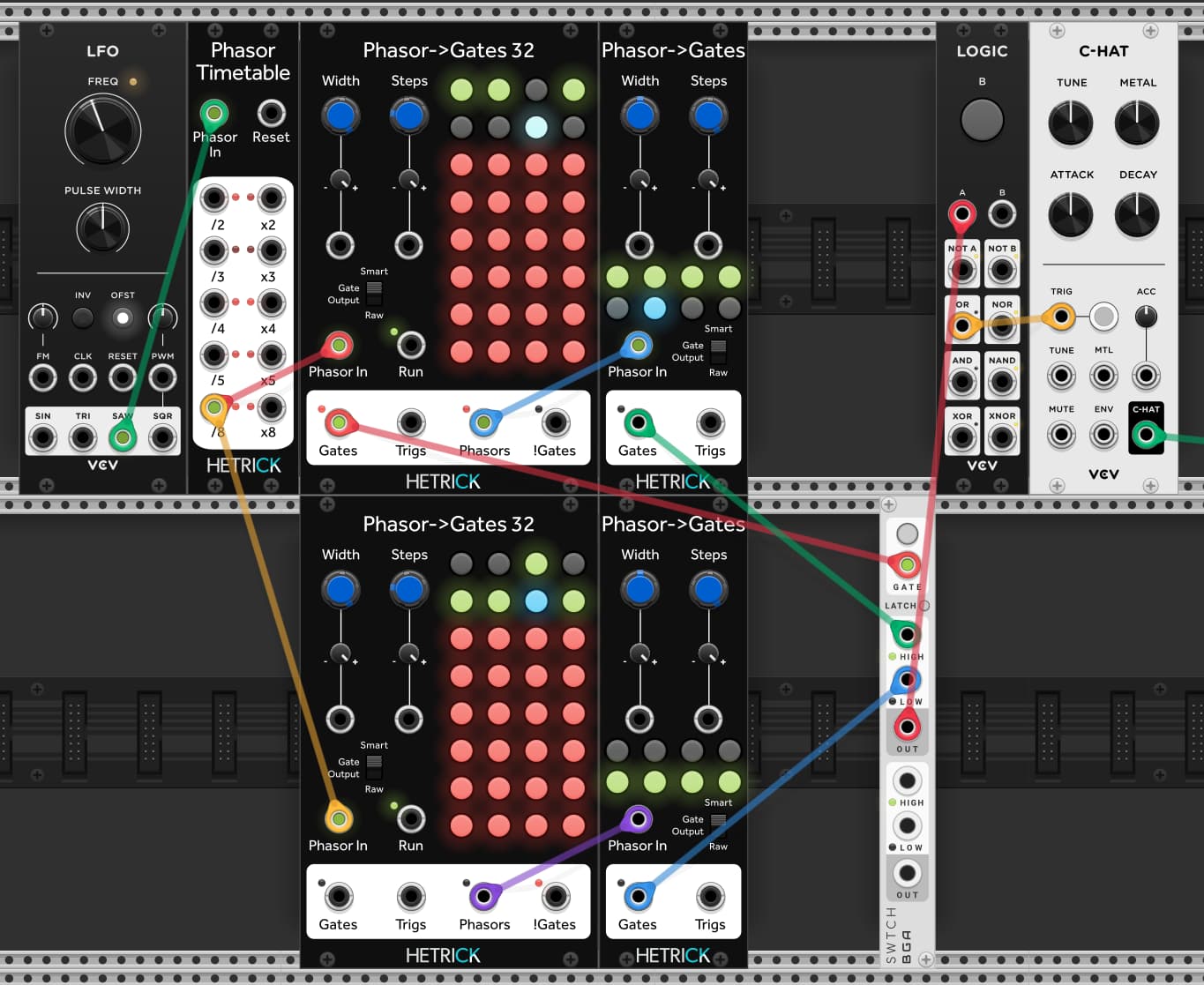
The only problem is that the smart detector on the Phasor->Gates input is still active for a single sample when the input phasor goes back to 0.0. If you have one pattern with a trigger on step one (and one without), you’ll get an errant trig. You can filter it out like this (note that the Gate Width is 100% for the switch):
EDIT: or simplify to one switch:
One more EDIT: here’s the patch example for the microrhythms
7 Likes
Thanks so much for the details reply! So, just to make sure I understand it correctly, basically, I can use another sequencer dedicated to the Phasors output, and combine it with the main sequencer for micro timing. Is that, more or less, correct?
Yep! The last image I posted is the recipe for the micro timing. In the example I posted, I filled it with 6 hits for an articulated roll, but you could always just put one hit in there and use it for precise swing, late hits, early hits, etc.
You could also take the sub phasor output and run it through a switch, then have the switch route it to different patterns/articulations/whatever. When I find time, I’d like to sit down and write another tutorial (https://github.com/mhetrick/hetrickcv/blob/master/docs/Topics/Phasors.md) but more focused on song structures.
5 Likes
Perfect! Thanks so much!
1 Like
Until Michael creates his module to modify the phasor internal wrap bounds, you can do something similar with the patch I posted upthread:
Here’s an example proof-of-concept thing:
phasor_seq_chopper.vcv (4.6 KB)
I used a second phasor to drive a couple ADDR-SEQs setting the start and end points, but you could use anything you want for that. The bitcrushers function as quantizers to constrain the sequencer bounds to discrete steps. Or that’s the idea, anyway. They might need some calibration.