hello
Is there any way to use CV from VCV to control/to map Resolume video software?
Thanx
hello
Is there any way to use CV from VCV to control/to map Resolume video software?
Thanx
What control protocols does that software support?
There are some Open Sound Control modules.
Computer keyboard, MIDI, OSC, DMX.
You might try the OSCelot module (once VCV gets their site certificate renewed ;-).
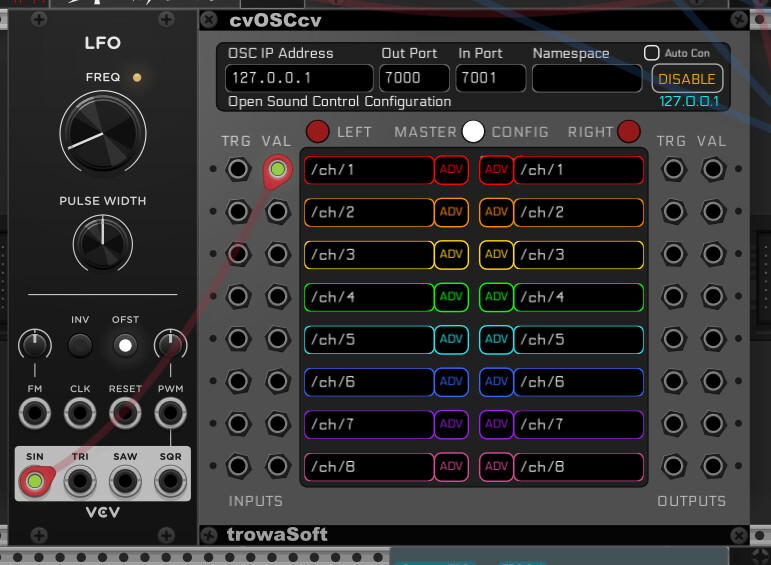
for OSC I use (i.e. with TouchDesigner) cvOSCcv https://library.vcvrack.com/trowaSoft/cvOSCcv
Library search/browse/lookup leaves a lot to be desired (understatement).
Hard to search for OSC because of all the overlap with “oscillator”.
Hard to search for “Open Sound Control” because the OSC modules seem not include that string in their description (they really should).
Can’t search for “osc” tag because VCV hasn’t blessed that as a valid tag.
YES, I also think that this moul could help me, but I don’t know how. I haven’t found any signs of a connection between Razolum and VCV yet.
What specifically are you having trouble with - Making the connection or making use of signals?
It’s been a while since I’ve done this but opening up Resolume Arena and dropping Trowasoft’s cvOSCcv into Rack and turning it on instantly gave me a working connection with the default settings.
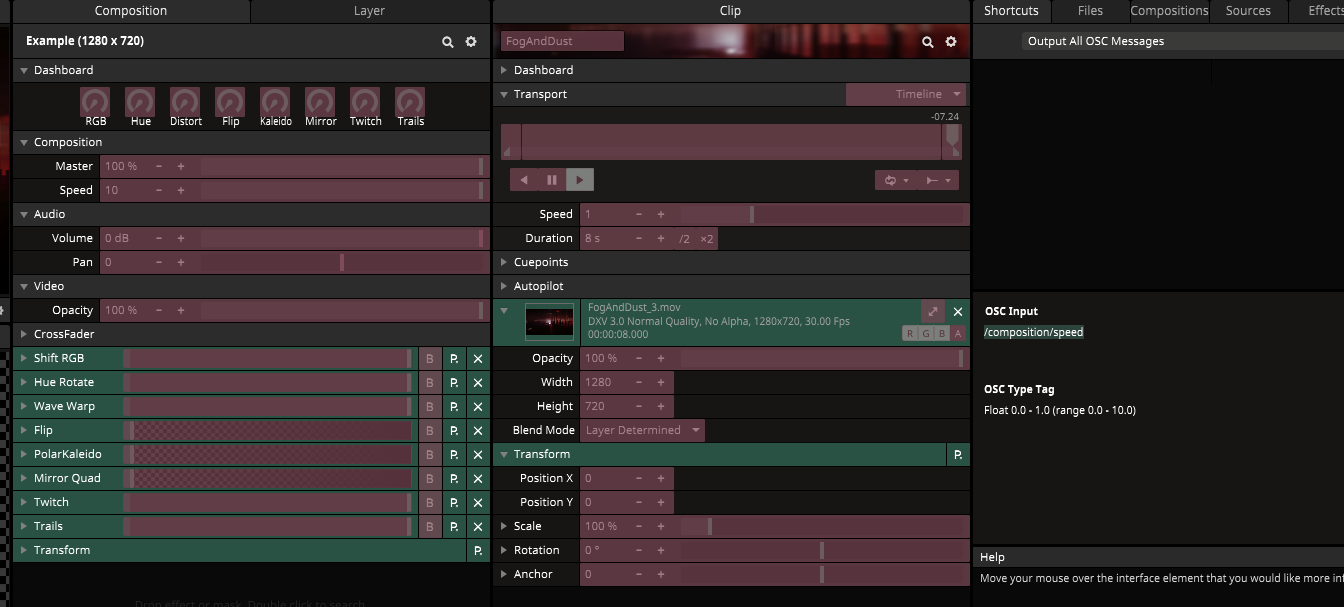
Then in Resolume you must go to the Shortcuts menu at the top and select Edit OSC.
This will highlight all mappable controls in Resolume. Select one you want to control. The shortcuts window will show you the control’s ‘address’ under OSC Input.
Copy the text (my example is /composition/speed) and switch over to VCV and the cvOSCcv module. There, with the Master Config button enabled, paste the text address into one of the slots, replacing for example /ch/1 with /composition/speed.
Connect whatever CV magic into the associated port and enjoy!
As far as I know, this is the only module in VCV Rack that can facilitate Open Stage Control connections like this.
I hope this helps some. To be honest I’m only half way through my first cup of coffee here so if you have any questions, I’ll understand 
Thank you! … the first channel worked for me for a while, but at least I’m on the right track. I’ll play with it.
Nice.
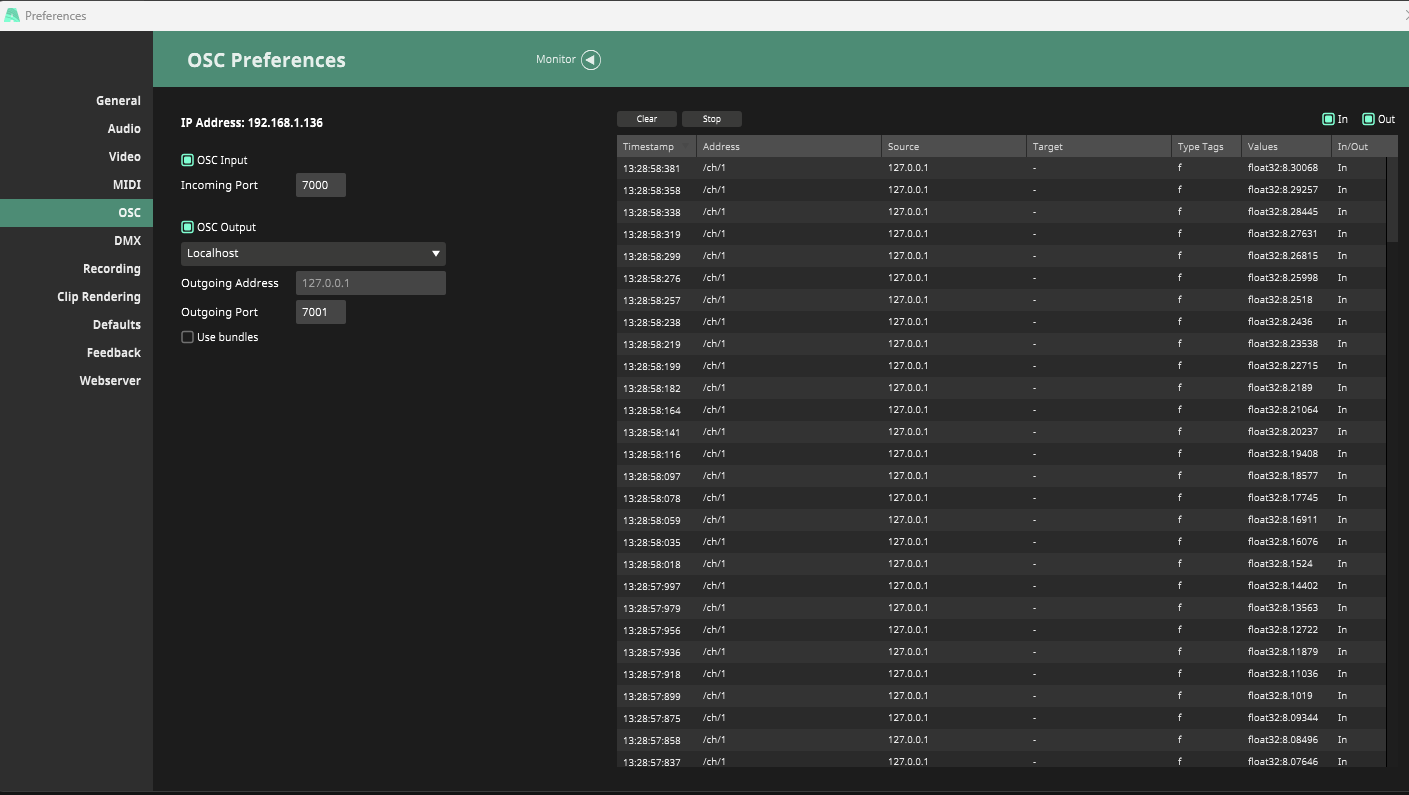
Should I copy the address of the resolution parameters only to the input side of the cvOSCcv module? Sometimes it works for me, but often I don’t see any change. But in the OSC Resolution preferences it shows activity. Does it depend on other settings? I haven’t managed to map two parameters yet.
yes, just memorize cvosccv 
no exp with resolum, and I can tell you I have made the connections manually
You want to use the output section, since you are sending signals from VCV to Resolume yeah?
I’m not sure what’s going on but have a look at the settings accessible with the ADV (advanced) button on cvOSCcv. You’ll see there that you can scale, clamp and change between uni and bipolar signals.
Could it be that the signal you are sending to Resolume needs adjusting to be in the proper range for whatever Resolume parameter you are trying to control?