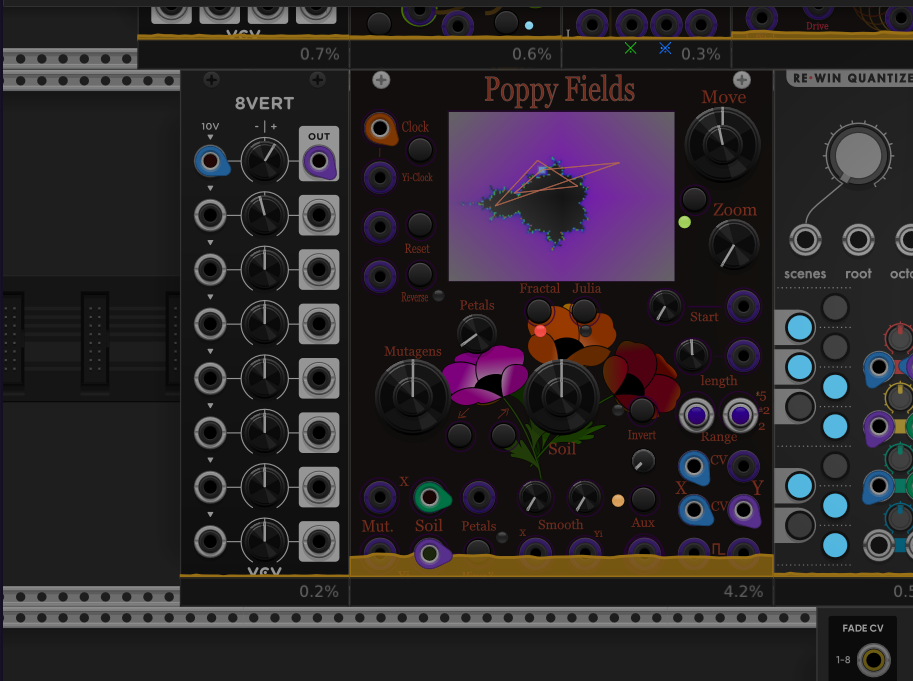
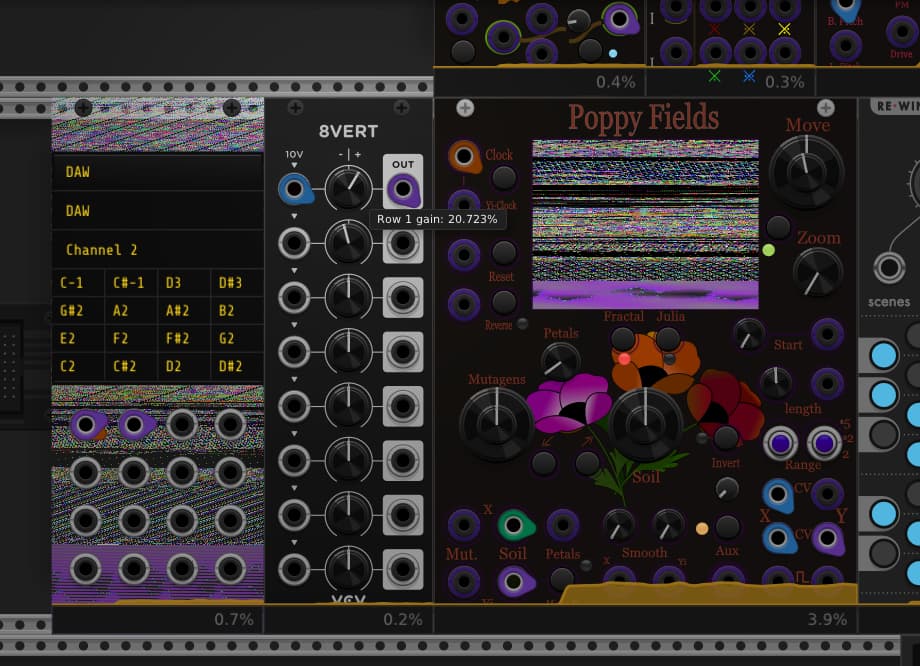
Just got VCV pro (yay!) and found a fun terrible bug in Poppy fields. 3 other modules have the same screen structure, but poppy does do the drawing differently. this bug happens when I close the vst Window and reopen it. picture from first open, nice and good, picture from second open, very bad. glitched out, and replacing another modules panel(did it with 8Vert too, but no others). Zooming at all stops drawing over the other panel but leaves poppys screen blank white. either way If you leave it open for a minute or so after you’ve reopened the window at least once, it and then the DAW crashes. My guess is that this has to do with closing(not minimizing) the window without shutting down rack(headless mode?), and then somehow array locations get jumbled when drawing restarts. that would explain the running lines on the screen, but i simply don’t see how any of that could fully replace the panel of another module.
I am using nvgScissor on the area, and just added nvgSave and nvgRestore to no avail. I will post truncated code if it’s needed but the visual is distinct enough that I hope someone will have an idea of what the problem is.
Ah I see. A drawn circle on the screen snip drawing attention to the issue would be helpful.
This issue is almost certainly that PoppyFields is caching the image handle across context changes. Closing and reopening the VST window completely invalidates the graphics context, which makes any handles being held invalid: an image handle in this case. Same issue with fonts.
How does one fix this? Well, you can always create/destroy object handles for each draw operation, or you can implement a couple of overrides to know when you need to invalidate and reload your cached handles. The events pass the nvgContext* you need to create/destroy the nanovg objects.
There’s the stuff I’m pretty sure I’m looking for! I knew it was doing something weird, and i knew someone would have the API words to get me on the right track. Thank you
In standalone it’s never an issue because the main window, and therefore the graphics context) is always there. In the vst case the root window (and the graphics context) are destroyed and created anew when closing and opening the vst window.
I think this is documented somewhere, but I can’t find it now.
I should add this gotcha to my dev notes somewhere.