Aloha,
I am trying to build a strange audio-delay patch for use in live settings:
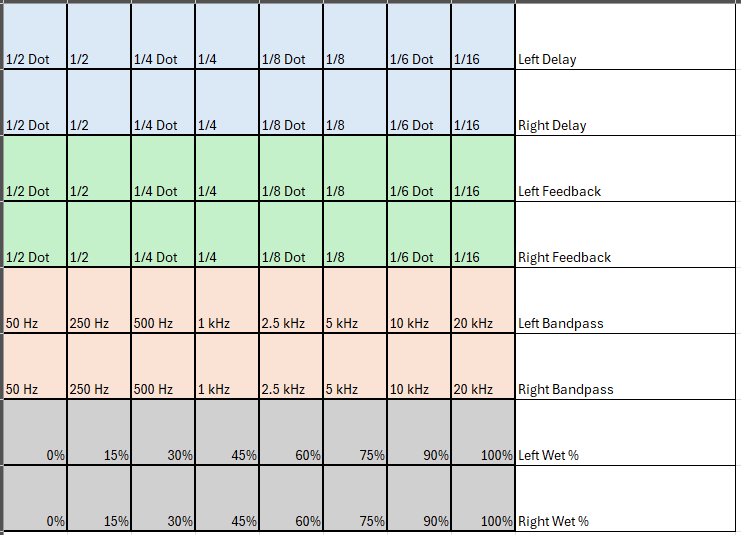
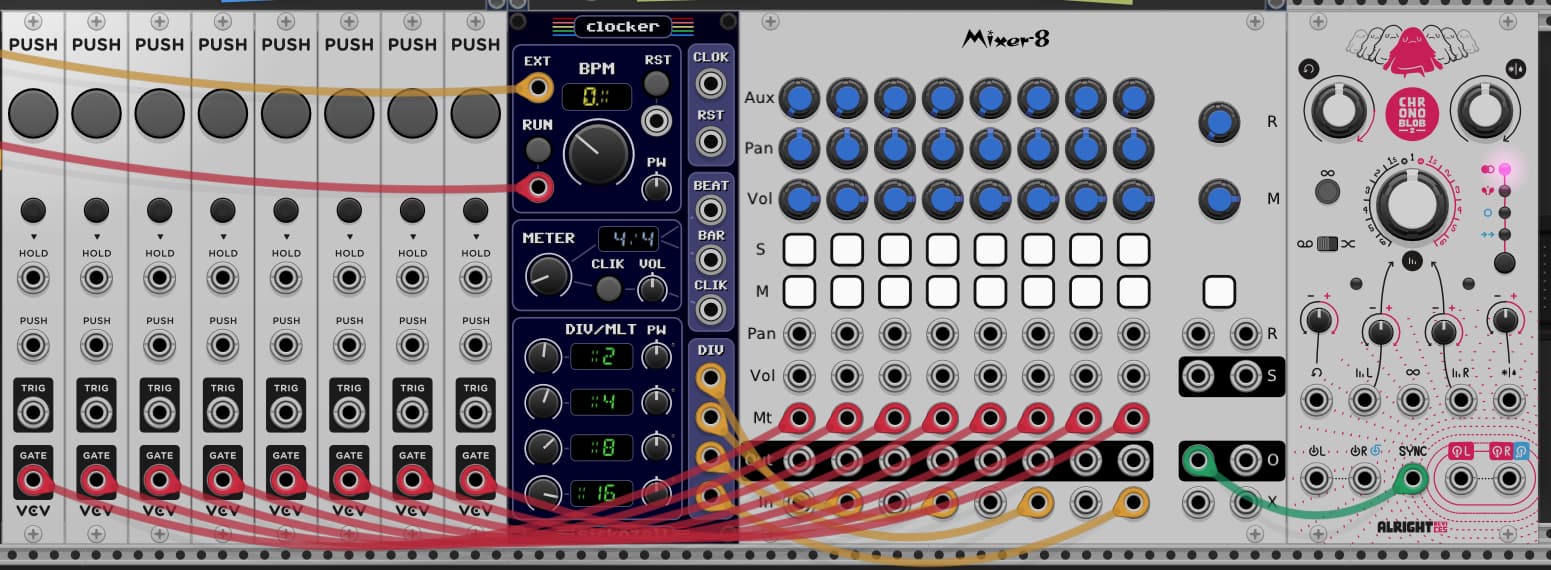
I have a Novation Launchpad X (“LPX”) and would like to set it up inside rack to control some sort of delay where the horizontal rows of the LPX output as shown below. I know I will need to figure out how to make the rows ‘exclusive’ (solo priority from right to left), but my current mystery is how to create a changing clock subdivision, based on the top two rows. The second image below shows my initial thoughts, (Push buttons are DAW-Learned from the LPX). This seems to create a tap-tempo type of clock where it takes a few pulses before a clock is created, and even then syncopations between the different divisions prevent an accurate bpm.
Can anyone suggest how I can feed a delay BPM “on the fly” without creating those weird audio stretch effects (cool as they are)? Do I need to use a sampler instead of delay? Am I re-inventing the wheel?