I did think about that but the issue is (and there’s a thread here) - you’d want such an option to default to true (so new patches have this set), but because Dual Attenuverter doesn’t save any other custom settings to JSON, you can’t initially distinguish new instances of it (where you want it true) from loaded past instances (where you want it false for backwards compatibility), so you have the same issue.
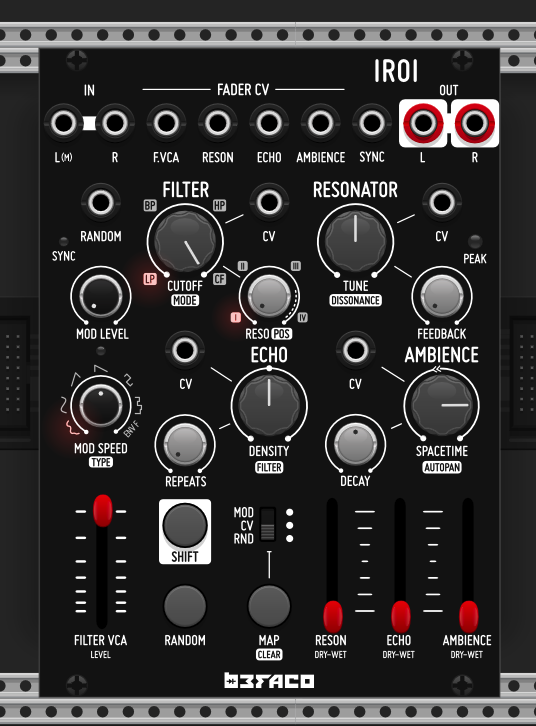
A Shortcut for Atmospheric Processing Iroi is a compact, 18 HP stereo effects powerhouse designed to turn any external signal into a deep, evolving soundscape. It inherits the sophisticated processing chain of its predecessor, Oneiroi. Combines a unique signal chain composed of a multimode filter, a VCA, a unique character resonator, a versatile delay, and an experimental Reverb. The filter – VCA act like a block that can be placed at any point on the signal chain
RANDOM8 is an eight channel random voltage generator, with dedicated per–channel looping controls, in just 8HP.
It’s our first collaboration with our m8 Mylar Melodies. It is born of his desire to better improvise music on modular systems, and is the module he has often wished he had in his live performance cases.
It is a pitch sequencer, a CV animator, an invisible pair of hands, and an LFO.
RANDOM8 is designed to bring any sized eurorack system to life, to squeeze the most out of users other modules, and help people perform and jam music more easily. It can provide subtle yet essential per-step CV modulation to an entire system, allowing phrases to play for longer without the ear tiring of them. It can also be configured to provide up to 8 quantised pitch generators (or any combination of pitch and modulation at the same time) and so drive a bank of oscillators and provide the melodies for a whole system.
Presets do not save with the patch. I saved two yesterday, saved patch, reopened today and no presets to be loaded, all banks show unused. Given one of the things explained in the Mylar Melodies video was that presets survive power down and up. this seems a bug. Rack 2.6.6, MacOS 26.5 (Tahoe) arm64
I found another related but opposite anomaly - The hardware loses its current settings upon power off unless you enter the Save menu, which saves current settings in an implicit 9th 8th slot.
But the VCV module saves the current settings in the patch. This is convenient, but I wonder if perhaps it should be more like the hardware, and only save current settings when instructed to do so.
I uncompressed the patch and checked, I do not see anything preset related saved there despite using the right-click menu to explicitly save those two presets. So on patch reopen all channels are in Unused state (vie Load Preset right-click menu)
Huh . . . I wonder if the info is stored someplace you are not looking.
I double checked the behavior. I changed all the channel loop lengths to different values, shutdown VCV, restarted, and the loop lengths were preserved. In the hardware that doesn’t happen unless the save menu is entered before shutting down.
In my opinion, in VCV, when saving a patch, it should save also the state of the module. The last thing I want is to start going module by module, and think if I have to save its settings or not, every time I want to save a patch.
I’m not a fan of this behavior in hardware as well, but in hardware, unlike in VCV, you have a fixed set of modules, and you quickly learn which modules have to be saved manually. And, usually, you have only one instance of this type of module.
In VCV, you can have 5 Random8 in various places in your patch, and you have to go one by one and save things, which is not fun. That’s why there’s global save.
Yes, good point. When I said “I wonder perhaps if . . .”, I really did mean that as a question.
If given a choice or poll, I would vote to keep the current behavior in the VCV version. If the module is “fixed” to be like the hardware I would want a context menu option to “autosave” so you can set it and then “Save default” to make it default behavior. But I don’t think it is worth the effort to make such a change in the first place.
I do wish Befaco would extend the “VCV Rack” page on their website to include a bulleted list of modules with their differences from the hardware. It would serve 2 purposes:
for hardware users that are trying out Befaco modules in VCV first it would help with transition
for strictly VCV users it would be a place to document things like context menu options - especially those that are there to replace hardware behavior that could not be replicated in VCV, such as not being able to press two buttons at once.
Just chipping in with a few comments. The module should save all parameters with patch, including any frozen looped state. I just checked again now and this is the case for me. If this isn’t the case for you, please file a bug on github and I will investigate and fix.
I can’t reproduce this locally with Mac, it it keeps happening please open a ticket with exact steps.
I’ve always taken it as read that in the software world there are additional “perks” like saving and restoring exact state, and wouldn’t find that to be an issue.
I probably agree that auto-save (or intuitive saving) on hardware Random8 would be nice, you could probably email Befaco with this as a feature suggestion, it might be possible?
I try to maintain this here, but may be omissions (contributions welcome!). I’ve added the point about saving:
Finally if possible, is it OK to keep feature requests/bug discussion in the development thread - I appreciate not always obvious but can be useful to keep this as high level “enriched changelog” Befaco modules development blog