On a MacBook, pressing backtick doesn’t result in pitch down by an octave (or any pitch down at all). One can only pitch up by pressing 1. I have video recording of the bug, but can’t upload here.
It works on Windows, is it possible that the command “`” is intercepted by another module ?
If you start a new patch with only midi CV and an osc does it still not work ?
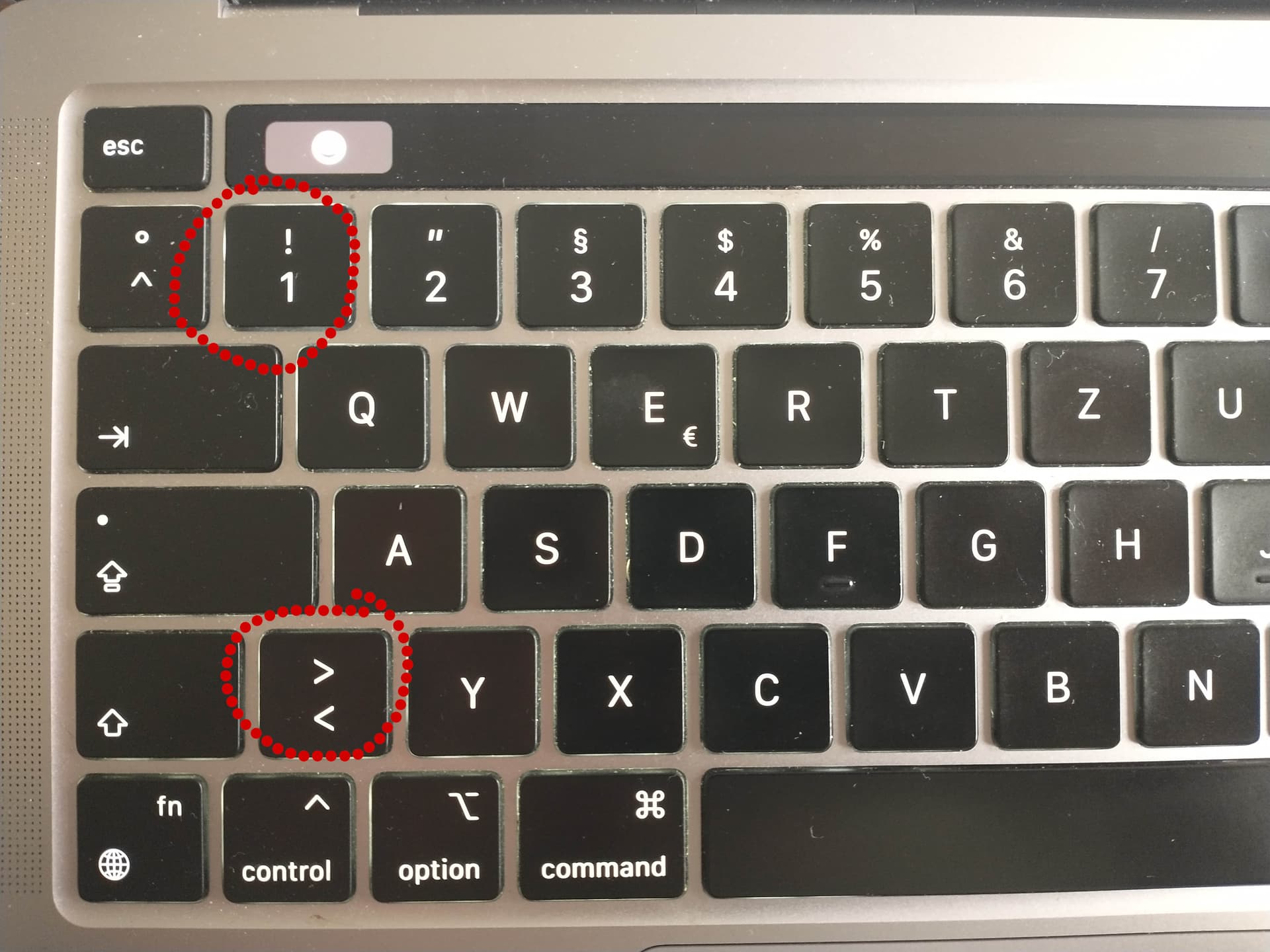
On my MacBook it works with < (greater than) for octave down and 1 for octave up. I have a QWERTZ layout on my keyboard. Not sure if that changes where the < symbol is. Mine is on the lower left side, next to y
Unfortunately, neither greater-than nor backtick work here. My keyboard is JIS.
I think I found the reason.
I just tested a bit with switching to different keyboards layouts in the preferences of my MacBook: it looks like the default input mode for using a laptop keyboard as MIDI input is the US-QWERTY keyboard layout … and nothing else.
I switched to different keyboard layouts in the preferences of my MacBook but that did not change the layout of the “keyboard as midi input” in VCV. So regardless what keyboard layout is physically on your MacBook and what settings you have selected as keyboard layout within your OS. The laptop midi layout stays on US-QWERTY.
The text input in VCV changes though: when I looked for modules in VCV it’s reacting to the different keyboard layouts.
And I notices something else regarding US, JIS and European layout.
that’s the US - Layout, with the two buttons for Octave UP and DOWN.
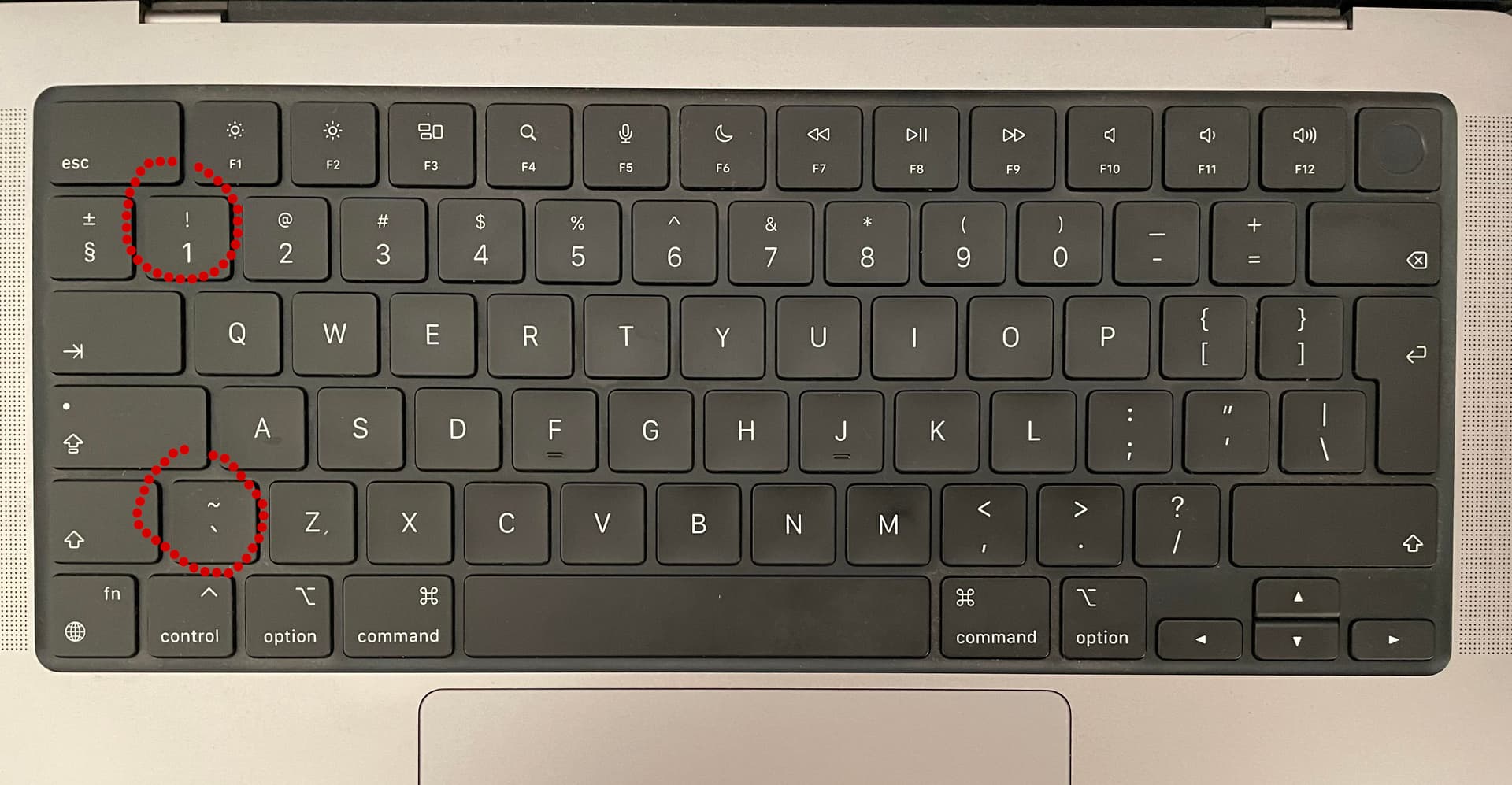
that’s my keyboard layout, with the two buttons for Octave UP and DOWN.
and that’s the JIS layout (I assume your keyboard looks like that?)
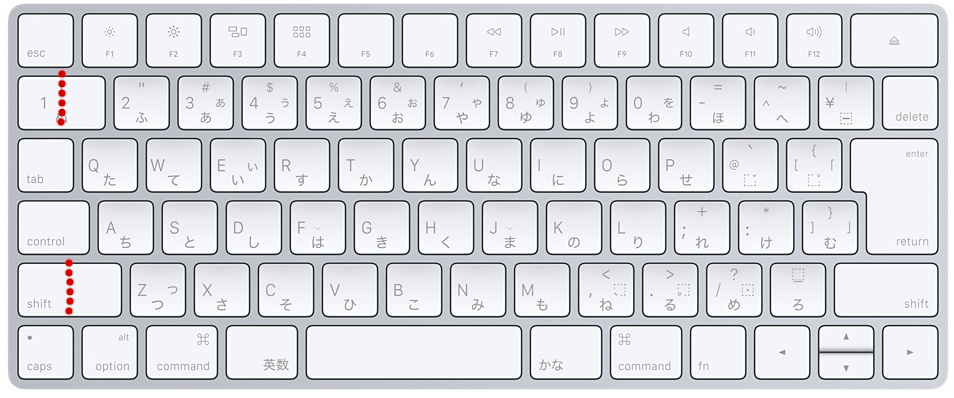
it looks like your keyboard is physically missing the key to switch the octave DOWN … 
both the US and EU layout have two more buttons then the Japanese version…
What you could do as a workaround for now is to switch the octave manually within VCV Rack with VCV Octave or any other MIDI octave offset module. I did this also for quite some time, before I discovered I can switch octaves with 1 and < 
AND I would also contact VCV-support if I were you.
https://vcvrack.com/support
because that’s for sure not how they would like the midi keyboard to behave!
The MIDI layout in Rack is based on physical key layout (scan codes), and not what’s on the keycap (mapped characters/controls).
1 Like
then it makes a lot of sense that it behaves like that.
@sapiogenesis But it’s still something I would report to the VCV-support. I think it’s in their own interest that their product basic function work on all kind platforms.
Although it might also be more complicated than I think it is to change it. 
still it’s good to write them. My contact with the VCV-support was until now easy and relaxed. They might take some time to answer but until now they always did. I think I waited a week max for an email, which I think is reasonable.
It has all the keys (if anything, it has more keys), they are just in different physical places on the keyboard.
Then documentation should be updated correspondingly. As it stands, the documentation says:

I would, but if no one except me is bothered by this then it doesn’t necessarily warrant dev team’s time. (Other than updating the docs to reflect the current state of affairs…)