I have created a midi channel with VCV running a turing machine and have a second channel that is suppose to receive the information from the other. My turing is set so that it sends it through ableton in 3 different channels but the receiving one is not seeing or receiving it. It just doesn’t show up both in Ableton or in VCV.
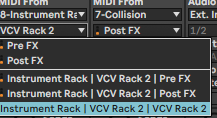
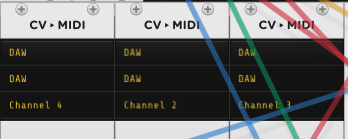
It’s an unfortunate limitation of Ableton. It can only revive midi from one channel when you’re using a vst in that way. If you run vcv in standalone you can send the different midi channels using the IAC bus on Mac or a similar virtual Midi port on windows.
3 Likes
thanks!
arranging stuff in your patches should work, in Reaper it works
6 Likes
wow! I didn’t know teleport could be use across different patches within a single song! What a game changer. thank you!
4 Likes
Although teleport can work like that, I personally found running multiple instances of VCV Rack to be a bit of a lottery. Maybe it’s down to what modules you use, I never undertook a major audit, but just things tended to crash a lot more if I used more than one instance (on Windows 10 and 11 FWIW).
2 Likes
no crashes but it seems the sync is a bit so so by moments
2 Likes
Does anyone know if this has been fixed in Ableton 12?
doesnt seem so, I am struggling with that issue since yesterday and I think there is no simple solution. Ableton is still receiving on one midi channel 
this is really an interesting alternative for abletons strange midi routing…
1 Like
Use Bitwig, works great for midi routing.
often thought about it, but I used ableton for too long and I don’t want to miss max for live! the best workaround for me is using vcv in standalone and send midi via IAC to ableton for nonlinear-clock sequencing of abletons instruments.
1 Like
Yeah, that works too, bonus tip use Pam Sync VST or Ableton CV Clock Sync to control VCV start/stop in standalone. Works great.
I use both Ableton and Bitwig interchangeably, but each has pros/cons. No Max or Better Midi, tradeoffs.