6OP-DX module development Blog

Hello,

Since recent announcements (incl. screen captures & temporary YT videos), I feel better to create a development blog about the work-in-progress 6OP-DX module, a 6-operator FM (Phase Modulation) synthesizer.

First words: 6OP-DX is not a 100% DX7-clone (but I’ll hope very close as possible). It’s mainly a 6-operator algorithm-based PM (phase modulation) synthesizer module. It can import DX7 SysEx files (VMEM 32-voice bank, VCED single-voice, format autodetection & corrections) and can export to DX7 SysEx files (choice for VMEM 32-voice bank file, or VCED single-voice file). It provides additional features than real synthesizer.

A big beast: 117HP wide size module (1920x1080+ display is required, when zoom is set to 100%).

All synthesis parameters are based on DX7 parameters (either potentiometers and momentary buttons), all are in front of your eyes (no “partials” or sub-pages).

Can host 4 banks (INT, CART1, CART2, CART3) of 32 voices (presets) each, at the same time.

All important MIDI-based inputs are implemented at the leftmost side of the module: V/OCT for notes/pitches, GATE, VELocity, AFTertouch, PB (pitchbend wheel), MW (modwheel), and RETRIGger.

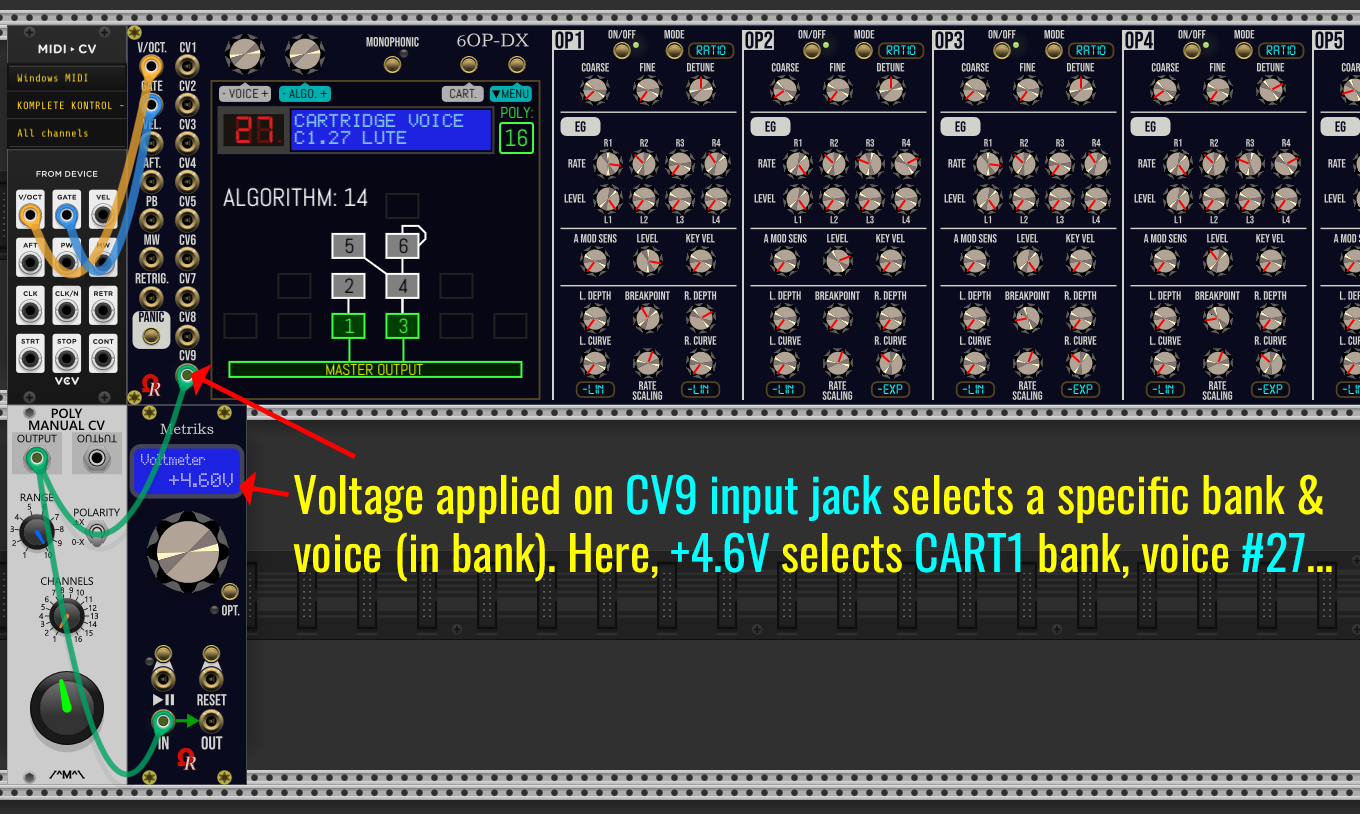
Eight CV input monophonic jacks, for extra modulations. CV8 input jack may be used to select bank & voice by a voltage (0V→+10V range). This feature - disabled by default - may be enabled from Preferences screen (via OSD pull-down menu, when voice/bank and algorithm are displayed).

Supports 16 voices of polyphony (the module can be forced as Monophonic, like the real DX7 hardware, from “Preferences” screen).

6 discrete operator outputs, plus the master (mono) output. Please notice the DX7 wasn’t stereo.

Large color “touchscreen”, two multipurpose continuous encoders and momentary buttons, DISCARD & SAVE coupled buttons (surrounding a large red/green LED), status labels below all these controls.

PANIC button to freeze the audio engines, if required.

6OP-DX modules offers 32 FM algorithms (identical than DX7 hardware).

Motorized potentiometers (can be tweaked or switched of from Preferences screen).

Operator’s BREAKPOINT parameter (per operator) can be learned, by using your MIDI controller.

Many displays layouts on touchscreen:

  • Default parameters view on touchscreen display.
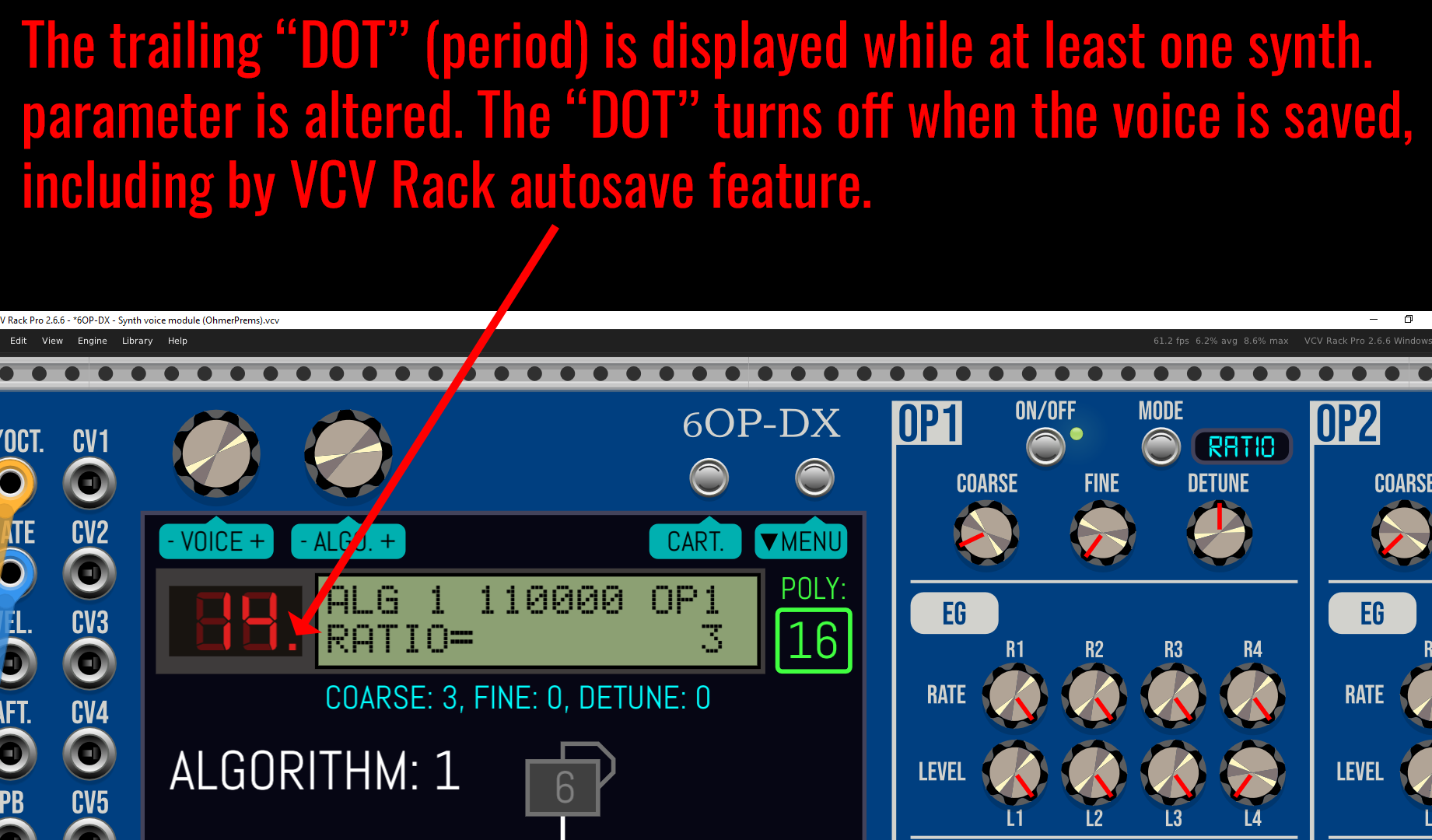
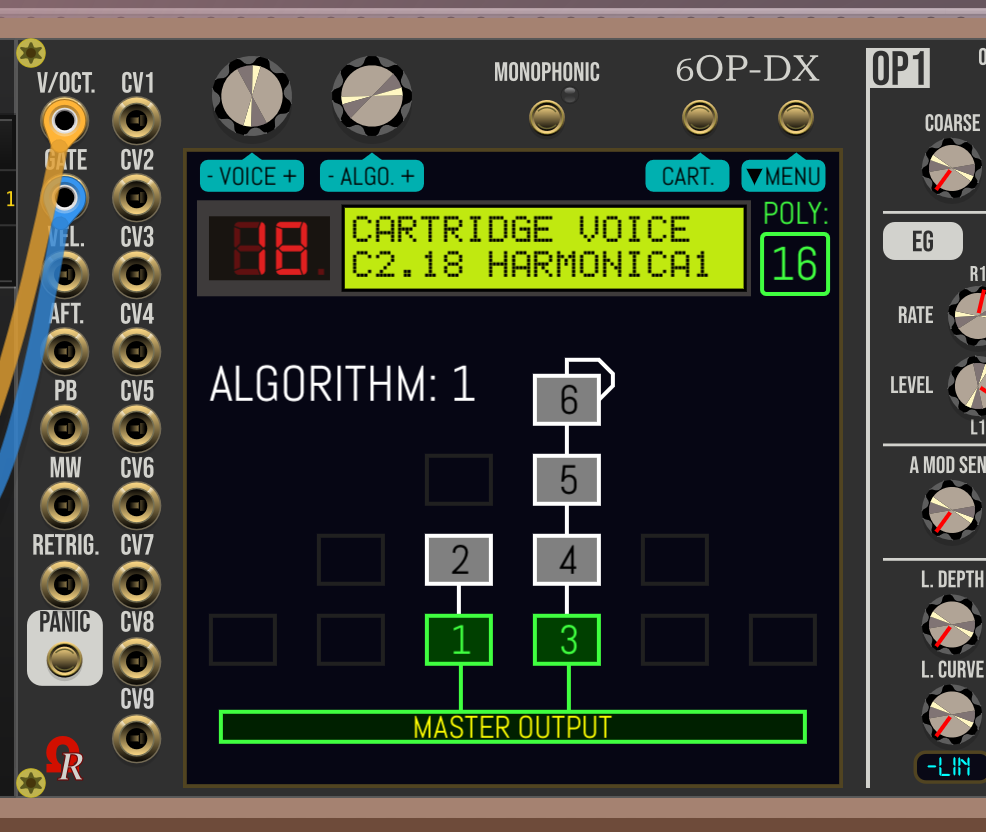
  • Into an “emulated” DX7 genuine LCD, backlit LCD (retrofit), or OLED (retrofit), 16x2 characters, plus the red 7-segment LED (who indicates the current voice number, followed by a “.” while the parameters are changed since last save - like the real DX7 does!).

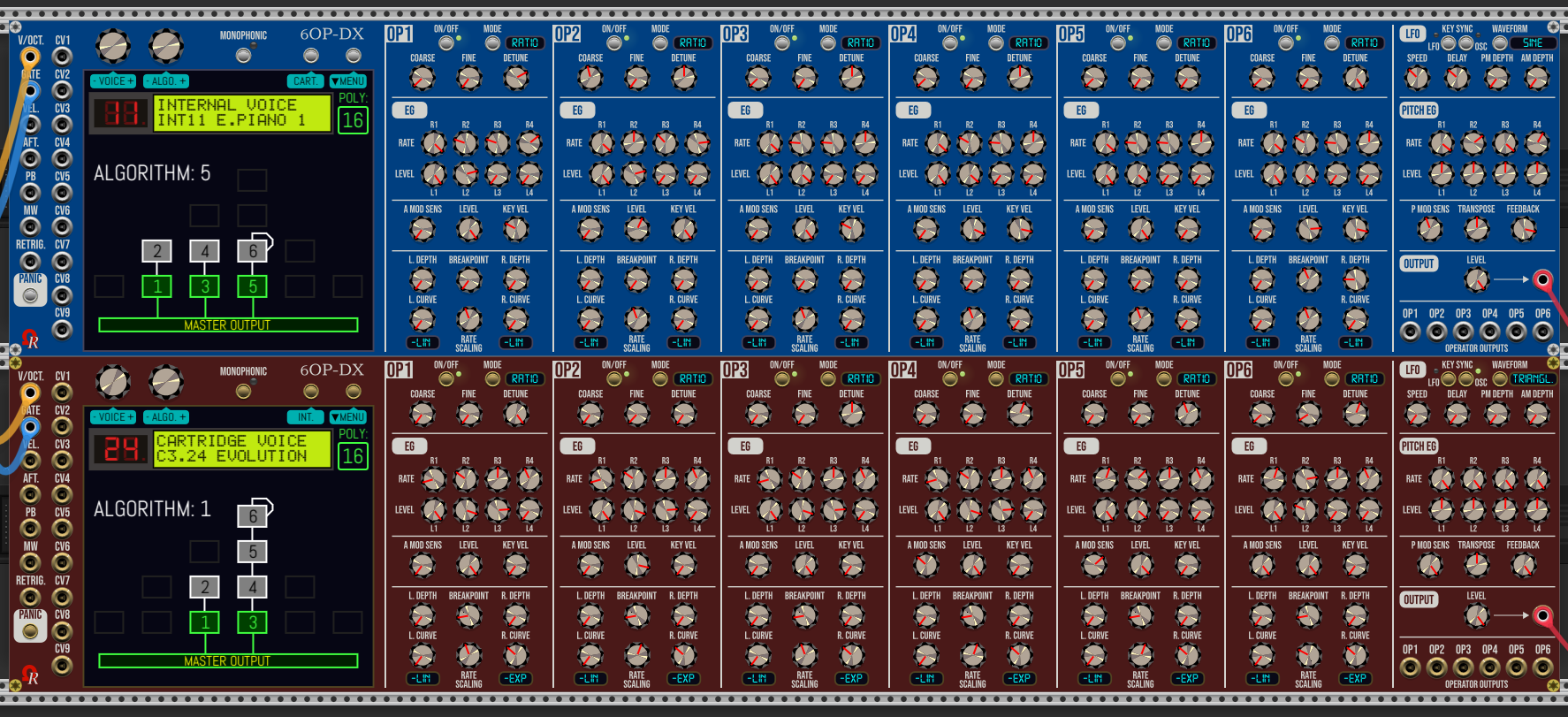
Eight models (plates): Aluminium (the lone who are using LCD for mini displays, instead of blue LED), Stage Repro, (new) Cobalt, Absolute Night, Dark “Signature”, Fort Knox “Signature”, (new) Oxide “Signature”, and Titanium “Signature”.

The new themes (aka Model) introduced by 6OP-DX (blue Cobalt, and Oxide “Signature”):
11 Likes

Updated image (Jan. 26th, 2026)…

Now they’re an alternate (optional) parameter presentation, by “emulate” the DX7’s real display!L

Top-left is default presentation (may display more informations), bottom-left is the factory DX7’s LCD, top-right is the backlit retrofit LCD, bottom-right is the OLED retrofit.

2 Likes

(post deleted by author)

4 Likes

Will there be custom algorithms like opsix where you can do freeform routing between operators?

(post deleted by author)

Here the PANIC button (below RETRIG. input jack).

Assuming it’s an important button for a MIDI-based synthesizer… :wink:

The module now is full.. :sweat_smile: For next, I’ll must remove the Ohmer logo near screw).

USER ALGORITHM development is cancelled. I prefer to focus on other goodies, in particular the audio engines/DSP qualities (both modern/pure, and vintage 12-bit DAC emulation), and a graphic editor for envelope generators (OPx AMP EGs + PITCH EG).


CANCELLED TOO → The 8 algorithms of DX21 (4-op synthesizer), due to overlapping vs. DX7 algorithms!

3 Likes

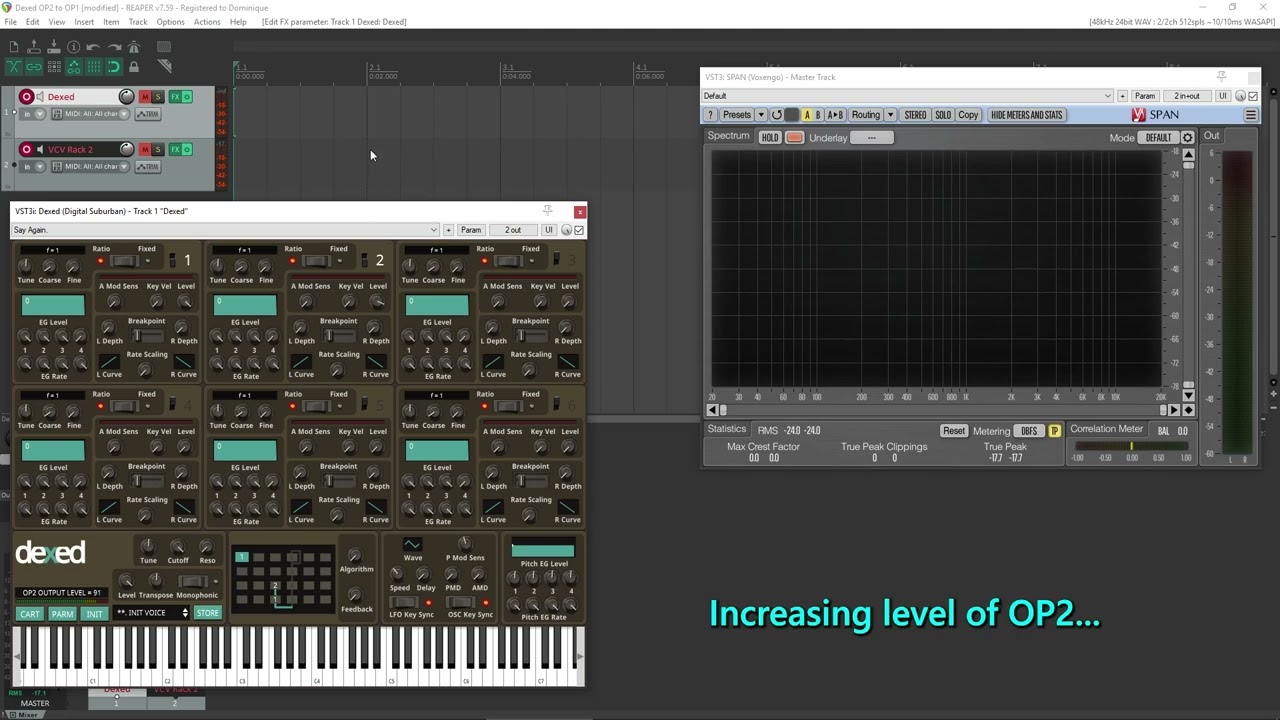
First sound calibration, vs. the excellent Dexed, C3 (middle C4 on MIDI controller, without transpose).

I don’t use MarkI engine resolution at the moment (surely a bitcrusher or something similar to emulate real DX7’s 12-bit DAC chipset, like Arturia’s DX7-V is emulating, too). Using my own C++ code (buffered computed sine datas), because Dexed doesn’t implement SIMD technologies, unfortunately. My first milestone is to use pure sines for all operators, and all algorithms.

3 Likes

After a detour to enhance KlokSpid MkII (useful feature requested by user, here), now it’s time to return to 6OP-DX module development!

OhmerPrems v2.6.10 Pre-Release “Nightly Build” 2026.02.10 is available. What’s new/updated (Feb. 10th - 01:30PM GMT+1/France).

The stuff done today (6OP-DX only):

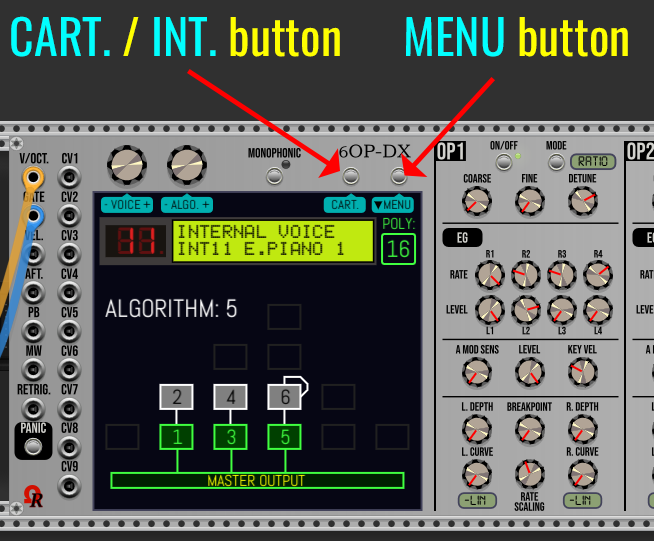
  • Now each instance is able to host (load/import/create/edit) upto 4 banks of 32 voices (presets) each (INTernal + 3 CARTridges), advance to next bank (or cycle to INT.) via CART. / INT. button located above the right side of the touchscreen (alongside MENU button) - screen capture below.
  • Have replaced OnSave() / OnAdd() methods by “json” equivalent, despite 16516 bytes per module… Seems to work fine, however, including user presets (.vcvm files) & module(s) selections (.vcvs files).
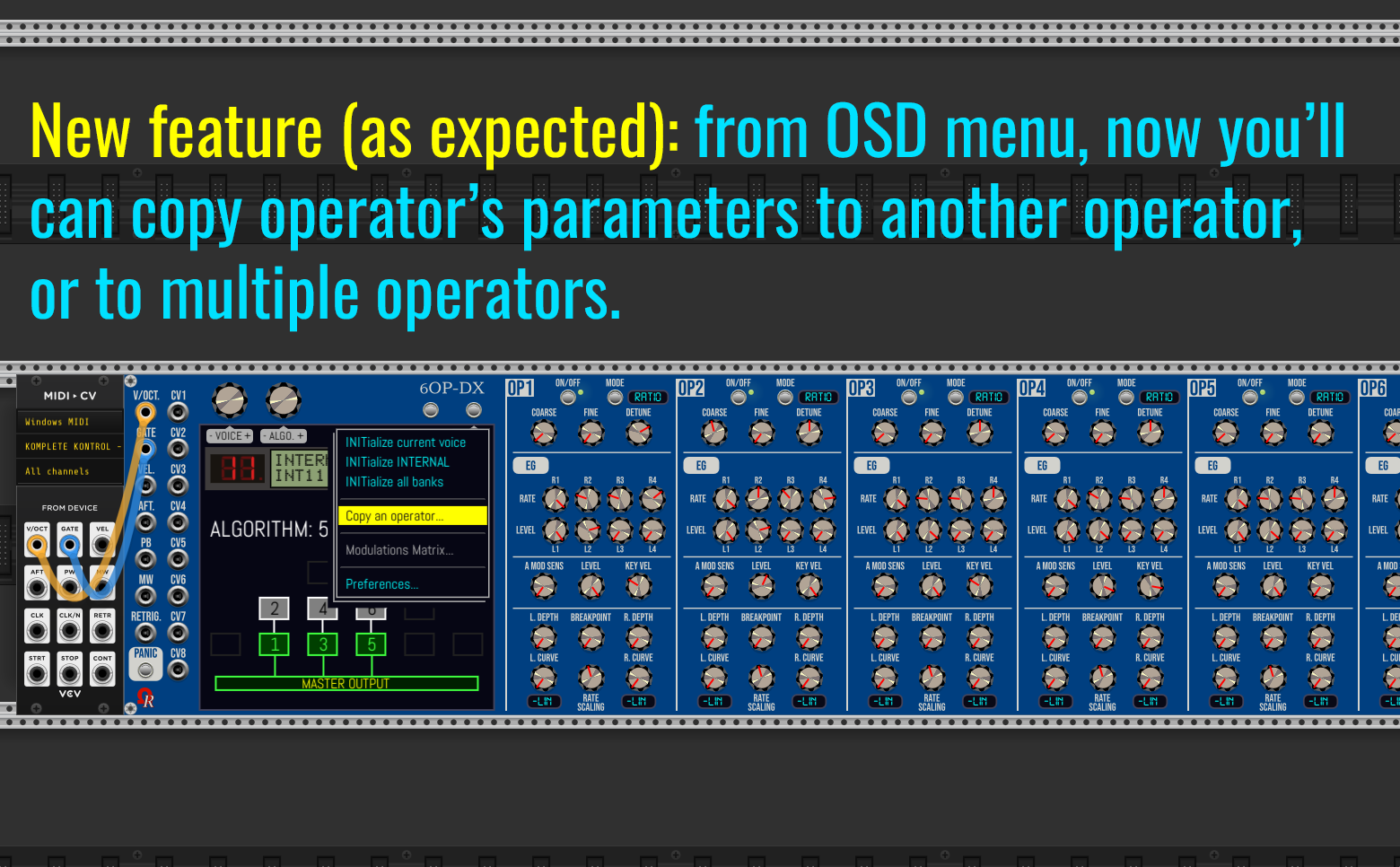
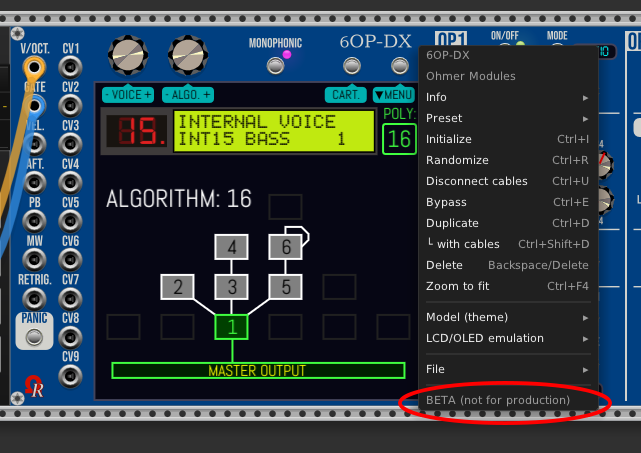
  • Drop-down menu (by using MENU button) is operational, but many features are, at the moment disabled/grayed. Only all three INITs are 100% operational. :wink: “Preferences…” page is ready for implementation (frame is ready, but… empty at the moment).
  • No more left mouse click over Ohmer logo. Instead, while the “Preferences” page is visible, by turning left continuous encoder this changes the touchscreen brightness (more steps).
  • Few “cosmetic” enhancements & fixes on touchscreen.
  • Revision of “sequences” & priorities about right-mouse click over envelope generators potentiometers (planned feature for graphic curve editor), and operator’s BREAKPOINT parameter vs. “MIDI learning” feature, now more flexible than previous implementation.

Version 2.6.10 Pre-Release Alpha “Nightly Builds” are always available here: https://github.com/DomiKamu/OhmerPrems/releases/tag/v2.6.10

1 Like

Relax stuff today… now I continue to work on (future) “PREFERENCES” screen, having defined a kind of template, because the similar screen will be used by “MODULATIONS MATRIX” screen, too - but modulation routings screen will a bit more complex (I guess), due to window scroll bar at the right side (when required, depending how many modulations are set/active).

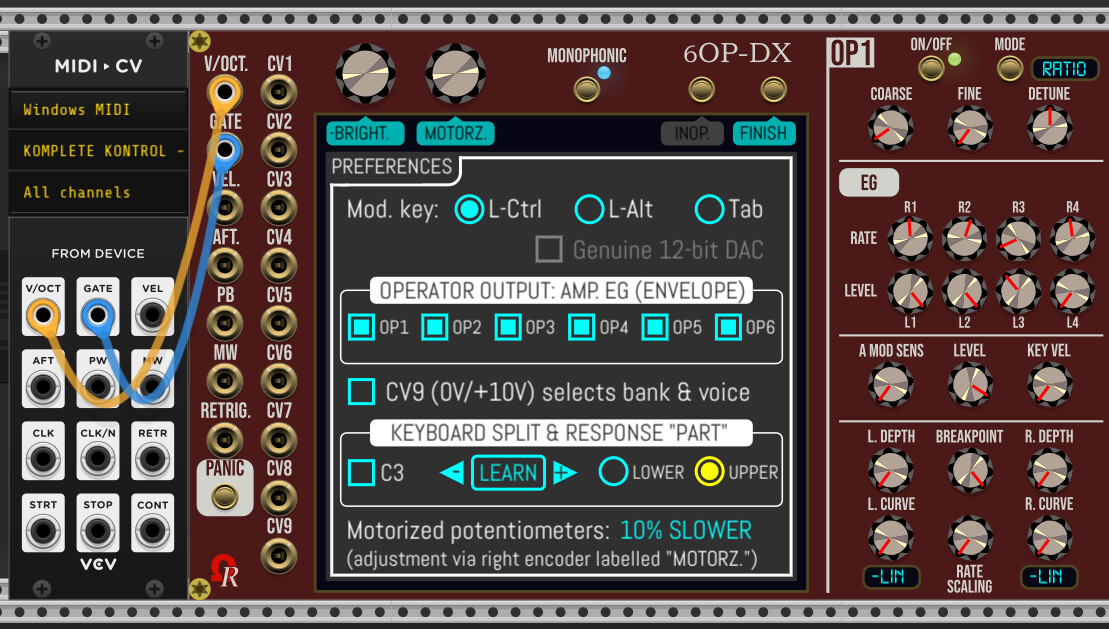
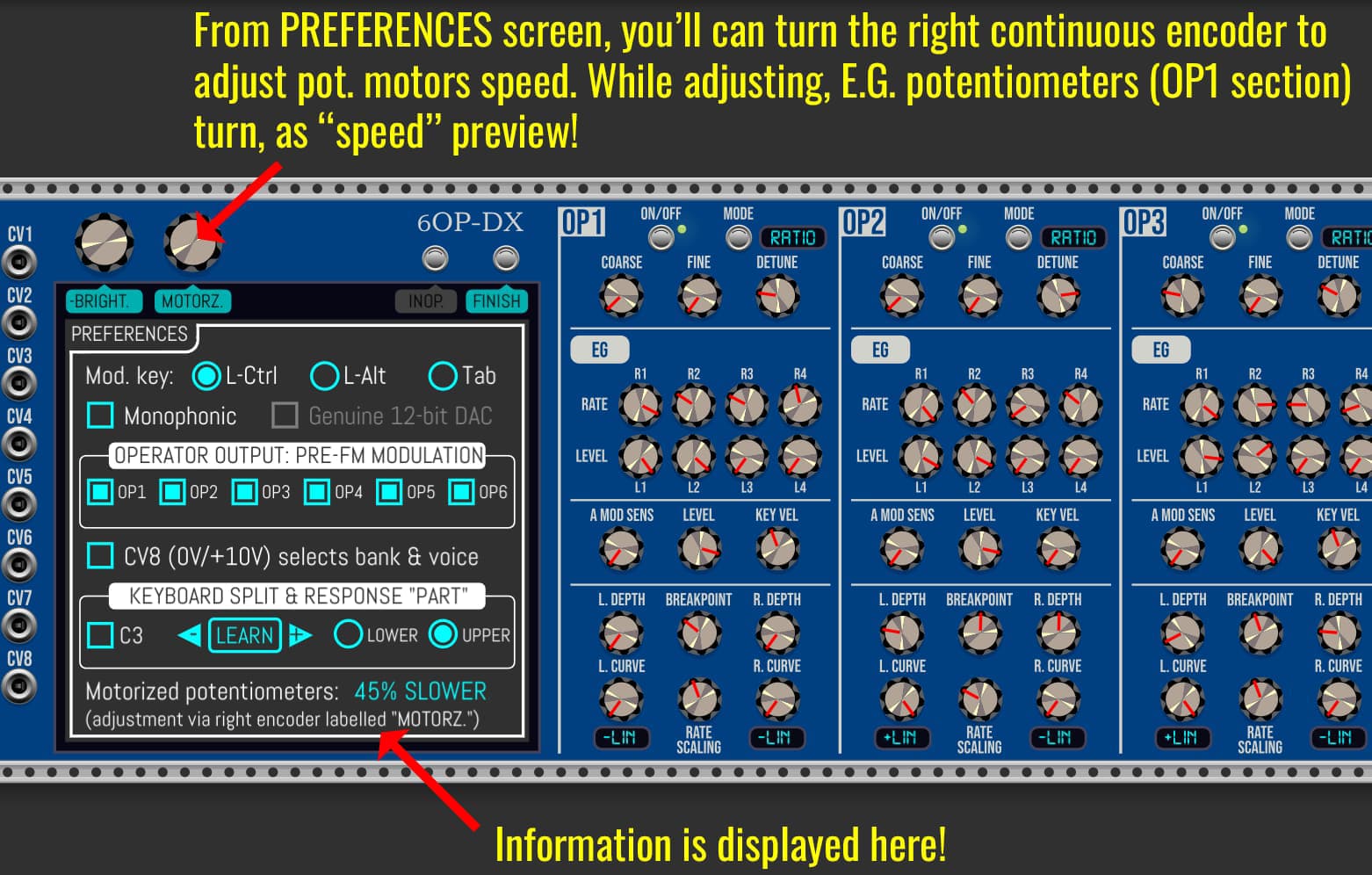
This is the “base frame” (250% zoom, 1920x1080) for PREFERENCES page/screen, as final layout/colors I’ve choosen:

As you’ll can see, the left continuous encoder (near CV1 jack) have its -BRIGHT.+ label (blue/cyan background color), so while Preferences screen is opened (until you press FINISH button or you click on any synth parameter), you’ll can change the touchscreen brightness by turning the encoder. :wink:

In fact, an useless feature, by this way… a necessary feature! :rofl:

The touchscreen brigthness can’t be entirely turned off; otherwise picking “Preferences…” menu item next time will be become “Operation” game (Doctor Maboul in French) or fishing-like game (see image below).

This is the minimum brightness possible setting (zoom set @ 100%, 1920x1080) who permits you to access to “Preferences…” menu item! Assuming it’s a reasonable setting, arent? Thanks to yellow color for selected menu item! :wink: :


Now similar screen but for MODULATIONS MATRIX. Also empty at the moment. Some “default factory” modulations will be implemented here, such:

  • CV8 (default CV Amount = 100% will permit by unipolar 0/+10V (mandatory) to do a kind of “Bank Select + Program Change” on the fly (but “locked” in case the edited synth parameters are not keept by SAVE button, however, while the LED blinks red). This setting may be removed (but it will added later again - in case you’ll change mind - by using any CV input of your choice). As default factory, it’s a kind of setting proposal.

Depending how number of defined modulations in the matrix (virtually illimited), if all existing modulations can’t fit in the page:

  • A right-side scroll bar will appear.
  • As alternate control, the left continuous encoder will permit to scroll down and up, too!

Contextual, obviously!

1 Like

Today (afternoon / evening), continuing to implement global parameters (aka “Preferences”)…

All of listed Preferences settings above are fully operational!

The pros: this reduce the contextual menu (right mouse click menu, over the module), now the menu becomes (at the moment):

In a ideal world, it will be fine to migrate “Motorized potentiometers” from contextual menu to “Preferences” screen… (but in this case, this requires 5 radio-buttons, or possibly a kind of drop-down list). But I’m afraid about remaining/available space for other more important global settings (listed nowhere at the moment in this module)… Really I don’t like multiple screens here!

Model (theme) and Parameters presentation (visible above) stay definitively as parts of the contextual menu, however.

1 Like

As “Preferences” (global) setting, when checked, now CV8 (voltage from 0V upto +10V) selects the bank (INT. / CART1. / CART2. / CART3.) and the voice (preset) from 01 to 32 inside bank! A kind of “MIDI Bank Select + Program Change” but… via analog voltage!

:warning: While enabled, other existing CV8 assignements are, in this case, bypassed/ignored (they will appear as “grayed” in future Modulations Matrix screen.

While this CV8 option is enabled (checked from Preferences) AND CV8 input jack is connected, the left continuous encoder can’t select another voice (preset), same fact concerning left button it cannot select next bank. Their respective OSD labels are grey (instead of blue/cyan), like this:

Above, the applied voltage (8.53V) on CV8 input jack selects:

  • Bank C3. (aka CART3, the lastest cartridge). → initialized by SysEx file importation.
  • Voice #14 (in bank C3) as SYN-ORCH voice name.

:information_source: This feature is operational and is working as expected. For CPU usage limitation (by using this scenario), CV8 voltage is checked every 4096 DSP frames (approx. every 0.08s @ 48kHz sample rate). Bank and/or voice (preset) is/are switched, but only if required!

:warning: Bank and/or voice can’t be changed either by CV8 or manually (by button/encoder) while - at least - a synth parameter is altered (while the large LED over touchscreen is blinking red, “ALTERED” red label is blinking too as status just below the LED), until changes are discarded or saved by using relevant button around the LED (until the LED returns to green), or all changes are restored by the user to their initial values. This is a guard designed to avoid to loose changes made during sound design session!


All implemented Preferences listed above are available in lastest Pre-Release “Alpha” Nightly Build:

:information_source: (please always see lastest post in this topic, below, for package download links).

Module “booting effect” (touchscreen “fade-in” brightness), when loaded from existing patch, on new module instance (new 6OP-DX module added from modules browser), or on full “reset to factory” by Ctrl+I over the module (Command+I on MacOS X platforms) / Initialize from contextual menu…

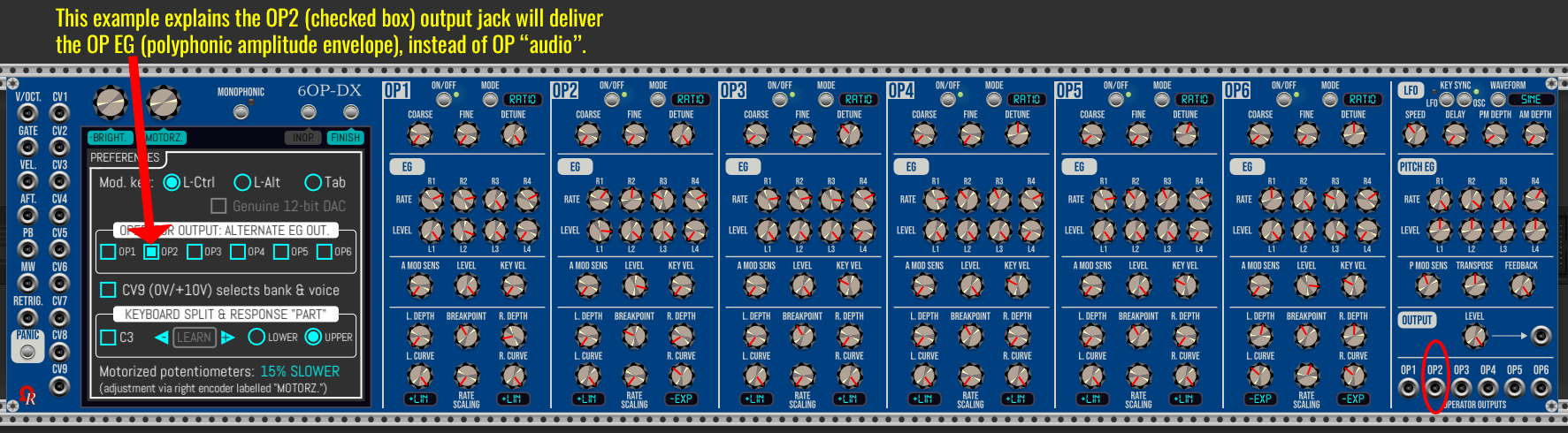
And… implemented KEYBOARD SPLIT & RESPONSE “PART” as global setting (Preferences), all actual Preferences shown below are fully operational:

:warning: The remaining space at the bottom of the Preferences screen is reserved for possible future usage!

Hovered control turns to yellow (instead of blue/cyan), except disabled controls (who are grayed, like “Genuine 12-bit DAC” checkbox, because it will be implemented later). When yellow, a left mouse click check the checkbox, select option (radio-buttons), or do a related action.

LEARN button is disabled/grayed until both V/OCT and GATE input jacks are connected. When both are connected, this button permits to “listen” your MIDI controller (if both V/OCT and GATE are attached to a well-configured MIDI→CV module, of course) and set the split point regardling note you’ve pressed from your MIDI controller (instead of set it by clicking over left/right arrows).

Left arrow is grayed when A-1 is selected as split point (A-1 is the lowest possible note supported by 6OP-DX module, exactly like DX7 hardware). In this case, if LOWER option is selected, the module ignores all notes, except A-1.

Right arrow is grayed when C8 is selected as split point (C8 is the highest possible note supported by 6OP-DX module, exactly like DX7 hardware). In this case, if UPPER option is selected, the module ignores all notes, except C8.


:red_question_mark: Why the SPLIT feature implementation in 6OP-DX module?

It’s an unoffical feature (not supported by the real DX7 synthesizer), a kind of “extra” feature offered by 6OP-DX module.

By using two 6OP-DX modules, split points on each set as -1/+1 semitone (or same note), one may respond on lower incoming notes, other module on upper incoming notes: in this case, you’ve made a… “DX1 equivalent” set as split mode in your rack!

Of course, zones may overlap (common zone of the keyboard, for partial layering).

:warning: Defined split point is part of split zone (inclusive). As example, if you set C2 as split point, and choose LOWER option (from Preferences), all notes from A-1 to included C2 are part of keyboard response zone (any note higher than C2 is ignored, in this scenario).

:information_source: Any 6OP-DX module may be transposed from -24 to +24 semitones (like the real DX7 does), by using the TRANSPOSE potentiometer (located at the rightmost side of the panel); or (not yet developed), by using a modulation source who modulates around TRANSPOSE parameter.


:information_source: (please always see lastest post in this topic, below, for package download links).

1 Like

Hello, another Pre-release “Alpha” today (Feb. 14th @ 07:45PM - GMT+1/France time).

Same link as just above.

Changes:

  • Red LED (ALTERED) no more blink.
  • Have enhanced the “LEARN” feature (split point) from Preferences screen, in particular when you click on other element (or outside the touchscreen), this abort learning.
  • Rightmost side of the module, have removed the headsets logo (confusion about “stereo”).
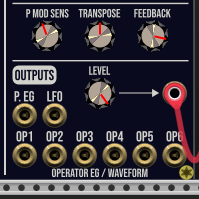
  • Rightmost side of the module, OUTPUTS was remplaced by OUTPUT.
  • Using more efficient code (SIMD ifelse) for polyphony detection over leftside input jacks).
  • Demo/Free only: now the LEVEL pot reduces the volume of troublesome tones/noises.
  • Demo/Free only: delay between troublesome tones/noises is increased a bit (no given info, however).

:warning: OhmerPrems members who have a license key aren’t concerned by Free/Demo troublesome tones/noises!


:information_source: Please keep in mind while the module (plugin) is remaining as “ALPHA” pre-release (aka version 2.6.10), the 6OP-DX module doesn’t output any synthesizer sound (except Free/Demo troublesome tones or noises).

About Free/Demo, to be clear:

  • Troublesome tones or noises (not critical for hardwares & ears) approx. every minute.
  • During the Demo tone, all OPERATOR OUTPUT as muted (then restored).
  • A “DEMO” message is displayed below DISCARD/SAVE buttons (& large green/red LED).

Otherwise, they’re no other limitation! Saves, loads, SysEx imports/exports, and all features are fully available.

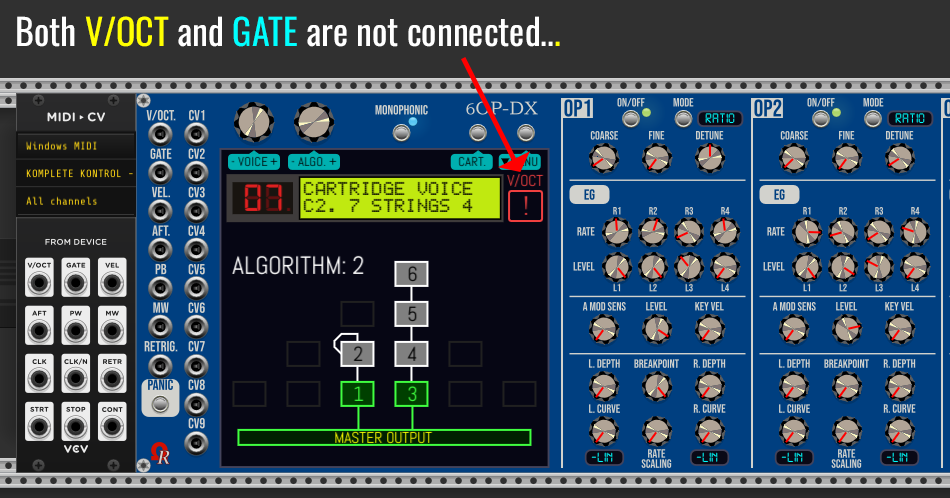
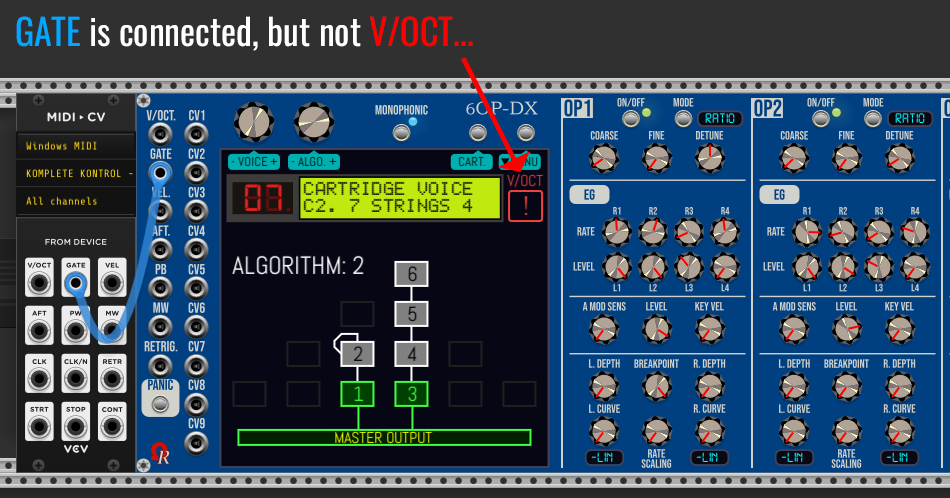
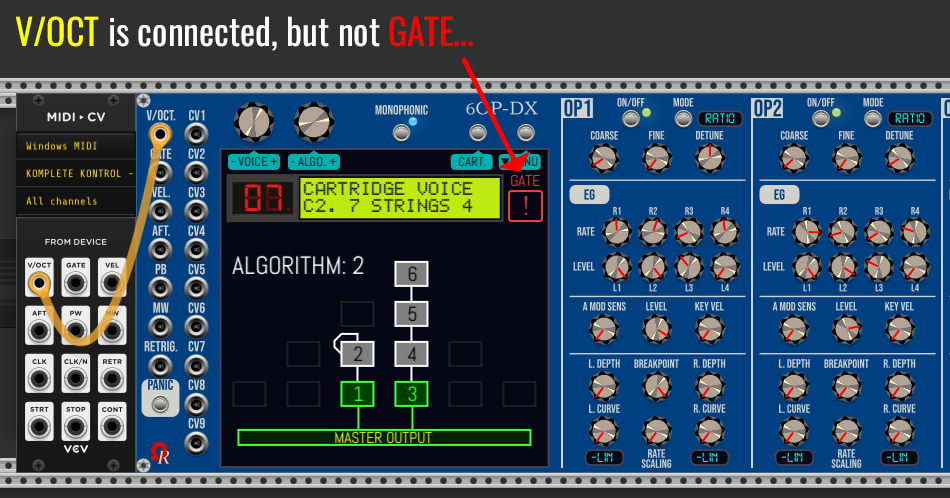
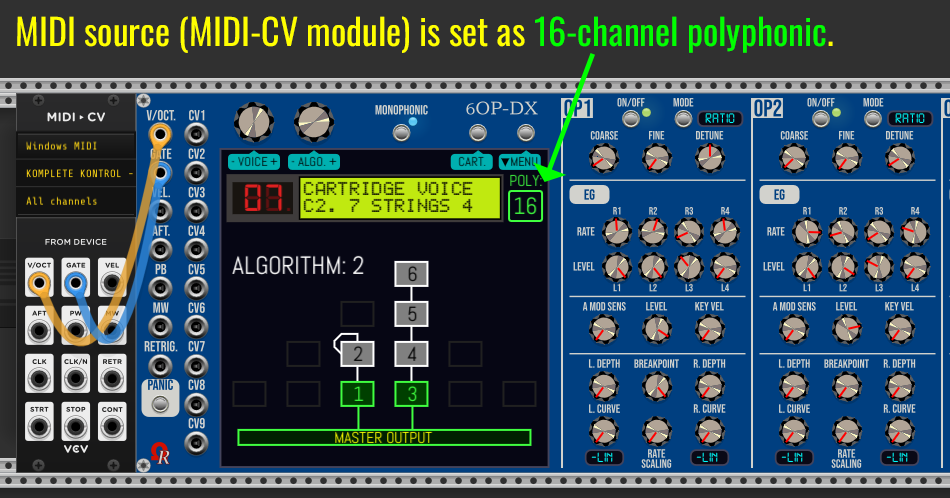
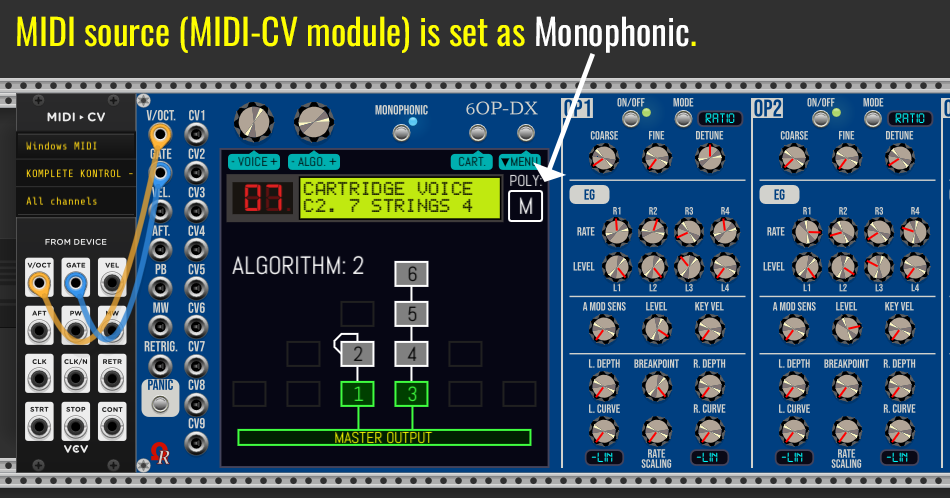
Have added cable(s) status / monophony / polyphony information, at the top-right side of the touchscreen:

:warning: 6OP-DX module requires at least “V/OCT” and “GATE” to operate. For additional features (offered by DX7 parameters, or by specific modulations), other input(s) may be used as required, such velocity, aftertouch, PW/MW wheels, and so on…

The polyphony is dictated by MIDI→CV module(s) setting (from their respective contextual menus). In case of usage of different MIDI→CV modules as sources, for left-side inputs (V/OCT to RETRIG. input jacks), the 6OP-DX module selects the highest possible polyphony setting.

A particular Monophonic setting (from Preferences screen, as checkbox) will force the 6OP-DX module to use polyphonic channels as… monophony (portamento / glissando articulations). For some categories of sounds, like basses, drums or leads, it will better to set the MIDI→CV module as monophonic.

Next “Alpha” pre-release (Nightly Build):

  • Removed large LED and SAVED/EDITED buttons. Now any change are saved by autosave feature, by saving patch file, by selecting next bank or previous/next voice (preset) - either via continuous encoder/left button or via voltage on CV8 (if enabled from “Preferences”).
  • No more “default” presentation, but only by DX7’s LCD emulation such Genuine LCD, Backlit LCD (retrofit) or OLED (retrofit).- via “LCD/OLED emulation“ contextual menu (it replaces defunct “Parameters presentation”). The display must be enhanced a bit while COARSE, FINE or DETUNE potentiometers are used (planned for next pre-release).

:information_source: (please always see lastest post in this topic, below, for package download links - Thanks!)

Few enhancements today (tonight Monday 16th - 01:00AM GMT+1/France):

  • Relocated 6OP-DX text, now precisely centered along the two buttons (vertically along OP1 label). Thanks to (anonymous) beta-tester for this pertinent suggestion! :ok_hand:
  • FIXED a (non critical) display issue during OP BREAKPOINT learning (any operator), and you disconnect any cable, the touchscreen is nearly empty (no LCD/OLED display, algorithm area is empty too), and concerned OP BREAKPOINT stays armed for learning.
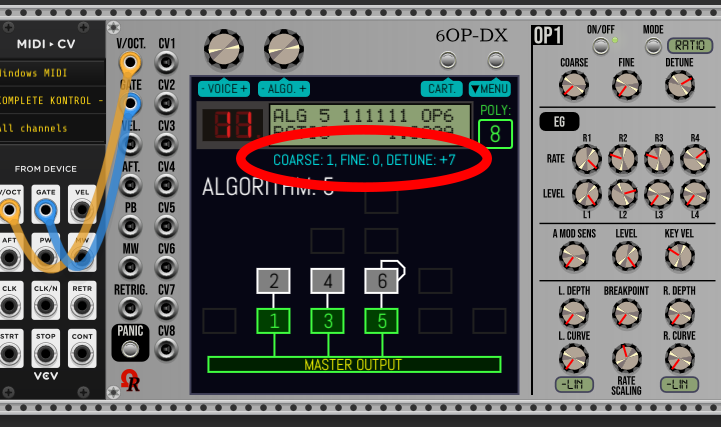
  • Have added complementary COARSE/FINE/DETUNE below the LCD/OLED display while mouse cursor is flying over any COARSE, FINE or DETUNE potentiometer (the LCD/OLED display the effective ratio or fixed frequency in Hz).
  • OPERATOR OUTPUT LEDs (x6) are removed (they’re useless, area is more “clear”, and… CPU save!).
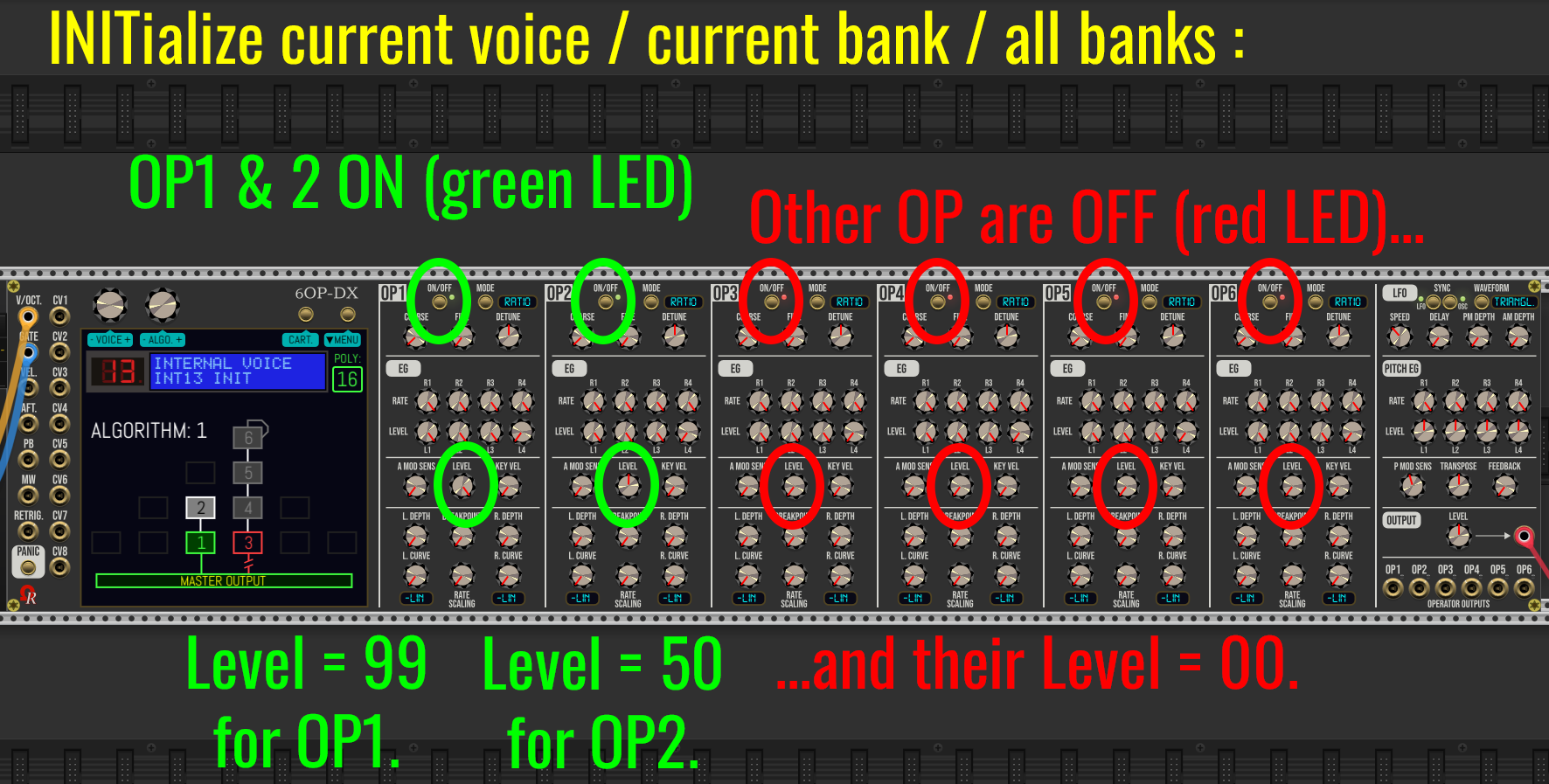
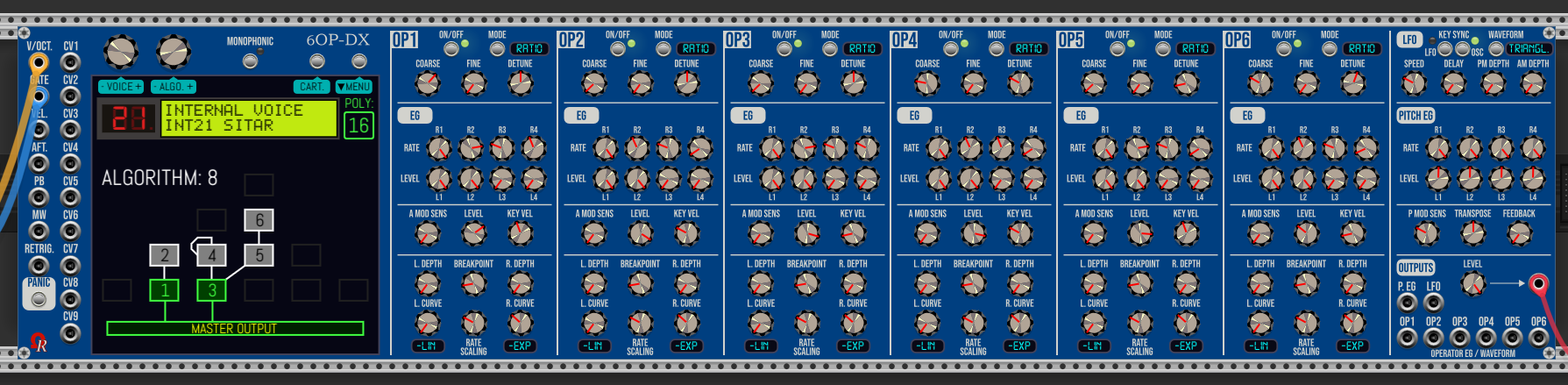
  • Now on INITialize (either current voice/preset, current bank, or all banks) - can be done from “MENU” button, also all banks by using Ctrl+I (Command+I on Mac) / Initialize, or simply by adding a new 6OP-DX module in the rack, selected algorithm is 1, only operators 1 and 2 are turned on (the left “tower’), OP1 LEVEL (operator 1 as carrier) is maxed to 99, and OP2 LEVEL (operator 2 as modulator, modulating… operator 1) is set to half 50. Other operators are switched off, and their respective levels are set to 00 (second screen capture, below) in order to start sound design from fresh “2-op voice”…

3 Likes

(moved below as lastest post)…

hello,

any chance to see which parameter is altered ?

or is it too complicated?

Enjoy

Karl

Hello Karl, it’s too complicated. And… what’s happen if many are altered in 15 seconds range? (delays prior autosaves).

The VCV Rack’s autosave feature (or saving patch/preset/selection file “cancels” parameter change(s), because altered parameter(s) are (automatically) validated and saved.

:wink:

Since recently, it was a “discard” / “save” changes feature (by 2 buttons + large LED), but it was too problematic in term of saving and memory usage (4 banks of more than 140 parameters per voice x 32 voices x 4 banks of 32 voices), also this wasn’t user-friendly, finally (opinions given by other users here in private, and from beta testers). By this way I removed it… (no more large LED & two buttons above the touchscreen).

But today I go back just a bit, the indicated period (dot) is just for info, also to give a bit of authenticity, regardling the real DX7 hardware does!

Do not forget the synthesizer parameter(s) is/are altered by… the user! (except during load/import operations, obviously). Future modulations (including by “absolute values”) don’t alter the synth parameters themselves!

:information_source: Synthesizer parameters I mention often are located inside the 6 operator sections + rightmost side of the module (LFO section, PITCH EG section, and so on, except MASTER LEVEL - not a part of synth parameter), plus the selected ALGORITHM.