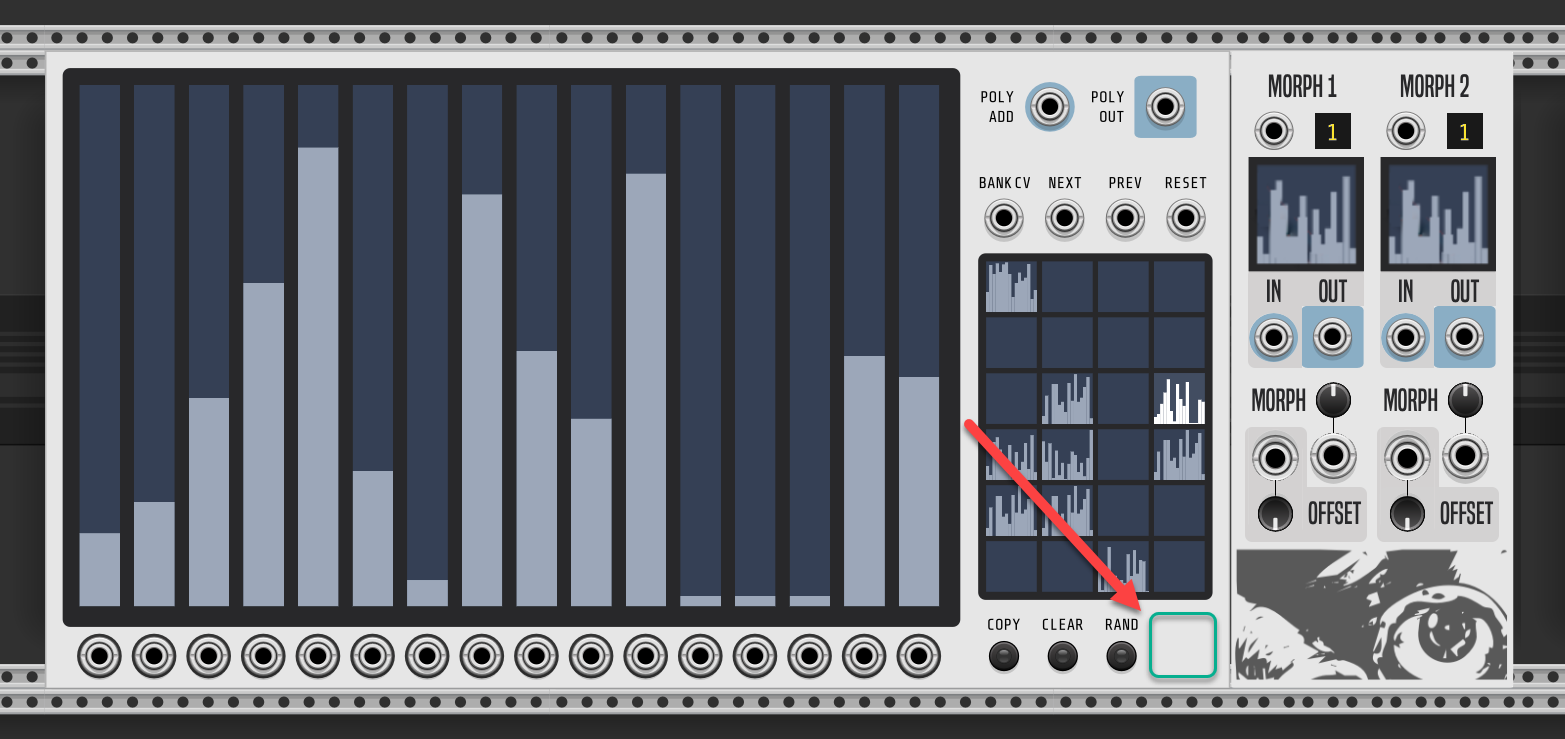
Or alternatively you can put there a cute  hiding absolutely no function behind it.
Shock the world!
Or alternatively you can put there a cute hiding absolutely no function behind it.
Shock the world!

The more I think about this, the more I feel an interpolation between two selected cells would be useful, too.
Select a cell, push a button, select another cell → all sliders, in all cells between those selected ones, are interpolated to have a gradually changing value between the selected cells.
So for example, have all sliders at zero in the first cell, then set all sliders at maximum in the last cell. Select the first cell, push the button, then select the last cell → all cells now contain a gradually rising series of all sliders, where each cell has the sliders a bit higher than the previous one, ending up at maximum level in the last cell.
If you had set half of the sliders at maximum and half at zero, in the first cell, and then reversed those values in the last cell, doing an interpolation like this would have half the sliders gradually rising and half of them gradually falling, when advancing through the cells. And so on 
Hard to choose a personal favorite, and I’ll slow down now, can’t have everything
d. Scaling to a chord or values in steps. Yes!
I feel like the click cell, click button, click other cell is a bit unintuitive. It’s hard to discover and easy to forget how it works. But I love the idea of morphing.
It gave me a really simple idea that would have very powerful possibilities:
the blank spot is filled with a “Randomize%” knob. By default, when pressing the randomize button, the selected cell will have its values randomized according to the knob setting (so 100% = totally random; lesser% is a blend between original values and new random ones)
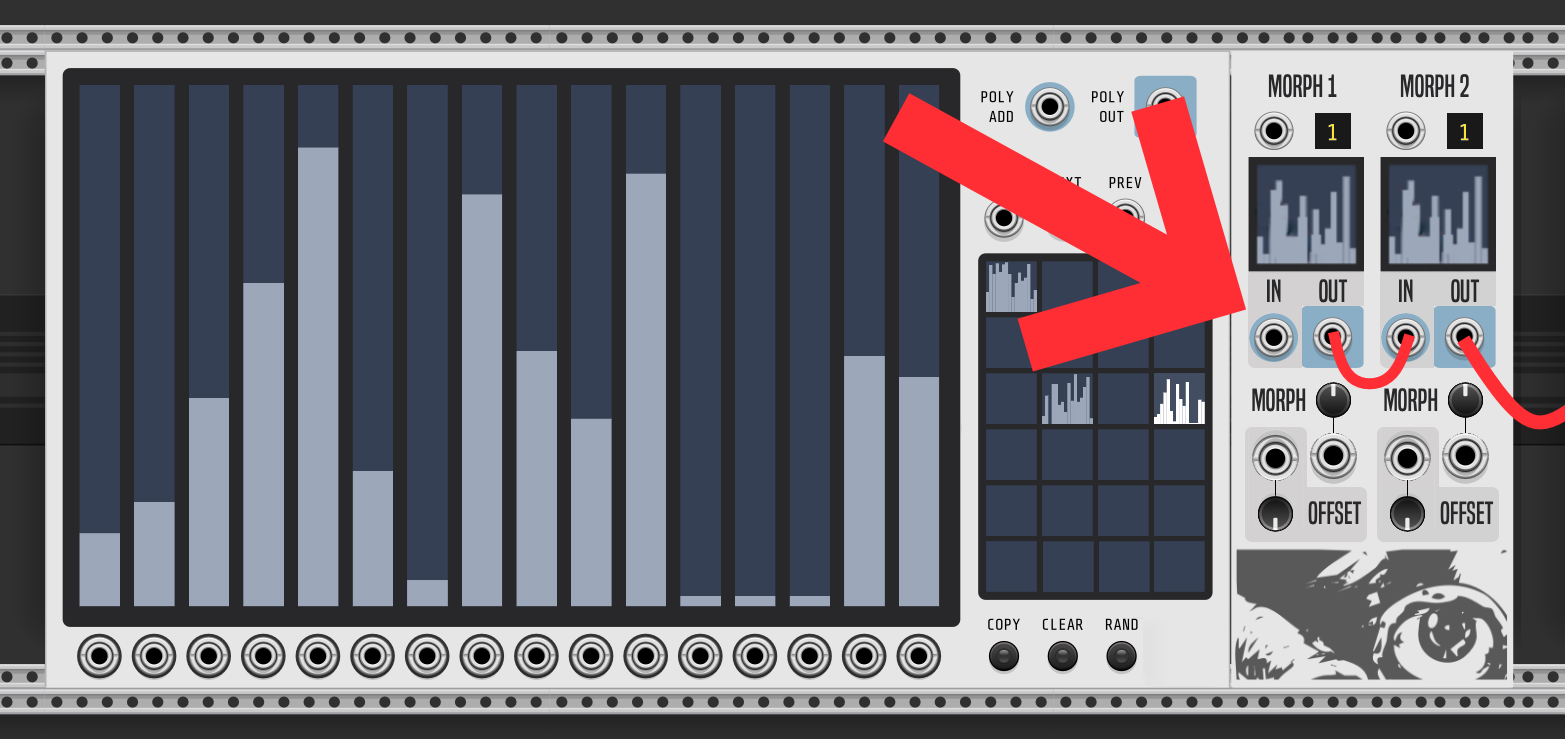
a morph expander module. This is a cell-to-cell patch bay with a CV-controllable morph % knob and an offset knob. So, patch cell 1 to cell 8, set morph to 25%, and cell 8’s values are adjusted according the values of cell 8 - in a way that I can visually reference what is affecting what. Offset would be to shift forward or backward which slider in cell 1 is applied to slider 1 is applied to cell 8. The morph expander could also have a poly offset input for each morph channel. Sending random s&h to the input and setting the morph % would be the equivalent of having a per-cell randomize % knob
Does that make sense?
I’m realizing just how revolutionary this module could be. What if:
Together with self-patching, morph and randomize, this module becomes a 16-channel, 24-preset configurable command center for any patch. I can set up a few channels for V/Oct, others for modulation and one for “song position” (using phase). Assign MIDI CC to each of the faders, and this module can be a live performance control over almost anything.
Hmmm…. 
Putting all those advanced actions into its own neat expander is a super cool idea. Having an expander for morphing, interpolating between cells, advanced randomizing, etc… keeps the main module clean, without feature creep from all the wild ideas, haha, and there’s still the possibility for all sorts of advanced actions if/when needed.
I agree Digital Programmer is a wonderful module for things like this, and fills this kind of spot in the VCV-verse really well 
Edit: I just built the recent version with the “clear” and “rand” buttons and tried it out, these work really cleanly (letting you “paint” the changes into desired cells like that) and are fun to use while experimenting, cheers.
Everyone’s ideas are awesome and creative! This one stands out to me the most since it serves so many purposes. I was already thinking that the randomize feature seemed “too random” (ha ha ha) and this could temper it a bit.
If I can, I’ll try to add a shift-key combination that allows you to shift-click-drag on any slider to offset all sliders at once. That would compliment the randomization knob, allowing you to randomize in a small range (say, 0 to 2 volts), then drag those randomized values up into the 6-8 volt range. It’s morning, and I rarely make sense in the morning, so I’ll try to prototype this and show everyone.
@trevormeier , the morph expander sounds interesting, but I don’t understand it yet completely. Can you draw a picture of it?
Yes. Percentage randomization is a splendid idea.
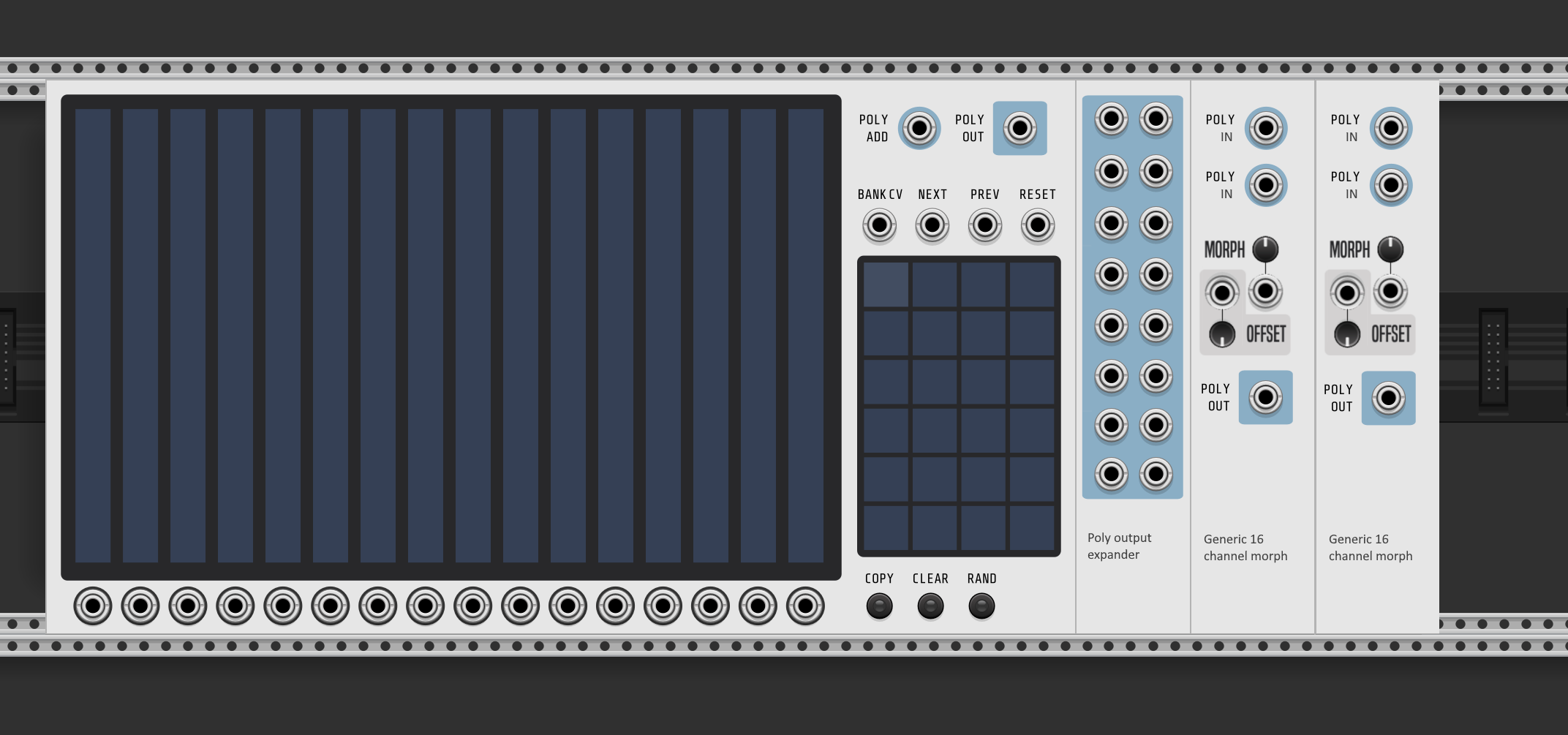
I thought about the UI for a bit and came up with this layout:
At the top is a CV input and drag-select / text input box for selecting which cell to use, followed by a preview of the selected cell. Below the cell preview is the poly input & output. Any values at the poly input morphs the vales of the selected cell according to the amount set on the “morph” percentage knob (also CV controllable). The offset knob selects which of the sixteen channel the first poly input is morphed to.
I simplified this a bit from my explanation. Instead of having separate methods to patch one cell to another plus an additional poly input for each morph channel, I think it’s simpler to just have each selected sell have a poly input and output - that way anything can morph the cell. The most obvious way to morph is to patch one cell to another, but you’re not restricted to that.
This would need to have a few things to work well:
Does that do a better job of explaining the idea? Feel free to jump off from here… it’s just one possibility of many.
I think that I understand! Wow, that’s really a great implementation. Just so I’m sure that I understand, would this be the typical method of morphing one bank to another?
I could make these “chain-able” too.
Yes that’s the idea. Add expanders for more cell-morphing. There might be other ways to layout the design so the expander could be a 4-cell morpher, but this was just a first pass
Nice that you’ve given this so much thought. So we’re morphing each channel of each bank separately? I didn’t even think of that, that’s a really cool idea.
My initial thought about morphing was just using a right click menu slider like the glide option in bogaudio SAMPLE & HOLD to smooth the transition when switching banks.
And then the expander would make this morphing time CV controllable. Essentially one knob called MORPH TIME with a CV input would be enough as the main module already has that BANK CV input.
I like the idea of using polyphonic input to set the morph time for each channel eliminating the need to have 16 knobs + cv input. The morph time knob could become an attenuverter when CV is patched like on so many other modules enabling you to globally increase / decrease morph times set by modulation input.
If possible I think it would make sense to have the visual feedback on morphing also happen in the main module. That would simplify the UI of the expander by a lot I guess.
One thought that comes to mind is a small knob that simply changes the depth of randomization. The default could be 100% so that the RAND button’s default behavior doesn’t change, but the user could set it much lower for an “evolve” function.
This is such a good explanation and even better than I thought the morphing could be. What a great idea to have the morphing as an expander. Hopefully it’s not that difficult for Bret to pull this off.
J.
Would love to be able to record into it!
There is space on the morph expander design… a morph time / slew rate knob with a polyphonic CV input sounds like a cool idea to me.
The morph % CV input could also be polyphonic, with automatic wrapping.
Lots of interesting ideas for the expanders, but I would advocate for -5/+5 being selectable for the output voltage range of channels, like on Digital Sequencer, before any of these. Our filter cutoffs, among many other things would thank you.
That is indeed a nice option
On the topic of morphing, let me toss out an alternative and see what you think.
Pros:
Cons:
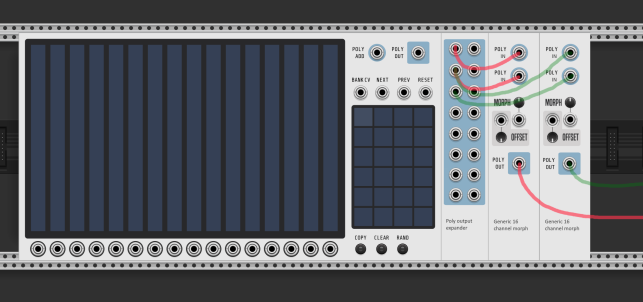
I like that idea!
What’s the limitation that would prevent visual feedback?