You might want to borrow some stuff from my old F2 filter, which has a lot of overlap. I would be happy to advise, if it’s useful.
1 Like
Yeah, there are many similar features between F2 and the Venom filter. I wasn’t thinking of F2 during development. After I finished I remembered F2, and the recursive filtering experiments that I did that led to the original choir patches. That what was the aha moment that led me to create the Venom Chorale.
Although they share features, I suspect the underlying code is quite different. I am really happy with the sound quality of my filter, especially the resonant ping capability. The only thing I am not thrilled with is the CPU usage, but I think it is still fine. I don’t want to make any changes that interfere with the current sound.
The huge advantage of F2 is the very low CPU usage. But the pings are not nearly as resonant without feedback, and once you introduce feedback it becomes more difficult to control. Things can spin out of control quickly. The venom filter also has the risk of out of control resonance with feedback, but the feedback isn’t needed to achieve sustained bell like pings.
1 Like
Oh, that neat. How does it ping with no resonance?
Oh it absolutely uses resonance. But my filter is able to generate a nicely sustained resonant ping without resorting to feedback. However, feedback is needed if you want self oscillation.
1 Like
Oh! Ok. Is it on your main branch?
Not yet. It will remain on the dev branch until it is released.
Cool. Is that the name of the branch?
Yes
1 Like
What repo is it in?
bruce@DESKTOP-Q45DVE8 MINGW64 /e/rack/plugins/VenomModules
$ git fetch

bruce@DESKTOP-Q45DVE8 MINGW64 /e/rack/plugins/VenomModules
$ git checkout dev
error: pathspec 'dev' did not match any file(s) known to git
1 Like
Dev, not dev, but you could simply look at my github and see that.
please don’t get angry at me for being lazy.
1 Like
This thing looks very cool! Can’t wait to try it out some more. And you are right, the CPU usage seems quite reasonable.
1 Like
I have made some nice enhancements to the XM-OP, including updated documentation.
- Added a DC coupled FM option for XMod and Feedback. This option is mostly designed for LFO mode.
- Added options to apply envelope attenuation to CV instead of or in addition to the control knob. This makes it possible to have the envelope attenuate tremolo or velocity CV.
- Added button to enable or disable ratio quantization. By default quantization is enabled. Disabling quantization provides for smooth ratio modulation instead of stepped.
I have also made some major refinements to the Multimode Filter. The resonance for the first version was hard to control, leading to heavily clipped resonant peaks. When applying feedback to get self-oscillation, the output was frequently more square than sine.
I made major changes to the gain staging, and reduced the maximum resonance setting. The resonance is now much better behaved, without sacrificing the excellent pinging behavior. Also, it is now easy to get good sine wave self-oscillation across a very wide frequency range.
I still haven’t completed the Multimode Filter documentation.
Here are the updated binaries for those with a free github account.
I would love to hear about your experience if you try out the Multimode Filter. Do I still need to make some tweaks to the behavior?
8 Likes
I just had some minutes with the updateted version,
XM-OP and the multimode filter worked fine here,
I like these very much 
I will test more asap and report what I find
1 Like
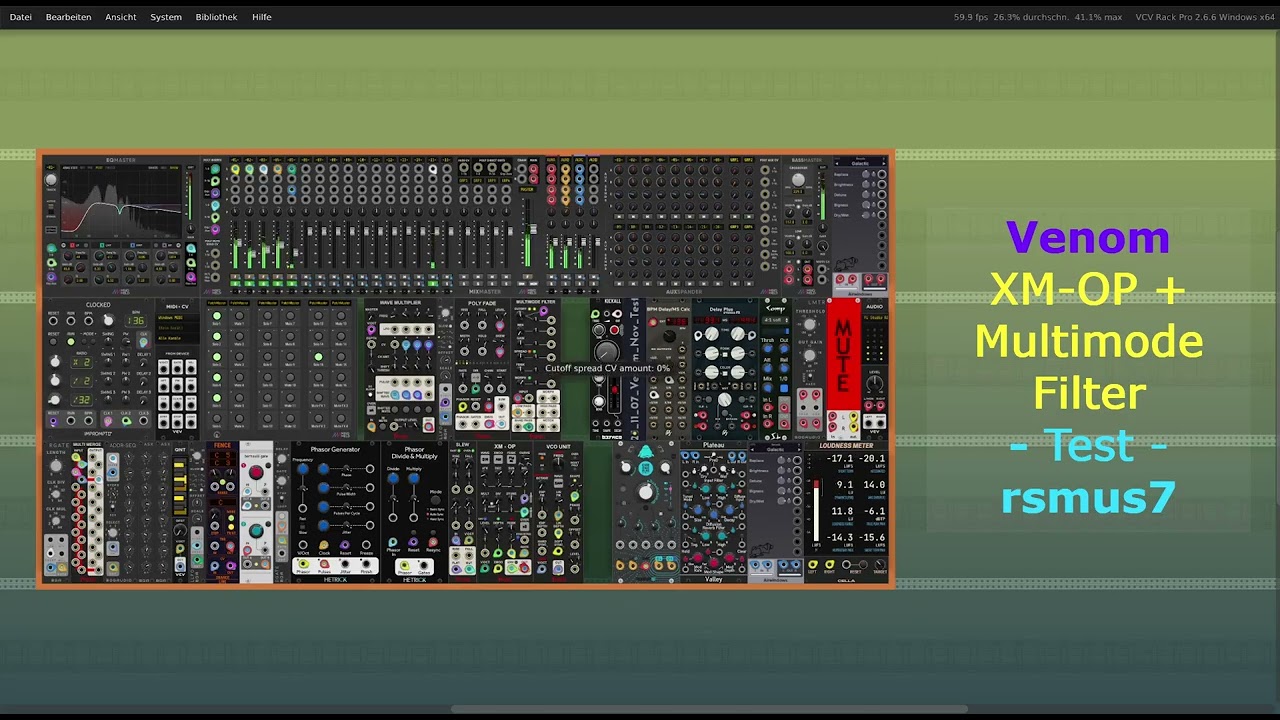
I just made a little video where I tested the XM-OP and the multimode filter,
I couldn’t find any bugs yet
2 Likes
Sounds great! Thanks!
I found one bug while running my Blippoo Box emulation that uses the filter with high resonance settings. If I modulate the cutoff frequency at very high frequencies I eventually get NAN outputs. Yuck. Once that happens, that module becomes dead, though the reset of the patch still functions fine. To get the filter working again I need to reload the patch.
I tried adding a “Clear NANs” context menu option that resets all the module’s global values to 0. But that didn’t help. It continues to output NANs.
I think it is unlikely that the bug will crop up very often. But when it does, it is ugly. I’m not sure if this should hold up release or not.
imho you should release it and fix the bug then,
you could mention the NAN problem in the manual and
advise users to avoid it as long as it is there
1 Like
Maybe until it’s fixed a detector would make sense? Poll the outputs every n samples and if a NaN is found switch to a bright red panel with “NaN: RELOAD PRESET (I’m working on fixing this bug)” scrawled on it?
IMO the behavior itself shouldn’t be a release blocker since it sounds pretty rare, but you can never count on users reading docs and if the module dies silently you may get a lot of repetitive bug reports (or people who silently walk away from a great module…)
1 Like
Great idea! I will try to implement something like that.
I suspect the bug may never get fixed. I think it is kind of baked into the computations of the digital implementation I am using for a state variable filter. So far I have only seen NANs when using feedback (either my built in feedback, or user patched feedback into the input), coupled with extreme modulation of the cutoff frequency and high resonance.
The digital state variable filter is known to become unstable at high cutoff frequencies. That is why I do 2x oversampling in audio mode to increase the cutoff ceiling, and also put a hard limit on the effective cutoff. The cutoff varies depending on the sample rate. At VCV sample rate of 48 kHz the ceiling is 15 kHz. I derived the ceiling for each sample rate empirically. Before I implemented those features I was frequently getting NANs. I don’t know if the NANs I am getting now are related. Perhaps not, because I ran experiments at 192 kHz sample rate and still got NANs, even though the cutoff knob is limited to 16.744 kHz.
If I knew exactly where the NAN is first introduced, I could probably put in some kind of check that detects the imminent NAN and modulates one or more internal intermediate values to prevent the NAN from occurring. But that would have to run every sample and might slow things down.
I suspect this issue may never be resolved beyond providing a diagnostic message like you suggest.
1 Like
I need some opinions please!
I figured out how to eliminate the NANs, but it costs some CPU.
Up until now I have used 2x oversampling while in audio mode. I find that if I bump up to 4x oversampling the NANs disappear.
I see two possible designs
- Provide 2 options for audio rate “audio rate” (2x), “audio rate with extreme modulation” (4x)
- Only provide the 4x oversampling option, simply listed as “audio rate”
If I use the 1st option, then I need to provide some display suggesting use of the 4x option if NANs crop up. If I use the 2nd option I am a little worried about CPU usage at high polyphony channel counts.
I am leaning toward the 2nd option
Here are some example CPU usages on my Windows machine running at 48kHz sample rate. I can drive CPU usage even higher by using all 5 outputs and/or using higher slope. But this should give you an idea of what we are talking about.
| Outputs | Slope | Poly Channels | 2x CPU | 4x CPU |
|---|---|---|---|---|
| 1 | 12dB | 1 or 2 | 1.6 | 1.9 |
| 3 or 4 | 2.6 | 3.6 | ||
| 7 or 8 | 4.3 | 6.4 | ||
| 15 or 16 | 7.7 | 10.9 | ||
| 1 | 24dB | 1 or 2 | 1.8 | 2.2 |
| 3 or 4 | 3.0 | 4.2 | ||
| 7 or 8 | 4.9 | 7.0 | ||
| 15 or 16 | 8.3 | 12.3 | ||
| 3 | 12dB | 1 or 2 | 2.2 | 3.0 |
| 3 or 4 | 3.9 | 5.8 | ||
| 7 or 8 | 7.0 | 10.3 | ||
| 15 or 16 | 12.3 | 19.0 | ||
| 3 | 24dB | 1 or 2 | 2.5 | 3.4 |
| 3 or 4 | 4.5 | 6.5 | ||
| 7 or 8 | 7.6 | 11.3 | ||
| 15 or 16 | 13.0 | 20.4 |
So what do you think - do I need to offer both options? Or can I get away with just the 4x?
5 Likes