Thanks! Since there is no editor for the script (outside of regular json editors), I knew TimeSeq would be impossible to use without a decent manual. So I tried to make it as clear and detailed as I could. Good to hear that I didn’t mess it up 
1 Like
Can’t you make VSC do a schema validation on json? btw, possibly of interest - a few VCV sequencer support this JSON:
I actually started out with json schema since the idea was to use it in the module itself to validate scripts while loading. But the resulting error messages (though technically correct) were to cryptic to use towards end users (I doubt many non-developer VCV Rack users would know what to do if they got an error about a oneOf or an anyOf), so I started adding detailed validation with dedicated error messages as part of the loading of the internal data modal. And I didn’t maintain the schema as the script changed. I do plan to return to it, probably making a more high-level version that validates the object hierarchy and possible object properties without validating every little detail. And I have a couple of ideas that I want to look into that could provide additional validation on top of that. It’s one of the many things on the to-do list.
But even with such a json schema, I would still consider the current reference documentation as a must-have to provide details about what everything does.
Oh, I think what you did make a ton of sense. I also tried to document the JSON well for my relatively simple keyboard re-mapper inthe Seq++ manual.
I think I was reflexively reacting to your “there are no good JSON editors” with “yes, there are”. But obviously you meant the more useful “there are no JSON editor that is really appropriate for most VCV users”,
2 Likes
when I try to load your example scripts to TimeSeq I get an error:
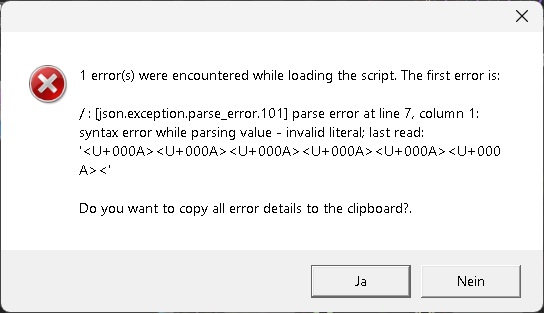
I’m on win 11 and using vcv 2.6.3, do I need top update to 2.6.4?
Or what could be the problem?
I’m betting that you copied from text off of a web page. What you copied is something that has been reformatted for presentation in a web browser, and not the original plain text. All those spaces have been replaced with non-breaking space (U+000A) to make web rendering look right. It will work if you replace all the U+000A’s with regular space characters.
Or find a copy of the original json file.
Like Paul said, it does indeed look like you ended up with invalid formatting when downloading/copying over the script, resulting in invalid JSON. Which script did you try to load, and what steps did you take to get the script itself and load it into TimeSeq? I tried reproducing with either copying directly from the json file in GitHub, doing a “Copy raw file” or downloading the file from GitHub, but that gave me a valid JSON file for each of those tries.
The VCV Rack version shouldn’t have an impact on the JSON parsing.
Ahhh… , ok, I got it,
I did the download with a right mouseclick
and “save target as…” on the link in the manual.
After I tried it again, with the raw download,
it loads as expected. 
2 Likes
The script links in the documentation do indeed point to the regular GitHub urls for the json files, so “save target as…” will give the GitHub HTML rendered version. Good that you pointed this out, I’m going to update the documentation links to point to the raw versions instead so that the right-click-save also works.
3 Likes
Release v2.0.5 of the not-things modules is now available in the VCV Rack library
New features in TimeSeq
- Created a JSON Schema to allow easier editing in JSON editors that are schema-aware (e.g. Visual Studio Code). See this section in the documentation about how to add the schema reference to a script
- Allow additional calculation operations by adding
max,min,remain,trunc,frac,round,signandvtofoptions tocalc - Added quantization to scales through
tunings, which can be used in aquantizeoperation of acalc, allowing values to be quantized to a scale - Added support for variable length
segmentsby allowing the usage ofvaluesin a segmentdurationinstead of only allowing a fixed length for a segment - Some minor bugfixes
- Extended the Note Sequence sample to include the generation of a random melody that gets quantized to a scale
- Extended the Oscillator sample to use variable duration segments, which allows the frequency of the generated signal to be changed using a 1V/Oct input
Note: To be able to use the new features, the JSON script version must be set to 1.1.0. Scripts with version 1.0.0 can still be used, but they can’t include the new features.
Global changes
- Moved the documentation to GitHub Pages instead of direct links to raw Markdown files in GitHub (resolves issue where right-clicking a link to download sample scripts would not work)
Documentation
- The full documentation for the not-things modules can now be found at https://not-things-modular.github.io/not-things-vcv/
- With the TimeSeq at https://not-things-modular.github.io/not-things-vcv/doc/TIMESEQ.html
- And the TimeSeq samples at https://not-things-modular.github.io/not-things-vcv/doc/timeseq/TIMESEQ-SCRIPT-SAMPLES.html
9 Likes
@not-things I’m trying Pi-Po but noticing some weird behavior. Is the following expected?
In the attached screenshot, I’d except slot 5 in Po to output four cv, because I have set slot 5 in Po to 4 outputs, but I’m not getting any voltages from 1-3 at that output. The input at slot 5 in Pi is receiving 16 lfos from Surge Quad LFO.
I have similarly split slot 1 into 4 equivalent groups which output correctly up from slot 1 through slot 4. But strangely, slot 5 is not outputting correctly. 6-8 out slots also appear ok.
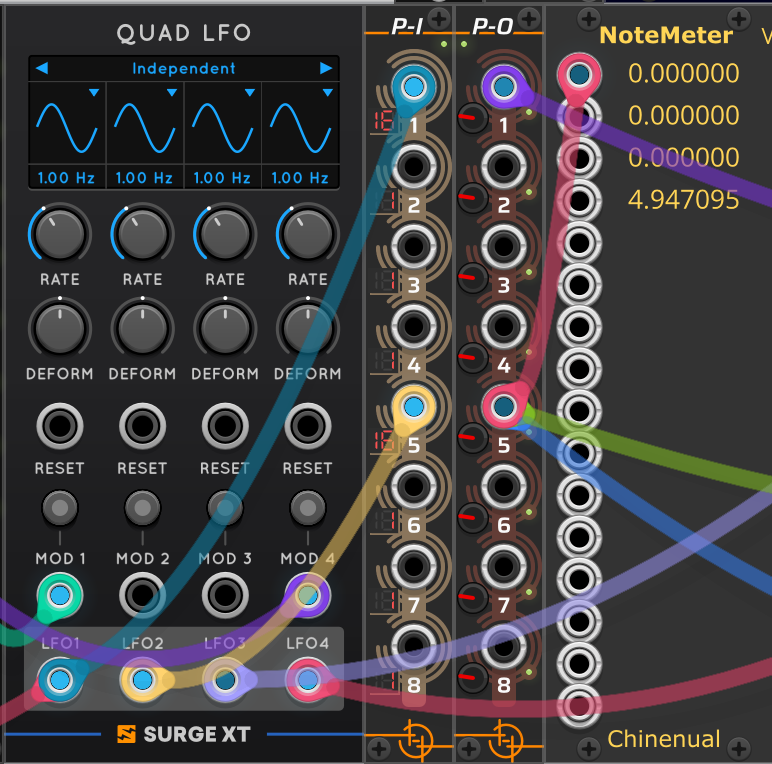
Yes, if I understood your setup correctly then this is expected behavior: input ports on P-I aren’t directly linked to the output ports on P-O with the same number. Instead, all incoming channels on P-I are added to one big list, and can then be re-distributed over the output ports. And input channels that don’t have a cable connected to them are treated as single-channel inputs with 0V (hence the ‘1’ on the LED display next to inputs 2, 3 and 4).
So the 16 channels coming in on input 1 are distributed over outputs 1, 2, 3 and 4. The three non-connected inputs 2, 3 and 4 result in 3 0V channels which are those first 0V channels that you see on output 5. The first of the 16 channels from input 5 is then sent as the 4th channel on output 5 and the rest of the channels on input port 5 is distributed over the remaining outputs. If you want the first 4 channels of that second LFO signal to be sent to output 5, you should instead connect the cable to the second input port on P-I.
The fact that non-connected input connections are handled as single-channel inputs with 0V was implemented as convenience shortcut: sometimes it’s needed to create a polyphonic output where one or more channels always contain 0V. This shortcut removes the need to add an additional module in the patch that’s just used to output an explicit fixed 0V output signal. But it does mean that you can’t skip over input ports if you don’t want those additional 0V channels to be there.
1 Like
Cool, that makes sense. Will try adjusting the setup as described.
1 Like
Hi all,
Release v2.0.6 of the not-things modules is now available in the VCV Rack library
New features in TimeSeq
- Added
sequenceswith accompanyingsequence values, andmove-sequence,add-to-sequence,remove-from-sequenceandclear-sequenceactions (see documentation for references to short description and new samples)
Updates in Solim
- Updated the lower and upper limit displays on the UI to show the nearest note (up or down) instead of always to next note above the current value (UI update only)
Documentation
- Added short https://not-things-modular.github.io/not-things-vcv/doc/timeseq/TIMESEQ-SCRIPT.html#sequences section to the TimeSeq script overview page
- Added new TimeSeq https://not-things-modular.github.io/not-things-vcv/doc/timeseq/samples/CHORDS-AND-NOTES-USING-SEQUENCES.html usage sample, mimicking the previously existing Chord Progression and Note Melody sample, but using sequences instead
- Added all new sequence JSON elements to the [TIMESEQ JSON SCRIPT FORMAT | not-things VCV Rack modules](JSON script format) reference page
- Added the TimeSeq script v1.2.0 JSON schema at [“https://not-things.com/schemas/timeseq-script-1.2.0.schema.json”] for usage is JSON schema aware editors (e.g. Visual Studio Code)
4 Likes
Hi all,
Release v2.0.7 of the not-things modules is now available in the VCV Rack Library.
This update introduces two new modules: Ramelig and Ratrilig.
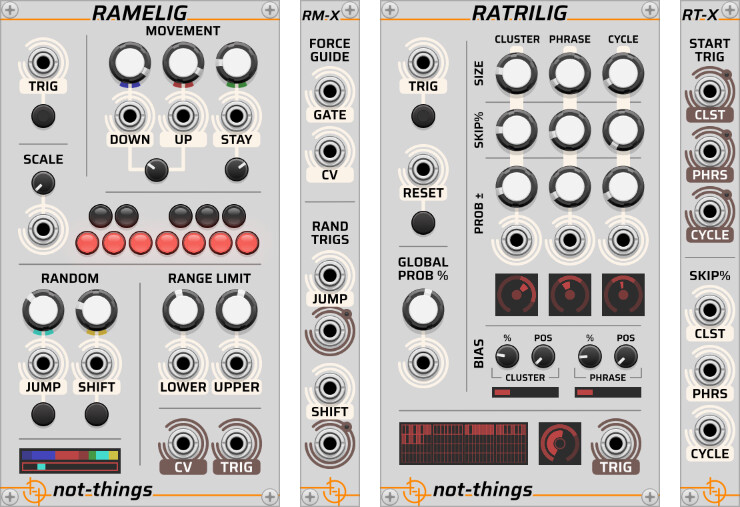
Ramelig
Ramelig is a melody generator that creates note lines from an incoming trigger stream. Rather than choosing notes at random from a scale, it uses weighted musical actions like moving up/down, staying on a note, and occasional jumps/shifts, so the result tends to feel more like a musical phrase than a purely random sequence.
Ratrilig
Ratrilig is a trigger/gate generator that takes an incoming clock or trigger stream and reshapes it into evolving rhythmic patterns using probability, grouping, and biasing, so rhythms stay varied while still keeping some sense of pulse and phrasing.
Expanders & Patching
-
The modules also pair well together: Ratrilig can generate the trigger patterns, while Ramelig turns them into melody lines.
-
This release also includes expander modules for both Ramelig and Ratrilig, adding additional inputs and outputs for influencing the generation process, triggering specific behaviors, and reacting to generated events.
A Few Sketches
While developing the modules and playing around with them, I ended up with a few “in action” patches:
A patch using Ramelig together with VCV Fundamental modules only:
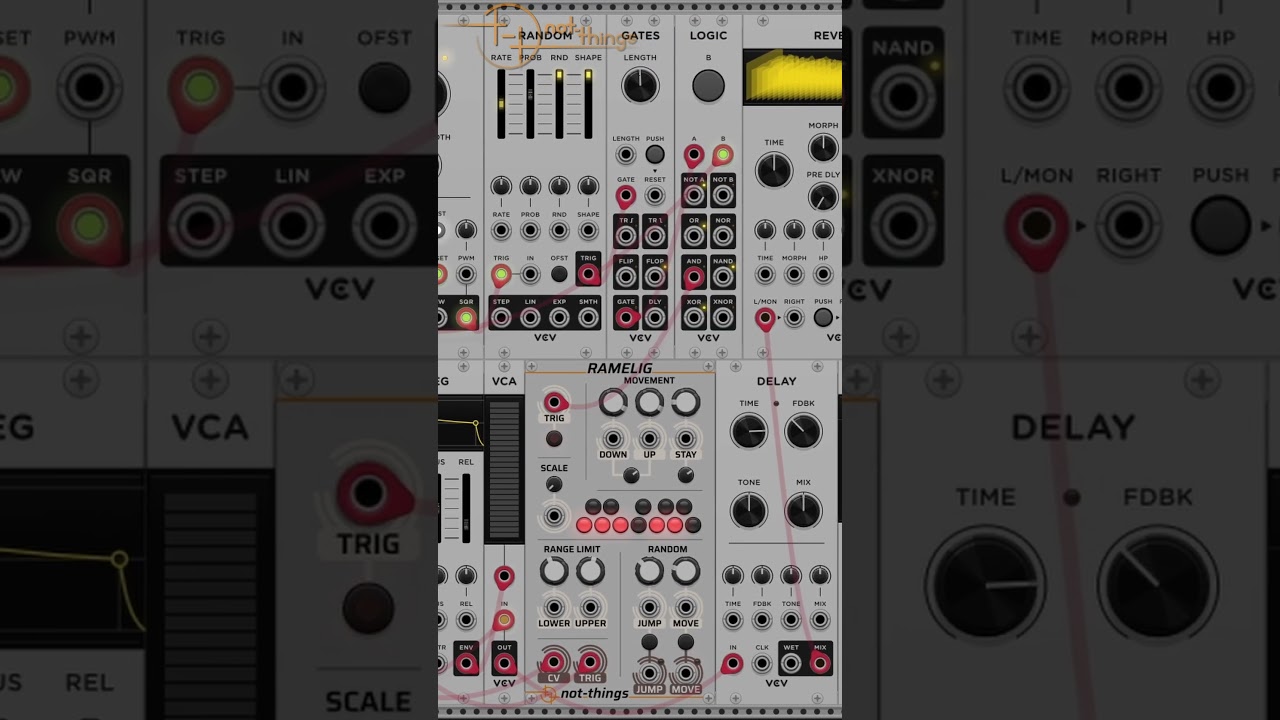
One where Ramelig and Ratrilig are combined:
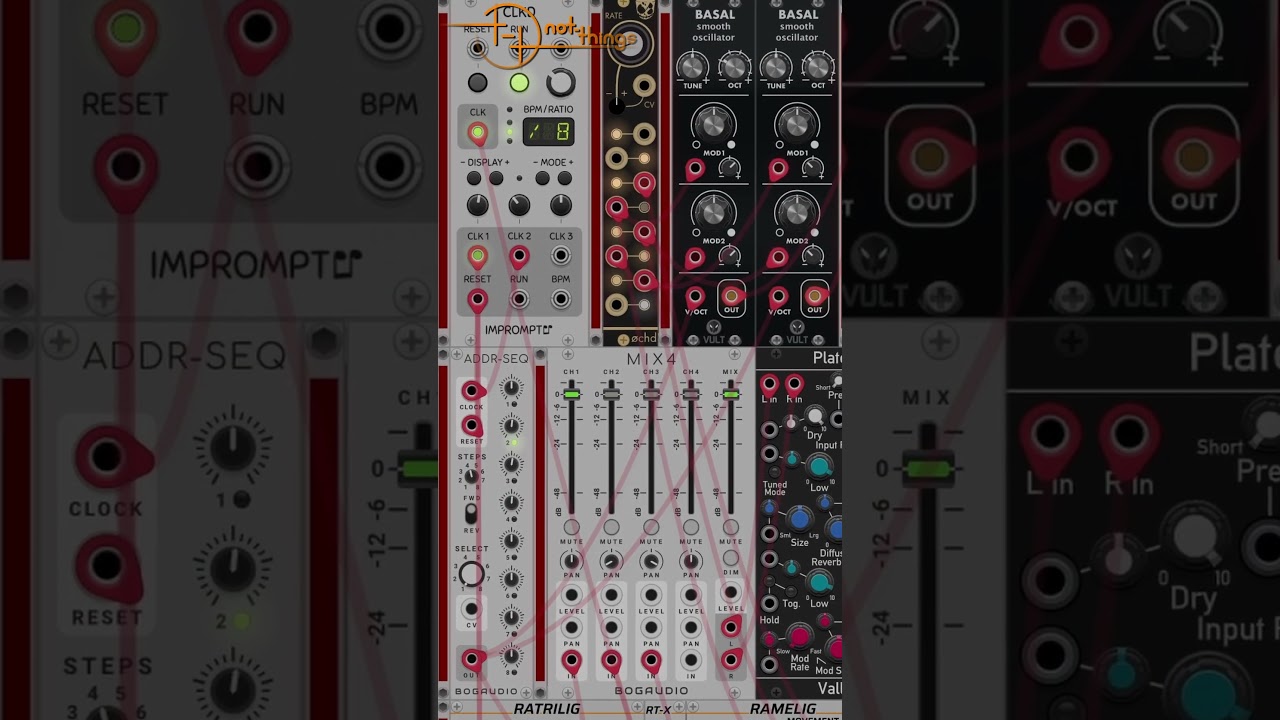
And two also combining Ramelig and Ratrilig with TimeSeq driving the chord sequence and provide some scripted modulation support:
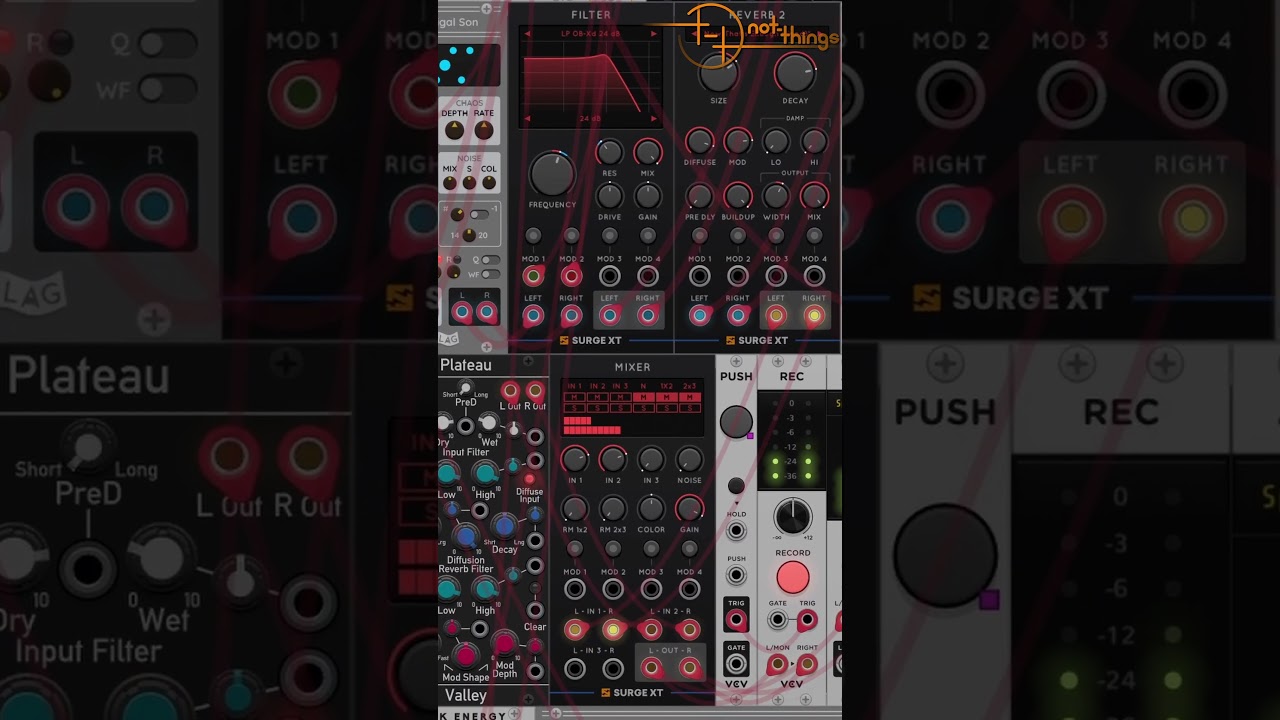
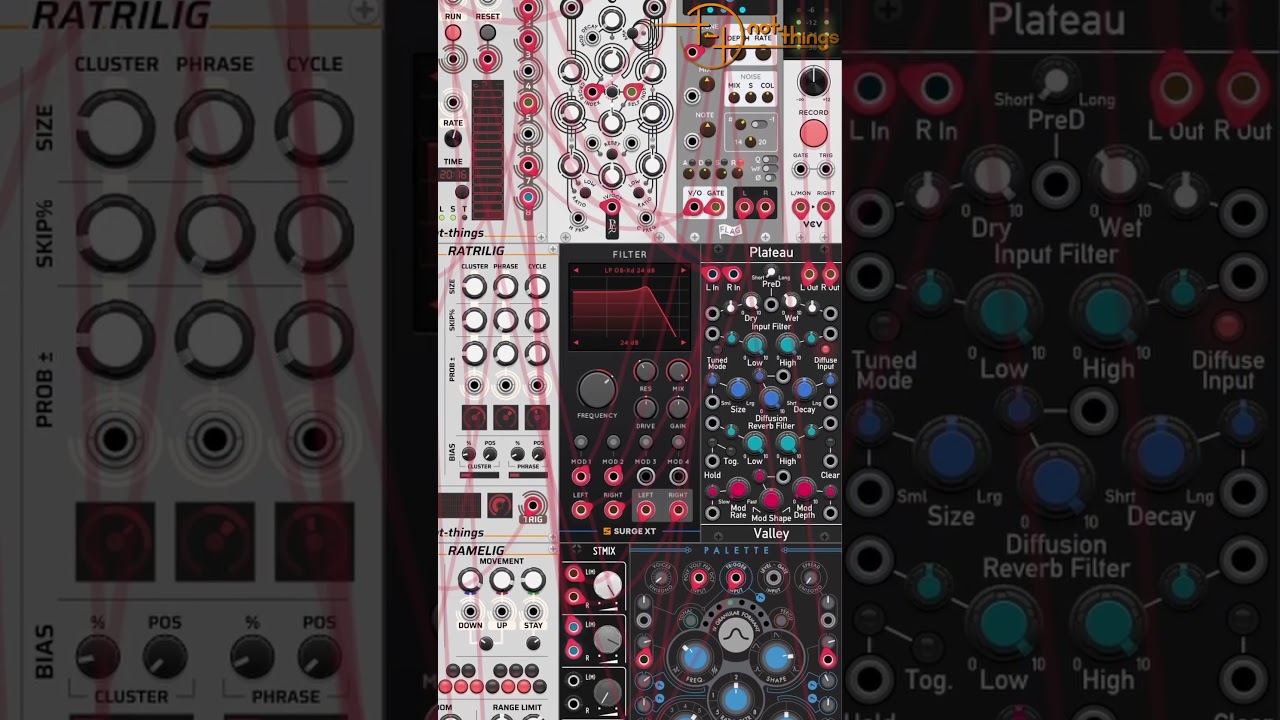
Links
-
Getting started: A few basic sample patches
-
VCV Rack Library: The not-things modules in the VCV Rack Library
Let me know what you think!
14 Likes
I’m having fun with them already. Running great on Debian Linux / Intel x64.
I really appreciate the super simple starter patch examples in the documentation. They really helped me get started quickly. Here is what I did with them in my VCV fun time tonight:
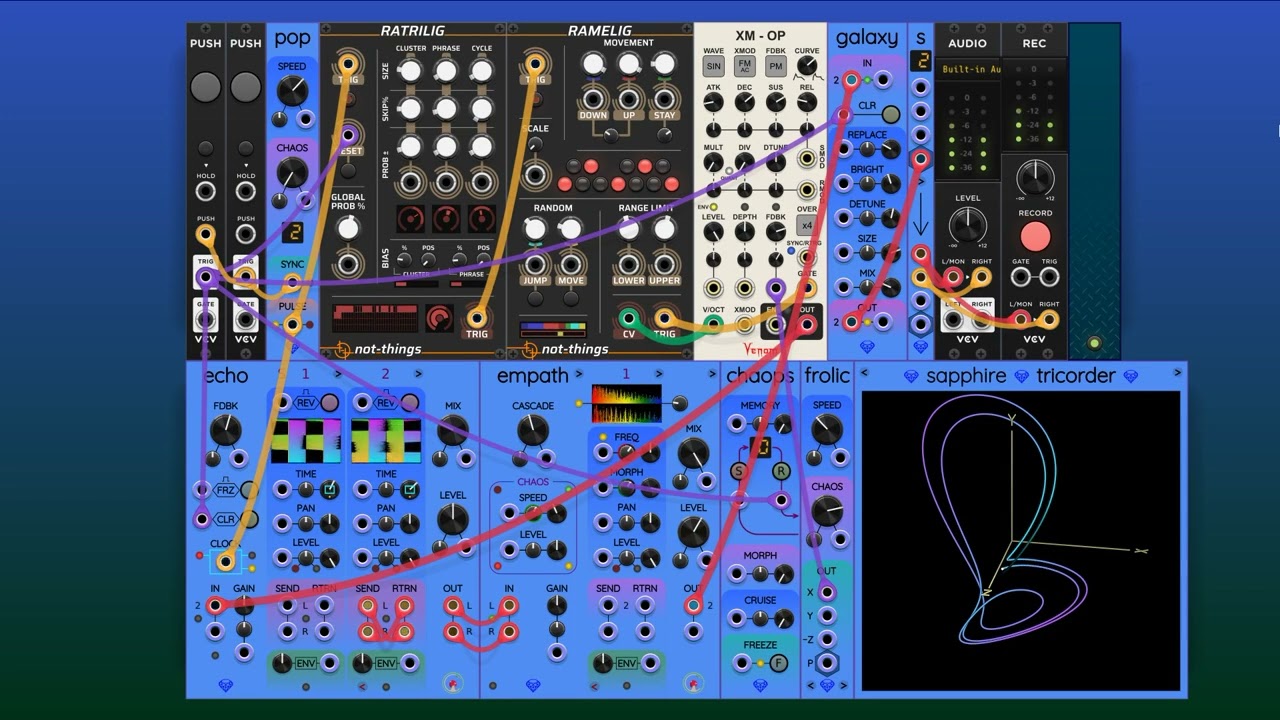
I love the built-in quantizer. I am going to have fun with the quantizer as an element in performing generative patches.
Here is the patch for the above video:
not-things-melody-05.vcv (5.9 KB)
3 Likes
Glad that the documentation was helpful, and great to see the modules in action!
The modules look fun, hope to try them out today. I noticed a funny discrepancy in the documentation for the melodic unit. I believe the descriptions of Decimal and Chromatic are reversed, great work making such thorough documentation too.
Thanks, hope you enjoy the modules!
I had another look at the documentation, but I do think it’s correct (or at least it describes the way I interpreted to those terms and thus how they are implemented  ):
):
- In chromatic mode, the input signal is interpreted as 1V/Oct notes, each note mapping to one of the 12 available scales:
- 0.000V, 1.000V, 2.000V, … = C = scale 1
- 0.083V, 1.083V. 2.083V, … = C# = scale 2
- 0.167V, 1.167V, 2.167V, … = D = scale 3
- …
- In decimal mode, the 0-10V range is divided in 12 equal ranges, and each of those ranges maps to one of the 12 scales:
- 0.000 - 0.833 = scale 1
- 0.833 - 1.666 = scale 2
- 1.666 - 2.500 = scale 3
- …
Since the first one uses chromatic notes, I used that term for it, and since the second one uses the full 0-10V (i.e. decimal) range, I used that term for that one.
You are right of course, I missed equal spaced over 0-10v, duh 10x the spacing of 0-1v. Fun modules.
1 Like